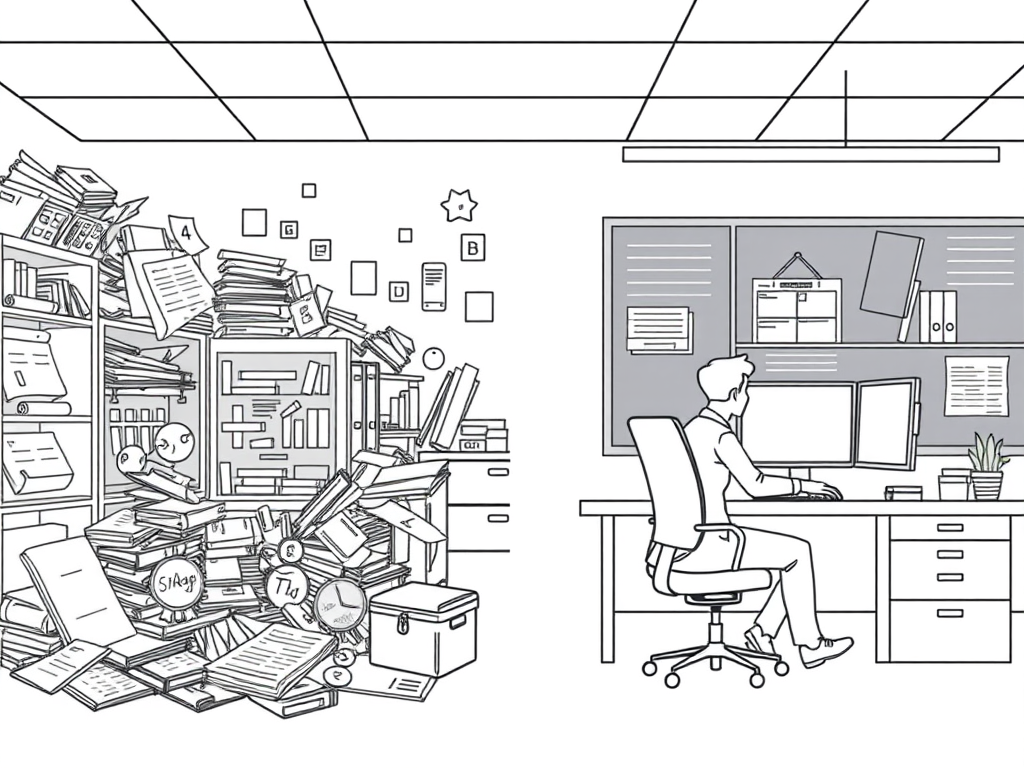
Marcus spent six weeks building the perfect compliance training for his company’s 2,000 employees. Interactive scenarios. Animated compliance mascot. Video testimonials from leadership. Gamified quizzes with leaderboards and achievement badges. Custom dashboard with real-time progress tracking. Background music to “enhance focus.” (spoiler: that usually backfires unless it serves a clear instructional or motivational goal).
Completion rates hit 94%. Employees loved the polished interface.
Then came the audit. Staff couldn’t recall basic compliance procedures they’d supposedly mastered three weeks earlier. When Marcus dug deeper, he discovered employees remembered vivid details about the training platform—the point system, the mascot’s catchphrases, where buttons were located—but struggled to explain actual compliance protocols.
Marcus’s mistake has a name: extraneous cognitive load. And if you’re designing any kind of learning—whether it’s onboarding modules, software training, leadership development, or safety certification—you’re probably creating it right now without realizing it.
Your Brain Runs on Limited Fuel
Working memory (WM) is your brain’s short-term workspace for holding and manipulating a few meaningful chunks while you reason, test ideas, and make connections. The critical part: durable learning happens when information is encoded into long-term memory (LTM). WM supports that hand-off.
Working memory has serious limits. A typical range is about 3–5 meaningful chunks for many tasks—not a fixed cap—and effective chunking/expertise can expand what fits. Novices see many separate bits; experts compress them into larger, meaningful units.
When too much competes for attention, items interfere and decay. Your executive system triages; some information simply doesn’t make it through.
When you’re learning something genuinely complex—new CRM software, risk assessment frameworks, how to conduct performance reviews—you need every bit of that precious working memory focused on the actual content. The intellectual heavy lifting. That’s called intrinsic cognitive load, and it’s unavoidable. Difficult subjects require mental effort.
Extraneous load is different. It’s all the wasted effort your design choices accidentally impose. The mental energy burned figuring out confusing navigation. Searching for information scattered across different screens. Decoding unclear instructions. Processing decorative elements that add nothing to understanding. That wasted effort could have been spent learning. (And importantly, “extraneous” depends on your goal—more on that below.)
Since its development by educational psychologist John Sweller in 1988, Cognitive Load Theory has helped us understand how instructional design either facilitates or hinders learning by managing these different types of load.
A Note on the Science
Cognitive Load Theory is an information-processing account of how limited working memory constrains learning. Neuroimaging studies can complement this picture, but CLT itself isn’t about specific brain regions; it’s concerned with how information is processed and constrained. The key takeaway is practical: designs that respect attention and integration limits improve learning.
The Paradigm Just Shifted
For decades, Cognitive Load Theory gave us clear marching orders: minimize extraneous load, manage intrinsic load, optimize germane load (the good effort that builds learning). Simple formula.
Then researchers Slava Kalyuga and Jan Plass published recent work that challenges us to think more carefully about goals. Their 2025 book “Rethinking Cognitive Load Theory” argues we’ve been thinking about this too narrowly.
The old approach assumed every learning task has one goal: building knowledge schemas in long-term memory. But that’s not how modern learning environments work. Sometimes your goal is knowledge acquisition, sure. But other times you’re designing for motivation. For engagement. For emotional connection. For building confidence before competence.
A sound effect in a traditional lecture? Pure distraction. Extraneous load.
That same sound effect in an educational game signaling achievement? It’s not extraneous anymore. It’s serving your motivational goals, which are part of your instructional strategy.
The upshot (as NYU’s Steinhardt School notes): what counts as “extraneous” depends on your goals. The revised framing emphasizes two sources (intrinsic and extraneous), but with broadened definitions—judging elements by how they serve specific instructional, motivational, and affective goals.
This broadens how we design and how we justify design choices.
The New Rules for Cutting Mental Clutter
The fundamental principles still hold. You still need to be ruthless about removing obstacles between learners and understanding. But now you need to ask better questions first.
Question One: What Are You Really Teaching For?
Before you worry about cognitive load, clarify your actual goals. All of them.
Are you building knowledge? Teaching a skill? Changing attitudes? Building confidence? Creating curiosity? The answer shapes everything else.
A high-stakes negotiation simulation might include stressful time pressure and emotional conflict. Traditional CLT might flag this as extraneous if the sole goal were knowledge of tactics. But if your goal includes “perform under pressure,” that stress is now instructional, not extraneous.
Know your goals. All of them. Then design accordingly.
Question Two: Does This Element Serve Those Goals?
Every single element in your instructional design should answer “yes” to this question. If it doesn’t actively support your learning objectives, it’s stealing cognitive resources.
Consider Jennifer, designing onboarding training for a new project management tool. She’s choosing between two approaches:
Option A: Features explained with clear screenshots and step-by-step text instructions showing how to create a project timeline.
Option B: Same explanations, but with animated cursor movements showing every click, zooming callouts that highlight different interface elements, background music intended to “reduce onboarding stress,” and stock photos of diverse teams high-fiving in modern offices.
Which serves the learning goal better?
Option A wins. Every element in Option B that’s not present in Option A imposes extraneous load. Unnecessary animations demand attention without adding meaning; background music—especially with lyrics—typically splits attention and violates the coherence principle unless it serves a specific, defensible goal. The stock photos activate prior knowledge about…what, exactly? Nothing relevant to project management.
Apply this filter ruthlessly: serve the goal or get cut.
The Split-Attention Killer
One of the most insidious sources of extraneous load happens when you force learners to mentally integrate information that you should have integrated for them.
Picture a software training video where the instructor explains features verbally while the procedure steps are listed in a sidebar on the opposite side of the screen. Learners have to: listen to the narration, scan to find the written step, mentally connect them, look back at the demonstration, find the next step, and repeat.
Exhausting. And completely unnecessary.
Research on the split-attention effect shows this is one of the most powerful findings in cognitive load theory—especially for novices and for content with high element-interactivity. As people develop expertise, they become better at integrating spatially-separated information. But for novices, the fix is elegant: put labels directly on screenshots. Place written steps right next to what they describe. Synchronize spoken explanations with visual demonstrations. Integrate related information in space and time. (With greater expertise, dense integrations can become redundant, so match treatment to the audience.)
This simple change can dramatically reduce learning time while improving comprehension. Not because the content changed. Because you stopped making learners do integration work that design could have handled.
The Power of Strategic Simplicity
Complexity should live in your content, not your interface.
You’re teaching advanced data analytics. The material is legitimately hard—that’s unavoidable intrinsic load. But nothing about analytics requires a complicated navigation system, ambiguous menu labels, or instructions written in corporate jargon.
Test every element with this question:
“If I removed this, would the learning objective still be achievable?”
Can’t decide whether to include that decorative header graphic showing abstract data visualizations? Remove it. The SQL query tutorial still works without generic businesspeople pointing at holographic charts.
Uncertain whether that three-paragraph introduction adds value? Cut to one paragraph. Or two sentences.
When you’re simplifying, target these common culprits:
Overcomplicated instructions. “In order to facilitate the process of developing comprehension regarding the fundamental principles of the system architecture…” becomes “Let’s start with how the system works.”
Redundant explanations. Don’t narrate text that’s already on screen word-for-word. Viewers can read. Instead, use narration to explain or extend what visuals show, leveraging dual-channel processing (letting different parts of your brain handle spoken words and images simultaneously).
Navigation mysteries. Learners shouldn’t need a tutorial to navigate your tutorial. Every button’s purpose should be immediately obvious.
Jargon without justification. Technical terms that serve the content? Keep them. But define them clearly. Jargon that just makes you sound smart? Kill it.
Worked Examples Save Lives (and Working Memory)
One of the most reliable ways to help novices is to use worked examples before asking for independent problem solving.
The evidence is overwhelming. The worked-example effect is one of the best-known and most widely studied cognitive load effects. When learning new procedures—from Excel formulas to customer service protocols to coding—worked examples dramatically reduce the time to competence compared to immediate problem-solving practice for beginners.
Why the massive difference?
When you throw novices straight into problem-solving, they thrash around using weak strategies. Random trial-and-error. Guess-and-check. They burn enormous cognitive resources on unproductive search while learning very little about the underlying structure.
A worked example shows the solution path step-by-step with explanations for each move. Learners can study the expert strategy without wasting working memory on dead-end searches.
The progression works like this:
Stage 1: Fully worked examples with detailed explanations. “First, we identify the customer’s primary concern (product defect), then we acknowledge their frustration…”
Stage 2: Partially worked examples where learners complete the final steps. “We’ve acknowledged the concern and apologized. Now you determine the appropriate resolution.”
Stage 3: Problem-solving practice without scaffolding. “Handle this customer complaint.”
This gradual release—often called fading—matches the support to developing expertise. High support for novices, progressively less as competence builds. However, timing matters enormously: fade too slowly and learners become dependent; fade too quickly and they’re overwhelmed. Also, advanced learners often benefit from more challenge, not less (the expertise-reversal effect). Once someone has moved beyond novice status, they may actually learn better by struggling with problems—this strategy is most effective for genuine beginners.
Consistency Is Cognitive Kindness
Every minute learners spend figuring out your interface is a minute not spent learning your content.
Establish patterns and stick to them. Same layout on every screen. Same button positions. Same color meanings. Same terminology for the same concepts.
When navigation becomes predictable, it becomes automatic. Automatic processes require almost no working memory. That’s cognitive capacity freed up for learning.
Inconsistency forces conscious attention. Different layouts on different screens mean learners can’t build useful mental models. They stay in effortful processing mode, burning resources on the wrong things.
This principle extends to language. If you call something “performance review” in module one, don’t call it “employee evaluation” in module three and “annual assessment” in module five. Pick one term. Use it everywhere.
Predictability isn’t boring. It’s professional.
When Old Rules Don’t Apply: Simulations, Games, and Immersive Learning
Corporate learning games complicate the picture beautifully.
Traditional CLT would strip out achievement sounds, animated feedback, narrative elements, and aesthetic design as extraneous load. Just give learners the core content.
But training games without those elements often fail. Not because employees can’t access the content, but because they won’t engage long enough for learning to happen.
This is where Kalyuga and Plass’s goal-driven framework becomes essential. In game-based learning, you typically have multiple simultaneous goals:
- Build specific knowledge or skills (knowledge goal)
- Maintain engagement through challenge and reward (motivational goal)
- Create emotional investment in outcomes (affective goal)
- Support skill transfer to real workplace contexts (application goal)
Elements that don’t serve the knowledge goal might serve these other goals. And those goals matter for learning outcomes.
The key is intentionality. Don’t add a leaderboard because “games have leaderboards.” Add it because competition specifically motivates your target audience and the comparative feedback helps calibrate self-assessment. Or don’t add it because your employees find competition demotivating and the comparison creates anxiety that interferes with risk-taking.
Every design choice should serve specific, articulated goals. When you can defend how an element serves your instructional strategy, it’s not extraneous. When you’re adding it because it “looks engaging” or “seems modern,” you’re probably creating extraneous load.
Design for Cognitive Diversity
Not everyone experiences the same design the same way.
Different cognitive profiles (e.g., ADHD, autism, dyslexia) involve distinct mechanisms beyond “too much load.” Automatic video playback, unclear transcripts, unpredictable navigation, and background animations may disadvantage some learners for reasons that aren’t captured solely by CLT. Use Universal Design for Learning (UDL) practices alongside CLT to reduce barriers and broaden access.
But here’s what’s important: different profiles struggle for different reasons—so design flexibly rather than assuming a single cause (like “excess load”).
The good news? The accommodations help everyone:
Offer control over sensory input. Let learners pause auto-advancing content. Toggle captions. Adjust playback speed. Disable animations. Control creates predictability, which reduces frustration and helps learning happen.
Provide multiple access paths. Some learners need written instructions. Others benefit from video demonstrations. Some want both. When possible, present the same information in different modalities and let learners choose.
Make structure explicit. Clear headings, numbered steps, and visible organization help everyone, but they’re especially crucial for learners who struggle with executive function. Don’t make people guess how pieces fit together.
Test with diverse users. Your design might work perfectly for you and still create massive extraneous load for others. Test early. Test often. Test with people whose cognitive profiles differ from yours.
UDL isn’t a sub-theory of CLT; it’s a complementary lens.
Clarity helps everyone.
The Decision Framework That Changes Everything
You can’t eliminate all cognitive load. You shouldn’t try. Effortful learning builds durable understanding.
What you can do is ensure that effort goes into wrestling with important ideas rather than wrestling with poor design.
Before you add anything to your training, ask:
- What specific goal does this serve? (Knowledge? Motivation? Confidence? Skill transfer?)
- Is this goal essential to my instructional strategy? (Or am I being seduced by what’s possible rather than what’s purposeful?)
- Could a simpler version achieve the same goal? (Animation or static screenshot? Video or text with images? Three examples or seven?)
- Does this create split-attention? (Am I forcing learners to mentally integrate what I could integrate for them?)
- Have I tested this with actual learners? (What seems clear to you might confuse them.)
This framework works because it forces justification. “Because I can” isn’t a justification. “Because research shows distributed practice improves retention and transfer” is.
Your Learners Are Thinking About the Wrong Things
Think back to Marcus’s compliance training—the one with beautiful graphics and failed knowledge retention.
When Marcus interviewed his struggling employees, he discovered they remembered vivid details about the interface. The achievement badges. The animated mascot’s catchphrase. The confusing quiz navigation that sometimes moved the “submit” button to different locations.
They remembered the wrong things. Not because they’re bad employees. Because Marcus’s design made the wrong things memorable.
That’s part of the tragedy of extraneous load: it can misdirect attention during encoding. But long-term recall also depends on retrieval practice, spacing, and good cues. Pair cleaner design with spaced, retrieval-rich follow-ups so the right things remain accessible.
When you minimize extraneous load, you do more than make learning easier. You make the right things visible. The important patterns. The key relationships. The transferable principles.
You let the content shine.
The Work Is Worth It
Designing low-extraneous-load training takes more time upfront. More iteration. More testing. More ruthless editing.
Every element you cut felt important when you added it. Every simplification feels like you’re removing something valuable. Every worked example takes longer to develop than just listing practice scenarios.
Do it anyway.
Because somewhere, there’s an employee who has 30 minutes between meetings to complete required training. They deserve instruction that respects that time by getting straight to what matters.
Somewhere there’s a new hire trying to learn your systems while managing the stress of a new job. They’re already cognitively taxed. They need every advantage you can give them.
Somewhere there’s a neurodivergent employee who’s brilliant but struggles with unpredictable interfaces. Thoughtful UDL-aligned design design might be what finally helps them access material they’ve been locked out of.
Good instructional design isn’t about making things pretty. It’s about removing every possible obstacle between a learner and understanding. It’s about protecting their cognitive resources so they can spend them where it counts.
In a workplace drowning in information, attention is the scarcest resource. Treat it like the precious thing it is.
Your learners will thank you by actually learning.
Note:
This version includes refinements to improve scientific precision and clarity, with thanks to Lauren Waldman for her expert feedback on Cognitive Load Theory and its practical application.
References
Chandler, P., & Sweller, J. (1991). Cognitive Load Theory and the format of instruction. Cognition and Instruction, 8(4), 293-332.
Cowan, N. (2001). The magical number 4 in short-term memory: A reconsideration of mental storage capacity. Behavioral and Brain Sciences, 24(1), 87-114. https://pubmed.ncbi.nlm.nih.gov/11515286/
Cowan, N. (2010). The magical mystery four: How is working memory capacity limited, and why? Current Directions in Psychological Science, 19(1), 51-57.
Kalyuga, S., & Plass, J. L. (2025). Rethinking Cognitive Load Theory. Oxford University Press. https://global.oup.com/academic/product/rethinking-cognitive-load-theory-9780190078508
New York University. (2025). Book release: Rethinking Cognitive Load Theory. NYU Steinhardt News. https://steinhardt.nyu.edu/news/rethinking-cognitive-load-theory
Society for Education and Training. (n.d.). The importance of cognitive load theory. https://set.et-foundation.co.uk/resources/the-importance-of-cognitive-load-theory
Sweller, J. (1988). Cognitive load during problem solving: Effects on learning. Cognitive Science, 12(2), 257-285.
Sweller, J., & Cooper, G. A. (1985). The use of worked examples as a substitute for problem solving in learning algebra. Cognition and Instruction, 2(1), 59-89.
The Education Hub. (2024). An introduction to cognitive load theory. https://theeducationhub.org.nz/an-introduction-to-cognitive-load-theory/ImproveExplain


You must be logged in to post a comment.