Category: Friday5

  • A Score Without Context Is Just a Number

    A Score Without Context Is Just a Number

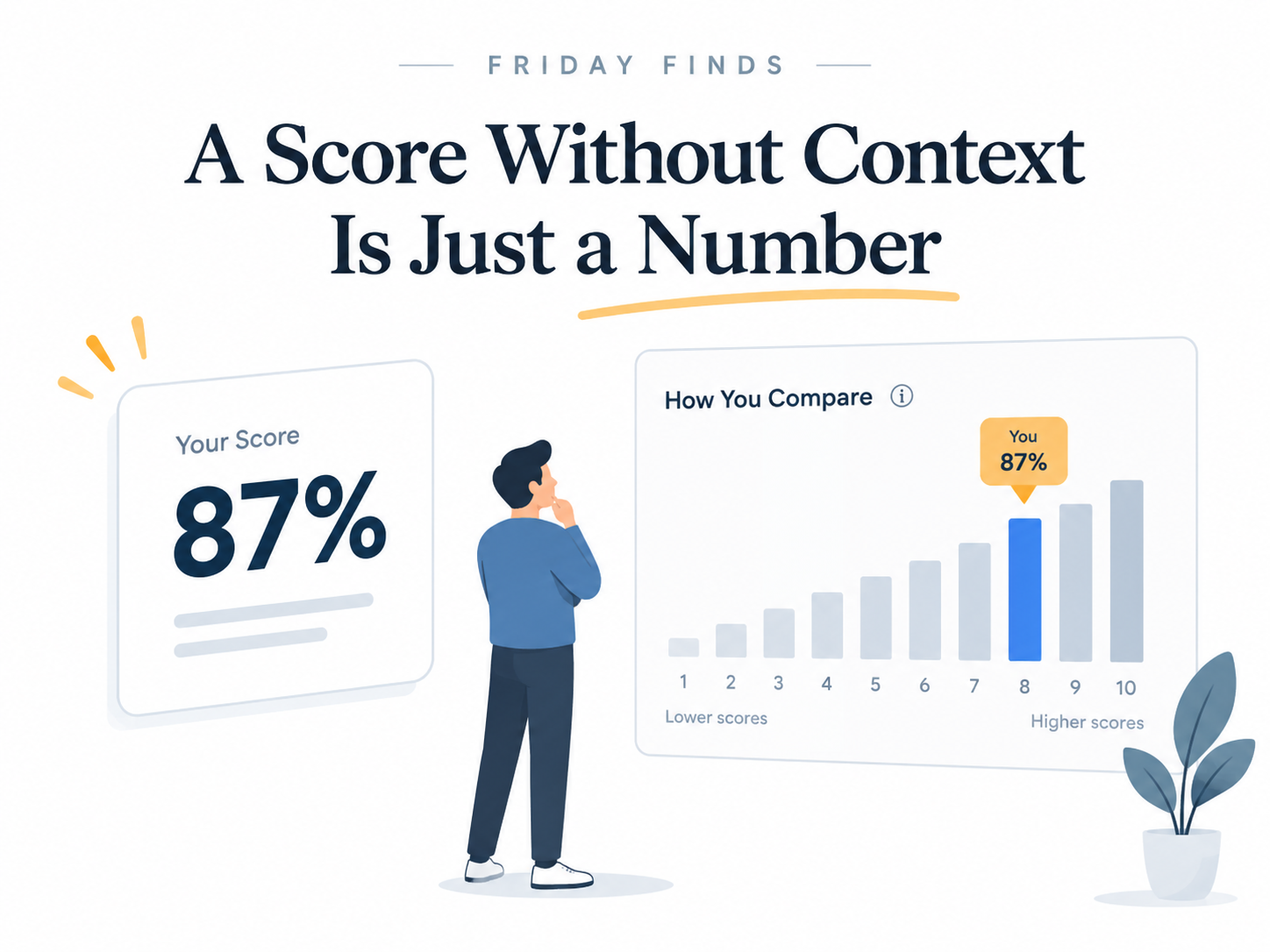
    You finish a course and score 87%. Pretty good, right?

    Maybe.

    What if everyone else scored 96%?

    Suddenly, that exact same 87% feels very different.

    That’s the problem with a lot of training feedback. We give people a number, but we don’t always give them enough context to know what that number means.

    What Happens When You Add a Benchmark?

    A recent field experiment published in Management Science looked at employees taking a voluntary online training program on agile project management and OKRs.

    One group saw only their own test scores. The other saw their scores plus how their performance compared with other employees, displayed anonymously in deciles.

    The difference got my attention.

    Among employees eligible to continue, the odds of starting the next module were 4.35 times higher for those who received relative performance information.

    Even more striking, just 17.5% of the score-only group finished all four modules, compared with 66.7% of the comparison group.

    Same training. Same tests. The big difference was that one group had a meaningful reference point.

    A Number Needs Something to Push Against

    Think about the difference between these two messages:

    You scored 87%.

    You scored 87%. That puts you in the top 20% of participants.

    Same number. Very different signal.

    The study builds on social comparison theory: when objective standards are fuzzy, people often look to others to help judge their own ability.

    An 87% score tells you what happened. Knowing where 87% sits relative to a useful benchmark helps tell you what it means.

    That distinction matters in L&D because we throw isolated numbers at people all the time. Quiz scores. Assessment results. Completion times. Practice scores.

    Then we assume the learner knows how to interpret them.

    Often, they don’t.

    Please Don’t Turn This Into Another Leaderboard

    The takeaway here is not, “Excellent! Let’s rank everyone.”

    In this experiment, the comparison was private. Employees knew where they stood, but they couldn’t see anyone else’s individual score.

    The researchers also used deciles rather than a winner-take-all ranking, giving participants a clearer sense of their position and potentially a realistic next level to aim for.

    That suggests a much more useful design question:

    Could we give learners a meaningful benchmark without turning the experience into a competition?

    You might tell someone that most first attempts land between 70–80%, that their result is higher than 75% of participants, or that people in similar roles usually complete a task within a certain range.

    You’re not creating winners and losers. You’re simply making the feedback easier to interpret.

    There’s an interesting wrinkle here, too. The effect was stronger among people who were more competitive, which probably won’t shock anyone.

    But the researchers didn’t find evidence that the effect depended on whether people had previously performed particularly well or poorly. In this setting, comparative feedback didn’t appear to chase off the people at the bottom or cause the people at the top to stop trying.

    Try This

    Pick one piece of feedback from something you’re designing right now—a quiz score, simulation result, practice activity, whatever—and ask:

    Does this number actually mean anything to the learner?

    If the answer is “not really,” experiment with adding a useful reference point.

    Not everywhere. Not publicly. And not as some giant gamification initiative.

    Just enough context to help someone answer the question they actually care about:

    How am I doing?

    One important caveat: this was one field experiment with only 79 employees, at one company, in one voluntary training program. The researchers also couldn’t observe exactly how participants interacted with the learning content itself.

    So this isn’t a universal rule.

    But it is a promising finding worth testing in your own context.

    The Bottom Line

    Feedback without context is often just a number.

    If you want learners to know how they’re doing—and perhaps give them another reason to keep going—don’t only tell them their score. Help them understand what that score means.

    Sometimes the benchmark is the part that makes the feedback useful.


    Go Deeper

    The Impact of Relative Performance Information on Employees’ Persistence in Voluntary Training

    The research behind this week’s issue. A real-world experiment tests what happened when employees could see not just their scores, but where those scores stood relative to others.

    Read the original study →


    Less Information, More Comparison, and Better Performance

    A fascinating companion study. In this field experiment, relative performance information alone produced stronger performance effects than showing people both absolute and relative measures—an intriguing reminder that more feedback isn’t automatically better feedback.

    See why less information sometimes works better →


    Relative Performance Feedback: Effective or Dismaying?

    Here’s the useful counterpoint. Comparative feedback didn’t help everyone equally, and some lower-ability participants performed worse depending on how the comparison was designed.

    The benchmark matters.

    See when comparison can backfire →


  • Stop Calling It Mandatory Training

    Stop Calling It Mandatory Training

    An email lands in your inbox with the subject line Mandatory Annual Compliance Training—Complete by Friday.

    Before you open it, you already know the plot: a slow march through policy slides, a quiz designed to prove you were technically present, and perhaps a cheerful stock photo of coworkers pointing at a laptop.

    The course may surprise you. But the label may already be working against it.

    “Mandatory” tells people why the organization needs the training completed. It does not tell them why the training matters, what problem it will help solve, or what they will be able to do afterward.

    That is an administrative fact, not a value proposition. And yet we keep putting it in the headline.

    The Requirement Is Fixed. The Framing Is Not.

    People do not approach training as blank slates. They make fast judgments before the first screen loads. Will this be useful or irrelevant? Worth my attention or safe to skim?

    The word mandatory makes that judgment easier. It places the training in the same mental bucket as expense reports, password resets, and forms that need three signatures. It answers the organization’s question—Do you have to do this?—while ignoring the learner’s question: What will this help me do, avoid, or understand?

    A mandate may secure participation. It does not guarantee the motivation needed to learn or apply anything.

    That is why required learning still needs positioning. Marketers rarely lead with the least appealing part of an offer. A gym does not advertise, “Pay us to sweat before work.” A financial planner does not promise, “Several forms and an uncomfortable discussion about death.” They lead with the outcome: more energy, less stress, a safer future.

    Learning teams should do the same. You do not need to hide the requirement. You simply need to demote it. Lead with the reason to care, then include the deadline and completion rules as supporting details.

    Change the Frame

    Compare these announcements:

    Before: Complete Cybersecurity Training
    After: Protect Your Team From the Attacks Employees See Most Often

    Before: Annual Code of Conduct Training
    After: Know What to Do When the Right Choice Is Not Obvious

    Before: Required Manager Training
    After: Handle Difficult Performance Conversations Without Making Them Worse

    Before: Mandatory Data Privacy Course
    After: Avoid the Small Data Mistakes That Create Big Problems

    Nothing about the requirement changed. The stronger versions simply make a more useful promise.

    They give people something concrete to care about: a threat, a decision, a mistake, or an action they will be better prepared to take. The message shifts from “the company wants this” to “this could help me.”

    Of course, the promise must also be true. Do not advertise the “most common attacks” if the course never identifies them. Positioning is not decoration. It is a clear and honest connection between what people need and what the learning experience delivers.

    Four Better Ways In

    When you write your next training announcement, try entering through one of these four doors. They overlap, and that is fine. Choose the one that offers the strongest truthful reason to care.

    Relevance: Where will people use this?
    Spot the phishing tactics appearing in employee inboxes.

    Risk: What costly mistake can they avoid?
    Learn the warning signs that can prevent one rushed click from exposing customer data.

    Benefit: What becomes easier, safer, or less painful?
    Prepare for performance conversations that are clearer and fairer for everyone.

    Action: What will people be able to do?
    Submit expenses correctly the first time and avoid delays or rejected reports.

    Notice that none of these promises fun. They promise usefulness, which is a much better bargain.

    Positioning cannot turn a bad course into a good one. Clever copy attached to a bloated click-through course is not marketing; it is camouflage. But poor positioning can make genuinely useful training feel worthless before it begins.

    The Five-Second Test

    Before you publish your next announcement, remove the words mandatory, required, compliance, and complete. Then read what remains.

    Can someone tell why the training matters? Can they picture a situation where it might help? Is there a clear risk, benefit, or useful action?

    Most importantly, would the message have any pull if nobody were tracking completion?

    If not, you have written an instruction rather than a reason to pay attention. You may still get a green completion dashboard, but do not confuse that with learning.

    Try This This Week

    Find one announcement that begins with Required, Mandatory, or Complete. Rewrite its headline around relevance, risk, benefit, or action.

    Keep the requirement in the message. Just stop asking it to do the work of the value proposition.

    The course may have to be mandatory. The boredom does not.

    Go Deeper

    The Evidence on Mandatory Training Is Thinner Than You Think
    This government review examines whether required workplace training in areas such as cybersecurity, privacy, ethics, and harassment actually changes performance.

    Why “You Must” Can Make People Push Back
    Explore the research on psychological reactance and why controlling language can create resistance to a message.

    A Better Way to Communicate Requirements
    See how meaningful explanations and autonomy-supportive language can preserve motivation even when a request is not optional.


    Want to Train Like a Marketer?
    If this kind of thinking hits home, you’ll probably enjoy our book Think Like a Marketer, Train Like an L&D. It’s packed with practical, real-world ideas to help you make your learning clearer, sharper, and a whole lot more effective.

  • AI Literacy Isn’t a Tool Demo

    AI Literacy Isn’t a Tool Demo

    A lot of AI training feels like a tour of a fancy new kitchen.

    Here’s the oven.
    Here’s the blender.
    Here’s the drawer full of tiny tools nobody understands.
    Good luck making dinner.

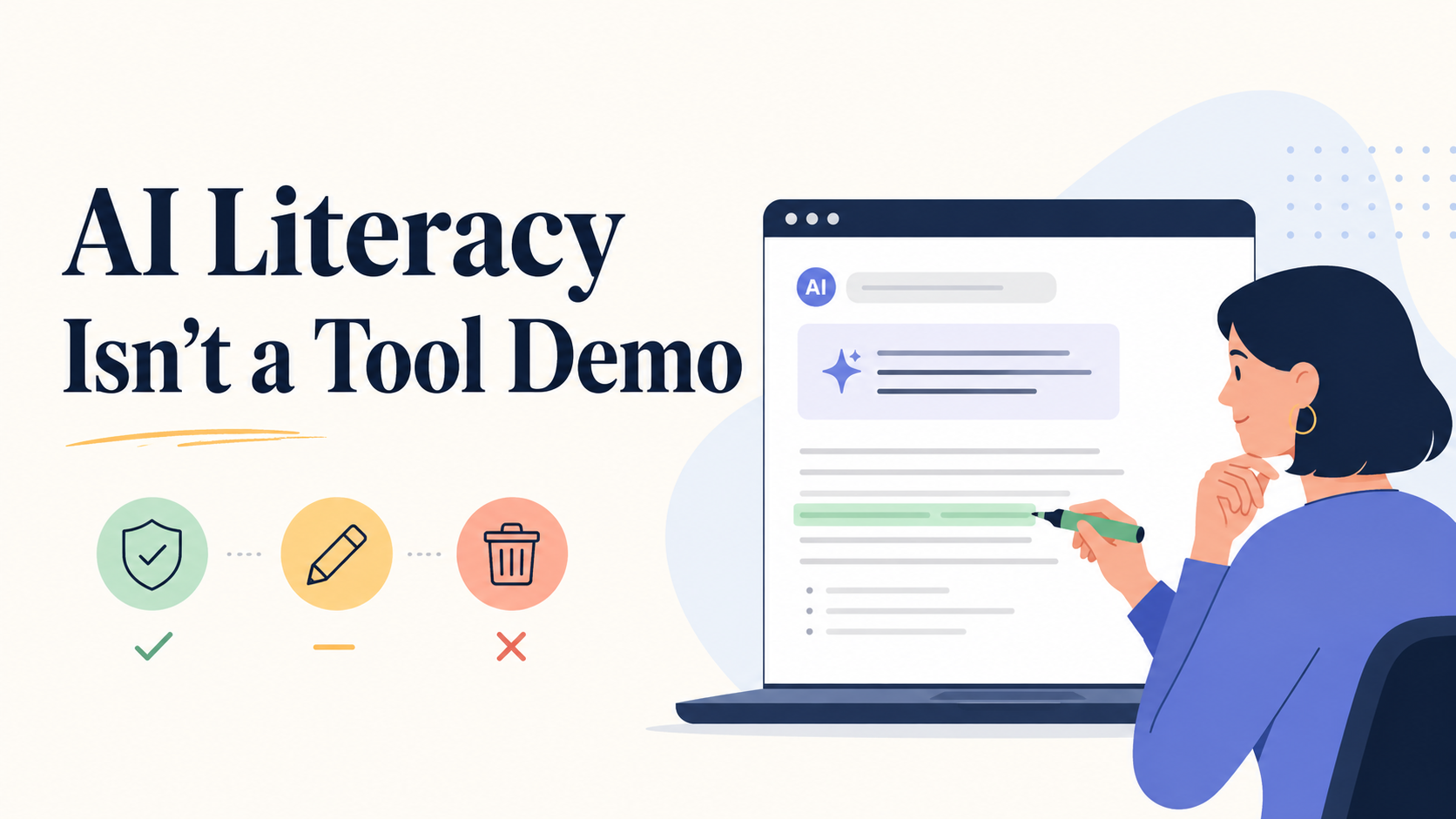
    That may help people find the buttons. It doesn’t help them cook. And that is the problem with a lot of AI literacy training right now. It teaches people how to open the tool, type a prompt, and act impressed when a tidy answer appears twelve seconds later.

    Useful? Sure. Enough? Not even close.

    AI literacy is not memorizing five prompts. It is not watching someone demo ChatGPT for 45 minutes. And it is definitely not learning that if you type “act as an expert,” the machine suddenly becomes one.

    That last one would be nice, though.

    Real AI literacy is knowing what AI is good at, where it gets shaky, how to guide it, how to check it, and when to leave it sitting quietly in the corner. Because AI makes it very easy to create work that looks finished before anyone has thought deeply about whether it is good.

    A course outline.

    A policy summary

    The Real AI Skill Is Judgment

    A set of quiz questions.
    A manager email.
    A slide deck with 44 bullet points and the word “leverage” nine times.

    AI can produce all of that in seconds.

    So the better question is not:

    Can people use AI?

    Most people can figure out the basics.

    The better question is:

    Can they judge what comes back?

    That’s the gap.

    The Real AI Skill Is Judgment

    The U.S. Department of Labor recently released an AI Literacy Framework. The part I like most is that it does not treat AI literacy like basic software training.

    It points to a better set of skills: understand what AI can and cannot do, explore where it fits in real work, direct it with clear context, evaluate what it produces, and use it safely and responsibly.

    That is a much better map.

    Because people do not usually fail with AI because they forgot which button opens the sidebar. They fail because they trust the confident answer. They fail because they ask vague questions and get vague sludge. They fail because they paste sensitive data into the wrong place.

    And they fail because the output sounds polished, so their brain takes a nap.

    That last one is sneaky.

    Polish creates trust.

    Even when it should not.

    We have all seen it. The AI answer arrives neat, fast, and strangely confident. It has headings. It has bullets. It has the rhythm of someone who owns a blazer and says “circle back” without shame.

    And because it looks competent, we treat it as competent.

    That is where training has to get sharper.

    Don’t Teach Prompts First

    I am not anti-prompt.

    A good prompt is useful.

    So is a good wrench.

    But if I hand you a wrench, you are not suddenly a plumber. You are a person holding a wrench near a future insurance claim.

    Same with AI.

    Prompting matters, but it is not the main event. The main event is helping people understand the work well enough to know what good looks like.

    That means AI literacy training should focus less on magic phrases and more on real decisions:

    • Should AI be used for this task?
    • What context does it need?
    • What would a good answer include?
    • What could be wrong, missing, biased, outdated, or risky?
    • Who needs to review this before it goes anywhere important?
    • What part still requires human judgment?

    That is not tool training.

    That is work training.

    And L&D should be leading it.

    Try the Trust, Tweak, or Toss Test

    Here is a simple way to make AI literacy more practical.

    Teach people to sort AI output into three buckets:

    • Trust it.
    • Tweak it.
    • Toss it.

    Trust it when the output is accurate, useful, safe, and matched to the task.

    Tweak it when the bones are good, but it needs better context, clearer language, stronger evidence, or a more human point of view.

    Toss it when it is wrong, risky, generic, biased, made up, or pretending to know something it does not know.

    That tiny habit does a lot of work.

    It slows people down. It gives them a decision path. It reminds them that AI output is not a finished product.

    It is raw material.

    Sometimes useful raw material.

    But still raw.

    A Better Way to Design AI Literacy Training

    Instead of building a generic “Intro to AI” course, start with the work people actually do.

    Pick one task your audience touches every week. Not glamorous work. Real work.

    Summarizing meeting notes. Drafting customer responses. Creating first drafts of training materials. Reviewing data. Preparing manager talking points. Writing status updates that do not make people want to walk into the sea.

    Then build the training around that moment.

    Show the messy version. Add AI as a helper, not the hero. Show a good output. Show a bad output. Ask people to decide: trust, tweak, or toss?

    This is where the learning happens.

    Not when the AI answers.

    When the human evaluates.

    That is the muscle we need to build.

    The Friday Find

    This week’s find is the Department of Labor’s AI Literacy Framework.

    I do not usually recommend government PDFs as light weekend reading. I have boundaries.

    But this one is worth a look because it gives L&D teams a cleaner way to think about AI training.

    The big takeaway:

    AI literacy is not about creating power users of a tool.

    It is about creating better thinkers, reviewers, and decision-makers in AI-shaped work.

    That is a very different design challenge.

    And a much more interesting one.

    Worth Your Attention

    Start Here: The AI Literacy Framework

    This is the cleanest map I’ve found for what AI literacy should actually include. Not just prompts and tool tips, but the bigger skills people need: knowing what AI can do, where it fits, how to guide it, how to check it, and how to use it responsibly.

    Short on time? Here’s the infographic version.

    See the AI literacy framework →


    AI Should Make Learning Design Better, Not Just Faster

    Dr. Philippa Hardman nails the bigger opportunity: AI is not a shortcut around learning design. It is a chance to get more serious about it.

    Use AI to design better, not just faster →


    How to Use AI Without Handing Over Your Judgment

    A smart look at where AI can help instructional designers with research, ideas, critique, and production while keeping the human in charge of the decisions that matter.

    Keep the human in the loop →


    The Bottom Line

    AI literacy is not about turning people into prompt wizards.

    It is about helping them become better thinkers, reviewers, and decision-makers in AI-shaped work.

    The tool can draft, summarize, and suggest, and it sounds very confident while doing so. But the human still has to decide whether the answer is useful, accurate, safe, and worth putting their name on.

    That is the skill to build.

    Not just:

    “How do I use AI?”

    But:

    “Should I trust it, tweak it, or toss it?”

    That is where AI literacy gets real.


    🎵 Today I’m listening to Arcy Drive​


    📍Where I’ll be next

    ​ATD Core4, Sept 29-Oct 1(Indianapolis, IN)

    Found this useful? Forward it to someone else who’d also get something out of it.

  • Friday Finds — Tools Edition: AI slide tools are finally getting good

    It’s ‘Tool Time’ again! This month, I want to share some new AI slide tools. And if you haven’t been following, some of these are getting pretty good.

    I’m not ready to break up with PowerPoint yet. But the blank-page problem? That time before anything exists? Some of these new tools have helped that become much less painful. And a couple have already earned a permanent spot in my workflow.

    Let’s dig in.

    Supported by iSpring

    Think your instructional design skills are sharp? Prove it in the iSpring Course Creation Contest. Build a course you’re proud of, get personalized feedback from expert judges, compete for prizes, and showcase your work to a global L&D audience. Best part: it’s free to enter.

    Join the contest →

    Tools Worth Your Attention

    Claude → PowerPoint

    Paste in an outline, describe the structure, and do whatever other prompting magic you want, then tell Claude to generate an editable .pptx file. That alone makes it useful. No new platform to learn. No rebuilding slides somewhere else.

    It isn’t going to give you a completely polished finished deck. But if you want a solid first draft in PowerPoint and plan to do the real polishing yourself, this is a pretty good start.

    ​Get Claude for PowerPoint →


    Claude → Gamma

    This is the first AI slide workflow I’ve used where the result made me pause before reaching for redesign tools.

    Gamma is an AI-native presentation platform, and the Claude integration is smooth. You stay in Claude, describe the deck, and Gamma handles the layout and hierarchy far better than most AI tools do. So far I’ve been pretty impressed with the design decisions with this one.

    ​See how Gamma works with Claude →


    Claude → Canva (via MCP)

    Claude can also connect you to Canva. Work your prompting in Claude, then when you’re ready, it will build a slide deck for you right inside Canva’s editor. You can even export the results directly to PowerPoint.

    Then you’re off to the races inside Canva, where editing, refining, and finishing the design is much easier. If you’re a Canva person, this one’s for you!

    ​Try Canva with Claude →


    Chronicle

    Chronicle’s strength is in turning rough ideas into polished slides fast. Drop in notes, an outline, a document, or even a prompt, and it generates a structured deck with layouts, visuals, and a logical narrative flow. In my testing, it handled messy source material surprisingly well. I’ve only explored what’s available in the free tier so far, but the early results are promising.

    ​Explore Chronicle →


    Canva Magic Layers

    This one is different. Magic Layers doesn’t build slides. It does something that may be even more useful in day-to-day design work: it converts a flat image into editable layers in Canva. (Which you can export directly to PowerPoint by the way!)

    That is a total game-changer and may be the most practical feature on this whole list.


    video preview
    Also supported by Neovation

    Growing a business (in any economy) isn’t easy. The values that made you great can quietly slip through the cracks as you scale. Join us on March 18 for a live demo of how you can use AI and digital learning to preserve your culture as your organization grows.

    ​Register​ for the Protect Your Company DNA webinar →

    ​The Bottom Line

    If I had to sum up the current landscape:

    Best design output: Gamma

    Best fit for a PowerPoint workflow: Claude → PowerPoint

    Best fit for Canva users: Claude → Canva

    Most promising tool to watch: Chronicle

    Most practically useful new feature: Canva Magic Layers


    Know someone who could use any of these tools? Forward this their way.


    📍Where I’ll be next

    • iSpring 2026, April 15-17 (Online)
    • ​LearnTec, May 5-7 (Karlsruhe, Germany)​
    • ATD International Conference, May 17-20 (Los Angeles, CA)
    • Canadian eLearning Conference (Niagra Falls, ON)
  • Friday Finds — The Great Training Robbery, Engaging Videos with Richard Mayer, Guide to Expert Interviews

    Friday Finds — The Great Training Robbery, Engaging Videos with Richard Mayer, Guide to Expert Interviews

    “The greatest deception men suffer is from their own opinions.”

    Leonardo da Vinci

    You might have noticed that I switched up the way I write the news item descriptions a while back—leaning into the Smart Brevity style. Is it working? Do you like it better? Or should I go back to the old, short-and-sweet single-paragraph format? Or (plot twist) does no one actually care, and I should stop overthinking this? 😂 Either way, I’d love to hear your thoughts! And while you’re at it, let me know if there’s anything else I can improve. Just hit reply to this email. I appreciate you! 🙏

    Also, on Tuesday, I’m sharing six practical, easy-to-implement tips to boost learner engagement. I’d love for you to join me!​

    Thanks for reading!


    👆 Last Week’s Most Clicked

    ​AI-Powered Development & Implementation
    (Use Cases to Improve the Quality & Speed of the Build Stages of ADDIE)


    🎶 What I’m Listening To

    Today, I’m liking the breezy, feel-good vibes of Surfaces.


    ✨ Share YOUR Best Finds

    Find something share-worthy? Drop it here 👇


    sponsored

    Turn Compliance Training into a Smooth Process

    Imagine compliance training that’s straightforward and stress-free — keeping you audit-ready without the usual headaches. It’s not just a goal — it’s entirely possible. Join iSpring’s free webinar to discover how a Learning Management System (LMS) can streamline your compliance training. Learn how to automate repetitive tasks, easily deliver courses, and use powerful reporting tools to ensure everything stays on track.


    Beyond the Classroom: Creating Engaging Educational Videos

    The Rundown: The “Empowering Educators” seminar hosted by UMass featuring Dr. Richard Mayer and Matt Pierce focused on innovative strategies for enhancing student engagement through the creation of effective educational videos.

    The Context:

    • The seminar highlighted the importance of methodology over technology in video creation.
    • ​Learn about the significance of a learner-centered approach for effective educational video design.
    • ​AI tools were discussed for improving audio quality and engaging video content.
    • ​Key strategies included understanding audience preferences and minimizing cognitive overload in videos.

    Why it matters: Engaging educational videos can significantly enhance student learning, interaction, and retention. By empowering educators with innovative strategies, the seminar aimed to improve educational outcomes and make learning more accessible and effective for diverse learners.

    The Ultimate Guide to Expert Interviews

    The rundown: Expert interviews are a powerful content marketing tool. They help extract valuable insights, enhance credibility, and humanize your brand. Amy Woods walks through how to plan ahead and make repurposing simple, so you’re always getting the best return from your expert conversations.

    The context:

    • Authenticity wins – Interviews showcase real voices, making content more engaging.
    • AI-proof content – Unlike AI-generated pieces, expert insights bring unique perspectives.
    • Repurposing goldmine – One interview can fuel courses, blogs, videos, podcasts, and social style posts.
    • ​Stronger connections – Featuring experts boosts trust and authority.

    Why it matters: Expert interviews done well provide credible, human-centered content. They deliver fresh insights, drive engagement, and maximize reach in a variety of formats.

    The Great Training Robbery

    The Rundown: This Harvard Business Review working paper looks at how companies waste billions on training because it fails to change behavior or improve performance. True change requires systemic organizational development led by senior leadership, with training as a supporting element, not the primary driver.

    The Context:

    • Organizations spend vast sums on training yet see limited returns.
    • ​Traditional training focuses on individual skills, neglecting the powerful influence of organizational systems.
    • ​”Silent killers” like unclear strategy and poor leadership hinder the application of learned skills.
    • ​HR often prioritizes individual competency development over systemic organizational change.

    Why It Matters: Many companies waste money on training that doesn’t work. This frustrates employees and blocks real progress. It’s like planting seeds in poor soil – even good training fails if the company isn’t ready. Leaders need to build a workplace where new skills can be used. This means changing the company culture and getting everyone involved. When this happens, training works better and everyone benefits.


    sponsored

    Struggling with employee turnover?

    Discover how strategically planned training and development can improve employee tenure. By offering employees opportunities to learn and grow within your organization, it shows your invested in their future, in turn increasing job satisfaction and morale.Learn how upskilling and reskilling can keep your employees engaged, committed, and reduce costly churn.


    🧰 Tech Tools & Tips

    If tools are your jam, check out my Work Smarter newsletter.

    Trickle AI

    Trickle simplifies app creation with integrated AI, databases, and design, enabling anyone to quickly build and launch web apps and forms.

    Windy

    Windy.com provides highly detailed, interactive weather maps and forecasts for any of you weather watchers who might be out there.


    sponsored

    Great marketers know how to grab attention. Now it’s L&D’s turn!

    What works vs. what flops? Mike Taylor (Learning Experience Strategist, Consultant, and Author of #TrainLikeAMarketer) breaks down attention triggers with loads of real examples. Stine S. Snekkenes (Senior Instructional Designer @ We Are Learning) then showcases how to bring these to life in We Are: the next-gen course authoring tool for immersive learning.

    Forget boring training—your learners already have. Let’s fix that. ✅

    Tuesday, March 11th, 2025 – 12:00 PM (EDT)


    🎧 Podcast of the Week

    This is the conversation that caught my ear this week. Check out previous episodes in the Friday Finds podcast playlist.

    ​Will AI Wipe Out L&D?Robert Guidi explores AI’s positive impact on L&D, focusing on practical applications and performance support, detailed in his book “ChatL&D,” rather than dwelling on job displacement.

    🧳 Where’s Mike?

    If you or your event needs a speaker or workshop that is highly interactive and super practical, we should talk.

  • Friday Finds — Emotional Design, L&D Trends, AI for Instructional Design

    Friday Finds — Emotional Design, L&D Trends, AI for Instructional Design

    “The greatest enemy of knowledge is not ignorance; it is the illusion of knowledge.”

    — Daniel J. Boorstin​

    Man, it’s still freezing and snowy here! I’m so ready for some sunshine and to ditch the layers. Seriously, I’m practically hugging my office heater for warmth these days! Is anyone else feeling this? Spring HAS to be close, right? Like, any day now?! RIGHT?! I need some vitamin D, stat!

    Thanks for reading!


    👆 Last Week’s Most Clicked

    ​Why Most Course Titles Fail – And How to Make Yours Standout​

    🎶 What I’m Listening To

    There is something about Louis Armstrong’s music that makes me feel good inside – so that’s what I’m playing today.


    sponsored

    Looking to boost learner engagement?

    Would you like to infuse your eLearning content with energy, making it more interactive and engaging? Join iSpring’s upcoming webinar to learn how custom characters and the text-to-speech feature in iSpring Suite can help you create captivating learning experiences.


    📰 News & Notes

    The Art of Emotion — Norman’s 3 Levels of Emotional Design

    The Rundown: Good design isn’t just about aesthetics—it’s about making users feel something. Emotional design taps into psychology to create products that resonate deeply, boosting engagement and usability.

    The Context:

    • Emotional design considers three levels: visceral (first impressions), behavioral (usability), and reflective (lasting impact).
    • Positive emotions lead to better user experiences, making interactions smoother and more enjoyable.
    • Companies like Apple and Tesla leverage emotional design to create strong brand loyalty.

    Why it Matters: While this concept is rooted in UI design, the same principles apply to learning content. Well-crafted lessons should not only inform but also engage and emotionally connect with learners, leading to better retention and motivation.


    2025 L&D Trends: AI Leads, But Value Takes Center Stage

    The Rundown: Donald Taylor’s L&D Global Sentiment Survey 2025 confirms AI’s continued reign as the hottest topic in workplace learning, surpassing last year’s record-breaking interest. Data-driven learning remains strong, while a renewed focus on demonstrating L&D’s value is emerging.

    The Context:

    • AI led the survey for the second year in a row, growing in popularity despite expectations of a decline.
    • Data-centric strategies—like learning analytics and adaptive learning—continue to hold top positions.
    • A noticeable comeback for “Showing Value” and “Consulting with the Business” signals a shift towards proving L&D’s impact.

    Why It Matters: L&D is at a crossroads: AI is reshaping the landscape, but many teams are still using it mainly for efficiency rather than transformation. The real challenge now? Moving beyond content creation to using AI for deeper business impact. With budget constraints and strategic alignment concerns on the rise, proving L&D’s value is becoming just as critical as embracing new tech.


    Why Not Just Use ChatGPT? The Case for Specialized AI in Instructional Design

    The Rundown: New info comparing generic AI tools like ChatGPT with ​Epiphany​, a specialized instructional design AI, reveals major differences in quality, efficiency, and usability.

    The Context:

    • A/B testing across Fortune 500 L&D teams found that specialized AI tools dramatically outperformed ChatGPT in course creation.
    • Unlike ChatGPT, which requires users to craft their own prompts, Epiphany structures the workflow into research-backed phases (Brief, Outline, Storyboard) to optimize learning outcomes.
    • Epiphany integrates instructional design principles, such as Self-Determination Theory and Cognitive Load Theory, ensuring higher-quality course design.
    • Results showed an 87.5% reduction in design time, a 75% improvement in quality, and a 50% increase in learner application of new skills.

    Why it Matters: While ChatGPT is a powerful tool for general content generation, instructional design requires structured workflows and deep research integration. This study underscores the importance of using AI tailored for specialized fields—delivering superior results, faster workflows, and more effective learning experiences.


    sponsored

    How can employee onboarding help your organization?

    While offering an employee onboarding program is essential, many companies miss the mark in helping new hires start their jobs or careers with a strong foundation.

    Discover how to deliver an effective onboarding program—whether in-person or online—with tips, topics, ideas, and more.


    🧰 Tech Tools & Tips

    If tools are your jam, check out my Work Smarter newsletter.

    Digestly

    Get key insights from YouTube & podcasts delivered daily to your inbox – save time & stay informed.

    Try now →

    Libby

    Instantly access nearly any free ebook or audiobook on any device – available at 90% of US libraries and in 78 countries

    Try now →


    sponsored

    Tired of stakeholders questioning your training impact?

    Join Dr. Alaina Szlachta and Roy de Vries in this free, interactive masterclass and discover simple ways to collect, analyze, and showcase training impact using the tools you already have!

    What You’ll Walk Away With:

    ✅ Practical strategies to measure and prove training effectiveness

    ✅ Actionable insights you can apply right away

    ✅ More confidence in using data to improve learning outcomes

    March 11 9:00-10:30 AM ET


    🎧 Podcast of the Week

    This is the conversation that caught my ear this week. Check out previous episodes in the Friday Finds podcast playlist.

    Everything You Know About Learning Theory Is Wrong

    Nick Shackleton-Jones revisits The Learning Hack to challenge learning theory, discuss his Affective Context Model, and explore the future of workplace learning.

    ​Listen now →


    🧳 Where’s Mike?​

    If you or your event needs a speaker or workshop that is highly interactive and super practical, we should talk.


    Like this newsletter? Share it with someone you love. Don’t like it? Share it with someone you don’t!

    Friday Finds is an independent publication that I produce in my free time. You can support my work by sharing it with the world, booking an advertising spot, or buying me a coffee.

  • Friday Finds — Crafting Course Titles, Sparking Curiosity, and AI-Powered Learning with Learn LM

    Friday Finds — Crafting Course Titles, Sparking Curiosity, and AI-Powered Learning with Learn LM

    “We can only be said to be alive in those moments when our hearts are conscious of our treasures.”

    — Thorton Wilder​

    Does anyone else feel like they’re living inside the news lately? Oliver Burkeman nailed it—our “psychological center of gravity” has shifted to politics and pandemics, making the world beyond our screens feel almost unreal. It’s not just doomscrolling; it’s losing our sense of control while the laundry piles up. Burkeman isn’t saying ignore the chaos, just rebalance. But there’s more to life than the next crisis. The sun is out. A friend texted me a joke that actually made me laugh. Life is still happening, even in the margins. That matters, too. So, I’m stepping back from the news spiral and focusing on life. What about you? How are you finding balance?

    Thanks for reading!


    👆 Last Week’s Most Clicked

    ​How People Read Online​

    🎶 What I’m Listening To

    I’ve been enjoying Mumford & Sons all week.


    sponsored

    Discover how to improve collaboration with SMEs and stakeholders

    Working with SMEs and stakeholders can be challenging. But you’re not alone — many instructional designers face this too. Join iSpring’s upcoming webinar to learn practical strategies for improving collaboration. Holly Owens, an experienced eLearning expert, will share valuable insights to help you communicate more effectively and build stronger working relationships.


    📰 News & Notes

    Why Most Course Titles Fail—And How to Make Yours Stand Out

    The Rundown: Crafting compelling course titles is essential for engaging learners, yet many fall short due to vagueness or lack of appeal. Effective titles should be clear, specific, and enticing to capture attention.

    The Context:

    • Clarity and Specificity: Titles should convey exactly what the course offers. For example, instead of “Unlocking the Future of Learning,” use “How AI is Transforming Instructional Design in 2025.”
    • ​Use of Numbers: Incorporating numbers can increase engagement. “7 Proven Strategies to Make Your eLearning More Engaging” is more compelling than a general statement.
    • ​Emotional Appeal: Employing ‘power words’ can evoke emotion and curiosity, making the title more memorable.
    • ​Direct Address: Speaking directly to the reader using “you” or “your” personalizes the experience and increases relevance.

    Why it Matters: A well-crafted course title serves as the first point of engagement, significantly influencing a learner’s decision to explore further. By applying marketing principles to course titles, educators can enhance learner interest and participation.


    Research-Backed Strategies to Spark Curiosity in Adult Learning

    The Rundown: Connie Malamed explores how curiosity enhances adult learning, emphasizing its role in motivation, engagement, and knowledge retention.

    The Context:

    • Definition: Curiosity is a motivational state driving individuals to acquire new information and resolve uncertainties.
    • ​Benefits: It fosters continuous learning, innovation, and better memory retention.
    • ​Organizational Impact: Curiosity aids new employees in adapting by encouraging proactive information gathering and skill acquisition.

    Why it Matters: By leveraging curiosity, educators can create more effective and engaging learning experiences, leading to improved outcomes in adult education.


    Google’s Learn LM: AI for Smarter Learning

    The Rundown: Ross Stevenson spills the tea about a new AI tool that Google has unveiled called Learn LM, which is a model fine-tuned specifically for education. Part of the Gemini family, it’s designed to provide personalized, adaptive learning experiences based on principles from learning science.

    The Context:​

    • Learn LM incorporates active learning, adaptability, curiosity stimulation, and metacognition support to help users engage deeply with content.
    • It’s already embedded in Google products like Search, YouTube, and Classroom, offering features like interactive Q&A during educational videos.
    • Google has also launched Illuminate (an audio overview tool in Notebook LM) and Learn About (a Google Labs experiment focused on AI-driven learning).
    • Developers and educators can experiment with Learn LM in Google AI Studio, customizing learning experiences for different needs.

    Why it Matters: AI-driven education is evolving fast, and Learn LM signals Google’s push to integrate smarter, science-backed learning into its ecosystem. If successful, it could reshape how personalized learning is delivered at scale.


    sponsored

    Does the eLearning authoring tool you use matter?

    Whether you’re building a new course, a series of modules, or modifying an existing training program, you may want to use an instructional design model to enhance the eLearning content. But which model should you choose? What are the benefits? Do you even need an instructional design model? We’ll help you compare five popular models to determine your best fit!


    🧰 Tech Tools & Tips

    If tools are your jam, check out my Work Smarter newsletter.

    Google Learn About

    Uses AI to help you explore any topic, applying learning science to boost understanding and long-term retention.

    Try now →

    Notepad Online

    Online notepads are handy for quickly capturing and managing simple text-based information accessible from anywhere.

    Try now →


    sponsored

    Tired of stakeholders questioning your training impact? 

    Join world-renowned analytics expert Dr. Alaina Szlachta for a 90-minute masterclass that turns complex data into compelling proof of value. You’ll learn practical, step-by-step strategies that are already helping training leaders showcase undeniable results. This hands-on session from aNewSpring cuts through the theory to deliver real solutions. Register for March 11 (9:00-10:30 AM ET) and transform how you show your program’s success.

    Level up your analytics: Join us on March 11 →


    🎧 Podcast of the Week

    Boosting Attention & LearningBlake Harvard on his book “Do I Have Your Attention?” and how he uses cognitive psychology in teaching. He covers memory, attention, learning pitfalls, and practical strategies like retrieval and spaced practice. He argues that strong knowledge foundations boost creativity.

    ​Listen now →


    🧳 Where’s Mike?​

    If you or your event needs a speaker or workshop that is highly interactive and super practical, we should talk.

    Like this newsletter? Share it with someone you love. Don’t like it? Share it with someone you don’t!Friday Finds is an independent publication that I produce in my free time. You can support my work by sharing it with the world, booking an advertising spot, or buying me a coffee.

  • Friday Finds — Engaging Learners, AI’s Impact on Training, & Reclaiming Your Feed

    Friday Finds — Engaging Learners, AI’s Impact on Training, & Reclaiming Your Feed

    “We are not thinking beings that occasionally feel. We are feeling beings that occasionally think.” 

    – Antonio Damasio

    ​

    Holy moly, January’s gone. Poof. I blinked and almost missed it. Good to have the kids back in school and things getting back to normal… or whatever passes for it. I’m not wishing time away, but… is it too early to start thinking about sunshine, warm weather, and more outside time? It probably is if you live anywhere near me.

    Thanks for reading!

    👆 Last Week’s Most Clicked

    ​Datawrapper add-in for PowerPoint​
    Free add-in that lets you create and edit interactive visualizations for your PowerPoint slides.


    🎶 What I’m Listening To

    ​DOUBLECAMP is a duo that blends pop, hip-hop, and indie/alt into some really good music.

    sponsored

    Streamline Course Creation with an eLearning Storyboard Template

    Tired of juggling notes, endless rewrites, and miscommunications with SMEs? Download our eLearning storyboard template to clearly organize your course content and share it with stakeholders for a quick and easy review.


    📰 News & Notes

    Unlock Learner Brains: The Science of Creating Engaging Training

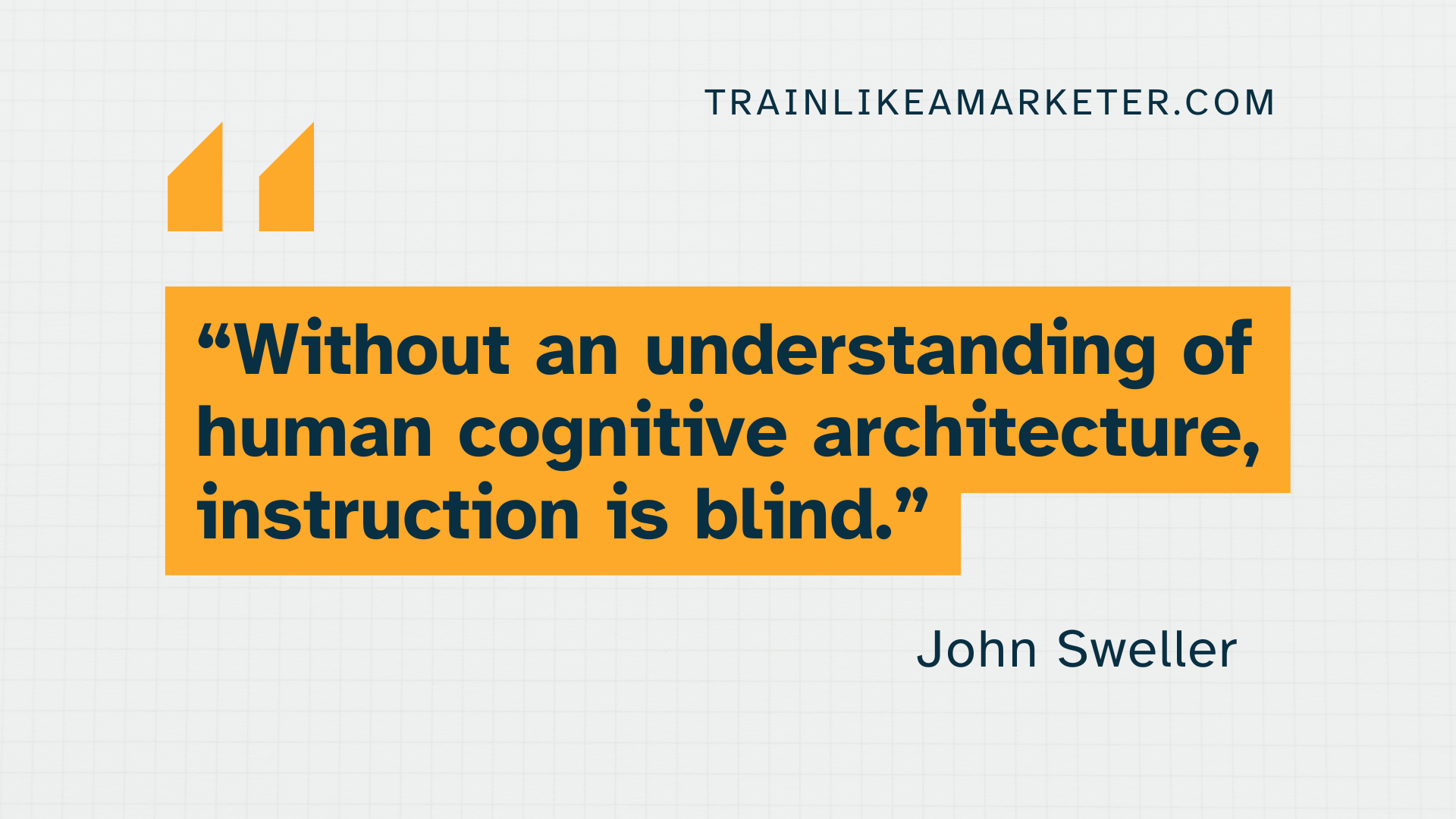
    The Rundown: Effective training hinges on understanding human cognitive architecture, particularly how attention and first impressions influence learning. Design plays a pivotal role in capturing and maintaining learner engagement.

    The Context:

    • First Impressions: Learners form judgments in as little as 50 milliseconds, with 94% of these impressions based on design quality. A positive initial perception can create a “halo effect,” enhancing engagement with subsequent content.
      ​
    • Thinking Systems: According to Daniel Kahneman, humans operate using two systems:
      • System 1 (Intuitive):
        Automatic, quick, and energy-efficient.
        ​
      • System 2 (Deliberative):
        Effortful, analytical, and energy-intensive.
    • Cognitive Biases: Designing training that aligns with natural cognitive biases—such as personal relevance, contrast, tangibility, memorability, visual appeal, and emotional resonance—can enhance learning effectiveness.

    Why it Matters: By aligning training design with the brain’s natural processing patterns, educators can create more engaging and effective learning experiences. Understanding and leveraging cognitive principles ensures that training not only captures attention but also facilitates deeper learning and retention.


    The fall of click-next e-learning: What Operator means for training

    The Rundown: Ben Betts looks at ChatGPT’s Operator tool and demonstrates its ability to navigate and complete e-learning modules autonomously, raising questions about the future of traditional corporate training.

    The Context:

    • Operator successfully completed various e-learning modules, including a simple “comic book” style course, a more complex Adapt framework module, and even a comprehensive assessment with diverse question types.
    • While Operator excelled in many tasks, it faced challenges with dynamic drag-and-drop interactions and audio recording tasks.

    Why it Matters: The emergence of tools like Operator could render traditional “click-next” e-learning obsolete, prompting organizations to:

    • Reevaluate the effectiveness of their training programs.
    • Consider policies to prevent AI from completing mandatory training.
    • Explore more engaging and meaningful learning experiences.

    Curated Consumption: A Saner Approach to Online Media

    The Rundown: Scott Young suggests ditching algorithm-driven content feeds in favor of curated consumption via RSS readers, arguing that this leads to a more focused and less distracting online experience.

    The Context:

    • RSS Readers: Tools like Feedly allow users to subscribe directly to preferred blogs, websites, and even social media accounts, offering control over the content you consume.
    • Content Discovery: Finding new material requires effort, but following aggregator blogs can simplify the process.

    Why it Matters: Transitioning to curated consumption reduces exposure to algorithmically selected, attention-grabbing content, leading to a more focused and intentional online experience. While it demands a bit more effort, this approach offers a healthier alternative to the often overwhelming nature of modern content feeds.


    sponsored

    Can simulation-based learning help your organization?

    If you need a way to help your learners practice tasks or scenarios they can use on the job, simulation-based learning unlocks a world of possibilities!

    Discover the benefits of simulation-based learning, examine real-world use cases, and what impact it can have on your organization.


    🧰 Tech Tools & Tips

    If tools are your jam, check out my Work Smarter newsletter.

    Cursorful:

    Free browser extension for beautiful screen recordings with auto-zoom.

    Image Kit

    Free and ad-free, secure media hosting. Instantly share images & videos.


    sponsored

    Tired of stakeholders questioning your training impact? Join world-renowned analytics expert Dr. Alaina Szlachta for a 90-minute masterclass that turns complex data into compelling proof of value. You’ll learn practical, step-by-step strategies that are already helping training leaders showcase undeniable results.

    This hands-on session from aNewSpring cuts through the theory to deliver real solutions. Register for March 11 (9:00-10:30 AM ET) and transform how you show your program’s success.


    🎧 Podcast of the Week

    Learning Without Platforms​

    Sarah Mercier (Build Capable CEO) discusses her patented learning tech, the XCL tool for decentralized content, and how AI can revolutionize learning—with good data.


    🧳 Where’s Mike?

    ​
    If you or your event needs a speaker or workshop that is highly interactive and super practical, 
    we should talk.

    Like this newsletter? Share it with someone you love. Don’t like it? Share it with someone you don’t!


    Friday Finds is an independent publication that I produce in my free time. You can support my work by sharing it with the world, booking an advertising spot, or buying me a coffee.

  • Friday Finds — Emotions & Learning, Communities of Practice, Scaling ID using AI

    Friday Finds — Emotions & Learning, Communities of Practice, Scaling ID using AI

    “Perfection is a stick with which to beat the possible.”

    — Rebecca Solnit


    ​
    It’s so cold here that I’ve practically become one with my heater, and I’m seriously considering some battery-powered clothing. But if Monday night’s national championship game turns out the right way, nobody will care the slightest about the temperature, and Columbus will be an inferno of scarlet and gray.

    Thanks for reading!

    👆 Last Week’s Most Clicked​

    The Six Things Our Primal Brains Pay Attention To: A Guide for L&D Pros

    🎶 What I’m Listening To

    I love cover songs, and these may be better than the originals.

    sponsored

    Tired of Technical Fluff and Empty Promises When Choosing an Authoring Tool?

    Join a live demo of iSpring Suite — the comprehensive authoring tool for creating advanced courses right in PowerPoint. Explore real courses created with the tool, see how they’re designed, and discover what they include. No sales pitch — just a preview of what you can achieve!

    Book a free tour of the iSpring course library →


    📰 News & Notes

    How to Use Emotions as Learning Superpowers

    The Rundown: Emotions significantly influence adult learning by guiding attention, enhancing engagement, and affecting memory retention. However, their intentional incorporation into learning experiences is often overlooked.

    The Context:

    • Role of Emotions: Emotions are biological responses to significant events, shaping our cognitive processes. Negative emotions, like fear and anger, narrow focus to address immediate threats, while positive emotions broaden our openness to new experiences.
    • ​Impact on Learning: Positive emotions enhance engagement and creativity, leading to better problem-solving and knowledge retention. Conversely, negative emotions can hinder learning by limiting cognitive flexibility.
    • ​Strategies for Educators: Incorporating storytelling, humor, and varied activities can evoke positive emotions, making learning experiences more effective. Additionally, creating a safe environment allows learners to express and manage emotions constructively.

    Why it Matters: Recognizing and harnessing the power of emotions in educational settings can transform passive learning into dynamic, memorable experiences. By intentionally designing with emotions in mind, educators can facilitate deeper understanding and long-term retention of information.

    Learn more →

    A close-up look at Communities of Practice

    Rundown: Anna Maria Dorgo has a conversation with Etienne and Beverly Wenger-Trayner, which focuses on building and sustaining successful Communities of Practice (CoPs) and social learning spaces. It highlights the importance of collaboration, storytelling, and leadership for shared learning and problem-solving.

    The Context:

    • Strong leadership is crucial. Successful CoPs often start with an enthusiastic leader who fosters open communication and a shared purpose.
    • ​Facilitators should encourage participant ownership and storytelling rather than simply providing services. Stories help members understand challenges and adapt solutions to their specific situations.
    • ​Sustaining a CoP requires ongoing learning. Regularly review past discussions to evaluate real-world outcomes and adjust based on shared experiences.

    Why it Matters: CoPs offer a human-centered alternative to traditional training. By emphasizing storytelling and collaboration, they create dynamic environments for professional growth. This empowers practitioners to navigate uncertainty and drive innovation.

    Watch now →

    Scaling Evidence-based Instructional Design Expertise Using AI

    The Rundown: Philippa Hardman summarizes recent research on using AI to scale evidence-based teaching approaches that have traditionally been too resource-intensive to implement broadly.

    The Context:

    • By creating a single “perfect” template and using it to generate multiple variations with AI, instructional designers can significantly reduce development time while maintaining quality.
    • ​Designers can start with one high-quality module, perfect their AI-assisted approach, and then scale that success across the entire course. This iterative process allows for continuous refinement and maximizes the impact of AI.
    • ​Implementing structured human review processes that complement AI’s capabilities is crucial. This might involve multi-stage reviews focusing on factual accuracy, pedagogical effectiveness, and inclusivity, with continuous improvement of the review process itself.

    Why it Matters: Using AI-powered language models in teaching offers a way to apply what we know about effective teaching methods on a large scale. This has the potential to improve learning outcomes for students in many different educational settings.

    Read now →

    sponsored

    Last Chance to Register – AI in L&D: Friend, Foe, or the Future?

    Knowledge is power! Empower yourself and your team with the latest AI innovations for L&D. Don’t miss out on game-changing insights that could revolutionize your L&D strategies.

    Register today!

    🧰 Tech Tools & Tips

    If tools are your jam, check out my Work Smarter newsletter.

    Lovable

    Simply describe your idea in your own words & watch it transform into a fully functional application.

    Try now →

    Notion Faces

    Notion Faces is a free online tool to easily create your own custom Notion-style avatars.

    Try now →

    sponsored

    Can you confidently position yourself as AI-proficient, meeting the evolving expectations of future HR roles? Join our workshop to master AI tools with HR-specific use cases and prompts. Save time and supercharge productivity by becoming 10x more efficient.

    Use code mtaylor for a 10% discount!

    Register Now!​


    🎧Podcast of the Week

    Do learners understand your instructional graphics?​

    Are we all a little over-confident about the graphics we use to promote learning? Elizabeth Boling has done research that demonstrates we are. We assume people can understand our intent in the instructional graphics that we or others produce. But this is not always the case.

    ​Listen now →​

    What do you think of book clubs for professional development?

    I’ve seen them transform reading into collaborative learning in tech, marketing, and leadership. I’m thinking about developing a toolkit to make these experiences more impactful and would love your input! Share your experiences: What worked? What didn’t? How did you structure discussions? Let’s learn together!

    Join the conversation →

    🧳 Where’s Mike?​

    If you or your event needs a speaker or workshop that is highly interactive and super practical, we should talk.

    Like this newsletter? Share it with someone you love. Don’t like it? Share it with someone you don’t!

    Friday Finds is an independent publication that I produce in my free time. You can support my work by sharing it with the world, booking an advertising spot, or buying me a coffee.

  • Friday Finds — 12 Prompts of Xmas, AI-Enhanced Learning, Automation Made Simple

    Friday Finds — 12 Prompts of Xmas, AI-Enhanced Learning, Automation Made Simple

    Sign up here to get Friday Finds in your inbox every Friday.

    “If the only prayer you said was thank you, that would be enough.”
    ― Meister Eckhart

    I hope you’re enjoying some holiday cheer and recharging your batteries before we dive headfirst into the new year! You might notice a few more layout design updates here. Speaking of which, my New Year’s wish (let’s call it a wish, not a resolution!) is that all the tech involved in getting this newsletter to you plays nice with your inbox. I’m looking at you, Outlook! 🤞 Let’s hope for a smooth and glitch-free 2025! (Please reply and let me know if you see any issues at all.)

    Happy New Year!

    Thanks for reading!


    sponsored

    Looking for an LMS? Start with a Clear Request for Proposal

    When searching for a learning platform for your project, there’s nothing more critical than clearly defining your LMS requirements. Download this free RFP template to effectively communicate your business needs to potential vendors and make the selection process more efficient and stress-free.

    🎶 What I’m Listening To

    These are my most-played songs of 2024​

    👆 Last Week’s Most Clicked

    ​Behavioral Scientist’s Notable Books of 2024


    📰 News & Notes

    The 12 Prompts of Christmas

    Rundown: Dr. Philippa Hardman has released “The 12 Prompts of Xmas,” a guide offering 12 AI power prompts tailored for instructional designers.

    The Context:

    • After a year of integrating AI into instructional design, Dr. Hardman shares practical prompts to streamline content creation.
    • The guide is available for free, encouraging widespread adoption among educators and designers.
    • It reflects a growing trend of utilizing AI to improve educational materials and methodologies.

    Why it Matters: As AI continues to influence instructional design, resources like these empower professionals to effectively incorporate AI tools into their workflows, enhancing educational experiences and outcomes.


    Does ChatGPT enhance student learning? Meta-study surprises!

    The Rundown: A recent meta-study reveals that ChatGPT positively impacts various aspects of learning.

    The Context:

    • Academic Performance: Students using ChatGPT showed significant improvements, though it’s unclear if this is due to the AI’s assistance or the quality of its content.
    • Motivation and Engagement: The AI tool positively affected students’ motivation and emotional engagement.
    • Higher-Order Thinking: There was a notable enhancement in students’ self-reported critical thinking abilities.
    • Cognitive Load: ChatGPT use led to a significant reduction in mental effort, indicating less cognitive strain.

    Why it Matters: This study suggests that ChatGPT can be a valuable educational tool, improving student performance and engagement without overwhelming them. While it shows promise, further research is needed to determine how it affects students’ confidence in their own abilities.


    Zapier AI Tutorial for Beginners: Automation Made Simple

    The Rundown: If you haven’t explored AI-powered automation tools like Zapier, you’re missing a golden opportunity to improve and simplify your workflows. Kevin Stratvert breaks down how Zapier connects apps like Gmail, Google Forms, and Slack to automate repetitive tasks.

    The Context:

    • Zapier’s AI feature lets you describe workflows in plain language, automatically generating the necessary automation—no coding required.
    • The tutorial offers clear, step-by-step guidance, making it perfect for beginners.
    • By integrating everyday apps, Zapier helps you boost productivity and efficiency with minimal effort.

    Why it Matters: AI tools like Zapier are revolutionizing how we manage tasks, putting advanced automation within reach for everyone. This tutorial is your key to unlocking time-saving processes, letting you focus on what really matters.


    Creating a fantastic eLearning course starts with the right tools!

    If your 2025 training plans include creating new courses, you may want a new eLearning authoring tool to help you reach your goals. Evaluate your options like a pro and find the ideal alignment with these tips!

    🧰 Tech Tools & Tips

    If tools are your jam, check out my ​Work Smarter newsletter​.

    Pitch Rooms

    Pitch’s new ‘Rooms’ feature allows you to centralize and share decks, links, documents, videos, and more in a single location with valuable analytics to track engagement, etc.

    Pitch.com

    .

    Headline Analyzer

    Titles and headlines are crucial factors in driving the readership of your content. This tool helps you write better headlines by analyzing and providing suggestions for improvement.

    Headline Analyzer

    Marketing Secrets for L&D Pros

    Join our LinkedIn group to learn how to create engaging learning experiences. Connect with L&D pros, discover marketing insights, and elevate your training strategies. Join Now!

    🎧 Podcast

    This is the conversation that caught my ear this week. You can find previously featured podcasts in my ​Friday Finds podcast playlist​.

    The skills super-communicators use (& how you can learn them)

    Pulitzer Prize-winning journalist Charles Duhigg explores the concept of “supercommunicators”— people adept at forging deep connections through conversation. He asserts that these skills can be cultivated by anyone willing to practice specific techniques.

    🧳 Where’s Mike?

    If you or your event needs a speaker or workshop that is highly interactive and super practical, we should talk.


    Like this post? Share it with someone you love. Don’t like it? Share it with someone you don’t!

    Friday Finds is an independent publication that I produce in my free time. You can support my work by sharing it with the world, booking an advertising spot, or buying me a coffee.