Tag: MailChimp

  • Friday Finds: The Best of Learning, Design & Technology | February 1, 2019

    Friday Finds: The Best of Learning, Design & Technology | February 1, 2019

    “When I’m reading, I’m looking for something to steal. Readers ask me all the time the traditional question ‘Where do you get your ideas from?” I reply: ‘We are all having ideas all the time. But I’m on the lookout for them. You’re not.’”  —Philip Pullman

    It has been a webinar kind of week for me. In the first half of the week, I tried to steal a few peeks into the TLDC live-streaming goodness. Then it was my turn do a couple of really fun ones. Wednesday was an eLearning Guild Spotlight that was all about the “Best Free Tools to Make Great eLearning” (#elgspotlight) and later today (Friday) I get to team up with Bianca Baumann for “Non-Designer’s Guide to Crafting Beautiful eLearning”

    It was a great week for webinars since our thermometers were way too far below 0℉. Hope you’re staying nice and warm wherever you are. Cheers!

    CORRECTION: Last week I shared that I’m on the lookout for what is next professionally and then put a bad link to my gallery of work. The proper link is https://muralapp.io/miketaylor It is worth a look to check out the Mural App even if you could care less about my work. 8-)

    Lessons from Corporate Nudging

    Take a peek into some of the things happening with companies using behavioral science to improve customer and employee behavior and well-being. This McKinsey article by Anna Güntner, Konstantin Lucks, and Julia Sperling-Magro explore six questions to consider for anyone considering this type of behavioral approach.

    https://www.mckinsey.com/business-functions/organization/our-insights/lessons-from-the-front-line-of-corporate-nudging

    The Best Screen Sharing Software in 2019

    Screen sharing is an indispensable tool for virtual collaboration and support. Zapier´s great blog does it again with some valuable insights on 13 of the best options including options for video conferencing, remote access or basic easy to use options.

    https://zapier.com/blog/best-screen-sharing-software/

    Which Tool Types Do Workplace Learning/eLearning Practitioners Use?

    Check out Patti Shank´s (@pattishank) eBook to discover which tools and technologies workplace learning practitioners actually use, their most essential tool types, and the tool types they are considering for use in the near future!

    https://elearningindustry.com/free-ebooks/workplace-learning-tool-types-practitioners-use

    Powerful Learning is Collaborative and Connected

    This is the third in a series, Stefani Pautz (@stefanipautz) and Josh Weisgrauhow talk about how Powerful Learning is collaborative and connected, share research that grounds these two principles, and provide resources to support your own learning and teaching practices.

    https://digitalpromise.org/2019/01/22/powerful-learning-collaborative-connected/

    10 Easy Ways To Send And Share Your PowerPoint Presentations

    Millions of PowerPoint decks are created every day and often they need to be shared with others. Next time youŕe in this boat, here are 10 ways from 24Slides (@24slides) you can consider for getting the job done. (You can also check out some of their free slide templates while you´re over there.)

    https://24slides.com/presentbetter/share-powerpoint-presentations/

    Thinking Outside the Course: Free Tools for Making E-learning Better

    Many of us who design learning are challenged to find the right tools for the job on a limited budget. Fortunately, there are a number of free tools that can help you conquer this challenge and stretch your budget far beyond what you ever thought possible. Here are my slides and related materials for some really good free ones. Bet you´ll find at least one you´ll want to try out!

    https://mike-taylor.org/2019/01/30/thinking-outside-the-course-free-tools-for-making-e-learning-better/

    Conference News

    Learning, Design & Technology Miscellany

    A few other things just because I can.

    Design Resources

    Apps & Tools

    • Moose Photo Creator – don´t search for stock photos, CREATE them!
    • FontFace Ninja – Fontface Ninja is a free browser extension that let you inspect, try, buy and bookmark any fonts on any website

    Books/Courses/Talks/Podcasts

    Conference News

    There was a flurry of conference action this week including:

    Speaker Proposals:

    Thanks for reading! If you found anything good, forward it to a friend or spread the word with a tweet.

    You can find me at these UPCOMING EVENTS:


    Interested in the things that didn’t make the cut here? Follow me on Twitter or even better, subscribe to my newsletter.

    I’m looking for great people and organizations who want to help people learn and work better. If you’re one of them, let’s talk! Speaking and Workshop Information Sheet.
    Looking for a previous edition? Check out the archives

  • Just get started

    Just get started

    If you know me, at some point you’ve heard me talk about working smarter instead of harder. In all the years I’ve been talking about that I’ve never had anyone disagree. Yet, far too often when the conversation progresses to exploring new ways of working I hit the “I don’t have time for that.” objection. Or “We can’t do that here.” Or “I would love to do that but our people would never go for that.” Or a bunch of others that you’ve probably heard yourself.

    Don’t fall into that trap if you want to be a valued contributor to your organization. To steal a term from Jane Bozarth, be a “Positive Deviant”.

    “While there are individual positive deviants who work alone, a key factor is working with the community to surface, spread, and sustain solutions rather than try to force outside-in answers—as is so often the case with training. … Leveraging social tools and workplace communities, and encouraging people to show their work, can help to surface and spread solutions and to sustain application of new learning to the workplace”

    Anyone, anwhere can surface, spread, and sustain learning in the workplace. It doesn’t require any complex platforms nor any expensive tools. Look around at what you have and use that. Sure, there are lots of fancy options for micro-learning and curation you can buy. But I’ll let you in on a little secret – you don’t need them.

    Let me share a personal example. A long time ago in a universe far, far away I took a new role within a group of older, less technologically savvy peers. I got lots of questions and requests for help on how to do things in the apps and programs involved with getting things done.

    There were a lot of great questions that I realized others in our work group could also benefit from knowing the answers to. So I started a tip of the week email newsletter for our team. My idea was to make them super short, easy to “get” and highly relevent.

    When I floated the idea to a colleague, his response was “Won’t you run out of ideas pretty quickly?”. To which I replied, “I don’t know. Maybe. Guess we’ll find out.”

    So what happened? People liked it and forwarded to their colleagues, friends and even their spouses. As people moved on to other jobs in other companies and even other countries, they asked to stay on the distribution list with their new emails addresses. It grew to over 1000 subscribers simply from word of mouth.

    As for running out of ideas, I managed to share something for over 400 weeks in a row! Proof that you don’t need to have all the answers before you get started.

    Looking back, I think there were a few important factors that made it so successful.

    1. Short
    2. Helpful
    3. Visual
    4. Findable
    5. Easily shareable

    Short

    People are busy and nobody wants to read your sh*t! That was true back in 2007 when I sent that first email and it is still true today. Maybe even more so. No matter what you’re doing from writing an email to your boss or designing your next learning program you can make it better by cutting in down. Reduce your message to its simplest, clearest, easiest-to-understand form.

    Helpful

    This seems obvious, but I see a lot of junk that is unecessary, irrelevant or flat out wrong. I hate getting those things and so does everyone else. Don’t do that to people.

    Browsing the archive of tips, I see that most of them are still relevant ten years later. Marketers call this evergreen content today. In case you’re curious, the very first post was “Seek and Ye Shall Find”.

    Visual

    Pictures really are worth a thousand words. Adding visuals will improve your work. They will improve comprehension and learning. Just do it.

    In the quest to make these emails better I discovered how good animated .gifs can be. Sometimes I created a short video to walk through the steps involved with something but knew that required me to host the video somewhere because it wouldn’t play inside the email. It also required an additional click and a prayer that the corporate firewall would allow it through. Animated .gifs to the rescue. GIFs play nice with email and “autoplay” without any additional actions required.

    Here’s an example from an Excel tip on Using Flash Fill:

    flash-fill-extract-name

    Findable

    Email should not be your organization’s knowledge repository. There are too many people who keep mission critical information in their inbox. It is particularly bad when things like operating procedures, policies and the like are disseminated via email and email only. What about everyone who arrives the day after that super important email?

    This is another one that seems obvious yet is still a common thing. I’ve always advocated for a “publish and point” mindset. Put things in a commonly accessible location and link people to it. Bonus points if there is a mechanism for comments and questions. And finally an important part of findable is being easy to use and quickly find what you’re looking for. Otherwise, just leave it email because nobody will use it anyway.

    In the beginning I manually copied each email into a searchable Lotus Notes repository. Later I switched to a WordPress site which added the ability to tag and categorize each tip as well as surface similar posts along the lines of Amazon’s “you might also like” feature.

    Easy to Share

    The initial email format was obviously simple to forward along to others. Later the WordPress posts were also shareable via social media, social bookmarking, etc. The best part of moving to the WordPress site was enabling the management of the email list to transisition from being done by me manually to MailChimp. I love MailChimp! By importing my email list into MailChimp and connecting it to the WordPress RSS feed I was able to go virtually “hands free”. Publish the post on WordPress, let MailChimp find it, handle all the formatting, subscription management stuff, and send it on the schedule I want. HUGE time-saver. (MailChimp is free for up to 12,000 emails per month.)

    Plus, Mailchimp gave me the added bonus of getting insights about who is opening, clicking, forwarding each week’s tip. With that information I could start fine-tuning what types of content to put in them.

    Microlearning before it was cool

    Looking back on this, maybe I was doing microlearning before it was cool?! Whatever you call it, people will always appreciate things that are short, useful and easy to apply. Take a look at your work. How can you apply these principles?

    So to wrap up, put those ideas into practice. Don’t wait for somebody else’s permission or until you can afford expensive tools. Work with what you have and just get started. You can always evolve and fine tune things later as you go with the lessons you learn along the way.

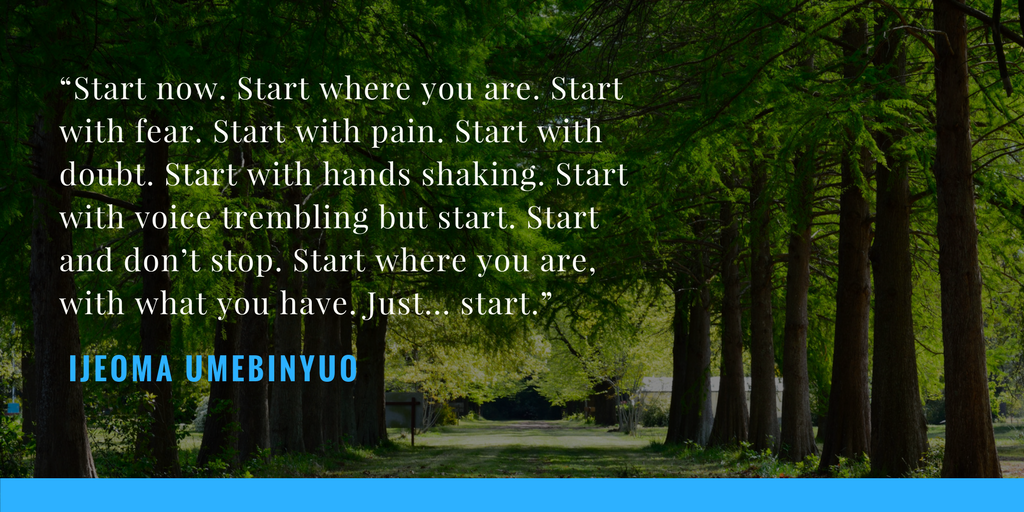
    “Start now. Start where you are. Start with fear. Start with pain. Start with doubt. Start with hands shaking. Start with voice trembling but start. Start and don’t stop. Start where you are, with what you have. Just… start.”

    ― Ijeoma Umebinyuo

    Get out there and spread your positive deviance!

  • A Few Things L&D Should Steal From Marketing

    A Few Things L&D Should Steal From Marketing

    We may not realize it, but as learning professionals, we have a lot of things in common with marketers. We both face one big challenge: How to get people’s attention and help them think and act in new ways.

    So what can we learn from marketing teams? As it turns out, a lot. In today’s hyper-distracted world, we must first engage our audience if we have any hope of informing them. Savvy marketers understand how to use the latest technologies and tap into the psychology of emotions — there’s a reason you don’t see bullet points in advertising.

    In this session, we reveal some tools and techniques that marketers have been successfully using for years to capture attention and move people to take action.

    Grab the printable handout

    StealTheseThingsFromMarketing.PNG

    Subscribe to the free email course

    mktgemail

    Steal These Tools

    Canva  | canva.com

    user-homepage-screenshot

    Adobe Spark  |  spark.adobe.com

    multiple_devices2x

    Powtoon  |  powtoon.com

    animate-your-ideas-powtoon

    Mail Chimp  |  mailchimp.com

    screen-shot-2013-02-18-at-12-54-33-pm

    MailerLite  |  mailerlite.com

    Very similar to Mailchimp, MailerLite has the added bonus of allowing you to run autoresponder (email courses) using a free plan.

    Subscribe for free to the email course we built as a follow up for this session. 

    landingpage-editor

    I’d love to hear from you if you steal any of these or other similar things. Let me know if you have any questions or if you’d like to bring this session to your organization.