Tag: technology

  • Stop Overloading Your Learners’ Brains: A Practical Guide to Minimizing Extraneous Cognitive Load

    Stop Overloading Your Learners’ Brains: A Practical Guide to Minimizing Extraneous Cognitive Load

    Marcus spent six weeks building the perfect compliance training for his company’s 2,000 employees. Interactive scenarios. Animated compliance mascot. Video testimonials from leadership. Gamified quizzes with leaderboards and achievement badges. Custom dashboard with real-time progress tracking. Background music to “enhance focus.” (spoiler: that usually backfires unless it serves a clear instructional or motivational goal).

    Completion rates hit 94%. Employees loved the polished interface.

    Then came the audit. Staff couldn’t recall basic compliance procedures they’d supposedly mastered three weeks earlier. When Marcus dug deeper, he discovered employees remembered vivid details about the training platform—the point system, the mascot’s catchphrases, where buttons were located—but struggled to explain actual compliance protocols.

    Marcus’s mistake has a name: extraneous cognitive load. And if you’re designing any kind of learning—whether it’s onboarding modules, software training, leadership development, or safety certification—you’re probably creating it right now without realizing it.

    Your Brain Runs on Limited Fuel

    Working memory (WM) is your brain’s short-term workspace for holding and manipulating a few meaningful chunks while you reason, test ideas, and make connections. The critical part: durable learning happens when information is encoded into long-term memory (LTM). WM supports that hand-off.

    Working memory has serious limits. A typical range is about 3–5 meaningful chunks for many tasks—not a fixed cap—and effective chunking/expertise can expand what fits. Novices see many separate bits; experts compress them into larger, meaningful units.

    When too much competes for attention, items interfere and decay. Your executive system triages; some information simply doesn’t make it through.

    When you’re learning something genuinely complex—new CRM software, risk assessment frameworks, how to conduct performance reviews—you need every bit of that precious working memory focused on the actual content. The intellectual heavy lifting. That’s called intrinsic cognitive load, and it’s unavoidable. Difficult subjects require mental effort.

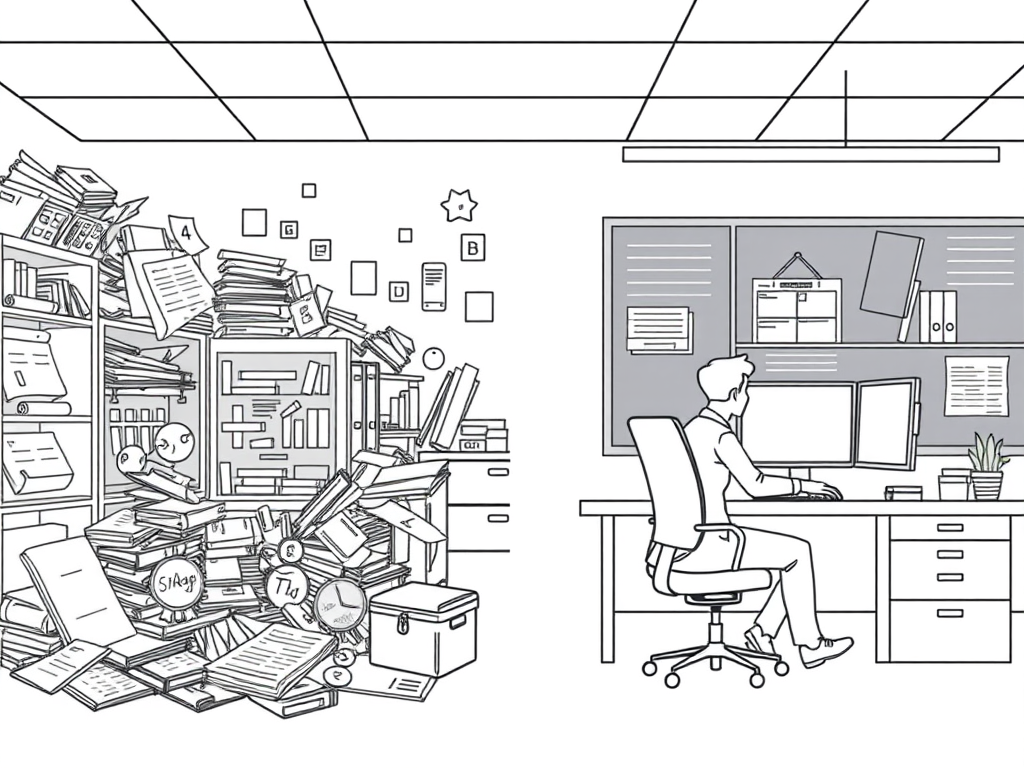
    Extraneous load is different. It’s all the wasted effort your design choices accidentally impose. The mental energy burned figuring out confusing navigation. Searching for information scattered across different screens. Decoding unclear instructions. Processing decorative elements that add nothing to understanding. That wasted effort could have been spent learning. (And importantly, “extraneous” depends on your goal—more on that below.)

    Since its development by educational psychologist John Sweller in 1988, Cognitive Load Theory has helped us understand how instructional design either facilitates or hinders learning by managing these different types of load.

    A Note on the Science

    Cognitive Load Theory is an information-processing account of how limited working memory constrains learning. Neuroimaging studies can complement this picture, but CLT itself isn’t about specific brain regions; it’s concerned with how information is processed and constrained. The key takeaway is practical: designs that respect attention and integration limits improve learning.

    The Paradigm Just Shifted

    For decades, Cognitive Load Theory gave us clear marching orders: minimize extraneous load, manage intrinsic load, optimize germane load (the good effort that builds learning). Simple formula.

    Then researchers Slava Kalyuga and Jan Plass published recent work that challenges us to think more carefully about goals. Their 2025 book “Rethinking Cognitive Load Theory” argues we’ve been thinking about this too narrowly.

    The old approach assumed every learning task has one goal: building knowledge schemas in long-term memory. But that’s not how modern learning environments work. Sometimes your goal is knowledge acquisition, sure. But other times you’re designing for motivation. For engagement. For emotional connection. For building confidence before competence.

    A sound effect in a traditional lecture? Pure distraction. Extraneous load.

    That same sound effect in an educational game signaling achievement? It’s not extraneous anymore. It’s serving your motivational goals, which are part of your instructional strategy.

    The upshot (as NYU’s Steinhardt School notes): what counts as “extraneous” depends on your goals. The revised framing emphasizes two sources (intrinsic and extraneous), but with broadened definitions—judging elements by how they serve specific instructional, motivational, and affective goals.

    This broadens how we design and how we justify design choices.

    The New Rules for Cutting Mental Clutter

    The fundamental principles still hold. You still need to be ruthless about removing obstacles between learners and understanding. But now you need to ask better questions first.

    Question One: What Are You Really Teaching For?

    Before you worry about cognitive load, clarify your actual goals. All of them.

    Are you building knowledge? Teaching a skill? Changing attitudes? Building confidence? Creating curiosity? The answer shapes everything else.

    A high-stakes negotiation simulation might include stressful time pressure and emotional conflict. Traditional CLT might flag this as extraneous if the sole goal were knowledge of tactics. But if your goal includes “perform under pressure,” that stress is now instructional, not extraneous.

    Know your goals. All of them. Then design accordingly.

    Question Two: Does This Element Serve Those Goals?

    Every single element in your instructional design should answer “yes” to this question. If it doesn’t actively support your learning objectives, it’s stealing cognitive resources.

    Consider Jennifer, designing onboarding training for a new project management tool. She’s choosing between two approaches:

    Option A: Features explained with clear screenshots and step-by-step text instructions showing how to create a project timeline.

    Option B: Same explanations, but with animated cursor movements showing every click, zooming callouts that highlight different interface elements, background music intended to “reduce onboarding stress,” and stock photos of diverse teams high-fiving in modern offices.

    Which serves the learning goal better?

    Option A wins. Every element in Option B that’s not present in Option A imposes extraneous load. Unnecessary animations demand attention without adding meaning; background music—especially with lyrics—typically splits attention and violates the coherence principle unless it serves a specific, defensible goal. The stock photos activate prior knowledge about…what, exactly? Nothing relevant to project management.

    Apply this filter ruthlessly: serve the goal or get cut.

    The Split-Attention Killer

    One of the most insidious sources of extraneous load happens when you force learners to mentally integrate information that you should have integrated for them.

    Picture a software training video where the instructor explains features verbally while the procedure steps are listed in a sidebar on the opposite side of the screen. Learners have to: listen to the narration, scan to find the written step, mentally connect them, look back at the demonstration, find the next step, and repeat.

    Exhausting. And completely unnecessary.

    Research on the split-attention effect shows this is one of the most powerful findings in cognitive load theory—especially for novices and for content with high element-interactivity. As people develop expertise, they become better at integrating spatially-separated information. But for novices, the fix is elegant: put labels directly on screenshots. Place written steps right next to what they describe. Synchronize spoken explanations with visual demonstrations. Integrate related information in space and time. (With greater expertise, dense integrations can become redundant, so match treatment to the audience.)

    This simple change can dramatically reduce learning time while improving comprehension. Not because the content changed. Because you stopped making learners do integration work that design could have handled.

    The Power of Strategic Simplicity

    Complexity should live in your content, not your interface.

    You’re teaching advanced data analytics. The material is legitimately hard—that’s unavoidable intrinsic load. But nothing about analytics requires a complicated navigation system, ambiguous menu labels, or instructions written in corporate jargon.

    Test every element with this question:

    “If I removed this, would the learning objective still be achievable?”

    Can’t decide whether to include that decorative header graphic showing abstract data visualizations? Remove it. The SQL query tutorial still works without generic businesspeople pointing at holographic charts.

    Uncertain whether that three-paragraph introduction adds value? Cut to one paragraph. Or two sentences.

    When you’re simplifying, target these common culprits:

    Overcomplicated instructions. “In order to facilitate the process of developing comprehension regarding the fundamental principles of the system architecture…” becomes “Let’s start with how the system works.”

    Redundant explanations. Don’t narrate text that’s already on screen word-for-word. Viewers can read. Instead, use narration to explain or extend what visuals show, leveraging dual-channel processing (letting different parts of your brain handle spoken words and images simultaneously).

    Navigation mysteries. Learners shouldn’t need a tutorial to navigate your tutorial. Every button’s purpose should be immediately obvious.

    Jargon without justification. Technical terms that serve the content? Keep them. But define them clearly. Jargon that just makes you sound smart? Kill it.

    Worked Examples Save Lives (and Working Memory)

    One of the most reliable ways to help novices is to use worked examples before asking for independent problem solving.

    The evidence is overwhelming. The worked-example effect is one of the best-known and most widely studied cognitive load effects. When learning new procedures—from Excel formulas to customer service protocols to coding—worked examples dramatically reduce the time to competence compared to immediate problem-solving practice for beginners.

    Why the massive difference?

    When you throw novices straight into problem-solving, they thrash around using weak strategies. Random trial-and-error. Guess-and-check. They burn enormous cognitive resources on unproductive search while learning very little about the underlying structure.

    A worked example shows the solution path step-by-step with explanations for each move. Learners can study the expert strategy without wasting working memory on dead-end searches.

    The progression works like this:

    Stage 1: Fully worked examples with detailed explanations. “First, we identify the customer’s primary concern (product defect), then we acknowledge their frustration…”

    Stage 2: Partially worked examples where learners complete the final steps. “We’ve acknowledged the concern and apologized. Now you determine the appropriate resolution.”

    Stage 3: Problem-solving practice without scaffolding. “Handle this customer complaint.”

    This gradual release—often called fading—matches the support to developing expertise. High support for novices, progressively less as competence builds. However, timing matters enormously: fade too slowly and learners become dependent; fade too quickly and they’re overwhelmed. Also, advanced learners often benefit from more challenge, not less (the expertise-reversal effect). Once someone has moved beyond novice status, they may actually learn better by struggling with problems—this strategy is most effective for genuine beginners.

    Consistency Is Cognitive Kindness

    Every minute learners spend figuring out your interface is a minute not spent learning your content.

    Establish patterns and stick to them. Same layout on every screen. Same button positions. Same color meanings. Same terminology for the same concepts.

    When navigation becomes predictable, it becomes automatic. Automatic processes require almost no working memory. That’s cognitive capacity freed up for learning.

    Inconsistency forces conscious attention. Different layouts on different screens mean learners can’t build useful mental models. They stay in effortful processing mode, burning resources on the wrong things.

    This principle extends to language. If you call something “performance review” in module one, don’t call it “employee evaluation” in module three and “annual assessment” in module five. Pick one term. Use it everywhere.

    Predictability isn’t boring. It’s professional.

    When Old Rules Don’t Apply: Simulations, Games, and Immersive Learning

    Corporate learning games complicate the picture beautifully.

    Traditional CLT would strip out achievement sounds, animated feedback, narrative elements, and aesthetic design as extraneous load. Just give learners the core content.

    But training games without those elements often fail. Not because employees can’t access the content, but because they won’t engage long enough for learning to happen.

    This is where Kalyuga and Plass’s goal-driven framework becomes essential. In game-based learning, you typically have multiple simultaneous goals:

    • Build specific knowledge or skills (knowledge goal)
    • Maintain engagement through challenge and reward (motivational goal)
    • Create emotional investment in outcomes (affective goal)
    • Support skill transfer to real workplace contexts (application goal)

    Elements that don’t serve the knowledge goal might serve these other goals. And those goals matter for learning outcomes.

    The key is intentionality. Don’t add a leaderboard because “games have leaderboards.” Add it because competition specifically motivates your target audience and the comparative feedback helps calibrate self-assessment. Or don’t add it because your employees find competition demotivating and the comparison creates anxiety that interferes with risk-taking.

    Every design choice should serve specific, articulated goals. When you can defend how an element serves your instructional strategy, it’s not extraneous. When you’re adding it because it “looks engaging” or “seems modern,” you’re probably creating extraneous load.

    Design for Cognitive Diversity

    Not everyone experiences the same design the same way.

    Different cognitive profiles (e.g., ADHD, autism, dyslexia) involve distinct mechanisms beyond “too much load.” Automatic video playback, unclear transcripts, unpredictable navigation, and background animations may disadvantage some learners for reasons that aren’t captured solely by CLT. Use Universal Design for Learning (UDL) practices alongside CLT to reduce barriers and broaden access.

    But here’s what’s important: different profiles struggle for different reasons—so design flexibly rather than assuming a single cause (like “excess load”).

    The good news? The accommodations help everyone:

    Offer control over sensory input. Let learners pause auto-advancing content. Toggle captions. Adjust playback speed. Disable animations. Control creates predictability, which reduces frustration and helps learning happen.

    Provide multiple access paths. Some learners need written instructions. Others benefit from video demonstrations. Some want both. When possible, present the same information in different modalities and let learners choose.

    Make structure explicit. Clear headings, numbered steps, and visible organization help everyone, but they’re especially crucial for learners who struggle with executive function. Don’t make people guess how pieces fit together.

    Test with diverse users. Your design might work perfectly for you and still create massive extraneous load for others. Test early. Test often. Test with people whose cognitive profiles differ from yours.

    UDL isn’t a sub-theory of CLT; it’s a complementary lens.

    Clarity helps everyone.

    The Decision Framework That Changes Everything

    You can’t eliminate all cognitive load. You shouldn’t try. Effortful learning builds durable understanding.

    What you can do is ensure that effort goes into wrestling with important ideas rather than wrestling with poor design.

    Before you add anything to your training, ask:

    1. What specific goal does this serve? (Knowledge? Motivation? Confidence? Skill transfer?)
    2. Is this goal essential to my instructional strategy? (Or am I being seduced by what’s possible rather than what’s purposeful?)
    3. Could a simpler version achieve the same goal? (Animation or static screenshot? Video or text with images? Three examples or seven?)
    4. Does this create split-attention? (Am I forcing learners to mentally integrate what I could integrate for them?)
    5. Have I tested this with actual learners? (What seems clear to you might confuse them.)

    This framework works because it forces justification. “Because I can” isn’t a justification. “Because research shows distributed practice improves retention and transfer” is.

    Your Learners Are Thinking About the Wrong Things

    Think back to Marcus’s compliance training—the one with beautiful graphics and failed knowledge retention.

    When Marcus interviewed his struggling employees, he discovered they remembered vivid details about the interface. The achievement badges. The animated mascot’s catchphrase. The confusing quiz navigation that sometimes moved the “submit” button to different locations.

    They remembered the wrong things. Not because they’re bad employees. Because Marcus’s design made the wrong things memorable.

    That’s part of the tragedy of extraneous load: it can misdirect attention during encoding. But long-term recall also depends on retrieval practice, spacing, and good cues. Pair cleaner design with spaced, retrieval-rich follow-ups so the right things remain accessible.

    When you minimize extraneous load, you do more than make learning easier. You make the right things visible. The important patterns. The key relationships. The transferable principles.

    You let the content shine.

    The Work Is Worth It

    Designing low-extraneous-load training takes more time upfront. More iteration. More testing. More ruthless editing.

    Every element you cut felt important when you added it. Every simplification feels like you’re removing something valuable. Every worked example takes longer to develop than just listing practice scenarios.

    Do it anyway.

    Because somewhere, there’s an employee who has 30 minutes between meetings to complete required training. They deserve instruction that respects that time by getting straight to what matters.

    Somewhere there’s a new hire trying to learn your systems while managing the stress of a new job. They’re already cognitively taxed. They need every advantage you can give them.

    Somewhere there’s a neurodivergent employee who’s brilliant but struggles with unpredictable interfaces. Thoughtful UDL-aligned design design might be what finally helps them access material they’ve been locked out of.

    Good instructional design isn’t about making things pretty. It’s about removing every possible obstacle between a learner and understanding. It’s about protecting their cognitive resources so they can spend them where it counts.

    In a workplace drowning in information, attention is the scarcest resource. Treat it like the precious thing it is.

    Your learners will thank you by actually learning.


    Note:
    This version includes refinements to improve scientific precision and clarity, with thanks to Lauren Waldman for her expert feedback on Cognitive Load Theory and its practical application.

    References

    Chandler, P., & Sweller, J. (1991). Cognitive Load Theory and the format of instruction. Cognition and Instruction, 8(4), 293-332.

    Cowan, N. (2001). The magical number 4 in short-term memory: A reconsideration of mental storage capacity. Behavioral and Brain Sciences, 24(1), 87-114. https://pubmed.ncbi.nlm.nih.gov/11515286/

    Cowan, N. (2010). The magical mystery four: How is working memory capacity limited, and why? Current Directions in Psychological Science, 19(1), 51-57.

    Kalyuga, S., & Plass, J. L. (2025). Rethinking Cognitive Load Theory. Oxford University Press. https://global.oup.com/academic/product/rethinking-cognitive-load-theory-9780190078508

    New York University. (2025). Book release: Rethinking Cognitive Load Theory. NYU Steinhardt News. https://steinhardt.nyu.edu/news/rethinking-cognitive-load-theory

    Society for Education and Training. (n.d.). The importance of cognitive load theory. https://set.et-foundation.co.uk/resources/the-importance-of-cognitive-load-theory

    Sweller, J. (1988). Cognitive load during problem solving: Effects on learning. Cognitive Science, 12(2), 257-285.

    Sweller, J., & Cooper, G. A. (1985). The use of worked examples as a substitute for problem solving in learning algebra. Cognition and Instruction, 2(1), 59-89.

    The Education Hub. (2024). An introduction to cognitive load theory. https://theeducationhub.org.nz/an-introduction-to-cognitive-load-theory/ImproveExplain

  • Workflow Automation for Beginners (and Why L&D Pros Should Care)

    Workflow Automation for Beginners (and Why L&D Pros Should Care)

    If you’ve never heard of workflow automation, don’t worry—you’re not alone. The phrase sounds like corporate jargon, but at its heart, it’s simple: workflow automation means teaching your tools to do the boring, repetitive steps for you—automatically.


    What Is Workflow Automation?

    Imagine you’re making coffee. Normally, you grind beans, fill the filter, measure water, press a button, and wait. Now imagine a smart coffee machine that handles everything the moment you stumble into the kitchen. You just pour your cup.

    That’s what automation does for digital work. Instead of you downloading files, copying text, or sending the same email over and over, your tools do it in the background.

    • Without automation: You export a training survey from one tool, clean it in Excel, upload it to another. Repeat.
    • With automation: The moment someone submits the survey, it flows into the right spreadsheet, cleaned and ready. You never touch it.

    It’s not magic or coding. It’s just connecting your apps so that when this happens, do that. And it frees you up for the work humans are best at—designing, teaching, and coaching.


    Tools That Make It Possible

    The good news: you don’t need to be a programmer. A few popular workflow automation tools handle the connections for you:

    • Zapier – user-friendly, connects 7,000+ apps, perfect for beginners.
    • Make – more advanced, great for visual builders who like flexibility.
    • Microsoft Power Automate – especially good if your org already runs on Microsoft 365.

    Pick one, connect your favorite apps, and you’re off to the races.


    5 Smart Things L&D Pros Can Automate

    1. Learner Data Collection → Live Dashboards

    Web form responses (Google Forms, Tally.so, etc.) flow straight into Google Sheets and update a Looker dashboard in real time.

    👉 Result: You see live learner data without touching Excel at 11 p.m.

    2. Personalized Follow-Ups Without Copy-Paste

    Gmail sends tailored follow-ups based on form responses or quiz scores.

    👉 Result: Every learner gets the right nudge, and you never retype a message.

    3. Training Sessions That Build Their Own Resource Hubs

    Adding a session to Google Calendar triggers Drive to create a folder, load templates, and share the link in the invite.

    👉 Result: Every session comes pre-packaged with resources, ready to go.

    4. Feedback That Doesn’t Sit in a Drawer

    Survey responses drop into Sheets, where low scores trigger an alert to your inbox. Positive comments flow into a “wins” log.

    👉 Result: You act on feedback immediately, not after the program is over.

    5. Automatically send a drip campaign

    A workflow tool captures the learner’s email and automatically starts them in a spaced drip campaign to support and enhance your learning goals.

    👉 Result: The learning mpaign runs in the background without you needing to lift a finger.


    How to Get Started

    1. Pick your biggest annoyance. Maybe it’s exporting survey data or remembering to send follow-up emails.
    2. Choose a tool. Zapier, Make, or Power Automate are all safe bets.
    3. Set up a trigger. Example: When someone submits a Tally.so form…
    4. Add an action. Example: …then add the response to Google Sheets.
    5. Test it. Run it once, check your sheet or inbox, and confirm it works.
    6. Expand gradually. Once you’ve nailed one workflow, chain a second step (e.g., “and then email the learner a thank-you”).

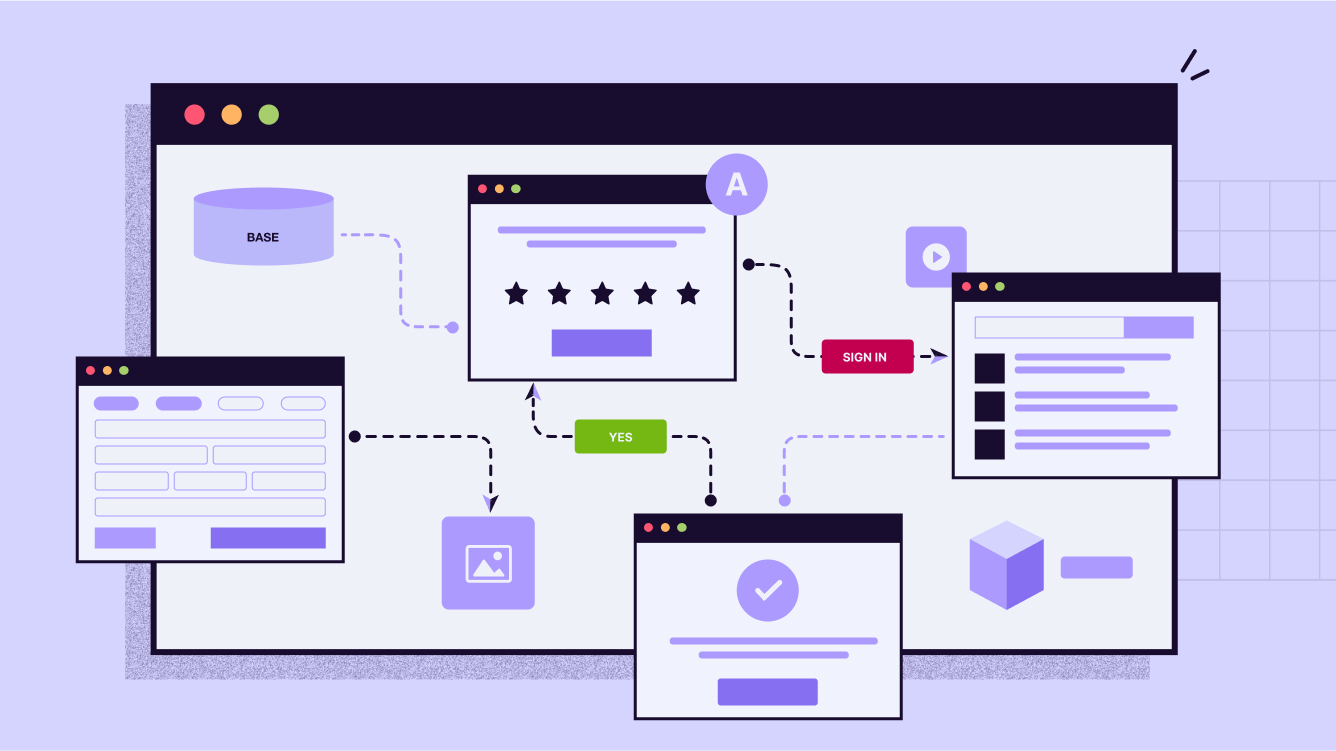
    A Visual Starter Map

    Here’s what your very first automation could look like (easy to turn into a simple diagram for the blog):

    [ Tally.so form submitted ] 
            ↓ 
    [ Google Sheets row created ] 
            ↓ 
    [ Gmail sends confirmation email ]
    

    That’s it: trigger → action → action. Three steps, no coding, and you’ve saved yourself hours of repetitive admin.


    Why It Matters

    Automation doesn’t replace the human side of L&D. It protects it. By clearing away the repetitive chores, you get more space for the creative, relational, and strategic parts of your job.

    Here’s the rule of thumb: if you catch yourself doing the same task for the third time—downloading, pasting, renaming—it’s a candidate for automation. Set it once, and let your tools work for you.


    If your in or near the central Ohio area, I’ll be leading a session on all this stuff September 9 at the Central Ohio ATD Annual Conference. Come join us!

  • Stop Creating Content From Scratch: The L&D Strategy That Marketing Has Perfected

    Stop Creating Content From Scratch: The L&D Strategy That Marketing Has Perfected

    Your employees waste nearly 10 hours every week hunting for information they need to do their jobs. (1) That’s more than a full workday spent searching instead of performing.

    But here’s the counterintuitive truth: The problem isn’t too little content. It’s too much.

    While L&D teams scramble to create more content, smart organizations have discovered a different path. They’ve stopped building everything from scratch. Instead, they’re mastering content curation—the strategic art of finding, filtering, and delivering exactly what learners need, exactly when they need it.

    And they’re stealing proven strategies from an unexpected source: marketing teams who solved this problem years ago.

    The Marketing Blueprint L&D Should Copy

    Content marketers cracked the curation code long before L&D recognized the challenge. They learned to navigate information abundance, engage distracted audiences, and drive behavior change through strategic content selection rather than endless creation.

    Their secret? Understanding that curation isn’t about collecting links—it’s about becoming the trusted filter that transforms noise into signal.

    Bersin by Deloitte captured this perfectly: content curation is “the art/science of identifying the best information for the organization and providing context and order to it.” But marketing teams operationalized this definition through systematic processes that L&D can adapt immediately.

    The CURATED Model: Your Systematic Framework

    Every great learning professional already has the soul of a curator. When you design courses, you’re sifting through information, selecting the best pieces, and serving them in digestible formats. That’s curation—you’ve been doing it without realizing it.

    The challenge lies in making this process systematic and scalable. That’s where the CURATED model provides your roadmap to curation mastery:

    • C – Clarify learning objectives based on needs assessments and goals
    • U – Unearth relevant content via research, recommendations & user-generated sources
    • R – Review and refine content for relevance, accuracy, engagement & diversity
    • A – Arrange content systematically into logical categories, sequences & integrations
    • T – Transform the presentation for the delivery platform & optimize user experience
    • E – Engage learners through interactivity, feedback loops & social learning
    • D – Develop & deliver curated content while incorporating ongoing reviews & feedback

    This model takes the guesswork out of curation while incorporating the best practices that marketing teams have perfected. The framework is flexible enough to work for any content type—articles, videos, podcasts, interactive tools—while ensuring you create customized learning experiences that meet genuine learner needs.

    Marketing Connection: Notice how this mirrors marketing’s audience-first approach. Just as marketers start with buyer personas and customer journey mapping (Clarify), then source content strategically (Unearth), L&D professionals can apply the same systematic thinking to learning outcomes.

    The contextualization step distinguishes professional curators from content collectors. As Robin Good explains:

    “In times of information super-abundance, people look for trusted, expert guides who provide ‘intellectual binoculars.’”

    You’re not just finding content—you’re serving as that trusted guide who helps learners understand why specific information matters, how it applies to their work, and what they should do next.

    Marketing teams excel at this through editorial calendars that map content themes to audience needs throughout the year. L&D can steal this approach by creating “learning calendars” that align curated content with business cycles, product launches, and seasonal skill demands—perfectly supporting the Transform and Engage steps of the CURATED model.

    Why Curation Outperforms Creation

    Smart L&D teams have discovered what marketing proved years ago: strategic curation beats content creation across every metric that matters.

    Speed Advantage in Fast-Moving Markets

    Content creation requires months. Curation requires days.

    This speed difference becomes critical when expertise exists outside your organization. New technologies, regulatory changes, emerging methodologies—external experts often know more than your internal team. Curation lets you access that expertise immediately rather than waiting for lengthy development cycles.

    Learning Cafe’s research confirms this advantage: 38% of L&D professionals report that curation delivers high-quality content significantly faster than traditional development.

    Marketing teams measure “time-to-publish” as a core metric, often achieving dramatically faster deployment through curation versus creation. L&D teams can adopt similar velocity tracking to demonstrate speed-to-competency improvements.

    Engagement Through Diversity

    Curated content naturally incorporates multiple perspectives, formats, and teaching approaches that single-source materials can’t match.

    Industry leader videos. Research-backed articles. Practitioner podcasts. Interactive tools from innovative companies. This variety creates richer learning experiences while exposing learners to external best practices your organization might miss.

    Marketing teams master this multi-format approach because they understand audience engagement increases when content flows through varied channels and formats. They’ve perfected repurposing strategies that L&D should adopt immediately.

    Personalization That Scales

    Unlike generic off-the-shelf content, curation enables personalized learning pathways addressing specific challenges and goals.

    Filtered’s research reveals compelling learner preferences: in 92% of cases, reviewers preferred structured pathways over simply relevant content.

    People want thoughtfully curated experiences, not random resource collections.

    This preference creates opportunity. Learning Cafe’s survey found that organizations implementing content curation report 42% of benefits come from driving continuous learning behaviors—fundamentally shifting from episodic training events to embedded learning culture.

    Transform L&D Into Internal Marketing

    The most successful L&D teams recognize a fundamental truth: they’re internal marketers who must “sell” learning to busy employees competing for attention across multiple priorities.

    Learning Cafe’s survey of 100+ L&D professionals reveals this transformation’s scope:

    81% have adopted content curation as part of their learning strategy, while 78% believe L&D should develop curation as a core professional skill.

    Think Audience-First, Not Content-First

    Marketing’s greatest lesson for L&D is audience obsession. Top content marketers develop detailed buyer personas including pain points, preferred formats, and consumption behaviors.

    L&D professionals should create equally detailed “learner personas”—but most stop at job titles and skill gaps. Effective learner personas map:

    • Consumption patterns: When, where, and how they prefer learning
    • Workplace challenges: Specific problems they need to solve
    • Motivation triggers: What drives them to engage with content
    • Format preferences: Visual, audio, text, interactive, or mixed media
    • Application context: How they’ll use new knowledge in their roles

    Case Example: Instead of creating generic “sales manager” content, develop personas like “Remote Sales Manager Sarah”—manages distributed team, prefers 10-minute video updates during commute, struggles with virtual team motivation, needs immediately applicable techniques for next team call.

    Master Agile Response to Learning Needs

    Business environments demand employees who adapt quickly. Traditional development cycles can’t keep pace.

    Marketing teams excel at rapid content response to trending topics and audience needs. Their ability to quickly identify, curate, and distribute relevant content during critical moments provides L&D’s blueprint for just-in-time learning support.

    L&D professionals must become skilled information architects who filter signal from noise.

    Scale Through Employee Curator Networks

    Rather than centralizing all curation responsibility, successful L&D teams train subject matter experts (SMEs) throughout the organization to become content curators for their domains.

    This mirrors marketing’s employee advocacy programs, where team members become brand ambassadors and content sources. The approach transforms knowledge sharing from centralized bottleneck into distributed capability that grows organizational learning capacity.

    Implementation Strategy: Start with one SME per function who commits to curating one pathway monthly. Provide templates, quality criteria, and success metrics. As SMEs develop curation skills, they train others in their departments, creating sustainable knowledge-sharing systems.

    Your 90-Day Curation Launch Plan

    Content curation represents L&D’s future competitive advantage. Here’s your systematic implementation approach using proven marketing strategies:

    Phase 1: Foundation (Days 1-30)

    Week 1-2: Build Learner Personas

    Create comprehensive profiles beyond job titles. Interview 5-10 learners per major role to understand consumption patterns, workplace challenges, and format preferences. Document when, where, and how they prefer learning.

    Week 3-4: Establish Quality Framework

    Define content evaluation criteria: relevance to business goals, source credibility, recency, actionability, and format quality. Create simple scoring rubric for consistent evaluation across curators.

    Phase 2: Pilot Programs (Days 31-60)

    Week 5-6: Launch Single-Topic Pilot

    Choose high-priority skill area where external expertise exceeds internal knowledge. Create structured pathway with 5-7 curated resources, including contextualizing commentary explaining relevance and application.

    Week 7-8: Deploy Multi-Channel Distribution

    Test different delivery methods: email newsletters, Slack channels, learning platform integration, and social networks. Track engagement across channels to identify optimal distribution for different learner segments.

    Phase 3: Scale and Optimize (Days 61-90)

    Week 9-10: Train SME Curators

    Select one subject matter expert per key function. Provide curation training, templates, and success metrics. Have them create their first pathway with your support.

    Week 11-12: Implement Marketing Analytics

    Track engagement rates, application behaviors, and content lifecycle performance. Use data to optimize curation frequency, format mix, and distribution timing.

    Advanced Strategies for Ongoing Success

    Content Repurposing Systems:

    Transform high-value curated pieces across multiple formats—summary emails, discussion prompts, workshop materials, quick-reference guides.

    Editorial Calendar Integration:

    Align curated content with business cycles, product launches, performance review periods, and seasonal skill demands.

    A/B Testing Protocol:

    Test different curation approaches, contextualization styles, and distribution frequencies to optimize engagement and application rates.

    The Curation Imperative

    Organizations mastering content curation today will lead workforce development tomorrow. Skills’ half-lives continue shrinking while change accelerates. Your ability to curate, contextualize, and deliver relevant learning experiences efficiently—using proven marketing methodologies—determines your impact as an L&D professional.

    The question isn’t whether content curation will become essential to L&D. Marketing teams have already proven its effectiveness at scale. The question is whether you’ll develop this capability before your competition does.

    Your learners are drowning in content chaos while struggling to find what actually matters. Stop adding to the flood. Become their trusted guide to exactly what they need, exactly when they need it.

    Start small. Test systematically. Scale strategically.

    The future of L&D belongs to master curators.


    1 – Multiple reputable sources (Glean, WoodWing, Valamis) cite a McKinsey figure of 1.8 hours per day (~9.3 hours/week) spent by employees searching for information—though I’m still tracking down the original McKinsey report for full citation.

  • My Top 10 Learning Tools for 2025

    My Top 10 Learning Tools for 2025

    It’s survey time again! Jane Hart is collecting everyone’s top learning tools for her annual report. I love seeing what everyone’s using these days.

    Want to share yours? Head over to the Top Tools for Learning survey and submit your list. You’ve got until August 29th. Don’t wait!

    Here’s my lineup for 2025. No rankings here – just the tools that keep me sane and productive.

    Feedly

    This thing saves my sanity. Seriously. I can follow tons of blogs and news sources without my brain exploding from information overload. It’s like having a really smart assistant who only shows me the good stuff.

    https://feedly.com

    Claude/ChatGPT/Gemini

    These tools are like having super smart friends on speed dial. Need help writing? They’re there. Want to understand something complex? They break it down. I use different ones for different things because they each have their strengths.

    Canva

    Graphics superpower, no joke. I use Canva for all kinds of graphics. It’s almost unfair how easy they make it.

    https://canva.com

    Raindrop.io

    Raindrop turns my chaotic bookmarking into something actually useful. I can find stuff when I need it. Magic.

    https://raindrop.io

    Kit

    My newsletter runs on this. Clean, simple, and it just works. I don’t want to spend forever figuring out email marketing. Kit handles the tech stuff so I can focus on writing.

    https://kit.com

    Craft.do

    Digital notes have never looked so good. This is what I use for digital handouts to accompany presentations and workshops.

    https://craft.do

    PowerPoint

    Yeah, I said it. PowerPoint. Fight me. 😊 It’s been around forever because it works. Everyone can open the files. It does what I need. Sometimes the old tools are old for good reasons.

    Google Docs/Drive

    This is my digital filing cabinet and writing space rolled into one. Works everywhere. Syncs everything. Shares easily. What more do you want?

    https://docs.google.com/

    WordPress

    Powers both my personal site and my book websites. After years of trying different platforms, I always come back to WordPress. It’s flexible without being overwhelming.

    https://wordpress.com

    Zapier

    Work smarter, not harder. That’s the whole point here. If I’m doing something repetitive, Zapier probably automates it. It’s like having a robot assistant who never gets tired.

    https://zapier.com


    Your Turn!

    So those are my picks. But honestly? I’m way more interested in yours.

    What tools are you obsessing over this year? What’s changed your game?

    Drop your list in Jane Hart’s survey before August 29th. The results always surprise me. Last year AI tools dominated, but there’s usually a good mix of old favorites and shiny new things.

    And hey, if you’ve got a tool that’s not on my list but should be, tell me about it. I’m always hunting for the next thing that’ll make my life easier.

    The results come out in September. I’m betting AI tools will be huge again this year, but I’m curious what else makes the cut.

    Check out Christy Tucker’s list too – she’s got some great picks that might inspire your own choices.

    What’s on your list?

  • Friday Finds — Emotional Design, L&D Trends, AI for Instructional Design

    Friday Finds — Emotional Design, L&D Trends, AI for Instructional Design

    “The greatest enemy of knowledge is not ignorance; it is the illusion of knowledge.”

    — Daniel J. Boorstin​

    Man, it’s still freezing and snowy here! I’m so ready for some sunshine and to ditch the layers. Seriously, I’m practically hugging my office heater for warmth these days! Is anyone else feeling this? Spring HAS to be close, right? Like, any day now?! RIGHT?! I need some vitamin D, stat!

    Thanks for reading!


    👆 Last Week’s Most Clicked

    ​Why Most Course Titles Fail – And How to Make Yours Standout​

    🎶 What I’m Listening To

    There is something about Louis Armstrong’s music that makes me feel good inside – so that’s what I’m playing today.


    sponsored

    Looking to boost learner engagement?

    Would you like to infuse your eLearning content with energy, making it more interactive and engaging? Join iSpring’s upcoming webinar to learn how custom characters and the text-to-speech feature in iSpring Suite can help you create captivating learning experiences.


    📰 News & Notes

    The Art of Emotion — Norman’s 3 Levels of Emotional Design

    The Rundown: Good design isn’t just about aesthetics—it’s about making users feel something. Emotional design taps into psychology to create products that resonate deeply, boosting engagement and usability.

    The Context:

    • Emotional design considers three levels: visceral (first impressions), behavioral (usability), and reflective (lasting impact).
    • Positive emotions lead to better user experiences, making interactions smoother and more enjoyable.
    • Companies like Apple and Tesla leverage emotional design to create strong brand loyalty.

    Why it Matters: While this concept is rooted in UI design, the same principles apply to learning content. Well-crafted lessons should not only inform but also engage and emotionally connect with learners, leading to better retention and motivation.


    2025 L&D Trends: AI Leads, But Value Takes Center Stage

    The Rundown: Donald Taylor’s L&D Global Sentiment Survey 2025 confirms AI’s continued reign as the hottest topic in workplace learning, surpassing last year’s record-breaking interest. Data-driven learning remains strong, while a renewed focus on demonstrating L&D’s value is emerging.

    The Context:

    • AI led the survey for the second year in a row, growing in popularity despite expectations of a decline.
    • Data-centric strategies—like learning analytics and adaptive learning—continue to hold top positions.
    • A noticeable comeback for “Showing Value” and “Consulting with the Business” signals a shift towards proving L&D’s impact.

    Why It Matters: L&D is at a crossroads: AI is reshaping the landscape, but many teams are still using it mainly for efficiency rather than transformation. The real challenge now? Moving beyond content creation to using AI for deeper business impact. With budget constraints and strategic alignment concerns on the rise, proving L&D’s value is becoming just as critical as embracing new tech.


    Why Not Just Use ChatGPT? The Case for Specialized AI in Instructional Design

    The Rundown: New info comparing generic AI tools like ChatGPT with ​Epiphany​, a specialized instructional design AI, reveals major differences in quality, efficiency, and usability.

    The Context:

    • A/B testing across Fortune 500 L&D teams found that specialized AI tools dramatically outperformed ChatGPT in course creation.
    • Unlike ChatGPT, which requires users to craft their own prompts, Epiphany structures the workflow into research-backed phases (Brief, Outline, Storyboard) to optimize learning outcomes.
    • Epiphany integrates instructional design principles, such as Self-Determination Theory and Cognitive Load Theory, ensuring higher-quality course design.
    • Results showed an 87.5% reduction in design time, a 75% improvement in quality, and a 50% increase in learner application of new skills.

    Why it Matters: While ChatGPT is a powerful tool for general content generation, instructional design requires structured workflows and deep research integration. This study underscores the importance of using AI tailored for specialized fields—delivering superior results, faster workflows, and more effective learning experiences.


    sponsored

    How can employee onboarding help your organization?

    While offering an employee onboarding program is essential, many companies miss the mark in helping new hires start their jobs or careers with a strong foundation.

    Discover how to deliver an effective onboarding program—whether in-person or online—with tips, topics, ideas, and more.


    🧰 Tech Tools & Tips

    If tools are your jam, check out my Work Smarter newsletter.

    Digestly

    Get key insights from YouTube & podcasts delivered daily to your inbox – save time & stay informed.

    Try now →

    Libby

    Instantly access nearly any free ebook or audiobook on any device – available at 90% of US libraries and in 78 countries

    Try now →


    sponsored

    Tired of stakeholders questioning your training impact?

    Join Dr. Alaina Szlachta and Roy de Vries in this free, interactive masterclass and discover simple ways to collect, analyze, and showcase training impact using the tools you already have!

    What You’ll Walk Away With:

    ✅ Practical strategies to measure and prove training effectiveness

    ✅ Actionable insights you can apply right away

    ✅ More confidence in using data to improve learning outcomes

    March 11 9:00-10:30 AM ET


    🎧 Podcast of the Week

    This is the conversation that caught my ear this week. Check out previous episodes in the Friday Finds podcast playlist.

    Everything You Know About Learning Theory Is Wrong

    Nick Shackleton-Jones revisits The Learning Hack to challenge learning theory, discuss his Affective Context Model, and explore the future of workplace learning.

    ​Listen now →


    🧳 Where’s Mike?​

    If you or your event needs a speaker or workshop that is highly interactive and super practical, we should talk.


    Like this newsletter? Share it with someone you love. Don’t like it? Share it with someone you don’t!

    Friday Finds is an independent publication that I produce in my free time. You can support my work by sharing it with the world, booking an advertising spot, or buying me a coffee.

  • Friday Finds — Engaging Learners, AI’s Impact on Training, & Reclaiming Your Feed

    Friday Finds — Engaging Learners, AI’s Impact on Training, & Reclaiming Your Feed

    “We are not thinking beings that occasionally feel. We are feeling beings that occasionally think.” 

    – Antonio Damasio

    ​

    Holy moly, January’s gone. Poof. I blinked and almost missed it. Good to have the kids back in school and things getting back to normal… or whatever passes for it. I’m not wishing time away, but… is it too early to start thinking about sunshine, warm weather, and more outside time? It probably is if you live anywhere near me.

    Thanks for reading!

    👆 Last Week’s Most Clicked

    ​Datawrapper add-in for PowerPoint​
    Free add-in that lets you create and edit interactive visualizations for your PowerPoint slides.


    🎶 What I’m Listening To

    ​DOUBLECAMP is a duo that blends pop, hip-hop, and indie/alt into some really good music.

    sponsored

    Streamline Course Creation with an eLearning Storyboard Template

    Tired of juggling notes, endless rewrites, and miscommunications with SMEs? Download our eLearning storyboard template to clearly organize your course content and share it with stakeholders for a quick and easy review.


    📰 News & Notes

    Unlock Learner Brains: The Science of Creating Engaging Training

    The Rundown: Effective training hinges on understanding human cognitive architecture, particularly how attention and first impressions influence learning. Design plays a pivotal role in capturing and maintaining learner engagement.

    The Context:

    • First Impressions: Learners form judgments in as little as 50 milliseconds, with 94% of these impressions based on design quality. A positive initial perception can create a “halo effect,” enhancing engagement with subsequent content.
      ​
    • Thinking Systems: According to Daniel Kahneman, humans operate using two systems:
      • System 1 (Intuitive):
        Automatic, quick, and energy-efficient.
        ​
      • System 2 (Deliberative):
        Effortful, analytical, and energy-intensive.
    • Cognitive Biases: Designing training that aligns with natural cognitive biases—such as personal relevance, contrast, tangibility, memorability, visual appeal, and emotional resonance—can enhance learning effectiveness.

    Why it Matters: By aligning training design with the brain’s natural processing patterns, educators can create more engaging and effective learning experiences. Understanding and leveraging cognitive principles ensures that training not only captures attention but also facilitates deeper learning and retention.


    The fall of click-next e-learning: What Operator means for training

    The Rundown: Ben Betts looks at ChatGPT’s Operator tool and demonstrates its ability to navigate and complete e-learning modules autonomously, raising questions about the future of traditional corporate training.

    The Context:

    • Operator successfully completed various e-learning modules, including a simple “comic book” style course, a more complex Adapt framework module, and even a comprehensive assessment with diverse question types.
    • While Operator excelled in many tasks, it faced challenges with dynamic drag-and-drop interactions and audio recording tasks.

    Why it Matters: The emergence of tools like Operator could render traditional “click-next” e-learning obsolete, prompting organizations to:

    • Reevaluate the effectiveness of their training programs.
    • Consider policies to prevent AI from completing mandatory training.
    • Explore more engaging and meaningful learning experiences.

    Curated Consumption: A Saner Approach to Online Media

    The Rundown: Scott Young suggests ditching algorithm-driven content feeds in favor of curated consumption via RSS readers, arguing that this leads to a more focused and less distracting online experience.

    The Context:

    • RSS Readers: Tools like Feedly allow users to subscribe directly to preferred blogs, websites, and even social media accounts, offering control over the content you consume.
    • Content Discovery: Finding new material requires effort, but following aggregator blogs can simplify the process.

    Why it Matters: Transitioning to curated consumption reduces exposure to algorithmically selected, attention-grabbing content, leading to a more focused and intentional online experience. While it demands a bit more effort, this approach offers a healthier alternative to the often overwhelming nature of modern content feeds.


    sponsored

    Can simulation-based learning help your organization?

    If you need a way to help your learners practice tasks or scenarios they can use on the job, simulation-based learning unlocks a world of possibilities!

    Discover the benefits of simulation-based learning, examine real-world use cases, and what impact it can have on your organization.


    🧰 Tech Tools & Tips

    If tools are your jam, check out my Work Smarter newsletter.

    Cursorful:

    Free browser extension for beautiful screen recordings with auto-zoom.

    Image Kit

    Free and ad-free, secure media hosting. Instantly share images & videos.


    sponsored

    Tired of stakeholders questioning your training impact? Join world-renowned analytics expert Dr. Alaina Szlachta for a 90-minute masterclass that turns complex data into compelling proof of value. You’ll learn practical, step-by-step strategies that are already helping training leaders showcase undeniable results.

    This hands-on session from aNewSpring cuts through the theory to deliver real solutions. Register for March 11 (9:00-10:30 AM ET) and transform how you show your program’s success.


    🎧 Podcast of the Week

    Learning Without Platforms​

    Sarah Mercier (Build Capable CEO) discusses her patented learning tech, the XCL tool for decentralized content, and how AI can revolutionize learning—with good data.


    🧳 Where’s Mike?

    ​
    If you or your event needs a speaker or workshop that is highly interactive and super practical, 
    we should talk.

    Like this newsletter? Share it with someone you love. Don’t like it? Share it with someone you don’t!


    Friday Finds is an independent publication that I produce in my free time. You can support my work by sharing it with the world, booking an advertising spot, or buying me a coffee.

  • Friday Finds — 12 Prompts of Xmas, AI-Enhanced Learning, Automation Made Simple

    Friday Finds — 12 Prompts of Xmas, AI-Enhanced Learning, Automation Made Simple

    Sign up here to get Friday Finds in your inbox every Friday.

    “If the only prayer you said was thank you, that would be enough.”
    ― Meister Eckhart

    I hope you’re enjoying some holiday cheer and recharging your batteries before we dive headfirst into the new year! You might notice a few more layout design updates here. Speaking of which, my New Year’s wish (let’s call it a wish, not a resolution!) is that all the tech involved in getting this newsletter to you plays nice with your inbox. I’m looking at you, Outlook! 🤞 Let’s hope for a smooth and glitch-free 2025! (Please reply and let me know if you see any issues at all.)

    Happy New Year!

    Thanks for reading!


    sponsored

    Looking for an LMS? Start with a Clear Request for Proposal

    When searching for a learning platform for your project, there’s nothing more critical than clearly defining your LMS requirements. Download this free RFP template to effectively communicate your business needs to potential vendors and make the selection process more efficient and stress-free.

    🎶 What I’m Listening To

    These are my most-played songs of 2024​

    👆 Last Week’s Most Clicked

    ​Behavioral Scientist’s Notable Books of 2024


    📰 News & Notes

    The 12 Prompts of Christmas

    Rundown: Dr. Philippa Hardman has released “The 12 Prompts of Xmas,” a guide offering 12 AI power prompts tailored for instructional designers.

    The Context:

    • After a year of integrating AI into instructional design, Dr. Hardman shares practical prompts to streamline content creation.
    • The guide is available for free, encouraging widespread adoption among educators and designers.
    • It reflects a growing trend of utilizing AI to improve educational materials and methodologies.

    Why it Matters: As AI continues to influence instructional design, resources like these empower professionals to effectively incorporate AI tools into their workflows, enhancing educational experiences and outcomes.


    Does ChatGPT enhance student learning? Meta-study surprises!

    The Rundown: A recent meta-study reveals that ChatGPT positively impacts various aspects of learning.

    The Context:

    • Academic Performance: Students using ChatGPT showed significant improvements, though it’s unclear if this is due to the AI’s assistance or the quality of its content.
    • Motivation and Engagement: The AI tool positively affected students’ motivation and emotional engagement.
    • Higher-Order Thinking: There was a notable enhancement in students’ self-reported critical thinking abilities.
    • Cognitive Load: ChatGPT use led to a significant reduction in mental effort, indicating less cognitive strain.

    Why it Matters: This study suggests that ChatGPT can be a valuable educational tool, improving student performance and engagement without overwhelming them. While it shows promise, further research is needed to determine how it affects students’ confidence in their own abilities.


    Zapier AI Tutorial for Beginners: Automation Made Simple

    The Rundown: If you haven’t explored AI-powered automation tools like Zapier, you’re missing a golden opportunity to improve and simplify your workflows. Kevin Stratvert breaks down how Zapier connects apps like Gmail, Google Forms, and Slack to automate repetitive tasks.

    The Context:

    • Zapier’s AI feature lets you describe workflows in plain language, automatically generating the necessary automation—no coding required.
    • The tutorial offers clear, step-by-step guidance, making it perfect for beginners.
    • By integrating everyday apps, Zapier helps you boost productivity and efficiency with minimal effort.

    Why it Matters: AI tools like Zapier are revolutionizing how we manage tasks, putting advanced automation within reach for everyone. This tutorial is your key to unlocking time-saving processes, letting you focus on what really matters.


    Creating a fantastic eLearning course starts with the right tools!

    If your 2025 training plans include creating new courses, you may want a new eLearning authoring tool to help you reach your goals. Evaluate your options like a pro and find the ideal alignment with these tips!

    🧰 Tech Tools & Tips

    If tools are your jam, check out my ​Work Smarter newsletter​.

    Pitch Rooms

    Pitch’s new ‘Rooms’ feature allows you to centralize and share decks, links, documents, videos, and more in a single location with valuable analytics to track engagement, etc.

    Pitch.com

    .

    Headline Analyzer

    Titles and headlines are crucial factors in driving the readership of your content. This tool helps you write better headlines by analyzing and providing suggestions for improvement.

    Headline Analyzer

    Marketing Secrets for L&D Pros

    Join our LinkedIn group to learn how to create engaging learning experiences. Connect with L&D pros, discover marketing insights, and elevate your training strategies. Join Now!

    🎧 Podcast

    This is the conversation that caught my ear this week. You can find previously featured podcasts in my ​Friday Finds podcast playlist​.

    The skills super-communicators use (& how you can learn them)

    Pulitzer Prize-winning journalist Charles Duhigg explores the concept of “supercommunicators”— people adept at forging deep connections through conversation. He asserts that these skills can be cultivated by anyone willing to practice specific techniques.

    🧳 Where’s Mike?

    If you or your event needs a speaker or workshop that is highly interactive and super practical, we should talk.


    Like this post? Share it with someone you love. Don’t like it? Share it with someone you don’t!

    Friday Finds is an independent publication that I produce in my free time. You can support my work by sharing it with the world, booking an advertising spot, or buying me a coffee.

  • Friday Finds — Behavioral Science Books, Improving Readability, ChatGPT’s Canvas

    Friday Finds — Behavioral Science Books, Improving Readability, ChatGPT’s Canvas

    sponsored by iSpring

    Sign up here to get Friday Finds in your inbox every Friday.

    🎶 What I’m Listening To

    If you’d like some fresh new holiday music, you’ll love this playlist by Questlove

    👆 Last Week’s Most Clicked

    ​15 Times to use AI, and 5 Not to​


    📰 News & Notes

    Behavioral Scientist’s Notable Books of 2024

    The Rundown: Behavioral Scientist has released its annual list of 45 notable books published in 2024, highlighting works that delve into human behavior.

    The Context:

    • AI Focus: Several titles explore artificial intelligence, examining its societal impacts and ethical considerations.
    • Work and Productivity: A renewed interest in work culture, overwork, and strategies for achieving smarter productivity is evident.
    • Diverse Topics: The list includes books on probability, chance, behavioral design, existential psychology, animal cognition, and plant intelligence.

    Why it Matters: This curated selection delves into the cutting-edge of behavioral science, offering insights into contemporary issues and emerging trends that shape our complex world.


    Enhancing Readability for Effective Learning and Development

    The Rundown: A recent article highlights how improving readability in learning materials can boost understanding, engagement, and outcomes in workplace training.

    The Context:

    • Readability focuses on making content easy to read, concise, and structured for clear comprehension.
    • Techniques like using simple language, consistent formatting, and breaking down complex ideas can help.
    • Research shows that well-designed, readable training materials enhance learner retention and satisfaction.

    Why it Matters: Clarity in communication isn’t just about aesthetics—it directly impacts how employees learn and perform. Improving readability aligns training with learner needs, fostering better skill development and boosting overall organizational efficiency.


    How ChatGPT’s Canvas Can Help You Use AI More Productively

    The Rundown: Now available to all users, OpenAI’s Canvas brings generative AI into a shared workspace, transforming how users brainstorm, write, and edit content.

    The Context

    • Canvas functions like an AI-powered Google Docs, allowing real-time interaction with AI on shared documents.
    • It helps you draft, edit, and organize longer pieces—like articles, reports, or scripts—in a single window.
    • Users can refine ideas, generate outlines, and edit content collaboratively.

    Why it Matters: Tools like Canvas show how AI is moving beyond simple chatbots. They’re now part of how we work, making us more productive in many different fields.


    Everyone’s talking about it – some use it, others fear it

    Whether you’re AI-curious or AI-cautious, join our webinar to discover how to harness AI for your L&D strategy. Save your spot to learn innovative ways to use AI to your advantage!

    Join Us! Wednesday, January 22, at 12 noon CT!

    Can’t attend? Register, and we’ll send you the recording!

    🧰 Tech Tools & Tips

    If tools are your jam, check out my ​Work Smarter newsletter​.

    Feeder

    Get all your favorite content effortlessly in one convenient location.

    https://feeder.co/

    .

    Guidde

    Easily create onboarding documentation with AI. Free for up to 25 videos.

    https://guidde.cello.so/fxRMVDwhoei

    Marketing Secrets for L&D Pros

    Join our LinkedIn group to learn how to create engaging learning experiences. Connect with L&D pros, discover marketing insights, and elevate your training strategies. Join Now!

    🎧 Podcast

    This is the conversation that caught my ear this week. You can find previously featured podcasts in my ​Friday Finds podcast playlist​.

    How to use cognitive psychology to enhance learning

    Enhance learning with counterintuitive strategies. Dr. Bjork, a leading memory expert, emphasizes spaced repetition, frequent self-testing, interleaving practice, and generating your own answers for deeper understanding and better long-term retention.

    sponsored

    Kickstart Your mLearning Project with Ease

    Pitching a mobile learning project requires a thorough approach. Make things easier with a ready-to-use Excel template! Download it for free, simply fill in key details, such as dates, names, and goals, and enjoy a step-by-step roadmap to implementing an mLearning initiative in your company.

    🧳 Where’s Mike?

    If you or your event needs a speaker or workshop that is highly interactive and super practical, we should talk.


    Like this post? Share it with someone you love. Don’t like it? Share it with someone you don’t!

    Friday Finds is an independent publication that I produce in my free time. You can support my work by sharing it with the world, booking an advertising spot, or buying me a coffee.

  • Friday Finds — When to Use AI, AI Use Cases & Screens vs Paper Reading

    Friday Finds — When to Use AI, AI Use Cases & Screens vs Paper Reading

    sponsored by iSpring

    Sign up here to get Friday Finds in your inbox every Friday.

    “The real problem of humanity is the following: We have Paleolithic emotions, medieval institutions and godlike technology. And it is terrifically dangerous, and it is now approaching a point of crisis overall.”

    ​— E.O Wilson

    Hey there, friends! I’m trying something new this week with the format of the news items. Let me know if you’re digging it or if it’s totally off the mark! While you’re pondering that, it is starting to feel like Christmas here. Consider listening to these remixed holiday classic songs with a festive twist while you read the rest of this newsletter.

    Thanks for reading!


    🎶 What I’m Listening To

    If you’re ready to start with Christmas music, these remixed holiday classics are great!

    👆 Last Week’s Most Clicked

    ​What is the effect of different types of cues in educational videos?


    📰 News & Notes

    15 Times to Use AI (and 5 Not To)

    Ethan Mollick’s post on AI use offers practical guidance for leveraging AI effectively in daily life while also recognizing its limits.

    Rundown:

    Mollick lists 15 scenarios where AI excels, such as summarizing long documents, generating creative content drafts, or offering feedback on writing. He also highlights five situations where AI may falter, like dealing with nuanced decision-making or overly sensitive topics.

    The Context:

    • AI thrives when performing repetitive tasks, analyzing data, or sparking ideas for creative projects. It’s especially useful for tasks requiring speed and breadth over depth.
    • However, AI struggles with context-heavy or emotional problems, like resolving conflicts or making critical strategic calls, because it lacks true understanding and empathy.
    • Mollick’s insights aim to align expectations, emphasizing that AI is a tool to augment human capabilities—not replace them.

    Why it Matters:

    As AI integration accelerates, knowing when and how to use it is crucial. Understanding AI’s strengths and limitations helps avoid pitfalls while unlocking its transformative potential in productivity and innovation


    The Four Most Powerful AI Use Cases in Instructional Design Right Now

    The Rundown:

    Instructional designers are leveraging AI in four transformative ways, as revealed in insights from Dr. Philippa Hardman’s AI & Learning Design Bootcamp.

    The Context:

    1. Learner Personas: GPT-4 enables designers to simulate user interviews, creating detailed learner personas for targeted strategies.
    2. Instructional Strategy Design: Tools like Consensus provide evidence-based teaching methods tailored to specific learners.
    3. Quality Assurance: AI like Claude excels in ensuring alignment with standards such as WCAG and UDL.
    4. Impact Prediction: AI predicts learning outcomes, aiding in design iterations before course delivery.

    Why it Matters:

    These applications streamline instructional design by addressing key challenges like personalization, evidence-based decision-making, and quality assurance. As AI evolves, its potential to transform education will only grow. Designers who adopt a research mindset and measure AI’s impact can harness this tech for faster, higher-quality results​​.


    Screens vs. Paper: A New Perspective on Reading

    The Rundown:

    A growing body of research shows that people generally comprehend and retain information better when reading on paper compared to digital screens. This preference for paper stems from its tactile nature, navigational ease, and reduced cognitive load.

    The Context:

    • Studies indicate that digital screens can hinder deep reading due to distractions, glare, and limited ability to interact with the text (e.g., flipping back to previous sections or annotating intuitively).
    • Research has shown that reading on paper provides a more “anchored” experience, helping readers form mental maps of content. This spatial orientation aids memory and comprehension.
    • The physicality of paper—its weight, feel, and permanence—enhances engagement, while screens often promote skimming and multitasking​.

    Why it Matters:

    As digital reading becomes the norm, understanding its limitations is critical for education and cognitive health. While screens offer convenience, they may sacrifice the depth and clarity that paper provides, particularly for immersive or complex reading tasks. This insight can guide choices in learning, work, and leisure.


    Does your learning platform support your requirements?

    If you’re considering switching learning systems, explore questions and recommendations about specific LMS features. With feature alignment based on your training needs, you can find a new platform that meets your expectations!

    🧰 Tech Tools & Tips

    If tools are your jam, check out my ​Work Smarter newsletter​.

    Freepik

    Freepik is a versatile resource for high-quality stock media and AI-powered design tools.

    https://www.freepik.com/

    Streamline HQ Freebies

    A great collection of free icons, illustrations & other design elements from StreamlineHQ

    https://www.streamlinehq.com/freebies

    Marketing Secrets for L&D Pros

    Join our LinkedIn group to learn how to create engaging learning experiences. Connect with L&D pros, discover marketing insights, and elevate your training strategies. Join Now!

    🎧 Podcast

    This is the conversation that caught my ear this week. You can find previously featured podcasts in my ​Friday Finds podcast playlist​.

    How Learning to Fail Can Help People and Organizations to Thrive

    Amy Edmonson talks about her book and how failing well means embracing failure as a learning opportunity. By fostering a culture of psychological safety, organizations can encourage experimentation, learn from mistakes, and ultimately drive innovation and growth.

    sponsored

    Get the ultimate iSpring eLearning box for just $97

    Are you looking forward to the holiday season? Why not celebrate it with new achievements and amazing eLearning tools?

    Through December 22nd, get the ultimate iSpring box for creating exceptional eLearning content for just $97!

    Here’s what’s inside:

    • A 1-month subscription to iSpring Suite Max, our AI-enhanced authoring tool
    • Ready-to-use course creation assets, including 3 templates, 3 backgrounds, and diverse characters
    • An expert video course on creating interactive online courses from iSpring Academy
    • An exclusive guide on the latest L&D trends from DevLearn 2024

    Try out our tools, enhance your ID skills, and join the vibrant iSpring Community:

    • Connect with eLearning experts and aficionados from around the world
    • Access expert resources to sharpen your instructional design and L&D skills
    • Collaborate, share ideas, and grow together

    Why wait? Claim the box through December 22nd, available only for new clients.

    🧳 Where’s Mike?

    If you or your event needs a speaker or workshop that is highly interactive and super practical, we should talk.


    Like this post? Share it with someone you love. Don’t like it? Share it with someone you don’t!

    Friday Finds is an independent publication that I produce in my free time. You can support my work by sharing it with the world, booking an advertising spot, or buying me a coffee.

  • Friday Finds — Desirable Difficulties, Windows of Learning, Learning Cues

    Friday Finds — Desirable Difficulties, Windows of Learning, Learning Cues

    sponsored by iSpring

    Sign up here to get Friday Finds in your inbox every Friday.

    “When you stop doing things for fun, you might as well be dead.”

    — Ernest Hemmingway

    As I sat down with my second (okay, third) cup of coffee this morning, staring at a screen full of tabs like “How to Use AI Like a Pro,” I had a moment of gratitude—for Ctrl+T and the endless curiosity that keeps this field of learning and design alive. We’re all here, wrestling with tools that are evolving faster than our inboxes can refresh, but isn’t that the joy of it? Every click, every discovery, every crash-and-burn experiment reminds me how lucky we are to work in a space where innovation isn’t a buzzword—it’s our daily grind. So, here’s to another week of finds, fails, and figuring it out together.

    What’s your most unexpected ‘I can’t believe this actually worked’ moment with a tool or technology?

    Thanks for reading!


    🎶 What I’m Listening To

    For whatever reason, I’m in the mood for ​The Cure​.


    👆 Last Week’s Most Clicked

    ​Getting started with AI: Good enough prompting​


    📰 News & Notes

    No Pain, No Gain: Desirable Difficulties

    Nidhi Sachdeva encourages us to lean into the paradox of desirable difficulties! While making learning a bit harder—like adding spaced practice, retrieval tests, or varied scenarios—might frustrate learners in the short term, it builds brain muscles for durable and flexible knowledge. Sure, mistakes and discomfort aren’t fun, but they’re the secret sauce to lifelong learning. Embrace the struggle; your learners will thank you later (even if they grumble now).

    🎯 Takeaway: Desirable difficulties make learning tougher in the moment but lead to deeper, longer-lasting knowledge and skills.


    What is the effect of different types of cues in educational videos?

    Educational videos can be a goldmine for learning—if done right! A recent exploration into the use of cues like highlighting (think: red markers) or eye-tracking simulations (imagine following the teacher’s gaze) in videos reveals a key truth: cues help focus learners’ attention, reducing cognitive overload. While both methods improved learning outcomes, neither significantly outshone the other. The takeaway? Instructional designers should embrace the power of cues to guide learners and help them cut through the noise and focus on what matters!

    🎯 Takeaway: Effective cues in educational videos sharpen learners’ focus and lighten cognitive load, making even complex topics easier to grasp.

    [ Note: Use your browser’s built-in translation to read this in English.]


    The Ecstasy of an Open Brain

    Critical periods are fleeting windows of rapid learning, hardwired into our brains. While once thought irreversible, emerging research suggests we may be able to reopen these windows, unlocking new potential for learning and recovery. This mind-bending exploration delves into the ​science behind these critical period​s and their implications for conditions like PTSD, brain disease, and stroke.

    🎯 Takeaway: Our brains have special learning windows. New research suggests we can reopen them, boosting learning and healing.


    Discover training secrets just by listening!

    Tune in on your favorite podcast platform for deep-dive conversations on all things related to online training—from selecting the right system to creating custom courses to measuring results—and turn challenges into triumphs.


    🧰 Tech Tools & Tips

    If tools are your jam, check out my new Work Smarter newsletter.

    Arcade

    Create interactive demos that engage audiences. It is ideal for training & marketing teams.

    https://arcade.software

    .

    Pictographic

    Pictographic has 150,000+ illustrations over 10 styles that you can use for your design work

    https://pictographic.io/


    Warning: This Masterclass May Cause Excessive Training Flexibility (Side Effects Include Success)

    Change sucks. Unless you make it your secret weapon. 🎯 On December 12th at 9:00 AM (ET), Megan Torrance and Roy de Vries are hosting a masterclass to help you design training that bends but never breaks. Stakeholder drama? Covered. Better learning experiences? Done. World domination? Optional. Sign up now. It’s free—your future self will thank you.


    🎧 Podcast

    This is the conversation that caught my ear this week. Check out previous episodes in the Friday Finds podcast playlist.

    The future of e-learning interfaces

    The LMS is still standing strong. Though it’s evolved from its clunky beginnings, it remains the go-to gateway for corporate learning. But as AI and tech continue to reshape the landscape, could a new era of learning be dawning? Ben Betts joins The Mind Tools L&D Podcast to dissect the past, present, and future of the LMS.


    From Idea to Implementation: A Step-by-Step Guide to Course Creation

    Does the idea of building a course from scratch leave you feeling stuck? Join our free expert webinar on December 17th at 11 a.m. EST. Holly Owens, a seasoned educator and instructional designer, will share everything you need to know about creating a course, from shaping your initial idea to delivering it to learners.


    🧳 Where’s Mike?

    If you or your event needs a speaker or workshop that is highly interactive and super practical, we should talk.


    Like this post? Share it with someone you love. Don’t like it? Share it with someone you don’t!

    Friday Finds is an independent publication that I produce in my free time. You can support my work by sharing it with the world, booking an advertising spot, or buying me a coffee.