Here are a few of the things I’m kicking around this week, as we head into a holiday weekend here in the U.S.:
Vivaldi browser
I’ve been test driving the Vivaldi web browser this week and so far I like it. It has some nice features and unique ways to handle tabs and so far it seems faster. Although that may be because I haven’t added all my regular add-ins yet. (BTW Chrome plugins work in Vivaldi )
Speaking of Chrome plug-ins, Zest is one that serves up the best marketing -related content everytime you open a new browser tab. This is worthwhile since there are a lot of things L&D Should Steal from Marketers. 8-)
The most common pitfall when designing presentations is putting too much text on the slides. If you ever have to “fix” slides like this you should know how to convert them into nice visual slides in
Do you like using grids to improve your designs? If so, you’ll like Gridulator. Just put it the width of your design and how many columns you want, and you’ll get back a nice set of grids ready for you to use in PowerPoint, Photoshop docs, or whatever design tools you’re using.
Back in the day, Del.icio.us was quite the ‘big thing’. After being sold several times and woefully degraded it is finally being put out to pasture. Dominik Serafin has a assembled nice roundup of bookmarking alternatives if you’re in the market for a new one.
If you’re still trying to wrangle your bookmarks in your browser you might be interested in learning a bit more about Social Bookmarking — a much better option IMHO.
25 Tips to Instantly Improve Your Data Visualization Design
At one time or another, almost everyone has the need to present data in the form of a chart. And since most of the default settings for charts are awful, here are 25 tips for presenting your data much more effectively.
The democratization of multimedia creation tools is steaming full speed ahead. Biteable is one of the latest examples of free, online tools that lets anyone create “pro” videos quickly and easily. Choose from hundreds of animated, live action or photo scenes in lots of different styles, or try one of their stylish, pre-made templates and you’re off to the races.
Similar to Canva, Crello is a great another option for anyone who wants an easy way to create their own eye-catching graphics. Even the most design-challenged among us can easily create great looking graphics by simply selecting a template and filling in the blanks.
Google’s Digital Garage
Upgrade your digital skills with Google’s Digital Garage. You’ll find free tutorials on everything from your website to online marketing and beyond. Just pick the topics you want to learn or complete the whole online course for a certification from Google and IAB Europe.
Would you like to find a better, more efficient way to keep up with all the stuff that is important to you? I’m a big fan of Feedly because it puts me in control of what I read and when I want to read it. I’ve shared how Feedly fits into my own personal information flow, but don’t just take my word for it. Here is Matt Guyan sharing his thoughts as he is getting started with Feedly.
Write and Organize for Deeper Learning: 28 evidence-based and easy-to-apply tactics that will make your instruction better for learning (Make It Learnable)
The first book in Patti Shank‘s “Make It Learnable” series is out and if you ever write anything this book is for you. While written for people who are involved with creating learning materials, these tactics apply to all types of writing. My favorite thing about these tips is how easy they are to apply and make an immediate impact.
I found out about Vizia from Anna Sabramowicz and boy am I glad she included it in her recent newsletter. Vizia is a free, online tool that allows anyone to add interative elements to videos hosted on YouTube or Vimeo. It could not be any easier to add things like:
multiple choice quizzes, polls, and short answer questions
Gate quiz results to capture email addresses & collect data on your viewers.
Social sharing buttons that encourage viewers to share your video.
EveryPixel is a recent find that has become my favorite starting point when I’m looking for the best stock photos and vector graphics. If you’re ever been frustrated by this, you’ll love searching the 50 leading microstock agencies from a single place. A few of the things you can do there include:
Search free and paid sites at the same time
Compare prices of different stock agencies
Search for horizontal vs vertical orientation
Search by color
Search for images with space for text in a particular region of the image
What I like about this article is how simple Jess Eddy’s approach is and how easy it is to replicate. Her example involves Dropbox but you could use Google Drive or a number of other options. The idea is to organize relevant project documents in a simple, easy to use way. And that is something everyone can get behind, right?
When it comes to learning practical graphic design tips, John McWade is one of the best. And whether we realize it or not, we are all designers. Which is why you should follow John’s Graphic Design Tips & Tricks Weekly on Lynda.com
BONUS TIP: If you don’t have a Lynda subscription, check with your local library. Often, they can help you can access all the great stuff on Lynda for free.
How to design words
This article by John Saito is meant for writers but applies to all of us. After all, we all write, right? And everyone should avoid inflicting a “wall of words” on others. There are also a lot of application to people like me who design learning materials.
But when writers get wordy, my eyes get glossy. My brain gets bored.
When it comes to writing and design, choosing good fonts is essential. The seemingly endless number of options can make that job pretty challenging for most people. Font Joy makes it easy for anyone to find a great looking combination of fonts.
As a kid growing up with the dream of being a major league baseball player, one of my favorite shows was “This Week in Baseball“. It was a fun, fast-paced recap of highlights from recent games, interviews with players, and other regular features. I can still hear Mel Allen’s iconic voice and vividly recall the amazing things Ozzie Smith seemed to do every game. It’s easy to see TWiB’s influence in today’s sports programming like SportsCenter and others.
So with Mel and Ozzie as my inspiration for finding and sharing the best things of the week. (and a huge technological helping hand that I’ll share in a future post) I’m relaunching my regular FridayFive recap of the best things I discovered during the week.
Discover is a directory of over 200 top-notch newsletters that can help you stay plugged-in to the best sources for the topics you’re interested in. There is something for everyone whether you’re into design, tech, news and a whole lot more.
$0 Design Tools to Help You Create Your Next Project
21 of Product Hunt’s favorite free (or close to free) design resources. They are sure to make your next project visually stunning, whether you’re a design novice or a professional.
What you think you know about how learning works could be completely wrong. Counter to common myths, here’s what actually works for retaining new information and skills.
It’s been awhile since my last post on new things I’ve discovered. So here are some things that I’ve collected since then including:
Sortd: a super useful task list skin for Gmail
Office Lens: a mobile app that lets you translate photos of documents into editable Word and PowerPoint
Photopea: a free, online graphics editor for Photoshop (.psd) files
AppSheet: The quickest, easiest way to create a mobile app.
Sortd Smart Skin for Gmail
Sortd is a Gmail ‘skin’ that transforms your email conversations into a usefule, intuitive task list workspace right inside Gmail!
If you ever lost track of important emails in your inbox despite Herculean efforts to flag, start, and label messages you’ll love how Sortd helps you escape that mess. With sorted you’ll get a new to do / task list view where you can simple drag your emails to organize them is a way that is logical to you. You can even rename them to something better than the email subject line which is another big plus.
The thing I like best about this app is that you can toggle it on and off if you ever want to peak back at the normal Gmail views. Hop on over to http://www.sortd.com/ and give it a look. You’ll be glad you did!
Office Lens
Office Lens is a great app for capturing whiteboard notes and paper documents and saving them into a PDF, email, OneNote, etc. Whle it’s been around for awhile now., a recent update makes it even more usefuly by adding the ability to convert pictures of whiteboard notes and paper documents directly into editable Word documents and PowerPoint presentations.
(Available on iOS, Android, & Windows)
Here is the process for how it works.
Convert a hard copy document into an editable Word document
Convert a whiteboard drawing into a PowerPoint presentation
If you’re curious you can check out these actual examples:
Learn more at https://blogs.office.com/2014/09/16/office-lens-update-allows-create-office-documents-windows-phone-camera/
Photopea
There are a wealth of great Photoshop design assets available on the web. But what if you don’t have the money to shell out for an expensive Photoshop license that enables you to work with them? One good option is Photopea, a free online graphics editor that handles..PSD files like a pro.
AppSheet is one of the slickest, most useful apps I’ve seen lately. It lets non-developers build custom mobile apps. While so many things are moving to mobile apps, getting something up and running can be next to impossible unless you’re an app coding pro.
AppSheet lets non-developers build custom mobile apps quickly and easily – no coding required. AppSheet works by connecting with information you populate in a spreadsheet and then it guides you the rest of the way. With this, you can have a nice, useful app up and running in a flash. And it’s FREE to boot!
Take if for a spin with these sample apps: https://www.appsheet.com/SampleApps
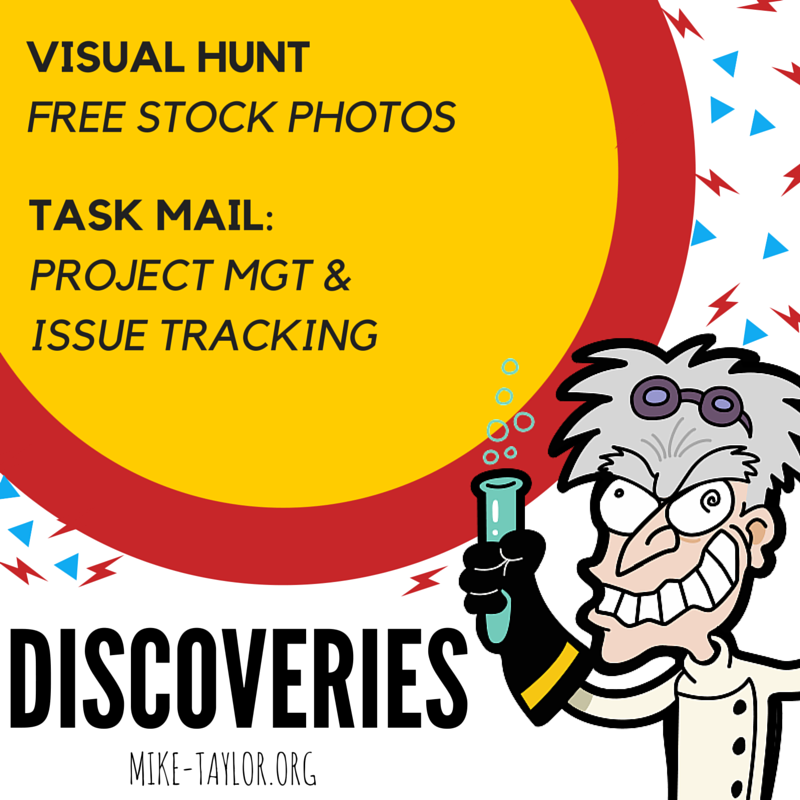
Discoveries this week include a great source of free stock photos and a handy system for managing team/group tasks.
Visual Hunt
There are a boat load of sites offering free stock photos these days but few, if any, offer the features of Visual Hunt. Some of the things I like about it is the ability to search and get results from multiple sites, adding images to a collection which can be downloaded as a single zip file and the filters for things like commercial use and color.
Keeping track of who is doing what without letting anything slip through the cracks is important for any team or group working together. If you’re looking for a good, easy to use option for this challenge you might want to take a look at TaskMail. TaskMail can help you with get a handle on project management, tracking issues, and team collaboration messaging.
It’s been a bit quiet around here for awhile but a few recent conversations with some wonderful people have me re-energized and given me a nudge to get going again. So here are a few things I’ve uncovered recently that I think are worth sharing.
Vivaldi: A Customizable Web Browser
I’ve been test driving Vivaldi, a new customizable web browser. I like it so far. It’s pretty zippy and allows you to customize a lot of things like the location of browser elements, stacking tabs and more. I’m curious to see how it integrates with other apps like Gmail, Dropbox, etc and if I will miss any of the Chrome plugins I’ve come to count on. Browse the features or just watch the video for a quick overview.
Video conversations with up to 8 people for free. No login required — no installs. File this one under the “it just works” category. Simple, fast and super handy.
If you do any presenting at conferences, etc you probably already know about the #backchannel. Now you can easily share all or part of your PowerPoint presentation directly to Twitter & Facebook with the new Social Share plug-in.
The Microsoft Garage project lab has released Social Share, a free plug-in for PowerPoint to allow for instant social sharing of presentations and parts of presentations from within the program. You can share a whole deck or just a single composed slide.
Trello is one of my favorite ways of managing tasks and projest. The two biggest reasons are flexibility and simplicity. Now you can add to that a large list of integrations. Check these out to see how Trello earn a place in your workflow by playing nicely with other apps you already use.
Skype is the go-to VoIP app a lot of people and now Skype has a new option for connecting with anyone without requiring them to be a Skype user. Now you can lead a Skype session via a direct link.
It’s pretty simple: Users of Skype for Windows, Skype for Mac, or Skype for the Web will soon be able to send friends a link. Once they accept it, they’ll be able to launch Skype from the web and join the conversation. Also, if you have a Skype name and a Skype mobile app, you can share a conversation link from Skype for iPhone, iPad and Android just by clicking the link.
Skype said the new link-sharing feature should be live now within the United States, and should be live throughout the rest of the world in a few weeks. Sharing a mobile conversation will be added “soon,” Microsoft said.
BPG: New & Improved Image Format
BPG stands for Better Portable Graphics, and it’s a new image format, the aim of which is to replace JPG. To do this, BPG delivers the best of both worlds: superior quality, and smaller file size. Get the scoop on this new format in this article.









![1_jv-ZLiOvQZFTost0dPGc0w[1].png](https://i0.wp.com/mike-taylor.org/wp-content/uploads/2017/05/1_jv-zliovqzftost0dpgc0w1.png?resize=1200%2C666&ssl=1)







You must be logged in to post a comment.