Here’s the thing! At the heart of every great learning professional lies the soul of a curator. Think about it. When we craft our courses, even the formal ones, aren’t we sifting through mountains of info, hand-picking the golden nuggets, and then serving them up in a tasty, digestible format? That’s curation! If you’ve ever designed any learning, you’ve already got this skill, even if you haven’t realized it. We’re all in this curation game together, whether we know it or not.
Creating engaging and effective learning content requires thoughtful curation. That’s why I’ve developed the C.U.R.A.T.E.D. model for curating learning content. C.U.R.A.T.E.D. provides a structured framework to guide you through the process of curating content for learners.
In the world of Learning & Development (L&D), the challenge isn’t just about creating content—it’s about curating it. With the digital age showering us with a deluge of information, how do L&D professionals sift through the noise and select the gold?
Enter the C.U.R.A.T.E.D. model, a systematic approach designed to elevate your content curation game. If you’re an L&D professional, this model is your roadmap to curation success.
The C.U.R.A.T.E.D Model for L&D Content Curation
C
Clarify learning objectives based on needs assessments and goals
U
Unearth relevant content via research, recommendations & user-generated sources
R
Review and refine the content for relevance, accuracy, engagement & diversity
A
Arrange content systematically into logical categories, sequences & integrations
T
Transform the presentation for the delivery platform & optimize the user experience
E
Engage learners through interactivity, feedback loops & social learning
The C.U.R.A.T.E.D. model takes the guesswork out of curation. By following this step-by-step approach, you can create customized learning experiences that meet learner needs. The model is flexible enough to work for curating all types of content, from articles to videos to podcasts and more. Let’s take a deeper dive into each step of the process.
C – Clarify Objectives:
Navigating the vast ocean of content can be overwhelming, so it’s essential to have a clear destination in mind before you set sail. Think of it as charting a course for a journey.
Needs Assessment: Begin by understanding the learning needs of your audience. What are their knowledge gaps? What skills do they seek? This foundational step ensures that your curation efforts are laser-focused on what truly matters.
Learning Goals: With a clear understanding of needs, define your learning objectives. What should learners take away from the content? Setting clear, measurable goals ensures that your curation efforts align with desired outcomes.
U – Unearth Content:
The quest for quality content begins here.
Research: Dive deep into search engines, academic databases, industry publications, and other trusted sources. The digital world is your oyster, but remember to pick pearls.
Recommendations: Leverage the collective intelligence of your network. Encourage peers, experts, and even learners to suggest valuable content. Often, the best insights come from collaborative efforts.
User-Generated Content: Don’t overlook the potential of content created by learners or employees. From insightful blogs to in-depth discussions, user-generated content can be a treasure trove of knowledge.
This is where being ruthlessly efficient with your information diet really pays off.
Not all content is created equal. It’s time to polish the gems.
Relevance: Ensure that every piece of content aligns with your learning objectives. If it doesn’t serve a purpose, it doesn’t make the cut.
Accuracy: In the age of misinformation, fact-checking is non-negotiable. Ensure that your content is accurate, credible, and up-to-date.
Engagement: Dry, dull content is the nemesis of learning. Opt for content that captivates, inspires, and resonates with your audience.
Diversity: A diverse content mix—videos, articles, podcasts, infographics—enriches the learning experience, catering to various segments of your audience.
A – Arrange Systematically:
Organized content is effective content.
Categorization: Group content into coherent modules or topics, making it easier for learners to navigate and digest.
Sequencing: Like a well-told story, your content should flow logically, building on previous knowledge and setting the stage for what’s next.
Integration: Ensure that different content pieces complement and reinforce each other, creating a cohesive learning journey.
T – Transform Presentation:
It’s not just about what you present, but how you present it.
Platform Selection: Choose the right platform to host your content, be it an LMS, intranet, curation platform or a dedicated website.
User Experience: Prioritize easy navigation, searchability, and a design that’s responsive across devices.
Repurose: Adapting content from one format to another, like converting an in-depth article into a succinct slideshow, can broaden its appeal, making essential points more accessible and captivating to a wider audience.
E – Engage & Enrich:
Learning is a two-way street. Foster engagement and enrich the experience.
Annotation: Enhance content with notes, summaries, or guiding questions, providing context and highlighting key takeaways.
Interactivity: Weave in quizzes, discussions, and assignments to make learning active, not passive.
Feedback Loop: Empower learners to share feedback, ensuring that the content remains relevant and impactful.
Social Learning: Promote discussions, peer reviews, and group activities, harnessing the power of collaborative learning.
D – Develop & Deliver:
The curation journey is iterative and ongoing.
Regular Review: Periodically revisit your content, ensuring it remains fresh and relevant.
Incorporate Feedback: Adapt and evolve based on feedback, making your content even more aligned with learner needs.
Stay Updated: The L&D landscape is ever-evolving. Stay abreast of industry trends, technological advancements, and pedagogical innovations.
In conclusion, the C.U.R.A.T.E.D. model is more than just a content curation strategy—it’s a philosophy. It champions a holistic, learner-centric approach, ensuring that every piece of content serves a purpose and adds value. As L&D professionals, our mission is to facilitate meaningful learning experiences, and with the C.U.R.A.T.E.D. model, we’re one step closer to achieving that goal. Embrace it, implement it, and watch your L&D initiatives thrive.
I fear that I’ve missed the deadline for Jane Hart’s annual Top 10 Learning Tools survey. But just in case, and to keep my streak alive here are my personal top 10 learning tools for this year.
We’re all on a journey of discovery, and along the way, we pick up tools that make that journey smoother, more efficient, and downright enjoyable. Today, I’m sharing my personal top 10 tools for learning. These are the digital companions that have transformed my daily grind into a dance of productivity.
Feedly: If there’s one tool that’s revolutionized how I consume content, it’s Feedly. It’s the most efficient way to keep up with what I want to keep up with, hands down. No more endless scrolling or missing out on crucial updates. Everything I need, all in one place. feedly.com
WordPress: The backbone of my digital presence. It powers my website, my blog, and even my email newsletter. It’s the canvas where I paint my thoughts and share them with the world. wordpress.com
Canva: Oh, Canva! I find myself in Canva every single day, and it never ceases to amaze me. From designing graphics to crafting presentations, videos, and more – Canva’s ever-evolving features make it a joy to use. It’s a creative’s dream come true. canva.com
PowerPoint: Some tools stand the test of time, and PowerPoint is one of them. It remains a powerful and flexible option in my toolkit. And if you’re a PowerPoint user, do yourself a favor and get the BrightSlide add-in. It’s a game-changer! office.com
Google Docs/Drive: The simplicity and efficiency of Google Docs and Drive are unmatched. Writing, collaborating, and sharing have never been easier. It just works, without any of the usual tech hassles. docs.google.com
Zapier: Work smarter, not harder. That’s the mantra Zapier embodies. With its easy automation capabilities, it’s like having a digital assistant that takes care of all the mundane tasks for you. zapier.com
Craft.do: Digital notes have never looked so good. Craft.do is perfect for jotting down ideas, creating presentation takeaways, and so much more. It’s note-taking, but elevated. craft.do
Brave: In a world where privacy is becoming a luxury, Brave stands out as my web browser of choice. It’s fast, private, and secure. Browsing the web feels safe again. brave.com
xtiles: For note-taking and curation, xtiles is a gem. It’s intuitive, sleek, and makes organizing thoughts a breeze. xtiles.app
ChatGPT: Last but certainly not least, ChatGPT has been a revelation. Whether I need help summarizing, writing, rewriting, or just some intellectual assistance, ChatGPT is there, ready to assist. chat.openai.com
Twitter, has been a valued tool for such a long time, has sadly lost its charm. It’s disheartening to see something that was once so valuable turn into what feels like a digital dumpster fire. It’s a stark reminder that not all platforms age gracefully. I’m still there but it just isn’t the same as it used to be. 8-)
The digital landscape is vast, and the tools we use shape our experiences. These are my top 10, the ones that have made a difference in my learning journey. What are yours? Let’s keep the conversation going and continue to learn from each other.
Sign up here to get Friday Finds in your inbox every Friday
“Never doubt that a small group of thoughtful, committed citizens can change the world; indeed, it’s the only thing that ever has.”
― Margaret Mead
I’m looking forward to speaking at the Central Ohio ATD Annual Conference on September 12th! If you’re in or around Central Ohio, consider this your official invitation to join us. Not only will you get to hang out with me, but you’ll also have the chance to mingle with the brilliant Megan Torrance, the innovative Nick Floro, and a fantastic group of smart, fun-loving L&D professionals. It promises to be a day of insightful conversations and memorable moments. Hope to see you there!
Thanks for reading!
🎶 What I’m Listening To
This is another new discovery for me. Del Water Gap is “where soulful melodies meet poetic introspection.”
Cognitive Load Theory: Research you really need to understand
The “Cognitive Load Theory” explains how our brain processes and retains information, emphasizing that it can handle limited new data at once. Overburdening can impede learning, but with practice, recalling from long-term memory becomes easier. The theory, backed by numerous studies, advocates for clear teaching guidance and introduces techniques like the ‘worked example effect’ and ‘expertise reversal effect’.
🎯 Take away: Cognitive Load Theory underscores the importance of understanding the brain’s capacity limitations for effective teaching, emphasizing explicit instruction and practice for optimal learning.
From Brain to Business: Crafting Content That Captivates and Converts
In this webinar “From Brain to Business: Crafting Content that Captivates and Converts,” Dr. Carmen Simon, shares the neuroscience behind effective content. Drawing from her recent studies, she presents a practical 10-point checklist that aids in crafting content that not only stands out but also drives results. The session emphasizes the importance of creating memorable messages that capture sustained attention, reduce cognitive fatigue, and enhance trust and motivation.
Short on tie? Download the 1-pager on 10 science-backed principles to create content that captures attention, builds trust, and motivates action.
🎯 Take away: Crafting compelling content requires an understanding of neuroscience principles to ensure messages are memorable, trustworthy, and motivate action.
The Accessible & Inclusive Design Conference 2023 Recordings
The Accessible & Inclusive Design Conference 2023 (AIDC23) has wrapped and the recordings are posted. You’ll find a series of talks and panels focusing on the importance of accessibility, inclusivity, and equity in design and learning. Topics range from the power of inclusive quality standards, strategies for making in-person training and e-learning content more accessible, to the role of AI in the L&D domain with an emphasis on accessibility. Speakers such as Bela Gaytán, Gwen Navarrete Klapperich, and Cynthia Donahue share insights, actionable strategies, and best practices to foster a more inclusive environment.
🎯 Take away:These AIDC23 talks emphasize the transformative power of inclusive design and accessibility in reshaping learning and development experiences for all.
Visit and subscribe to the Neovation Learning Hub for free resources that cover all aspects of L&D, including eLearning development, instructional design, learning analytics, and other L&D superpowers in an approachable way!
Get smarter in 5 minutes with Morning Brew (it’s free)
There’s a reason over 4 million people start their day with Morning Brew – the daily email that delivers the latest news from Wall Street to Silicon Valley. Business news doesn’t have to be boring…make your mornings more enjoyable, for free.
What is Airtable? And why you should stop using spreadsheets as databases
You could compare data in a spreadsheet, but databases are much more powerful and far less easy to mess up. Here’s how to use Airtable as your database.
This user-friendly guide offers a simple checklist of the key questions you should ask potential learning partners, plus tips for what to listen for to evaluate fit. Vet for key traits such as strategic capabilities, innovation, operational excellence, and values alignment. Download for free »
🎧 Podcast
This is the conversation that caught my ear this week. Check out previous episodes in the Friday Finds podcast playlist.
The Curious Advantage Podcast
Calum Chase, best-selling author, and AI expert and adviser, specializing in the future of AI and its impacts on our societies and economies talks about the future impacts of Artificial Intelligence and how it will affect the future of work, health, and economic sectors.
Elevate Your Learning Experiences with Holly Owens
Join an inspiring session with renowned eLearning expert Holly Owens on “Creating Engaging Learning Experiences with iSpring Learn LMS.” Discover how iSpring Learn empowers you to craft personalized journeys with interactive content, adaptable pathways, and accessibility features.
Start creating more impactful and inclusive experiences. Reserve your spot now!
If you or your event needs a speaker or workshop that is highly interactive and super practical we should talk.
Like this post? Share it with someone you love. Don’t like it? Share it with someone you don’t!
Friday Finds is an independent publication that I produce in my free time. You can support my work by sharing it with the world, booking an advertising spot, or by buying me a coffee.
Sign up here to get Friday Finds in your inbox every Friday
“Ignorance is curable. Refusing to learn is not.”
― E. Michale Helms
With school back in session, marching band activities for both kids in full swing, work , and the usual array of family and miscellaneous tasks that life brings, I’ve been busy. But I have started experimenting with a couple of cold plunges each week. (I’m still working on how to make the water colder while the weather is so hot.)I’m still curious to see if any of the potential health benefits start to appear but I’m enjoying it so far. Stay tuned!
Thanks for reading!
🎶 What I’m Listening To
Sure Sure is a band I discovered with the help of the playlists that Spotify makes for me. Great music to work along with don’t you think?
10 Ways an Instructional Designer Can Get in Trouble or Fired by Using ChatGPT or AI
In this video, Karl Kapp discusses the potential pitfalls instructional designers might face when over-relying on AI tools like ChatGPT. These risks range from violating company security policies by inputting proprietary information to receiving inaccurate or biased content. The AI’s potential to produce false citations, culturally insensitive content, and generic, non-creative solutions further complicates its use. Additionally, there’s a danger of degrading one’s professional skills over time by leaning too heavily on these types of tools.
🎯 Take away: While AI tools like ChatGPT can spark creativity, over-reliance on them can lead to professional pitfalls and a decline in one’s instructional design skills.
Organize Your Bookmarks with the PARA Method for Lightning Fast Web Browsing
Julia Saxena from Forte Labs discusses the transformative power of the PARA Method in organizing browser bookmarks for efficient web browsing. The PARA Method, an acronym for Projects, Areas, Resources, and Archives, offers a structured approach to categorizing and accessing information based on its actionability. By applying this method to browser bookmarks, users can streamline their digital workspace, ensuring that the most relevant links are easily accessible, while less pertinent ones are neatly archived.
🎯 Take away: The PARA Method provides a systematic approach to declutter and organize browser bookmarks, enhancing productivity and ease of access.
Novices, Experts and Everything In-between: Epistemology and Pedagogy
In this post, Adam Boxer looks at the distinctions between novices and experts in the realm of learning. He posits that while novices possess fragmented and disconnected knowledge in a domain, experts have a comprehensive, interconnected understanding. The journey from novice to expert involves the steady acquisition of knowledge, with novices focusing on mastering the content of a domain and experts working to expand it. In short, novices are not experts; their cognitive architectures are worlds apart. And their best learning strategy is very different.
🎯 Take away:Teaching methods should differ for novices and experts, with novices benefiting from explicit pedagogy and scaffolded learning, while experts engage in inquiry-based approaches
Visit and subscribe to the Neovation Learning Hub for free resources that cover all aspects of L&D, including eLearning development, instructional design, learning analytics, and other L&D superpowers in an approachable way!
Get smarter in 5 minutes with Morning Brew (it’s free)
There’s a reason over 4 million people start their day with Morning Brew – the daily email that delivers the latest news from Wall Street to Silicon Valley. Business news doesn’t have to be boring…make your mornings more enjoyable, for free.
Convert your work chaos into sensible order. Automatically. A single place for all your personal stuff, like emails, meetings, tasks, links, and any other work resources.
This user-friendly guide offers a simple checklist of the key questions you should ask potential learning partners, plus tips for what to listen for to evaluate fit. Vet for key traits such as strategic capabilities, innovation, operational excellence, and values alignment. Download for free »
🎧 Podcast
This is the conversation that caught my ear this week. Check out previous episodes in the Friday Finds podcast playlist.
Rethinking workplace learning in an AI-Driven World with Lars Hyland and Matt Linaker
Lars Hyland and Matt Linaker discuss rethinking workplace learning in an AI-Driven World & the importance of shifting from content-driven strategies to more context-based and collaborative learning environments.
sponsored
Everything Instructional Designers should know about LMS
Have a Better Chance of Landing an ID Job
How well do you know the tech side of training? For some employers, this can be a key factor when interviewing for a position as an instructional designer or an eLearning developer. Futureproof your interview by learning all the essentials, such as types of LMS, content formats, and limitations that affect content authoring.
If you or your event needs a speaker or workshop that is highly interactive and super practical we should talk.
Like this post? Share it with someone you love. Don’t like it? Share it with someone you don’t!
Friday Finds is an independent publication that I produce in my free time. You can support my work by sharing it with the world, booking an advertising spot, or by buying me a coffee.
Sign up here to get Friday Finds in your inbox every Friday
“To begin is easy, to persist is art”
― German Proverb
You might spot a little twist in this week’s newsletter format. With a jam-packed fall of teaching, speaking, and writing, I’m tweaking things to make my newsletter routine a tad smoother. My hope? To save some precious time on my end and deliver an even more curated experience for you. Imagine sifting through hundreds of sources and now getting only the best of the best! Dive in and share your thoughts. Do you love it, like it, or feel meh about it? Any suggestions for a sprinkle of extra magic? Hit ‘Reply’ and let me know! 😊
Thanks for reading!
🎶 What I’m Listening To
If you’re been around here long, you know I’m an 80’s kid. Nothing says 80’s to me more than Tears for Fears which I’m spinning today with a big smile on my face.
This post from the Learning Scientists blog by Dr. Nidhi Sachdeva delves into the concept of “microlearning.” Coined in 2002, microlearning refers to shorter learning sessions compared to traditional teaching. While the exact duration of a microlearning session remains debated, its defining characteristic is its brevity. However, the term has become somewhat ambiguous in literature. Dr. Sachdeva introduces a new term, “MicroLearning,” emphasizing lessons designed with evidence-based principles. These lessons should focus on limited content to avoid cognitive overload. She proposes six principles for creating MicroLearning content: valuable content, clear instructional purpose, appropriate length and structure, timing, format, and interactivity. The aim is to bridge the gap between the science of learning and the application of microlearning in formal educational settings.
🎯 Take away: “In sum, the length and structure of a microlesson should be informed by cognitive load theory and not by time frame.”
Ethan Mollick delves into the world of AI and creativity, revealing that AI isn’t just about logic—it’s a budding creative genius! Through various studies, it’s clear that AI can whip up innovative ideas that often outshine human efforts. Yet, our most imaginative minds still have the upper hand. When guiding AI, you don’t need fancy prompts; simple ones do the trick. And if you’re looking for a sprinkle of originality, set some constraints. At its core, AI’s brilliance lies in its knack for recombining existing ideas, acting as a bridge between seemingly unrelated concepts. Read this to learn more about AI’s practical prowess in idea generation.
🎯 Take away:There is now strong evidence that AI can help make us more innovative.
Creating Better Video For Learning: Processing Instructional Video
Patti Shank delves into the art of crafting effective instructional videos. She emphasizes that while many often overlook or skim through these videos, active mental engagement is crucial for genuine learning. By incorporating design elements like freeze-framing and zooming, and principles such as signaling, we can guide viewers’ attention. Shank champions embedding thought-provoking questions within videos to foster deeper engagement and comprehension. Leveraging interactive tools and crafting well-framed questions can amplify this effect. Ultimately, the essence lies in facilitating mental processing, using enhanced visuals, and adhering to Mayer’s principles to ensure viewers not only watch but truly grasp the content.
🎯 Take away: Patti Shank underscores the power of intentional design and interactive questions in instructional videos to transform passive viewing into active learning.
Visit and subscribe to the Neovation Learning Hub for free eLearning resources – L&D superpowers that you can use to improve your eLearning initiatives and help you be more creative, productive, and valuable to your L&D team!
Get smarter in 5 minutes with Morning Brew (it’s free) There’s a reason over 4 million people start their day with Morning Brew – the daily email that delivers the latest news from Wall Street to Silicon Valley. Business news doesn’t have to be boring…make your mornings more enjoyable, for free. Check it out!
Start every learning project off right with a Learning Environment Analysis (LEA), a powerful framework for uncovering learners’ problems, constraints, and needs to prescribe the right solution. This comprehensive guide introduces the LEA and the specific tools to use at each stage, from learner discovery to analyzing findings. Download the LEA Guide »
Scenario-based learning takes learners beyond a short-term memory check, instead challenging them to respond to real-life situations. But how do we make sure they’re effective? Christy Tucker talks about why scenario-based learning is effective and the characteristics of a great scenario
PowerPoint + iSpring: Get Started in eLearning Fast
4 Webinars to Get You Creating eLearning Like a Pro
Guided by seasoned instructional designers, you’ll discover every button you need to click to turn an ordinary presentation into an immersive online course with characters, animated objects, interactive modules, and narration.
If you or your event needs a speaker or workshop that is highly interactive and super practical we should talk.
Like this post? Share it with someone you love. Don’t like it? Share it with someone you don’t!
Friday Finds is an independent publication that I produce in my free time. You can support my work by sharing it with the world, booking an advertising spot, or by buying me a coffee. NN
Sign up here to get Friday Finds in your inbox every Friday
“I believe that if you’ll just stand up and go, life will open up for you.”
― Tina Turner
Ah, the sweet sound of reason trumping nonsense! Ohio voters have sent a clear message about Issue 1: “Your anti-democratic shenanigans won’t fly here!” It’s like swatting away a pesky mosquito buzzing with corruption. With Issue 1 soundly rejected, let’s hope these politicians searching for new levels of sneakiness will soon find themselves lost in a maze of their own making. May the winds of sanity and reason continue to blow.
Thanks for reading!
🎶 What I’m Listening To
Recently hung out at a place with live music featuring all the best music from the 70s and it’s been a nice vibe here all week.
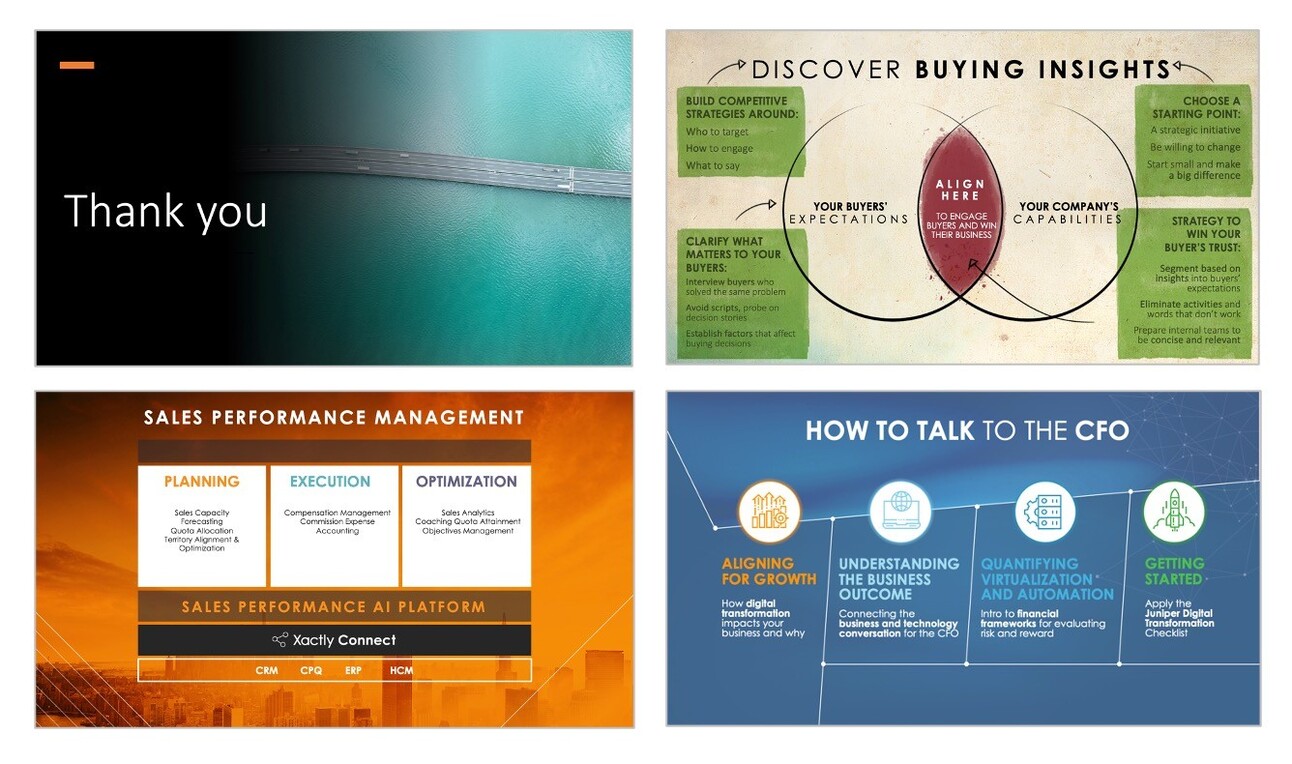
Rethinking the final slide: Why neuroscience warns against the ‘Thank You’ ending
Neuroscientist Carmen Simon shares why the “thank you” slide commonly used in business presentations is not an effective way to enhance memory and engagement. Instead, creating a distinct slide with essential content, repeating it throughout the presentation, and using it at the end can improve recall. Additionally, prompting self-generated questions aids in long-term memory and decision-making. Moreover, ending a presentation with a compelling vision for the future taps into the brain’s cognitive ability to anticipate and imagine, leaving the audience inspired and motivated. The key takeaway is that
🎯 Take away: A well-designed, informative, and future-oriented slide is more impactful than a traditional “thank you” slide at the end of a presentation.
I made this short video introducing the spacing effect and showing how 7taps makes it easy to apply it to your learning projects. The spacing effect demonstrates that learning is more effective when repeated in spaced-out sessions. By repeating and spacing out information individuals learn, they can better recall that information in the future. The spacing effect occurs when information is repeatedly learned over a spaced-out long period, resulting in an individual being about to recall better and remember the information being learned. 7taps has a new feature called Learning Paths that solves the massive headache of managing who gets what and when.
🎯 Take away:With the introduction of the new 7taps learning paths feature, improving your learning outcomes using the spacing effect has never been easier!
Learning and Development in organizations: Reflecting on 20 years of research
Dive into two decades of rich insights with the “Annual L&D Benchmark Report 2023,” a treasure trove from Mind Tools. Charting the transformative journey of learning and development, this report captures the pulse of 11,000 organizations across 83 countries. From the meteoric rise of online learning, a whopping shift from 7% to 66% in mobile device usage for education, to the undeniable influence of social media on collaborative learning, it’s a testament to how we’ve evolved. And as we stand at the crossroads of digital transformation, remember: it’s not just about training anymore; it’s about performance.
🎯 Take away: The landscape of learning and development has dramatically evolved over two decades, with a clear shift from traditional training to performance-driven online learning.
I’m a huge fan of social learning and John Stepper’s Work Out Loud approach. In this post he shares 9 use cases and reminds us that the best learning experiences are social. And the best way to offer social learning experiences to employees is integrate them into programs they already participate in, to address challenges they already recognize.
🎯 Take away: The best learning experiences are social and integrating social learning into existing programs can effectively address specific challenges.
While with the Adobe Photoshop team, Bradee Evans emphasized designing for future product goals rather than just current users. He introduced the concept of “challenge people” – real individuals representing the product’s future direction. These are categorized into: Umbrella (addressing broad needs), Lynchpin (influential adopters), Specific (users with unique roles), and Future-leaning (envisioning the product’s future). The article stresses inclusivity and ethics in design, advocating for a broader community-focused approach.
🎯 Take away: Designing products should prioritize “challenge people” who represent future goals and diverse needs, ensuring alignment with long-term visions while emphasizing inclusivity and ethical considerations.
Visit and subscribe to the Neovation Learning Hub for free eLearning resources – L&D superpowers that you can use to improve your eLearning initiatives and help you be more creative, productive, and valuable to your L&D team!
Become a better designer in 5 minute lessons Join 50,000+ people learning design in short, practical lessons. Original, illustrated design tutorials to help you design better websites & apps. Check it out for free!
Prompt Engineering Daily Get the most simplified and tactical AI prompts, insights and tools to stay ahead of the curve. Read by over 85,000+ readers from Apple, Microsoft, Google, Meta and more! Check it out for free!
The Knowledge Newsletter The Knowledge 🧭, is a newsletter helping creators and professionals to think deeper and work smarter. Subscribe for free
🎧 Podcasts
These are the conversations that caught my ear this week. Check out previous episodes in the Friday Finds podcast playlist.
Introduction to Neurotransmitters
This episode is a review of neurotransmitters starting with some basics of neuron function and brain anatomy, but the meat of the episode is a discussion of neurotransmitters and how they work.
How To Curate Content That Works For You
Did you know that 90% of the world’s data was created in the last two years? Alex Lieberman (@businessbarista) shares his tips on how to cut through the noise and find content that interests you and helps your business.
Understanding the Science of Sleep
Sleep is the foundation we give ourselves to pursue our goals vigorously. Dr. Matthew Walker discusses why sleep is the foundational pillar for our overall health, why most people are terrible at prioritizing sleep and how to change that, the effects of poor sleep over time, how anxiety and stress affect our sleep, the importance of dreams and how we can influence them, and so much more.
Use these four practical, adaptable Learning Principles to build a clear and outcomes-oriented strategy for your next learning program. Access this on-demand webinar to learn how the principles apply to real-life learning problems and how they empower you to drive meaningful behavior change. Watch now »
Super designer | Create beautiful designs with a few clicks
Create beautiful designs with a few clicks. Simple design tools to generate unique patterns, backgrounds, 3D shapes, colors & images for social media, websites and more
How to integrate ChatGPT with Microsoft Outlook | Zapier
Learn how to connect Microsoft Outlook to ChatGPT to automatically respond to emails, retrieve tasks, and make sure company announcements don’t get lost.
How to Implement Online Training in The Healthcare Industry
A Step-By-Step Walkthrough With Real-Life Examples
Get everything you need to implement online training in your healthcare company, from a step-by-step guide to practical insights and tools that will help you maximize learning effectiveness.
If you or your event needs a speaker or workshop that is highly interactive and super practical we should talk.
Like this post? Share it with someone you love. Don’t like it? Share it with someone you don’t!
Friday Finds is an independent publication that I produce in my free time. You can support my work by sharing it with the world, booking an advertising spot, or by buying me a coffee. NN
Sign up here to get Friday Finds in your inbox every Friday
“Everything worthwhile is done with others.”
― Mariame Kaba
It’s been surprisingly peaceful around the house this week. Both kids have been at band camp from 1:00 to 9:99 every day. One of the delightful perks? I get full control of the dinner menu! Feel like fish? Absolutely! Craving for some fresh, delicious veggies? Even better. The absence of any culinary critiques or grumbling is the cherry on top. And if you’ve had the joy of raising a few of your own, I bet you can relate to these moments of tranquility. Don’t get the wrong idea, though. I’m still happy to see them when they come home!
As always, thanks for reading.
What I’m Listening To: The Wallows is another discovery that I’ve made courtesy of my “official music consultant” (my daughter)
Our brains use cognitive biases as a way to save energy and cognitive resources. The human brain constantly processes an overwhelming amount of information, and using cognitive biases helps us navigate this complexity more efficiently. Instead of analyzing every piece of information from scratch, our brains rely on these mental shortcuts to quickly assess situations, categorize information, and make decisions.
🎯 Take away: This article provides a comprehensive and organized list of cognitive biases, highlighting four key problems our brains have evolved to deal with which can help us improve our understanding of ourselves and our decision-making processes.
Emotional intelligence in the workplace: Why it matters and how to build it
In the age of automation, emotional intelligence (EQ) is increasingly critical, affecting key performance indicators like sales, customer satisfaction, and employee turnover. EQ skills differentiate top performers and contribute to personal and professional growth, as evidenced by productivity improvements and cost savings in companies like Motorola and the U.S. Air Force following EQ training. Organizations can nurture EQ through compassionate leadership, cross-departmental collaboration, and focused training on self-awareness, self-management, social awareness, and relationship management, supplemented with continuous performance support.
🎯 Take away: In today’s automated world, fostering emotional intelligence in the workplace is a key differentiator for top performance, contributing significantly to personal development and organizational success.
Bob Mosher talks about the shift from a training-first to a performance-first approach significantly reduces training time, accelerates competency, and enables learners to better handle constant changes in skills and business processes. Key design changes suggested include beginning with analyzing the workflow and focusing training efforts on tasks that significantly impact performance, with a digital coach handling the rest.
🎯 Take away: Workflow learning, a performance-first approach that embeds learning within work tasks, can transform L&D by reducing training time, accelerating competency, and enabling continuous adaptation to change.
Crafted by Mark Britz of the Learning Guild, this checklist is a handy companion to thriving in today’s dynamic, hybrid work landscapes. Unveil the power of social learning to foster knowledge sharing, continuous growth, and strong team bonds even in distributed settings. Embrace change, conquer challenges, and unlock innovation to revolutionize your organization’s success!
🎯 Take away: Embracing social learning empowers organizations to thrive in rapidly changing work environments, unlocking innovation and connection among dispersed teams.
The Art of Sharing: Getting Your Slide Decks Online
Explore three options for sharing your presentations online: Microsoft PowerPoint Online, reliable but lacking engagement insights; SpeakerDeck, a nice-looking, minimalist and PDF-only option; and DeckLinks, a cutting-edge marvel with interactive features and detailed analytics. Choose your platform, and share your own slide deck gems if you’ve got ’em!
🎯 Take away: Explore three good options for sharing your presentation slides online.
Visit and subscribe to the Neovation Learning Hub for free eLearning resources – L&D superpowers that you can use to improve your eLearning initiatives and help you be more creative, productive, and valuable to your L&D team!
Become a better designer in 5 minute lessons Join 50,000+ people learning design in short, practical lessons. Original, illustrated design tutorials to help you design better websites & apps. Check it out for free!
Prompt Engineering Daily Get the most simplified and tactical AI prompts, insights and tools to stay ahead of the curve. Read by over 85,000+ readers from Apple, Microsoft, Google, Meta and more! Check it out for free!
The Knowledge Newsletter The Knowledge 🧭, is a newsletter helping creators and professionals to think deeper and work smarter. Subscribe for free
🎧 Podcasts
These are the conversations that caught my ear this week. Check out previous episodes in the Friday Finds podcast playlist.
This user-friendly guide offers a simple checklist of the key questions you should ask potential learning partners, plus tips for what to listen for to evaluate fit. Vet for key traits such as strategic capabilities, innovation, operational excellence, and values alignment. Download for free
Hand-drawn, vector, free illustrations. Ideal for websites, web applications, mobile applications, marketing materials, printouts, social media posts, templates, work presentations,
Discover What Employees Think About Your Current Training
How effective is your training? Do employees find it helpful and engaging? Get the answers easily: download this free survey template and send it to your learners. In it, you’ll find 10 questions handpicked by training professionals. You only need to add your organization’s name and the survey is good to go.
Sign up here to get Friday Finds in your inbox every Friday
“Everything worthwhile is done with others.”
― Mariame Kaba
It’s been surprisingly peaceful around the house this week. Both kids have been at band camp from 1:00 to 9:99 every day. One of the delightful perks? I get full control of the dinner menu! Feel like fish? Absolutely! Craving for some fresh, delicious veggies? Even better. The absence of any culinary critiques or grumbling is the cherry on top. And if you’ve had the joy of raising a few of your own, I bet you can relate to these moments of tranquility. Don’t get the wrong idea, though. I’m still happy to see them when they come home!
As always, thanks for reading.
What I’m Listening To: The Wallows is another discovery that I’ve made courtesy of my “official music consultant” (my daughter)
Our brains use cognitive biases as a way to save energy and cognitive resources. The human brain constantly processes an overwhelming amount of information, and using cognitive biases helps us navigate this complexity more efficiently. Instead of analyzing every piece of information from scratch, our brains rely on these mental shortcuts to quickly assess situations, categorize information, and make decisions.
🎯 Take away: This article provides a comprehensive and organized list of cognitive biases, highlighting four key problems our brains have evolved to deal with which can help us improve our understanding of ourselves and our decision-making processes.
Emotional intelligence in the workplace: Why it matters and how to build it
In the age of automation, emotional intelligence (EQ) is increasingly critical, affecting key performance indicators like sales, customer satisfaction, and employee turnover. EQ skills differentiate top performers and contribute to personal and professional growth, as evidenced by productivity improvements and cost savings in companies like Motorola and the U.S. Air Force following EQ training. Organizations can nurture EQ through compassionate leadership, cross-departmental collaboration, and focused training on self-awareness, self-management, social awareness, and relationship management, supplemented with continuous performance support.
🎯 Take away: In today’s automated world, fostering emotional intelligence in the workplace is a key differentiator for top performance, contributing significantly to personal development and organizational success.
Bob Mosher talks about the shift from a training-first to a performance-first approach significantly reduces training time, accelerates competency, and enables learners to better handle constant changes in skills and business processes. Key design changes suggested include beginning with analyzing the workflow and focusing training efforts on tasks that significantly impact performance, with a digital coach handling the rest.
🎯 Take away: Workflow learning, a performance-first approach that embeds learning within work tasks, can transform L&D by reducing training time, accelerating competency, and enabling continuous adaptation to change.
Crafted by Mark Britz of the Learning Guild, this checklist is a handy companion to thriving in today’s dynamic, hybrid work landscapes. Unveil the power of social learning to foster knowledge sharing, continuous growth, and strong team bonds even in distributed settings. Embrace change, conquer challenges, and unlock innovation to revolutionize your organization’s success!
🎯 Take away: Embracing social learning empowers organizations to thrive in rapidly changing work environments, unlocking innovation and connection among dispersed teams.
The Art of Sharing: Getting Your Slide Decks Online
Explore three options for sharing your presentations online: Microsoft PowerPoint Online, reliable but lacking engagement insights; SpeakerDeck, a nice-looking, minimalist and PDF-only option; and DeckLinks, a cutting-edge marvel with interactive features and detailed analytics. Choose your platform, and share your own slide deck gems if you’ve got ’em!
🎯 Take away: Explore three good options for sharing your presentation slides online.
Visit and subscribe to the Neovation Learning Hub for free eLearning resources – L&D superpowers that you can use to improve your eLearning initiatives and help you be more creative, productive, and valuable to your L&D team!
Become a better designer in 5 minute lessons Join 50,000+ people learning design in short, practical lessons. Original, illustrated design tutorials to help you design better websites & apps. Check it out for free!
Prompt Engineering Daily Get the most simplified and tactical AI prompts, insights and tools to stay ahead of the curve. Read by over 85,000+ readers from Apple, Microsoft, Google, Meta and more! Check it out for free!
The Knowledge Newsletter The Knowledge 🧭, is a newsletter helping creators and professionals to think deeper and work smarter. Subscribe for free
🎧 Podcasts
These are the conversations that caught my ear this week. Check out previous episodes in the Friday Finds podcast playlist.
This user-friendly guide offers a simple checklist of the key questions you should ask potential learning partners, plus tips for what to listen for to evaluate fit. Vet for key traits such as strategic capabilities, innovation, operational excellence, and values alignment. Download for free
Hand-drawn, vector, free illustrations. Ideal for websites, web applications, mobile applications, marketing materials, printouts, social media posts, templates, work presentations,
Discover What Employees Think About Your Current Training
How effective is your training? Do employees find it helpful and engaging? Get the answers easily: download this free survey template and send it to your learners. In it, you’ll find 10 questions handpicked by training professionals. You only need to add your organization’s name and the survey is good to go.
Sign up here to get Friday Finds in your inbox every Friday
The capacity to learn is a gift; the ability to learn is a skill; the willingness to learn is a choice.
Brian Herbert
As August arrives, I feel a mix of emotions as summer starts winding down. Yes, there are still plenty of steamy days ahead, and about three weeks before the kids go back to school, bringing back the ‘normal’ schedule. With our oldest entering his last year of high school I’m taking stock of some of the “last times” that are around the corner with him. Which is a very strong reminder that life’s simplest joys with loved ones are the most treasured. I hope you are treasuring time with someone you love.
As always, thanks for reading.
What I’m Listening To: Something a little different and electronic-ish, but don’t let that scare you away. Check out Jonas Blue radio.
This article from The Atlantic looks into the American corporate culture’s over-reliance on management and its potential transformation in the wake of the pandemic. It argues that the U.S., more than any other country, is addicted to the concept of management, often promoting individuals to managerial roles based on their performance in unrelated tasks, leading to inefficiencies and a lack of genuine leadership. However, the shift towards remote work is poised to disrupt this system, necessitating a reevaluation of the role of managers, who will need to prove their worth by providing their teams with the tools to succeed, rather than simply overseeing their work.
🎯 Take away: The shift towards remote work necessitates a reevaluation of the role of managers, transforming them from overseers to facilitators who nurture talent and foster growth.
Brain Hacks: 6 Secrets to Learning Faster, Backed by Neuroscience
In this TED Talk, Lila Landowski shares some neuroscience-backed secrets that can supercharge your learning process. There are six critical ingredients to learning faster: attention, alertness, sleep, repetition, breaks, and mistakes. By harnessing these elements, you’ll unlock your true learning potential and retain information like a pro. So, dive in and discover the keys to maximizing your learning journey!
🎯 Take away:Learn the six important factors to better, faster learning.
This insightful article from NN/g is packed with valuable insights, it explores the crucial role of visuals in captivating audiences and enhancing user experiences. From the power of emotions evoked by images to practical tips on selecting the right visuals, this piece is a must-read for designers and creators aiming to craft engaging and meaningful designs.
🎯 Take away: While visual design often feels like a matter of taste more than a science, following these best practices will help you choose imagery that works well within your designs.
Discover the wonders of AI note-taking tools! Effortlessly capture and summarize essential information from your meetings without the hassle. Check out 15 fantastic tools that will save you time and effort.
🎯 Take away: Get the info on 15 AI tools that will make your meeting recaps a breeze.
Debunking Myths About Creating Accessible Learning Content
Ever wondered why accessibility isn’t a priority in your eLearning content creation? We’ve all been guilty of making excuses, including me. But let’s face it, those “Yea, buts” like “nobody in our organization has a disability” or “it costs more and takes too much time” just don’t hold up anymore. Diane Elkins, is here to debunk these myths and show you successful solutions. Say goodbye to being a “yea, but…-er” and embrace fully accessible learning experiences!
🎯 Take away: Get the scoop from a top expert on the accessibility mindset you should adopt for your eLearning efforts.
Find free resources on the Neovation Learning Hub to help you expand your eLearning toolkit! Subscribe to our Learning Hub email list and receive our helpful, practical, and actionable resources directly to your inbox.
Become a better designer in 5 minute lessons Join 50,000+ people learning design in short, practical lessons. Original, illustrated design tutorials to help you design better websites & apps. Check it out for free!
Prompt Engineering Daily Get the most simplified and tactical AI prompts, insights and tools to stay ahead of the curve. Read by over 85,000+ readers from Apple, Microsoft, Google, Meta and more! Check it out for free!
The Knowledge Newsletter The Knowledge 🧭, is a newsletter helping creators and professionals to think deeper and work smarter. Subscribe for free
🎧 Podcasts
These are the conversations that caught my ear this week. Check out previous episodes in the Friday Finds podcast playlist.
Get clarity around your learning projects with this customizable learning-program design template. This free download has the right prompts and practical guidance to help you define key project elements, such as your problem statement, audience, constraints, and more. | Download the free guide »
Fireflies uses generative AI to bring ChatGPT to meetings. Generate transcripts and smart summaries for Zoom, Google Meet, Microsoft Teams, Webex and several other platforms.
Make sure you don’t miss anything in your L&D strategy. Download and customize this strategy template to your needs by filling it with your data — your learning goals and objectives, training and development initiatives, budget, and more.
Sign up here to get Friday Finds in your inbox every Friday
We don’t receive wisdom; we must discover it for ourselves after a journey that no one can take for us or spare us.
Marcel Proust
Guess what? This week, I became the proud owner of a new-to-me car. With three of us already jostling for car keys and another soon to get their license, it was time we added another set to the mix. As much as I entertained the thought of an e-bike – picture me, hair blowing in the wind, saving the planet one pedal at a time – the usually unfriendly and always unpredictable weather around here made the car a more practical choice. So here’s to no more early morning car key hunts, and to the freedom of having an extra set of wheels in the driveway! (But I’d still really like one of those sweet e-bikes!)
This helpful guide by Ethan Mollick talks about how to use Artificial Intelligence (AI) for all kinds of things. The article explains how AI works, showing us how to use it in our day-to-day lives to make things easier. It tells us how to train AI systems using a mix of data and step-by-step instructions. Plus, it gives good advice about using AI responsibly, reminding us to always consider people’s needs first in this age of advanced technology. In short, this article by John Doe is a great beginner’s guide to understanding and using AI effectively and responsibly.
🎯 Take away: Helpful advice on using AI responsibly written in a way that’s easy to understand.
Researchers at Washington University School of Medicine in St. Louis have discovered that the mind-body connection is built into the structure of the brain. Their study, published in Nature, reveals that areas of the brain controlling movement are also connected to networks involved in thinking, planning, and controlling involuntary bodily functions. This discovery provides scientific evidence for phenomena such as the calming effect of mindfulness and the positive mental outlook of regular exercisers. The study suggests that this network evolved from a simpler system, becoming more complex as humans developed advanced cognitive abilities.
🎯 Take away:This study finds he connection between the mind and body is not just a philosophical concept, but is physically built into the structure of the brain.
The Top 9 Facilitation Newsletters You Want in Your Inbox
Imagine this: You’re sipping your morning coffee, you open your inbox, and instead of the usual clutter, you’re greeted with a treasure trove of insights that can take your facilitation skills to the next level. Sounds exciting, doesn’t it? Well, you can that into a reality. Cheska Teresa from Butter has sifted through the digital haystack to bring you the crème de la crème of facilitation newsletters. So, buckle up and dive in!
NOTE: Use the RSS feed or Kill the Newsletter to get all the wisdom and keep your inbox clean.
🎯 Take away: Tap into the facilitation wisdom of these top nine facilitation newsletters.
Nudgestock is the world’s biggest festival of behavioral science and creativity, where we inspire brands and people to impact the world. It happened last week and the theme was MESSY. That’s because our heads are messy, our organizations are messy, and the world is messy. But where there’s mess, there’s opportunity to change behavior. Watch talks from these four categories:
The world is a mess;
Studying the mess;
Making mess work;
Your messy humanity
🎯 Take away: Choose from 15 excellent talks from some of the world’s boldest speakers including Rory Sutherland, Paul Zak and more.
Richard Byrne has just shared a big list of 60 easy-to-follow Canva guides for teachers (or anyone else) on his website, Practical Ed Tech. These guides are great for beginners who are just getting started, people who have used Canva a little bit, and even those who are already good at it. With Canva, you can make a wide range of digital designs including posters, slideshows, worksheets and more.
🎯 Take away: This collection of Canva tutorials can help you create a host of professional looking digital and print items.
Are you looking for helpful, practical, and strategic eLearning resources – available for free – to expand your eLearning toolkit? Subscribe for insights and resources sent to your inbox by visiting the Neovation Learning Hub!
Become a better designer in 5 minute lessons Join 50,000+ people learning design in short, practical lessons. Original, illustrated design tutorials to help you design better websites & apps. Check it out for free!
Prompt Engineering Daily Get the most simplified and tactical AI prompts, insights and tools to stay ahead of the curve. Read by over 85,000+ readers from Apple, Microsoft, Google, Meta and more! Check it out for free!
The Knowledge Newsletter The Knowledge 🧭, is a newsletter helping creators and professionals to think deeper and work smarter. Subscribe for free
🎧 Podcasts
These are the conversations that caught my ear this week.
Start every learning project off right with a Learning Environment Analysis (LEA), a powerful framework for uncovering learners’ problems, constraints, and needs to prescribe the right solution. This comprehensive guide introduces the LEA and the specific tools to use at each stage, from learner discovery to analyzing findings. Download the free LEA Guide ↓
An Old-School Learning Activity That Works Every Time
Wow your learners with a retro jeopardy game. 5 minutes into it and they’re on the edge of their seats! The best part? You can create it using only PowerPoint. Watch this 4-minute video tutorial to see how.
Sign up here to get Friday Finds in your inbox every Friday
“Make it simple. Make it memorable. Make it inviting to look at. Make it fun to read.”
Leo Burnett
I’m back from vacation and already heading back out on the road today for a softball tournament with my daughter. We’re probably in the car right now as you’re reading this and it looks like it will be a little toasty. So I’ll be thinking cool thoughts, soaking up some sun and cheering like crazy for all the Ohio All-American girls. I hope you’ve got something to cheer for this weekend as well.
As always, thanks for reading.
What I’m Listening To: I’m off with my daughter to an out of town softball tournament this weekend, so today I’m queuing up Classic Road Tip Songs
Cognitive load theory is about how things affect our working memory. It has three types: intrinsic, extraneous, and germane load. Intrinsic load is about the task itself. Extraneous load is about the task’s design or environment. Germane load is about the resources used for the task. Cognitive load is influenced by motivation, task elements, and background knowledge. It’s a useful model for learning. But it doesn’t cover convincing students to use effective study strategies.
🎯 Take away: Cognitive load theory provides valuable insights into how various factors impact our ability to effectively use our working memory resources
Some innovations spread fast. How do you speed the ones that don’t? In this article, Atul Gawande highlights the powerful impact of direct human interaction and personal engagement in driving change and implementing critical practices. He shares some examples of initiatives that vividly demonstrate the effectiveness of person-to-person efforts in transforming norms and saving lives. These initiatives underscore the vital importance of understanding existing norms, fostering trust, extending practical support, and embodying kindness and empathy. They highlight the undeniable significance of establishing genuine connections and active engagement to bring about transformative improvements.
🎯 Take away:The primary takeaway here is the importance of human interaction and personal engagement in driving change and implementing critical practices.
This company adopted AI. Here’s what happened to its human workers
AI has the potential to boost productivity and customer satisfaction in the workplace. Incorporating AI chatbots improved the productivity of customer support representatives by 14% and resulted in faster issue resolution and higher customer satisfaction. Less experienced representatives benefitted the most, performing at the same level as their more experienced colleagues. However, there are concerns about income inequality and the distribution of AI’s benefits. While AI can make our economy more productive and raise living standards, there are no guarantees of how these benefits will be shared. Additionally, AI’s impact on the labor market and job automation needs careful consideration.
🎯 Take away: AI has the potential to significantly improve productivity, customer satisfaction, and address income inequality, but careful consideration and proactive measures are needed to ensure its benefits are shared.
The joy of plain language; a Bob Ross inspired approach to content design
Bob Ross simplified complex ideas to achieve success, and you can do the same in your content design. Aim for a reading age of 9-11 with simple sentences and everyday words. Use active language like “we” and “you” for a personal touch and give clear instructions. Structure content to frontload important information, use headings and lists, and break up large blocks of text. Remember, create content for individuals, not just for the internet. Keep it plain and understandable to engage your audience effectively.
🎯 Take away: Be like Bob Ross and simplify your content for better results.
Unleashing the Mind: 5 Best Neuroscience Courses to Take in 2023
Whether you want to know how the brain works, how to learn better, understand human behavior and even brain injury and pathologies, these courses have got you covered. Class Central has curated a list of the top online neuroscience courses, including beginner and advanced levels, courses relating neuroscience to learning and behavior, and courses exploring brain injury and pathologies.
Do you want helpful, practical, and actionable eLearning resources – for free – to expand your eLearning toolkit? Subscribe for insights and resources sent to your inbox by visiting the Neovation Learning Hub!
Become a better designer in 5 minute lessons Join 50,000+ people learning design in short, practical lessons. Original, illustrated design tutorials to help you design better websites & apps. Check it out for free!
Prompt Engineering Daily Get the most simplified and tactical AI prompts, insights and tools to stay ahead of the curve. Read by over 85,000+ readers from Apple, Microsoft, Google, Meta and more! Check it out for free!
The Knowledge Newsletter The Knowledge 🧭, is a newsletter helping creators and professionals to think deeper and work smarter. Subscribe for free
🎧 Podcasts
These are the conversations that caught my ear this week.
Start every learning project off right with a Learning Environment Analysis (LEA), a powerful framework for uncovering learners’ problems, constraints, and needs to prescribe the right solution. This comprehensive guide introduces the LEA and the specific tools to use at each stage, from learner discovery to analyzing findings. Download the free LEA Guide ↓
Join over 4 million people who start their day with Morning Brew Get the daily email that delivers the latest news from Wall Street to Silicon Valley. Business news doesn’t have to be boring…make your mornings more enjoyable, for free. Check it out for free!
Everything You Need to Know About Building an Impressive ID Portfolio
Wondering if your current portfolio has what it takes to land your dream job? Download this ultimate guide and discover how to make your portfolio sell. Gain insights and best practices, see examples and top portfolio platform options, and get step-by-step instructions for creating a strong portfolio from scratch.






You must be logged in to post a comment.