Category: learning

  • Friday Finds — 12 Prompts of Xmas, AI-Enhanced Learning, Automation Made Simple

    Friday Finds — 12 Prompts of Xmas, AI-Enhanced Learning, Automation Made Simple

    Sign up here to get Friday Finds in your inbox every Friday.

    “If the only prayer you said was thank you, that would be enough.”
    ― Meister Eckhart

    I hope you’re enjoying some holiday cheer and recharging your batteries before we dive headfirst into the new year! You might notice a few more layout design updates here. Speaking of which, my New Year’s wish (let’s call it a wish, not a resolution!) is that all the tech involved in getting this newsletter to you plays nice with your inbox. I’m looking at you, Outlook! 🤞 Let’s hope for a smooth and glitch-free 2025! (Please reply and let me know if you see any issues at all.)

    Happy New Year!

    Thanks for reading!


    sponsored

    Looking for an LMS? Start with a Clear Request for Proposal

    When searching for a learning platform for your project, there’s nothing more critical than clearly defining your LMS requirements. Download this free RFP template to effectively communicate your business needs to potential vendors and make the selection process more efficient and stress-free.

    🎶 What I’m Listening To

    These are my most-played songs of 2024​

    👆 Last Week’s Most Clicked

    ​Behavioral Scientist’s Notable Books of 2024


    📰 News & Notes

    The 12 Prompts of Christmas

    Rundown: Dr. Philippa Hardman has released “The 12 Prompts of Xmas,” a guide offering 12 AI power prompts tailored for instructional designers.

    The Context:

    • After a year of integrating AI into instructional design, Dr. Hardman shares practical prompts to streamline content creation.
    • The guide is available for free, encouraging widespread adoption among educators and designers.
    • It reflects a growing trend of utilizing AI to improve educational materials and methodologies.

    Why it Matters: As AI continues to influence instructional design, resources like these empower professionals to effectively incorporate AI tools into their workflows, enhancing educational experiences and outcomes.


    Does ChatGPT enhance student learning? Meta-study surprises!

    The Rundown: A recent meta-study reveals that ChatGPT positively impacts various aspects of learning.

    The Context:

    • Academic Performance: Students using ChatGPT showed significant improvements, though it’s unclear if this is due to the AI’s assistance or the quality of its content.
    • Motivation and Engagement: The AI tool positively affected students’ motivation and emotional engagement.
    • Higher-Order Thinking: There was a notable enhancement in students’ self-reported critical thinking abilities.
    • Cognitive Load: ChatGPT use led to a significant reduction in mental effort, indicating less cognitive strain.

    Why it Matters: This study suggests that ChatGPT can be a valuable educational tool, improving student performance and engagement without overwhelming them. While it shows promise, further research is needed to determine how it affects students’ confidence in their own abilities.


    Zapier AI Tutorial for Beginners: Automation Made Simple

    The Rundown: If you haven’t explored AI-powered automation tools like Zapier, you’re missing a golden opportunity to improve and simplify your workflows. Kevin Stratvert breaks down how Zapier connects apps like Gmail, Google Forms, and Slack to automate repetitive tasks.

    The Context:

    • Zapier’s AI feature lets you describe workflows in plain language, automatically generating the necessary automation—no coding required.
    • The tutorial offers clear, step-by-step guidance, making it perfect for beginners.
    • By integrating everyday apps, Zapier helps you boost productivity and efficiency with minimal effort.

    Why it Matters: AI tools like Zapier are revolutionizing how we manage tasks, putting advanced automation within reach for everyone. This tutorial is your key to unlocking time-saving processes, letting you focus on what really matters.


    Creating a fantastic eLearning course starts with the right tools!

    If your 2025 training plans include creating new courses, you may want a new eLearning authoring tool to help you reach your goals. Evaluate your options like a pro and find the ideal alignment with these tips!

    🧰 Tech Tools & Tips

    If tools are your jam, check out my ​Work Smarter newsletter​.

    Pitch Rooms

    Pitch’s new ‘Rooms’ feature allows you to centralize and share decks, links, documents, videos, and more in a single location with valuable analytics to track engagement, etc.

    Pitch.com

    .

    Headline Analyzer

    Titles and headlines are crucial factors in driving the readership of your content. This tool helps you write better headlines by analyzing and providing suggestions for improvement.

    Headline Analyzer

    Marketing Secrets for L&D Pros

    Join our LinkedIn group to learn how to create engaging learning experiences. Connect with L&D pros, discover marketing insights, and elevate your training strategies. Join Now!

    🎧 Podcast

    This is the conversation that caught my ear this week. You can find previously featured podcasts in my ​Friday Finds podcast playlist​.

    The skills super-communicators use (& how you can learn them)

    Pulitzer Prize-winning journalist Charles Duhigg explores the concept of “supercommunicators”— people adept at forging deep connections through conversation. He asserts that these skills can be cultivated by anyone willing to practice specific techniques.

    🧳 Where’s Mike?

    If you or your event needs a speaker or workshop that is highly interactive and super practical, we should talk.


    Like this post? Share it with someone you love. Don’t like it? Share it with someone you don’t!

    Friday Finds is an independent publication that I produce in my free time. You can support my work by sharing it with the world, booking an advertising spot, or buying me a coffee.

  • Friday Finds — Behavioral Science Books, Improving Readability, ChatGPT’s Canvas

    Friday Finds — Behavioral Science Books, Improving Readability, ChatGPT’s Canvas

    sponsored by iSpring

    Sign up here to get Friday Finds in your inbox every Friday.

    🎶 What I’m Listening To

    If you’d like some fresh new holiday music, you’ll love this playlist by Questlove

    👆 Last Week’s Most Clicked

    ​15 Times to use AI, and 5 Not to​


    📰 News & Notes

    Behavioral Scientist’s Notable Books of 2024

    The Rundown: Behavioral Scientist has released its annual list of 45 notable books published in 2024, highlighting works that delve into human behavior.

    The Context:

    • AI Focus: Several titles explore artificial intelligence, examining its societal impacts and ethical considerations.
    • Work and Productivity: A renewed interest in work culture, overwork, and strategies for achieving smarter productivity is evident.
    • Diverse Topics: The list includes books on probability, chance, behavioral design, existential psychology, animal cognition, and plant intelligence.

    Why it Matters: This curated selection delves into the cutting-edge of behavioral science, offering insights into contemporary issues and emerging trends that shape our complex world.


    Enhancing Readability for Effective Learning and Development

    The Rundown: A recent article highlights how improving readability in learning materials can boost understanding, engagement, and outcomes in workplace training.

    The Context:

    • Readability focuses on making content easy to read, concise, and structured for clear comprehension.
    • Techniques like using simple language, consistent formatting, and breaking down complex ideas can help.
    • Research shows that well-designed, readable training materials enhance learner retention and satisfaction.

    Why it Matters: Clarity in communication isn’t just about aesthetics—it directly impacts how employees learn and perform. Improving readability aligns training with learner needs, fostering better skill development and boosting overall organizational efficiency.


    How ChatGPT’s Canvas Can Help You Use AI More Productively

    The Rundown: Now available to all users, OpenAI’s Canvas brings generative AI into a shared workspace, transforming how users brainstorm, write, and edit content.

    The Context

    • Canvas functions like an AI-powered Google Docs, allowing real-time interaction with AI on shared documents.
    • It helps you draft, edit, and organize longer pieces—like articles, reports, or scripts—in a single window.
    • Users can refine ideas, generate outlines, and edit content collaboratively.

    Why it Matters: Tools like Canvas show how AI is moving beyond simple chatbots. They’re now part of how we work, making us more productive in many different fields.


    Everyone’s talking about it – some use it, others fear it

    Whether you’re AI-curious or AI-cautious, join our webinar to discover how to harness AI for your L&D strategy. Save your spot to learn innovative ways to use AI to your advantage!

    Join Us! Wednesday, January 22, at 12 noon CT!

    Can’t attend? Register, and we’ll send you the recording!

    🧰 Tech Tools & Tips

    If tools are your jam, check out my ​Work Smarter newsletter​.

    Feeder

    Get all your favorite content effortlessly in one convenient location.

    https://feeder.co/

    .

    Guidde

    Easily create onboarding documentation with AI. Free for up to 25 videos.

    https://guidde.cello.so/fxRMVDwhoei

    Marketing Secrets for L&D Pros

    Join our LinkedIn group to learn how to create engaging learning experiences. Connect with L&D pros, discover marketing insights, and elevate your training strategies. Join Now!

    🎧 Podcast

    This is the conversation that caught my ear this week. You can find previously featured podcasts in my ​Friday Finds podcast playlist​.

    How to use cognitive psychology to enhance learning

    Enhance learning with counterintuitive strategies. Dr. Bjork, a leading memory expert, emphasizes spaced repetition, frequent self-testing, interleaving practice, and generating your own answers for deeper understanding and better long-term retention.

    sponsored

    Kickstart Your mLearning Project with Ease

    Pitching a mobile learning project requires a thorough approach. Make things easier with a ready-to-use Excel template! Download it for free, simply fill in key details, such as dates, names, and goals, and enjoy a step-by-step roadmap to implementing an mLearning initiative in your company.

    🧳 Where’s Mike?

    If you or your event needs a speaker or workshop that is highly interactive and super practical, we should talk.


    Like this post? Share it with someone you love. Don’t like it? Share it with someone you don’t!

    Friday Finds is an independent publication that I produce in my free time. You can support my work by sharing it with the world, booking an advertising spot, or buying me a coffee.

  • Friday Finds — When to Use AI, AI Use Cases & Screens vs Paper Reading

    Friday Finds — When to Use AI, AI Use Cases & Screens vs Paper Reading

    sponsored by iSpring

    Sign up here to get Friday Finds in your inbox every Friday.

    “The real problem of humanity is the following: We have Paleolithic emotions, medieval institutions and godlike technology. And it is terrifically dangerous, and it is now approaching a point of crisis overall.”

    ​— E.O Wilson

    Hey there, friends! I’m trying something new this week with the format of the news items. Let me know if you’re digging it or if it’s totally off the mark! While you’re pondering that, it is starting to feel like Christmas here. Consider listening to these remixed holiday classic songs with a festive twist while you read the rest of this newsletter.

    Thanks for reading!


    🎶 What I’m Listening To

    If you’re ready to start with Christmas music, these remixed holiday classics are great!

    👆 Last Week’s Most Clicked

    ​What is the effect of different types of cues in educational videos?


    📰 News & Notes

    15 Times to Use AI (and 5 Not To)

    Ethan Mollick’s post on AI use offers practical guidance for leveraging AI effectively in daily life while also recognizing its limits.

    Rundown:

    Mollick lists 15 scenarios where AI excels, such as summarizing long documents, generating creative content drafts, or offering feedback on writing. He also highlights five situations where AI may falter, like dealing with nuanced decision-making or overly sensitive topics.

    The Context:

    • AI thrives when performing repetitive tasks, analyzing data, or sparking ideas for creative projects. It’s especially useful for tasks requiring speed and breadth over depth.
    • However, AI struggles with context-heavy or emotional problems, like resolving conflicts or making critical strategic calls, because it lacks true understanding and empathy.
    • Mollick’s insights aim to align expectations, emphasizing that AI is a tool to augment human capabilities—not replace them.

    Why it Matters:

    As AI integration accelerates, knowing when and how to use it is crucial. Understanding AI’s strengths and limitations helps avoid pitfalls while unlocking its transformative potential in productivity and innovation


    The Four Most Powerful AI Use Cases in Instructional Design Right Now

    The Rundown:

    Instructional designers are leveraging AI in four transformative ways, as revealed in insights from Dr. Philippa Hardman’s AI & Learning Design Bootcamp.

    The Context:

    1. Learner Personas: GPT-4 enables designers to simulate user interviews, creating detailed learner personas for targeted strategies.
    2. Instructional Strategy Design: Tools like Consensus provide evidence-based teaching methods tailored to specific learners.
    3. Quality Assurance: AI like Claude excels in ensuring alignment with standards such as WCAG and UDL.
    4. Impact Prediction: AI predicts learning outcomes, aiding in design iterations before course delivery.

    Why it Matters:

    These applications streamline instructional design by addressing key challenges like personalization, evidence-based decision-making, and quality assurance. As AI evolves, its potential to transform education will only grow. Designers who adopt a research mindset and measure AI’s impact can harness this tech for faster, higher-quality results​​.


    Screens vs. Paper: A New Perspective on Reading

    The Rundown:

    A growing body of research shows that people generally comprehend and retain information better when reading on paper compared to digital screens. This preference for paper stems from its tactile nature, navigational ease, and reduced cognitive load.

    The Context:

    • Studies indicate that digital screens can hinder deep reading due to distractions, glare, and limited ability to interact with the text (e.g., flipping back to previous sections or annotating intuitively).
    • Research has shown that reading on paper provides a more “anchored” experience, helping readers form mental maps of content. This spatial orientation aids memory and comprehension.
    • The physicality of paper—its weight, feel, and permanence—enhances engagement, while screens often promote skimming and multitasking​.

    Why it Matters:

    As digital reading becomes the norm, understanding its limitations is critical for education and cognitive health. While screens offer convenience, they may sacrifice the depth and clarity that paper provides, particularly for immersive or complex reading tasks. This insight can guide choices in learning, work, and leisure.


    Does your learning platform support your requirements?

    If you’re considering switching learning systems, explore questions and recommendations about specific LMS features. With feature alignment based on your training needs, you can find a new platform that meets your expectations!

    🧰 Tech Tools & Tips

    If tools are your jam, check out my ​Work Smarter newsletter​.

    Freepik

    Freepik is a versatile resource for high-quality stock media and AI-powered design tools.

    https://www.freepik.com/

    Streamline HQ Freebies

    A great collection of free icons, illustrations & other design elements from StreamlineHQ

    https://www.streamlinehq.com/freebies

    Marketing Secrets for L&D Pros

    Join our LinkedIn group to learn how to create engaging learning experiences. Connect with L&D pros, discover marketing insights, and elevate your training strategies. Join Now!

    🎧 Podcast

    This is the conversation that caught my ear this week. You can find previously featured podcasts in my ​Friday Finds podcast playlist​.

    How Learning to Fail Can Help People and Organizations to Thrive

    Amy Edmonson talks about her book and how failing well means embracing failure as a learning opportunity. By fostering a culture of psychological safety, organizations can encourage experimentation, learn from mistakes, and ultimately drive innovation and growth.

    sponsored

    Get the ultimate iSpring eLearning box for just $97

    Are you looking forward to the holiday season? Why not celebrate it with new achievements and amazing eLearning tools?

    Through December 22nd, get the ultimate iSpring box for creating exceptional eLearning content for just $97!

    Here’s what’s inside:

    • A 1-month subscription to iSpring Suite Max, our AI-enhanced authoring tool
    • Ready-to-use course creation assets, including 3 templates, 3 backgrounds, and diverse characters
    • An expert video course on creating interactive online courses from iSpring Academy
    • An exclusive guide on the latest L&D trends from DevLearn 2024

    Try out our tools, enhance your ID skills, and join the vibrant iSpring Community:

    • Connect with eLearning experts and aficionados from around the world
    • Access expert resources to sharpen your instructional design and L&D skills
    • Collaborate, share ideas, and grow together

    Why wait? Claim the box through December 22nd, available only for new clients.

    🧳 Where’s Mike?

    If you or your event needs a speaker or workshop that is highly interactive and super practical, we should talk.


    Like this post? Share it with someone you love. Don’t like it? Share it with someone you don’t!

    Friday Finds is an independent publication that I produce in my free time. You can support my work by sharing it with the world, booking an advertising spot, or buying me a coffee.

  • Friday Finds — Desirable Difficulties, Windows of Learning, Learning Cues

    Friday Finds — Desirable Difficulties, Windows of Learning, Learning Cues

    sponsored by iSpring

    Sign up here to get Friday Finds in your inbox every Friday.

    “When you stop doing things for fun, you might as well be dead.”

    — Ernest Hemmingway

    As I sat down with my second (okay, third) cup of coffee this morning, staring at a screen full of tabs like “How to Use AI Like a Pro,” I had a moment of gratitude—for Ctrl+T and the endless curiosity that keeps this field of learning and design alive. We’re all here, wrestling with tools that are evolving faster than our inboxes can refresh, but isn’t that the joy of it? Every click, every discovery, every crash-and-burn experiment reminds me how lucky we are to work in a space where innovation isn’t a buzzword—it’s our daily grind. So, here’s to another week of finds, fails, and figuring it out together.

    What’s your most unexpected ‘I can’t believe this actually worked’ moment with a tool or technology?

    Thanks for reading!


    🎶 What I’m Listening To

    For whatever reason, I’m in the mood for ​The Cure​.


    👆 Last Week’s Most Clicked

    ​Getting started with AI: Good enough prompting​


    📰 News & Notes

    No Pain, No Gain: Desirable Difficulties

    Nidhi Sachdeva encourages us to lean into the paradox of desirable difficulties! While making learning a bit harder—like adding spaced practice, retrieval tests, or varied scenarios—might frustrate learners in the short term, it builds brain muscles for durable and flexible knowledge. Sure, mistakes and discomfort aren’t fun, but they’re the secret sauce to lifelong learning. Embrace the struggle; your learners will thank you later (even if they grumble now).

    🎯 Takeaway: Desirable difficulties make learning tougher in the moment but lead to deeper, longer-lasting knowledge and skills.


    What is the effect of different types of cues in educational videos?

    Educational videos can be a goldmine for learning—if done right! A recent exploration into the use of cues like highlighting (think: red markers) or eye-tracking simulations (imagine following the teacher’s gaze) in videos reveals a key truth: cues help focus learners’ attention, reducing cognitive overload. While both methods improved learning outcomes, neither significantly outshone the other. The takeaway? Instructional designers should embrace the power of cues to guide learners and help them cut through the noise and focus on what matters!

    🎯 Takeaway: Effective cues in educational videos sharpen learners’ focus and lighten cognitive load, making even complex topics easier to grasp.

    [ Note: Use your browser’s built-in translation to read this in English.]


    The Ecstasy of an Open Brain

    Critical periods are fleeting windows of rapid learning, hardwired into our brains. While once thought irreversible, emerging research suggests we may be able to reopen these windows, unlocking new potential for learning and recovery. This mind-bending exploration delves into the ​science behind these critical period​s and their implications for conditions like PTSD, brain disease, and stroke.

    🎯 Takeaway: Our brains have special learning windows. New research suggests we can reopen them, boosting learning and healing.


    Discover training secrets just by listening!

    Tune in on your favorite podcast platform for deep-dive conversations on all things related to online training—from selecting the right system to creating custom courses to measuring results—and turn challenges into triumphs.


    🧰 Tech Tools & Tips

    If tools are your jam, check out my new Work Smarter newsletter.

    Arcade

    Create interactive demos that engage audiences. It is ideal for training & marketing teams.

    https://arcade.software

    .

    Pictographic

    Pictographic has 150,000+ illustrations over 10 styles that you can use for your design work

    https://pictographic.io/


    Warning: This Masterclass May Cause Excessive Training Flexibility (Side Effects Include Success)

    Change sucks. Unless you make it your secret weapon. 🎯 On December 12th at 9:00 AM (ET), Megan Torrance and Roy de Vries are hosting a masterclass to help you design training that bends but never breaks. Stakeholder drama? Covered. Better learning experiences? Done. World domination? Optional. Sign up now. It’s free—your future self will thank you.


    🎧 Podcast

    This is the conversation that caught my ear this week. Check out previous episodes in the Friday Finds podcast playlist.

    The future of e-learning interfaces

    The LMS is still standing strong. Though it’s evolved from its clunky beginnings, it remains the go-to gateway for corporate learning. But as AI and tech continue to reshape the landscape, could a new era of learning be dawning? Ben Betts joins The Mind Tools L&D Podcast to dissect the past, present, and future of the LMS.


    From Idea to Implementation: A Step-by-Step Guide to Course Creation

    Does the idea of building a course from scratch leave you feeling stuck? Join our free expert webinar on December 17th at 11 a.m. EST. Holly Owens, a seasoned educator and instructional designer, will share everything you need to know about creating a course, from shaping your initial idea to delivering it to learners.


    🧳 Where’s Mike?

    If you or your event needs a speaker or workshop that is highly interactive and super practical, we should talk.


    Like this post? Share it with someone you love. Don’t like it? Share it with someone you don’t!

    Friday Finds is an independent publication that I produce in my free time. You can support my work by sharing it with the world, booking an advertising spot, or buying me a coffee.

  • Friday Finds — Custom GPT for Instructional Design, Good Enough Prompting, AI video for Learning

    Friday Finds — Custom GPT for Instructional Design, Good Enough Prompting, AI video for Learning

    sponsored by iSpring

    Sign up here to get Friday Finds in your inbox every Friday.

    It’s true that determining the actual problem takes time, but it’s far quicker than solving the wrong one and starting over.

    — Shane Parrish

    Thanksgiving’s a time for gratitude, and I’m grateful for the chance to connect with smart people like you every week. Bianca and I are launching a new ​LinkedIn group​ to help make your L&D efforts more impactful. Join us to share insights, discuss challenges, and build a community of marketing-savvy L&D pros. Let’s level up L&D together.

    Thanks for reading!


    🎶 What I’m Listening To

    I’ve been binging ​The Lincoln Lawyer​ on Netflix, and it has a great soundtrack.


    👆 Last Week’s Most Clicked

    ​PowerPoint Presentations: Attention & Cognitive Overload​


    📰 News & Notes

    Getting started with AI: Good enough prompting

    Ethan Mollick emphasizes that effective use of AI requires a “good-enough” approach to prompting, not perfection or deep technical expertise. By spending about 10 hours experimenting with AI for practical tasks, users develop an intuition for what works. Treat AI as a collaborative coworker—clear in instructions, iterative in feedback, and unafraid to explore its capabilities. Recognizing AI’s quirks, such as its forgetfulness and infinite patience, helps unlock its potential for productivity, creativity, and even idea generation.

    🎯Takeaway: Use AI as a collaborative partner by mastering simple, iterative prompts to leverage its strengths and navigate its limits.


    How to Build a Custom GPT for Instructional Design

    Dr. Philippa Hardman, shows how building a custom GPT for instructional design enhances task accuracy and consistency by tailoring AI to specific needs, such as writing learning objectives. Using tools like OpenAI’s GPT Builder, even non-tech-savvy designers can create AI “partners” that leverage structured knowledge, follow best practices, and adapt to complex instructional challenges. These GPTs save time, ensure quality, and enable designers to focus on creativity while mitigating risks like bias and context limitations.

    🎯Takeaway: Custom GPTs empower instructional designers to streamline repetitive tasks and improve content quality by embedding domain-specific expertise into AI tools.


    Is AI-generated video as GOOD as real video in learning?

    Research confirms that AI-generated videos can match traditionally produced ones in learning effectiveness and learner perception, according to a study by ​Leiker et al​. This opens doors for scalable, cost-efficient solutions in training and simulations, from soft skills to customer interactions. Moreover, advancements in AI avatars and interactive characters enable dynamic, real-time engagement, pushing the boundaries of experiential learning. As tools like ​Synthesia​ , ​Colossyan ​and others make high-quality video production faster and cheaper, instructional designers can now integrate AI-driven media to amplify learning outcomes without compromising quality.

    🎯Takeaway: AI-generated videos deliver learning outcomes on par with traditional ones, offering a scalable and cost-effective alternative for L&D professionals.


    Training opportunities give your employees purpose at work

    Show your employees you care about their career growth and professional development! By doing so, you’ll not only have a more productive team with a well-rounded skill set, but you may also reduce churn, allowing you to keep top talent more easily.


    🧰 Tech Tools & Tips

    If tools are your jam, check out my new Work Smarter newsletter.

    Gamma

    Gamma is an AI-powered tool that helps you create presentations, documents, and websites without any design or coding skills.

    https://gamma.app

    .

    Kit

    Kit is an email marketing tool that offers a generous 10,000-subscriber free plan that is worth checking out.

    https://kit.com


    Warning: This Masterclass May Cause Excessive Training Flexibility (Side Effects Include Success)

    Change sucks. Unless you make it your secret weapon. 🎯 On December 12th at 9:00 AM (ET), Megan Torrance and Roy de Vries are hosting a masterclass to help you design training that bends but never breaks. Stakeholder drama? Covered. Better learning experiences? Done. World domination? Optional. Sign up now. It’s free—your future self will thank you.


    🎧 Podcast

    This is the conversation that caught my ear this week. Check out previous episodes in the Friday Finds podcast playlist.

    The NOCOURSE Approach to Learning Design with Anamaria Dorgo

    Anamaria Dorgo flips traditional learning on its head with her bold “No Course” approach. Discover how to build thriving learning communities, spark participant-driven experiences, and harness curiosity and adaptability to fuel lasting impact.


    Master the Finish Line: Pro Tips for Flawless Course Publishing

    Frustrated with unexpected errors after publishing an online course? Join a free webinar on Thursday, December 5th, to discover the top 10 eLearning publishing pitfalls that trip up even the best instructional designers — and how to avoid them.


    🧳 Where’s Mike?

    If you or your event needs a speaker or workshop that is highly interactive and super practical, we should talk.


    Like this post? Share it with someone you love. Don’t like it? Share it with someone you don’t!

    Friday Finds is an independent publication that I produce in my free time. You can support my work by sharing it with the world, booking an advertising spot, or buying me a coffee.

  • From Chaos to Community: How Bluesky is Reshaping L&D Networking

    From Chaos to Community: How Bluesky is Reshaping L&D Networking

    I used to think networking was about collecting business cards and forcing awkward conversations. Then I discovered Twitter. By sharing my thoughts, asking questions, and genuinely connecting with others, I built a network of incredible people from all over the world. These digital friendships have led to unexpected opportunities, lifelong bonds, and a valuable community that has helped me in more ways than I can count. 

    Unfortunately, Twitter/X has gone from a platform of ideas to a cesspool of negativity and echo chambers. It’s a sad sight to how it has devolved into such a toxic wasteland.

    Recently, I’ve found a lot of my old L&D friends over on Bluesky—without the noise and chaos of Twitter/X? Bluesky feels like the good old days and seems to be emerging as a valuable place where L&D professionals share insights, build meaningful connections, and have a little fun mixed in along the way. 

    If you have never used Twitter or are looking for an alternative, here is a guide to get started.

    Create your profile

    Let’s start with setting up your profile. Your profile is like your personal landing page

    Creating a well-crafted Bluesky profile is an important first step. A complete profile includes a clear bio, a relevant profile picture, and a thoughtfully curated list of interests. This helps you connect with like-minded individuals and discover content that matches your preferences. A strong profile enhances your credibility and establishes your identity within the Bluesky community.

    Profile Essentials

    • Handle & Display Name:
      Consider including “L&D” or “Learning” to signal your expertise It’s not required but may be helpful. Example: @sarah.learning or “Sarah Chen | Learning Experience Designer”
    • Bio:
      A good bio is concise, engaging, and informative. It should clearly state who you are, what you do, and what you’re passionate about. Think of it as your digital elevator pitch.
    • Visuals:
      A great profile image and banner graphic are your digital first impressions. They instantly communicate your personality, interests, and professionalism. A strong visual identity helps you stand out, attract followers, and build trust within the Bluesky community.
    • Pinned Post:
      Pinning a post on Bluesky allows you to highlight a specific post at the top of your profile. This is a great way to draw attention to important announcements, share your latest project, or express a key opinion. By pinning a post, you ensure it remains visible to new and existing followers, increasing its potential reach and impact.

    Start Building Your Network

    Bluesky’s value lies in connections. Build your network intentionally. Bluesky offers a unique opportunity to forge meaningful professional connections. 

    By engaging in thoughtful discussions, sharing industry insights, and collaborating with like-minded individuals, you can expand your network, gain valuable knowledge, and potentially open doors to new opportunities. 

    One useful feature of Bluesky is the ability to create “Starter Packs.” I’ve created one to help you connect with top Learning & Development experts and get a jump start on building your network.

    https://go.bsky.app/ACkt7sx

    Using Lists

    I’m a big fan of using lists. Lists are a great option for organizing and managing your feed. By creating lists of specific users or topics, you can curate a personalized newsfeed that aligns with your interests. Instead of all your interests being mashed together, lists are smaller and more focused. 

    You can see what this looks like by taking a look at my Learning List.

    What to post?

    On Bluesky, share what you know, what you’re learning, and what you’re passionate about. Whether it’s a thought-provoking question, a helpful tip, or a creative project, authentic sharing builds connections and fosters community. Remember, you don’t have to be an expert; even sharing your learning journey can inspire others. So, keep sharing, keep learning, and let’s build a vibrant Bluesky together!

    Helping others is the best way to position yourself as a valuable voice in the L&D community. 

    If nothing else, like things you find valuable and say thanks when others are sharing helpful info. 

    If you’re curious about learning an efficient way to keep up with topics that interest you, this post might interest you. “How I Create My Weekly Newsletter (and personal curation tips you should steal)”

    Conversation Starters

    • Share works-in-progress and ask for feedback
    • Post polls about industry challenges
    • Ask for tool recommendations
    • Share contrarian views on common practices

    Event Leverage

    • Live-post key takeaways from conferences
    • Create threads summarizing webinars
    • Host impromptu discussions around industry news
    • Coordinate meetups with local followers

    Getting Started Checklist

    • Set up your profile
    • Follow your favorite L&D people
    • Join active discussions
    • Share what you learn
    • Start building relationships

    Join the conversation: What learning challenge are you tackling this week? Did you learn something valuable recently? Share it on Bluesky. Tag your post with #LearningDesign #LnD for maximum visibility.

    If you decide to give it a try (and you really should), you can find me here https://bsky.app/profile/tmiket.bsky.social. 

    Please say hi and let me know you’re there!

  • Friday Finds — Starting on Bluesky, Cognitive Load & PowerPoint, State of Instructional Design

    Friday Finds — Starting on Bluesky, Cognitive Load & PowerPoint, State of Instructional Design

    sponsored by iSpring

    Sign up here to get Friday Finds in your inbox every Friday.

    “When the outcome of a meeting is to have another meeting, it has been a lousy meeting.”

    — Herbert Hoover

    The platform that quite literally changed my life and launched my career has become nearly unrecognizable. Going through my old Twitter threads feels like flipping through a yearbook from a school that burned down – nostalgic and more than a little heartbreaking. Those days of serendipitous connections and vibrant conversations shaped not just my professional trajectory, but connected me with new friends all over the world. While ​I’m dipping my toes into Bluesky​ and finding glimpses of that same early Twitter magic – the earnest discussions, the authentic community building, the ideas shared without all the garbage- it’s bittersweet. A reminder of what we lost, but maybe also a preview of what we might rebuild.

    Thanks for reading!


    🎶 What I’m Listening To

    Ever rediscover an old favorite that you’d sort of forgotten? ​That’s what I did with Al Jarreau this week.​


    👆 Last Week’s Most Clicked

    ​How ChatGPT Works: A Non-Technical Primer​


    📰 News & Notes

    How to Get Started on Bluesky: A Guide for Beginners

    Bluesky is a decentralized alternative to X (formerly Twitter), putting users back in control of their experience. Born from Jack Dorsey’s vision of a more open, user-driven platform, it combines the familiarity of X with powerful customization and privacy features. Whether you’re building a tailored feed, managing your connections, or setting firm boundaries for content, Bluesky makes it easy to create a space that works for you. If you miss the valuable L&D connections from the old Twitter, it might be worth checking it out.

    I’ve created an ​L&D Starter pack​ to help you find some of my favorite L&D people who are already over there.

    🎯Takeaway: Take Bluesky for a spin if you’re looking to connect with fellow L&D pros in a space free from the chaotic vibes of Twitter/X.


    PowerPoint Presentations: Attention & Cognitive Load

    If you want your PowerPoint presentations to actually resonate, it’s all about working smarter, not harder. Research using eye-tracking tech shows that the secret to keeping your audience engaged is simplicity—less text, clean visuals, and strategic organization. Overloading slides with too much info? Big mistake. Instead, break it down: small chunks, clear examples before details, and handouts to back it all up. When you align your presentations with how people’s brains really work, you’ll not only capture attention but also make your content stick.

    🎯Takeaway: Simplify your slides, focus attention, and align with how the brain works—because clarity drives connection.


    The State of Instructional Design, 2024

    A recent survey by Dr. Philippa Hardman, conducted in partnership with Synthesia, shows that AI is changing instructional design. Subject matter experts are increasingly designing learning experiences, and performance metrics now prioritize real-world impact. While AI tools streamline workflows, challenges like time constraints and outdated tools persist. The future of instructional design will be shaped by AI-driven innovation and a focus on practical, job-relevant skills.

    🎯Takeaway: AI is reshaping instructional design, driving a shift towards practical, impactful learning experiences.


    Create new learning opportunities with eLearning content libraries!

    Join us on Wednesday, November 20 @ 12 noon CT

    Learn how eLearning content libraries can help you meet growing training demands and allow your employees to learn new skills—creating more value for your organization!


    🧰 Tech Tools & Tips

    If tools are your jam, check out my new Work Smarter newsletter.

    Build Capable XCL

    XCL simplifies training content sharing and tracks learner engagement. It’s a cost-effective solution for flexible learning without the complexity of an LMS.

    www.buildcapable.com/xcl

    .

    Consensus AI-powered Search Engine

    Consensus is a new breed of academic search engine, powered by AI, grounded in science. Find the best papers while getting instant insights and topic synthesis.

    consensus.app


    Tired of the Same Old eLearning?

    Learn how to design training products that stay flexible in a world of constant change. In this blended masterclass on 12 December at 9:00 am (ET), Megan Torrance and Roy de Vries will show you how to plan for change, handle stakeholder demands, and create better learning experiences for your learners. Stop letting change disrupt your work; start making it your superpower.


    🎧 Podcast

    This is the conversation that caught my ear this week. Check out previous episodes in the Friday Finds podcast playlist.

    Getting the Most Out of Generative AI at Work with Jeremy Utley

    Jeremy Utley reveals why many aren’t getting the results they want from AI—and how to fix that. He advocates for active creativity and using AI as a collaborator through experimentation, roleplaying, and iteration. Embrace imperfect ideas, commit to daily practice, and turn learning into action to unlock innovation and productivity.


    Making the Leap from a Seasoned L&D to Training Centre Owner

    If you’re an experienced L&D and thinking of taking the next step — opening and growing your own training centre — this guide is just for you! Inside, you’ll find engaging storytelling with legal, financial, and practical advice that will help you start your journey right away.


    🧳 Where’s Mike?

    • At home searching and planning for my next event.

    If you or your event needs a speaker or workshop that is highly interactive and super practical, we should talk.


    Like this post? Share it with someone you love. Don’t like it? Share it with someone you don’t!

    Friday Finds is an independent publication that I produce in my free time. You can support my work by sharing it with the world, booking an advertising spot, or buying me a coffee.

  • Friday Finds — Attention & Learning, How ChatGPT Works, AI for ID

    Friday Finds — Attention & Learning, How ChatGPT Works, AI for ID

    sponsored by iSpring

    Sign up here to get Friday Finds in your inbox every Friday.

    “Beware the barrenness of a busy life.”

    — Socrates

    DevLearn was a blast! We were thrilled by the positive response to our sessions and the news about our upcoming book. It was great to connect with so many amazing L&D people. Learning about the newest trends and innovative ideas was inspiring. The only downside was not having enough time to chat with everyone I was hoping to talk with.

    Thanks for reading!


    🎶 What I’m Listening To

    My daughter marched in New York City’s Veteran’s Day parade this week. So today, I’m listening to this “​I Love NYC​” playlist.


    👆 Last Week’s Most Clicked

    Train Like a Marketer


    📰 News & Notes

    Things You Should Know About Attention

    Attention is a precious but limited resource in learning, often likened to a spotlight that brightens specific tasks while others fade into the background. This article by Connie Malamed dives into attention’s quirks, explaining that selective focus helps filter out distractions, while divided attention, like multitasking, splits our mental resources and reduces effectiveness. Novelty, high engagement, and task relevance can sustain attention, but without these, distractions easily take over. Learning designers are encouraged to engage learners with meaningful, stimulating content to make the most of their attention span.

    🎯Takeaway: Effective learning thrives when attention is focused, meaningful, and free from needless distractions.


    How ChatGPT Works: A Non-Technical Primer

    In a nutshell, MIT Sloan’s non-technical primer on ChatGPT breaks down how this AI marvel was built to “predict the next word” using vast internet data and deep neural networks, evolving from GPT-3 through 3.5 to ChatGPT, with each iteration gaining surprising conversational abilities. This insightful video explains its growth, underlying mechanics, and challenges with errors or bias, all while emphasizing its role as a powerful but imperfect tool in learning and teaching.

    🎯Takeaway: ChatGPT is a conversational AI powered by predicting words from massive data, but it’s still learning how to be fully accurate and unbiased.


    How Good are Claude, ChatGPT & Gemini at Instructional Design?

    Dr. Philippa Hardman’s article examines how well general-purpose AI models—Claude, ChatGPT, and Gemini—perform in instructional design tasks. She finds that while these AIs can aid instructional designers by speeding up content creation, they often lack the deep theoretical knowledge and practical finesse necessary for nuanced, effective design. For example, they may regurgitate outdated theories like rigid learning styles and struggle to adapt to specific learner needs. Hardman suggests that until specialized AI tools are developed for instructional design, professionals should rely on these AIs with caution, using them as starting points rather than complete solutions.

    🎯Takeaway: General AI models offer helpful but limited support for instructional design, best used as an assistive tool with expert oversight.


    Create new learning opportunities with eLearning content libraries!

    Join us on Wednesday, November 20 @ 12 noon CT

    Learn how eLearning content libraries can help you meet growing training demands and allow your employees to learn new skills—creating more value for your organization!


    🧰 Tech Tools & Tips

    If tools are your jam, check out my new Work Smarter newsletter.

    Butter Scenes

    Create engaging workshops that combine the best of presentation, interaction, and whiteboarding tools—all in an easy-to-use slide builder. Easy for participants, powerful for you.

    https://www.butter.us

    .

    SaveDay

    SaveDay is a smart tool to capture, organize and utilize your knowledge.

    https://www.save.day


    Tired of the Same Old eLearning?

    For too long, eLearning has been stuck in the past. Slow, expensive, and inflexible tools have held back innovation.

    Introducing Parta:
    A new era of eLearning is here. We’re bringing the power of design tools like Figma and Miro to the L&D world. Take advantage of a special offer for newsletter subscribers and test drive it yourself — three months free and a personal welcome call with the founder!


    🎧 Podcast

    This is the conversation that caught my ear this week. Check out previous episodes in the Friday Finds podcast playlist.

    AI’s Dynamic Impact on L&D with Josh Cavalier

    Get ready to level up your L&D game! Josh Cavalier spills the tea on the latest AI trends and how they’re shaking up the L&D world. From robot teachers to super-smart chatbots, we’ll explore the future of learning and development. Don’t miss this chance to get a glimpse into the future of work.


    LMS Shopping? Make Sure You’re Asking the Right Questions!

    Are you confused by numerous LMS options? Get a free checklist that will help you compare different platforms across 11 criteria, including user management, content management, assessment and reporting capabilities, customization, security, learner engagement, and more.


    🧳 Where’s Mike?

    If you or your event needs a speaker or workshop that is highly interactive and super practical, we should talk.


    Like this post? Share it with someone you love. Don’t like it? Share it with someone you don’t!

    Friday Finds is an independent publication that I produce in my free time. You can support my work by sharing it with the world, booking an advertising spot, or buying me a coffee.

  • Friday Finds — Learning Design Principles, Lifelong Learning, Brain Connectivity Habits

    Friday Finds — Learning Design Principles, Lifelong Learning, Brain Connectivity Habits

    sponsored by iSpring

    Sign up here to get Friday Finds in your inbox every Friday.

    “Sometimes the questions are complicated and the answers are simple.”

    — Dr Theodor Seuss Geisel

    Hey friends! I’m on my way home from DevLearn, and wow – what a week! Being around so many L&D pros is SO energizing.  Bianca and I talked to loads of people about using smart marketing tactics to make training better. And guess what? We wrote a book about it!

    On May 27th, we’re launching “Think Like a Marketer, Train Like an L&D Pro.” Don’t worry – it’s not boring theory. We filled it with tools you can use right away. Want to know how to get your learners hooked? Or how to prove your training works? It’s all in there.

    Hit up trainlikeamarketer.com to learn more and subscribe for updates on the book launch.

    Thanks for reading!


    🎶 What I’m Listening To

    Since I’ve been there all week, why not tune in to some “Classic Las Vegas Vibes” today.


    👆 Last Week’s Most Clicked

    Thinking Fast, Learning Faster: 10 L&D Insights From Daniel Kahneman


    📰 News & Notes

    The Six Principles of Learning Design

    The six principles of learning design—authenticity, alignment, holistic integration, feedback, judgment, and future orientation—are designed to make learning stick by rooting it in real-world complexity. These principles emphasize a move from rote memorization to experiences where learners apply knowledge, receive ongoing feedback, and grow the skills needed to thrive in unpredictable environments. So, whether it’s aligning tasks with real work scenarios or encouraging self-assessment, each principle works to build resilient, capable learners who don’t just know; they can do, judge, and adapt.

    🎯 Takeaway: Learning sticks best when it’s grounded in real-world practice, guided by feedback, and designed to empower learners to adapt and thrive.


    8 lessons on lifelong learning from an astrophysicist

    L&D professionals can draw inspiration from astrophysicist Dr. Ethan Siegel’s eight valuable insights into lifelong learning. By highlighting the importance of skills like problem-solving, estimation, pattern recognition, and intellectual humility, Siegel offers a blueprint for fostering effective learners. His journey underscores the importance of knowing how to learn—to find and interpret data, adapt to change, and question assumptions—a skill set that can empower learners in any field.

    🎯 Takeaway: The key to lifelong learning lies in cultivating problem-solving, adaptability, and a curious mindset.


    Daily habits like sleep and exercise can shape brain connectivity for weeks

    A groundbreaking study reveals a direct link between daily habits and brain function. By analyzing wearable data and brain scans, researchers have discovered that factors like sleep, exercise, and mood can significantly influence brain connectivity, impacting cognitive abilities like memory and attention.

    Takeaway: The brain remembers your daily habits—so a bit of sleep and movement today can boost brain connectivity for weeks!


    Learn how you can do this efficiently and with flexibility!

    Join us on Wednesday, November 20, at 12 noon CT

    Our webinar explores how eLearning content libraries can solve the demand for training! We’ll cover use cases, how to select a content library for your needs, finding the right content among the thousands of options, and how a library can transform your training landscape.


    🧰 Tech Tools & Tips

    If tools are your jam, check out my new Work Smarter newsletter.

    Modern Bookmarking Tools You Should Know

    Online bookmarking tools aren’t just for saving links; they’re for capturing and organizing the firehose of digital content.

    https://mike-taylor.org/2024/11/05/curate-your-digital-world-a-pros-guide-to-smart-bookmarking/

    .

    Enhanced Teleprompter in PowerPoint Recording Studio

    Did you know that you can record your narrations with confidence with the enhanced, auto-scrolling teleprompter right inside PowerPoint?

    techcommunity.microsoft.com/t5/microsoft-365-insider-blog/introducing-the-enhanced-teleprompter-in-powerpoint-recording/ba-p/4220402


    Tired of the Same Old eLearning?

    For too long, eLearning has been stuck in the past. Slow, expensive, and inflexible tools have held back innovation.

    Introducing Parta:
    A new era of eLearning is here. We’re bringing the power of design tools like Figma and Miro to the L&D world. Take advantage of a special offer for newsletter subscribers and test drive it yourself — three months free and a personal welcome call with the founder!


    🎧 Podcast

    This is the conversation that caught my ear this week. Check out previous episodes in the Friday Finds podcast playlist.

    What Can AI Chatbots Teach Us About How Humans Learn?

    ChatGPT and other chatbots are modeled after how the human brain works. And one of the pioneers of the technology, Terrence Sejnowski, says that what AI has made clear is that we don’t really understand what it means for the human brain to “understand” something


    Everything You Need to Know to Land Your First ID Job

    Thinking of entering the field of instructional design? Join Holly Owens, an industry expert, on November 21st as she shares her candid experience of becoming an instructional designer. Holly will share 10 mistakes she made before finding success, along with practical tips to help you grow faster and more effectively.


    🧳 Where’s Mike?

    If you or your event needs a speaker or workshop that is highly interactive and super practical, we should talk.


    Like this post? Share it with someone you love. Don’t like it? Share it with someone you don’t!

    Friday Finds is an independent publication that I produce in my free time. You can support my work by sharing it with the world, booking an advertising spot, or buying me a coffee.

  • Curate Your Digital World: A Pro’s Guide to Smart Bookmarking

    Curate Your Digital World: A Pro’s Guide to Smart Bookmarking

    In our digital age, we’re constantly bombarded with information. Articles, videos, podcasts, tweets – it’s a never-ending firehose of content. But how do we capture the good stuff and make it useful? That’s where online bookmarking tools come in, and trust me, they’re not just about saving links anymore.
    Why Online Bookmarking Tools Rock

    1. Organize Like a Pro: Say goodbye to chaotic browser bookmarks. These tools let you tag, categorize, and structure your saved content in ways that make sense to you.
    2. Access Anywhere: Your bookmarks live in the cloud, so you can access them from any device, anywhere. No more “I’ll send that link to myself later” moments.
    3. Search and Discover: Powerful search features mean you can find that article you saved months ago in seconds. Plus, many tools offer discovery features to surface relevant content you might have forgotten about.
    4. Collaborate and Share: Knowledge sharing becomes a breeze. Create shared collections for your team or curate public lists on topics you’re passionate about.
    5. Capture More Than Links: Many modern tools let you save full-page content, add notes, and even highlight text within web pages.

    Top Use Cases

    1. Research Projects: Gather and organize sources for your next big project or paper.
    2. Learning Pathways: Curate resources for personal learning journeys or create curriculum outlines.
    3. Content Curation: Build themed collections to share with your audience or team.
    4. Reading Lists: Never lose track of that “read it later” content again.
    5. Team Knowledge Bases: Create shared repositories of useful resources for your organization.

    Now, let’s look at three standout bookmarking tools that can supercharge your PKM game:

    Raindrop.io: The All-Rounder

    Raindrop.io is my personal favorite, and for good reason. It offers a slick, user-friendly interface coupled with powerful features:

    Strengths:

    • Beautiful visual organization with customizable views
    • Robust tagging system and nested collections
    • Full-text search of your saved pages
    • Web clipper for easy saving
    • Collaborative features for team use
    • Integrations with popular tools like Notion and Zapier
    • Mobile app lets you save and manage your info from anywhere

    https://raindrop.io


    Aboard.com: The Visual Thinker’s Dream

    Aboard.com takes a unique approach, focusing on visual organization:

    Strengths:

    • Canvas-based interface for spatial organization
    • Excellent for mind-mapping and connecting ideas
    • Real-time collaboration features
    • Supports various content types beyond just links
    • Great for project planning and brainstorming sessions
    • Web clipper for easy saving
    • Mobile app lets you save and manage your info from anywhere

    https://aboard.com


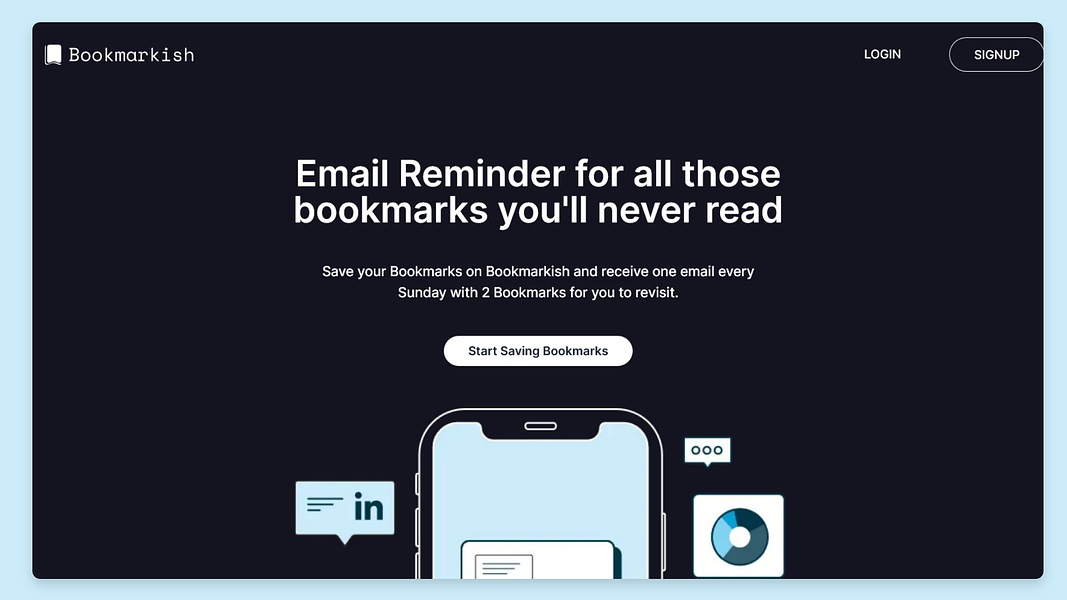
    Bookmarkish.com: Simplicity Meets Social

    Bookmarkish.com offers a straightforward approach with a social twist:

    Strengths:

    • Clean, no-frills interface
    • Easy sharing and discovery of public bookmarks
    • Simple tagging system
    • Quick to set up and start using
    • Good for those who want a more social bookmarking experience

    https://bookmarkish.com


    Wrap Up

    Online bookmarking tools have evolved far beyond simple link saving. They’re now powerful allies in our quest for effective knowledge management and sharing. Whether you’re a solo learner, content creator, or part of a team, there’s a tool out there that can help you wrangle the wealth of information at your fingertips.

    My advice? Give one (or all) of these tools a spin. Start small, perhaps with a single project or learning goal, and see how it transforms your ability to capture, organize, and utilize information. Your future self will thank you for the well-organized treasure trove of knowledge you’re about to build!

    Remember, the best tool is the one you’ll actually use. So find what fits your workflow and happy bookmarking, folks!