
It’s been awhile since my last post on new things I’ve discovered. So here are some things that I’ve collected since then including: Sortd: a super useful task list skin for Gmail Office Lens: a mobile app that lets you translate photos of documents into editable Word and PowerPoint Photopea: a free, online graphics editorContinueContinue reading “Friday Finds”
Tag Archives: PowerPoint
Converting Keynote to PowerPoint
Every once in awhile I find a great looking Keynote slide deck, like these over at Site2Max, and I think how great it would be to bring it over into PowerPoint to customize it. Fortunately, there is a super simple and free way to do just that – even if you don’t have access to theContinueContinue reading “Converting Keynote to PowerPoint”
You Already Know How to Build mLearning (You Just Don’t Know It)
Here are the slides from my recent FocusOn Learning session in Austin, TX You Already Know How to Build mLearning (You Just Don’t Know It) A big thank you to everyone who was there and feel free to share it with others!
12 Apps of Christmas-Day 8 -Power User for PowerPoint
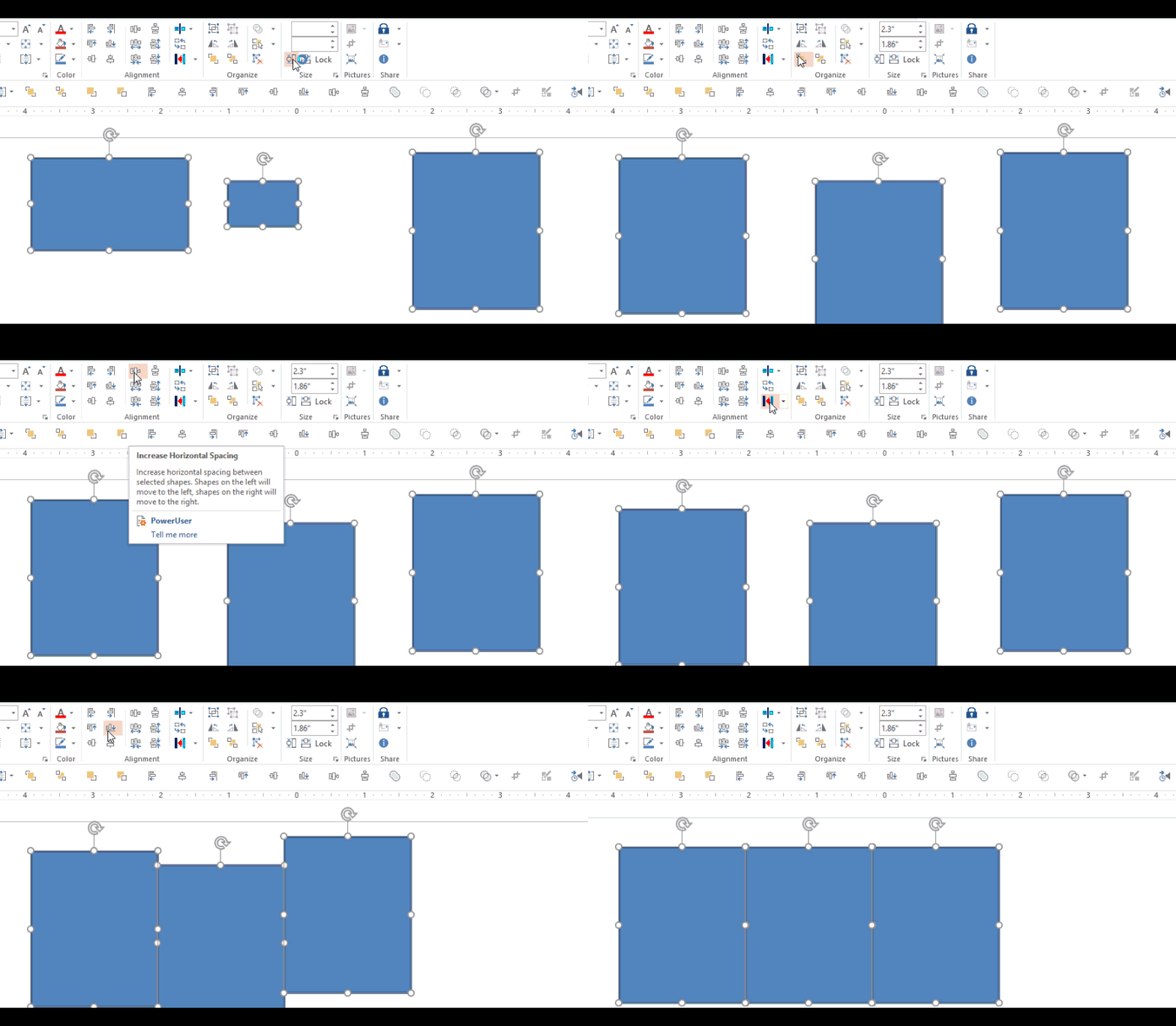
Day 1 – Hemmingway App (Writing help) Day 2 – PollEverywhere (PowerPoint audience participation add-in) Day 3 – The Great Suspender (Memory Manager – Chrome add-in) Day 4 – Grammarly (Writing -Chrome add-in) Day 5 – Dropbox for Gmail (Chrome add-in) Day 6- Canva (online graphics tool) Day 7 – Google Drive for Office (Office add-in) Just about everyoneContinueContinue reading “12 Apps of Christmas-Day 8 -Power User for PowerPoint”
Friday 5: PowerPoint Social Sharing, Curated Design Resources, Trello Integrations, Skype For All, New Image Format

PowerPoint Social Share Plug-in If you do any presenting at conferences, etc you probably already know about the #backchannel. Now you can easily share all or part of your PowerPoint presentation directly to Twitter & Facebook with the new Social Share plug-in. The Microsoft Garage project lab has released Social Share, a free plug-in forContinueContinue reading “Friday 5: PowerPoint Social Sharing, Curated Design Resources, Trello Integrations, Skype For All, New Image Format”
PowerPoint: Mac vs Windows

In my now, not so new role at Mindset Digital we have both Mac and Windows people. Both doing a LOT of work in PowerPoint. In general, it seems that the odd of needing to share slide decks between Mac and Windows computers are much higher today than ever before. If you’ve ever compared PowerPointContinueContinue reading “PowerPoint: Mac vs Windows”
Get Things Done Faster With This Handy PowerPoint Toolbar

If you’re anything like me, you love anything that enables you to do things more efficiently. (And who doesn’t like that?) So with that in mind, I’d like to share the Quick Access Toolbar (QAT) that I use in PowerPoint. The QAT is basically your own personalized toolbar that puts all your favorite and most usedContinueContinue reading “Get Things Done Faster With This Handy PowerPoint Toolbar”
Free Skitch Inspired Icon Set
I’m a big fan of Evernote’s screenshot tool, Skitch. If you take many screenshots you should definitely check it out – for a free app it is hard to beat. One of the things I like about it, are the great looking, built in icons. For a recent project, I wanted to use a similar styleContinueContinue reading “Free Skitch Inspired Icon Set”
Publishing PowerPoint/Articulate to DVD
Since we’re developing materials for people working in power plants, we have a fair number of the people in our audience do not have easy access to a PC. ( Imagine the guy driving a bull dozer in a coal yard for instance.) It’s much easier for them to find a TV/DVD player than aContinueContinue reading “Publishing PowerPoint/Articulate to DVD”
Design Inspiration
This post server two purposes. First to share some great sites that I’ve found valuable in giving me some design ideas. And secondly, so I can remember what and where they are the next time I need them. 8-) StockLayouts® Graphic Designs: Brochure, Flyer & Newsletter Templates!. Fabulous collection of ideas for designs, layouts, etc.ContinueContinue reading “Design Inspiration”
 Mike Taylor
You must be logged in to post a comment.