Author: Mike Taylor

  • Stop Building Training That Was Never Going to Work

    Stop Building Training That Was Never Going to Work

    A free tool that walks you and your stakeholders through Mager and Pipe’s performance flowchart, before anyone opens an authoring tool.

    Here’s a made-up request. You’ve seen one like it.

    An ops manager emails: “My reps keep skipping call notes in the CRM. Can you build a refresher course?”

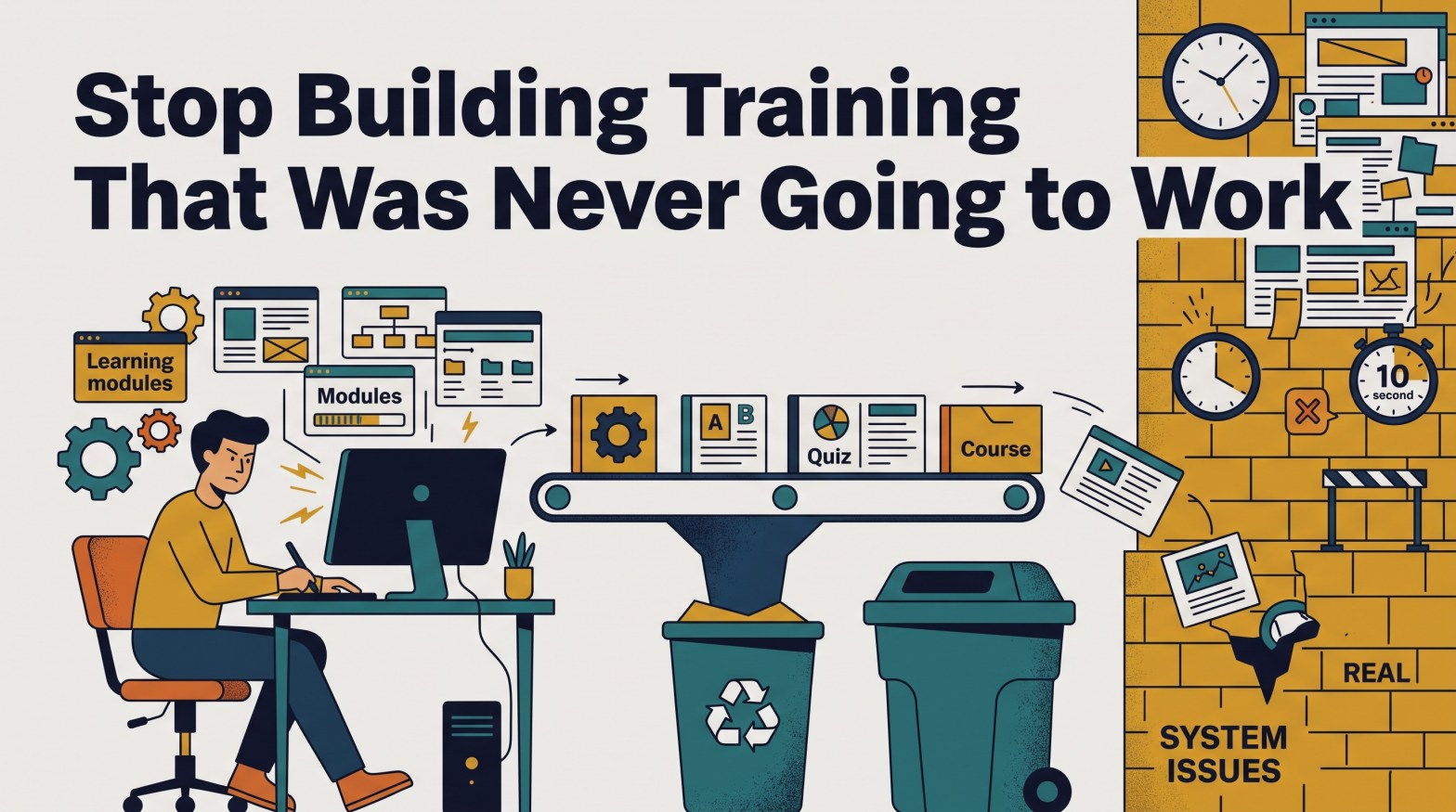
    So you ask a few questions. The reps know the standard. It’s in the handbook. They covered it in onboarding. But the note field sits three screens deep. They get about ten seconds between calls. And the only number anyone tracks is handle time, so every note they write makes them look slower.

    Now, picture the refresher course. It’s well designed. Reps pass the quiz. Then they go back to the same screens, the same ten seconds, and the same scorecard.

    Nothing changes. Nothing could have.

    Training fixes one thing

    Training helps people who don’t know how to do something. That’s it.

    If people already know how, a course can’t help. Maybe the right way is slow. Maybe the wrong way pays off. Maybe nobody notices either way. In every one of those cases, training has zero chance of working.

    Yet it’s still the default answer. It’s visible. It’s easy to order. It looks like action. The real fixes, like clear expectations, better tools, honest feedback, and incentives that make sense, never come up. Nobody asks the questions that would surface them.

    So I built a tool that asks them for you.

    Meet the Performance Problem Navigator

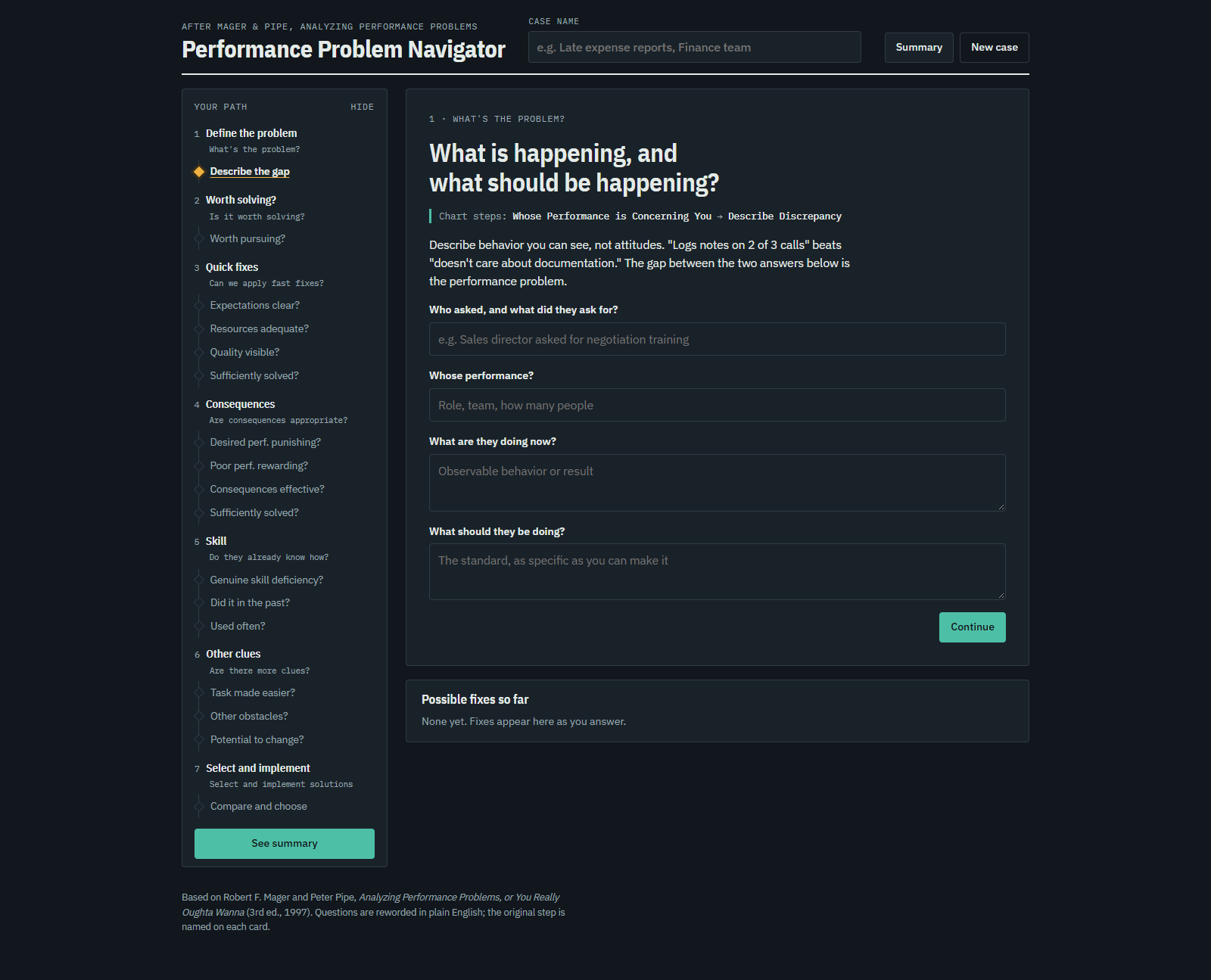
    The Performance Problem Navigator is a free, interactive version of Mager and Pipe’s performance analysis flowchart. Open it with your stakeholder. Answer one question at a time. By the end, you’ll know whether training can fix the problem, and what to do if it can’t.

    Try the Performance Problem Navigator

    Training is the last box on the chart

    Robert Mager and Peter Pipe first published Analyzing Performance Problems in 1970. The Navigator follows the flowchart from the 1997 edition. It moves through six questions, in order:

    1. What’s the problem? What’s happening, and what should be?
    2. Is it worth solving? Some problems cost less to live with than to fix.
    3. Can we apply fast fixes? Clear expectations, enough resources, visible results.
    4. Are consequences appropriate? Is the right way punished, or the wrong way rewarded?
    5. Do they already know how? Is there a real skill gap?
    6. Are there more clues? Can the task be easier? What else is in the way?

    Look where training lands. It’s the very last box. Fifteen decisions come first. That order is the lesson.

    What you get that a paper chart can’t give you

    A chart on the wall doesn’t run the meeting. The Navigator does.

    • Your stakeholder can follow along. Every question is in plain English, with the original chart step named underneath.
    • You’ll never stall. Each step gives you questions to ask out loud.
    • Nothing gets lost. You capture evidence as you go, in their words.
    • “I don’t know” won’t derail you. “Not sure” is an answer. It gets flagged as an open question instead of a guess.
    • You walk out with something to send. The summary gives a bottom line on training, the fixes found, open questions, and an action plan. Copy it into an email.

    The hardest conversation gets easier

    That summary is the part I care about most.

    Telling someone “training won’t fix this” is one of the toughest moments in L&D. They asked for a course. You’re saying no. It can feel like you’re refusing to help.

    The summary changes that. You’re not giving your opinion. You’re handing back their own answers, in order, with the fixes they point to. It’s hard to argue with what you just said yourself.

    The one question that matters most

    If you remember one step, make it this one: do they really lack the skill?

    Mager and Pipe’s test is simple. If their job depended on it, could they do it right now? If yes, it’s not a training problem. Full stop.

    Try it on your next request

    Pick the next training request that lands in your inbox. Before you open your authoring tool, open the Navigator.

    If the answer is training, great. Now you know it can work. If it isn’t, you may have just saved weeks building something that never stood a chance.

  • 10 Popular L&D Ideas Worth Revisiting

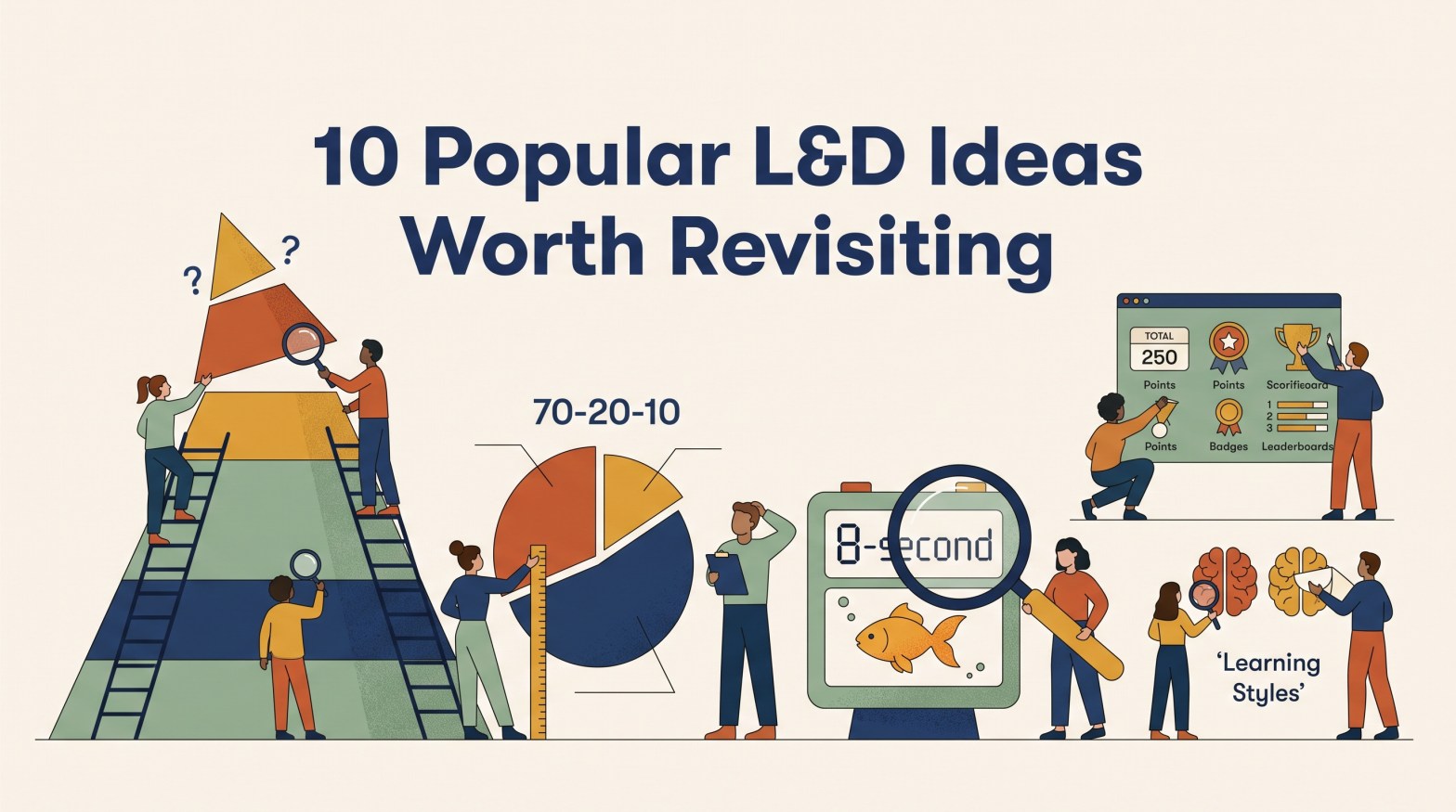
    10 Popular L&D Ideas Worth Revisiting

    Recently, I read The Untold Story of Bloom’s Taxonomy by Carl Hendrick.

    That name instantly took me back.

    Like many people in Learning and Development, I was introduced to Bloom’s years ago. I’ve seen it referenced in conference presentations, certification programs, instructional design books, and countless conversations about learning objectives. But as I read the article, I realized something uncomfortable: much of what I thought I knew about Bloom didn’t come from Bloom.

    It came from pyramids, templates, conference talks, and other people who had learned it the same way.

    That made me wonder:

    How many L&D “facts” are actually simplified versions of the original idea?

    This isn’t an attempt to tear down the profession’s favorite models. Most became popular because they’re useful. But useful isn’t the same as proven, and a model isn’t a law.

    Ideas also change as they travel. Someone trims a complex concept for a workshop. Someone else turns it into a graphic. A catchy statistic gets added. Eventually, the simplified version becomes easier to remember than the source.

    And that’s when things get interesting.

    The goal isn’t to debunk these ideas. It’s to revisit them. Some turn out to be myths. Some are good models that have been stretched beyond their original purpose. Others work quite well, but only under the right conditions.

    Here are ten L&D ideas that became simpler, more certain, and sometimes less accurate as they traveled.


    1. People Learn Best in Their Learning Style

    Verdict: 🚫 Myth

    Visual learners need pictures. Auditory learners need sound. Kinesthetic learners need hands-on practice.

    It has a nice ring to it. It also feels respectful. People are different, so surely we should teach each person in the way they prefer.

    The first part is true. People do have preferences. The second part is where the evidence weakens.

    There has been a lot of research on whether matching instruction to a learner’s preferred style improves outcomes. All of them concluded there was not an adequate evidence base for using learning-style assessments in general educational practice.

    That doesn’t mean visuals are bad or hands-on practice has no value. The best format often depends on the content. A map helps people navigate. Audio helps with pronunciation. Physical practice helps when learning a physical skill.

    The content should guide the method, not a label attached to the learner.

    Takeaway: Preferences are real. The evidence supporting instruction matched to individual learning styles is much weaker than many people assume.

    Sources

    • Pashler, H., McDaniel, M., Rohrer, D., and Bjork, R. (2009). Learning Styles: Concepts and Evidence.
    • Coffield, F., Moseley, D., Hall, E., and Ecclestone, K. (2004). Learning Styles and Pedagogy in Post-16 Learning.

    2. 70-20-10 Is a Proven Formula

    Verdict: ⚠️ Useful Idea, Weak Evidence

    You probably know the numbers:

    • 70% from experience
    • 20% from other people
    • 10% from formal learning

    They’re easy to remember, which may explain why so many people started treating them as a formula rather than an observation.

    The model grew from reports about how successful managers believed they had developed during their careers. It wasn’t a controlled experiment proving that everyone learns in those exact ratios.

    Researcher Alan Clardy reviewed the evidence and argued that support for the specific percentages was far weaker than many practitioners assume.

    None of that makes workplace experience unimportant. People clearly learn through assignments, coaching, observation, feedback, and mistakes. The issue is that an observation gradually became a prescription. Somewhere along the way, a useful reminder to look beyond formal training started being treated like a universal rule.

    Takeaway: Use 70-20-10 as a prompt to think broadly about development, not as arithmetic you must obey.

    Sources

    • Lombardo, M., and Eichinger, R. (1996). The Career Architect Development Planner.
    • Clardy, A. (2018). 70-20-10 and the Dominance of Informal Learning: A Fact in Search of Evidence.

    3. Bloom’s Taxonomy Is a Staircase

    Verdict: ⚠️ Useful Model, Often Misapplied

    Most of us know Bloom’s as six levels stacked in a pyramid:

    Remember. Understand. Apply. Analyze. Evaluate. Create.

    That image encourages a tidy story. Start at the bottom, move upward, and aim for the top because creating is always best.

    The real story is more nuanced.

    Bloom’s original taxonomy was designed to classify educational objectives and create a shared language for discussing them. It included a hierarchy, but it wasn’t intended as a universal instructional process that every lesson must follow.

    Creating isn’t automatically the right goal. If I’m learning an emergency procedure, accurate recall may matter far more than producing something new. Experts also move back and forth among different types of thinking rather than climbing a ladder one rung at a time.

    Takeaway: Bloom’s can help align goals, instruction, and assessment. It shouldn’t dictate a rigid sequence for every learning experience.

    Sources

    • Bloom, B. (1956). Taxonomy of Educational Objectives.
    • Anderson, L., and Krathwohl, D. (2001). A Taxonomy for Learning, Teaching, and Assessing.
    • Hendrick, C. The Untold Story of Bloom’s Taxonomy.

    4. People Remember 90 Percent of What They Do

    Verdict: 🚫 Myth

    You’ve probably seen the graphic.

    People remember:

    • 10% of what they read
    • 20% of what they hear
    • 90% of what they do

    Those numbers are frequently connected to Edgar Dale’s Cone of Experience.

    Perhaps the most surprising part of the famous retention chart is that the percentages most people remember never appeared in Dale’s original work.

    His cone described different types of learning experiences ranging from more concrete to more abstract. The retention statistics appeared later and have no clear research foundation.

    That doesn’t mean practice is ineffective. Practice can be incredibly valuable. But retention depends on many factors, including prior knowledge, attention, retrieval, feedback, spacing, and context. No honest chart can reduce all of that complexity to three neat percentages.

    Takeaway: Learning by doing can be powerful. The famous retention numbers are not supported by strong evidence.

    Sources

    • Dale, E. (1946). Audio-Visual Methods in Teaching.
    • Thalheimer, W. (2006). People Remember 10%, 20%…Oh Really?

    5. People Have an Eight-Second Attention Span

    Verdict: 🚫 Myth

    The story goes like this:

    Human attention spans have shrunk to eight seconds. That’s supposedly shorter than a goldfish.

    Therefore, every learning experience should be tiny.

    It’s a memorable claim. It’s just not a well-supported one.

    While attention is undoubtedly affected by our environment, researchers have struggled to find evidence supporting a universal eight-second human attention span. People still lose themselves in novels, hobbies, games, and multi-hour projects.

    The issue isn’t that humans suddenly forgot how to focus. It’s that attention now competes with more distractions than ever.

    Takeaway: Don’t design around a goldfish statistic. Earn attention through relevance, clarity, challenge, and good pacing.


    6. Adults Learn in a Completely Different Way Than Children

    Verdict: ⚠️ Useful Perspective, Ongoing Debate

    Adult Learning Theory gave L&D an important reminder: adults bring experience, responsibilities, motivations, and a need for relevance.

    The trouble begins when those useful observations become a rigid divide.

    Adults are self-directed. Children are dependent. Adults are internally motivated. Children are externally motivated.

    Real people are messier than that.

    Recent critiques have questioned whether adult and child learning differ as sharply as andragogy is often portrayed. Some scholars argue that while adults and children may learn in different contexts, the underlying mechanisms of learning are often more similar than traditional descriptions suggest.

    That’s not an argument against relevance, autonomy, or experience. It’s a reminder that human learning is usually more complicated than a checklist.

    Takeaway: Design for the people and situation in front of you, not for a simplified description of what all adults supposedly have in common.

    Sources

    • Knowles, M. (1973). The Adult Learner: A Neglected Species.
    • Knowles, M. (1980). The Modern Practice of Adult Education.
    • Moll, I. (2024). A Psychological Critique of Knowles’ Andragogy as a Theory of Learning.

    7. Kirkpatrick Proves the Training Worked

    Verdict: ⚠️ Useful Framework, Often Oversimplified

    The problem with Kirkpatrick isn’t Kirkpatrick. It’s the tidy staircase many of us were taught.

    Too often, the four levels become a checklist: Did people like the training? Did they pass the test? Did their behavior change? Did business results improve?

    That creates a neat story from Reaction to Results. But a neat story is not proof. Each connection still needs evidence.

    The updated model is more connected and iterative than the familiar staircase suggests. It starts with the results an organization needs, works backward to the behaviors that support them, and asks what must happen on the job to sustain those behaviors. Training is only one part of that system.

    So the question isn’t whether Kirkpatrick is right or wrong. It’s whether we use the model to guide better questions or treat it as automatic proof that training caused the result.

    Takeaway: Use Kirkpatrick to build a chain of evidence, not a ladder of assumptions. Start with the result, identify the behavior that could influence it, and test each connection.

    Sources

    • Kirkpatrick, J. D., & Kirkpatrick, W. K. (2016). Kirkpatrick’s Four Levels of Training Evaluation. ATD Press.
    • Cahapay, M. (2021). Kirkpatrick Model: Its Limitations as Used in Higher Education Evaluation.

    8. Engagement Means Learning

    Verdict: ⚠️ Useful Measure, Weak Evidence

    The room was lively. The chat was flying. Learners were clicking, commenting, laughing, and participating.

    Success, right?

    Maybe.

    One of the easiest traps in L&D is confusing evidence of activity with evidence of learning. The two often overlap, but they’re not the same thing.

    Researchers and learning scientists have long argued that learners are not especially good judges of their own learning. In Make It Stick, Brown, Roediger, and McDaniel describe how learners often mistake familiarity, fluency, and enjoyment for durable learning. Techniques that feel easy and engaging can create an illusion of learning, while techniques that feel more difficult may produce stronger long-term retention.

    The same theme appears throughout How Learning Happens by Paul Kirschner and Carl Hendrick. Learning is not always obvious while it’s happening. A learner can feel confident without learning much, and they can feel challenged or uncertain while making significant progress.

    That doesn’t mean engagement is unimportant. Few people learn effectively when they are distracted, confused, or completely disengaged. Attention matters. Motivation matters. Participation matters.

    The problem comes when we stop there.

    A crowded discussion board doesn’t prove understanding. High completion rates don’t prove retention. A great satisfaction score doesn’t prove behavior change or improved performance.

    In other words, engagement may be a useful leading indicator, but it’s a poor substitute for evidence that learning actually occurred.

    Takeaway: Engagement can support learning, but it isn’t learning. Measure attention, participation, and satisfaction if they’re useful. Just don’t mistake them for retention, transfer, or performance improvement.

    Sources

    • Brown, P., Roediger, H., and McDaniel, M. (2014). Make It Stick: The Science of Successful Learning.
    • Kirschner, P., and Hendrick, C. (2020). How Learning Happens.
    • Clark, R., and Mayer, R. (2023). e-Learning and the Science of Instruction.

    9. Microlearning Is Better

    Verdict: ✅ Context Dependent

    Unlike some items on this list, microlearning has meaningful evidence behind it.

    Recent systematic reviews have reported generally positive outcomes across multiple studies while also noting significant variation in definitions, implementation approaches, and research methods.

    The issue isn’t that microlearning never works. The issue is that “make it shorter” has become an answer before we’ve asked the question.

    A short lesson may be ideal for a refresher, job aid, or narrowly focused task. Building a complex skill is a different challenge entirely. Some capabilities require time, feedback, repetition, coaching, and sustained practice.

    Breaking a weak course into ten shorter pieces doesn’t improve the content. It simply gives you ten smaller pieces of weak content.

    Takeaway: Short is a format, not a strategy. Good design starts with the need.

    Sources

    • Monib, W., Qazi, A., and Apong, R. (2025). Microlearning Beyond Boundaries: A Systematic Review and a Novel Framework for Improving Learning Outcomes.

    10. Gamification Works

    Verdict: ✅ Context Dependent

    Points. Badges. Leaderboards.

    Done, right?

    Not quite.

    Research generally supports the idea that well-designed gamification can improve learning outcomes. However, the size of those effects varies considerably depending on the audience, content, design approach, duration, and learning environment.

    That’s a much more useful conclusion than either extreme: “Gamification works” or “Gamification is a gimmick.”

    A leaderboard may motivate one audience and discourage another. A storyline may add meaning or add noise. A challenge may promote useful practice or reward speed on the wrong task.

    Like most instructional tools, it depends on how it’s used.

    Takeaway: Game elements are ingredients. Their value depends on what you’re trying to make.

    Sources

    • Li, M., Ma, S., and Shi, Y. (2023). Examining the Effectiveness of Gamification as a Tool Promoting Teaching and Learning in Educational Settings: A Meta-Analysis.
    • Kapp, K. (2012). The Gamification of Learning and Instruction.

    The Bigger Lesson

    The point isn’t that L&D has been foolish. It’s that useful ideas change as they travel.

    A model starts with nuance. Someone trims it for a workshop. Someone turns it into a pyramid. A memorable statistic gets attached. Before long, the simplified version becomes easier to remember than the source.

    That’s how a guide becomes a rule, a ratio becomes a law, and a preference becomes a learning need. The transformation happens gradually, usually with good intentions. Each simplification makes the idea easier to teach and remember. Unfortunately, it can also make the idea less accurate.

    We don’t need to throw away every familiar model. We do need to hold them a little more lightly.

    Ask where an idea came from. Check what the original source actually claimed. Look for the limits, not just the headline. Then decide whether the model fits the problem in front of you.

    Models help us think. Problems begin when we stop thinking and let the model do it for us.

    The goal isn’t to collect more frameworks. It’s to stay curious enough to revisit the ones we already know.

    Because in a profession built around learning, some of the most valuable lessons come from what we’re willing to unlearn.
  • When AI Can Make Almost Anything, Judgment Becomes the Job

    When AI Can Make Almost Anything, Judgment Becomes the Job

    AI can now build a decent presentation in less time than it takes to refill your coffee.

    Give it a report, meeting notes, and an old deck you like. A few minutes later, you may have a polished set of slides with charts, colors, layouts, and formatting that look surprisingly good.

    That is impressive. It is also a little distracting.

    I recently watched an episode of Next Slide, Please about new presentation features in Google’s Gemini and Anthropic’s Claude. The hosts showed these tools using existing decks as visual references. The AI did not just grab similar colors. It copied small design choices such as spacing, margins, type styles, and layout patterns.

    The obvious story is that AI is getting better at making slides.

    The more important story is that making slides is becoming less valuable than deciding what belongs on them.

    Production is getting cheap

    For years, many knowledge workers have been judged by what they produce.

    How many courses did you build? How many slides did you create? How many reports, job aids, videos, or campaigns did your team ship?

    Those numbers are easy to see, so they are easy to reward. But they have never been the same as value.

    Now AI is exposing that gap.

    When almost anyone can create ten versions in minutes, the important question is no longer, “Can you make this?”

    It is, “Can you tell me which version is worth using, and why?”

    That is judgment.

    The real work was hiding inside the work

    Most people think building a presentation is about writing slides and arranging objects. Some of it is. But the harder work happens before the final layout.

    You sort through too much information. You decide what the audience needs and what it does not. You test the logic, cut weak points, question assumptions, and choose what deserves attention.

    The deck is the visible artifact. Judgment is the work underneath it.

    The same is true when you design training, write an article, plan a campaign, or recommend a solution. The finished product gets noticed. The choices behind it create the value.

    AI can remove a lot of production work, and I am happy to let it. I have no deep emotional attachment to resizing text boxes.

    But if we hand off the choices too, we are not saving time. We are giving away the part of the job that matters most.

    Polish can hide weak thinking

    This is where things get tricky.

    In the past, messy thinking often produced messy slides. The story wandered. The design felt crowded. The gaps were easier to see.

    AI can now wrap weak thinking in a clean layout.

    A shaky claim can sit beside a polished chart. A shallow analysis can look finished. A recommendation built on thin evidence can arrive with confident headings, tasteful colors, and very tidy margins.

    The better AI gets at presentation, the easier it becomes to confuse polish with quality.

    They are not the same.

    A useful test is to imagine the meeting after the deck is done. Someone asks where a number came from. A leader challenges the recommendation. A subject matter expert points out the exception that changes everything.

    The slides cannot defend the thinking. You have to.

    When content becomes abundant, judgment becomes scarce

    AI is not only changing presentation design. It is changing learning and development, marketing, consulting, research, and nearly every kind of knowledge work.

    Content is becoming abundant. Judgment is not.

    Judgment means weighing the evidence, reading the context, recognizing the tradeoffs, and making a choice you can explain. It requires a different set of questions:

    • Is this the right problem to solve?
    • What evidence supports this conclusion?
    • What assumptions are we making?
    • What might the AI have missed or flattened?
    • Which option best fits this audience and situation?
    • What should happen next?

    AI can generate options. It can summarize the inputs and suggest a path. It may even spot something you missed.

    But it does not know your organization, audience, constraints, and stakes the way you do. More importantly, it cannot own the consequences of the choice.

    That part is still ours.

    This is an opportunity for L&D

    For years, learning professionals have talked about becoming less like order takers and more like performance consultants. AI may force that shift faster than any new model or framework ever did.

    Imagine a leader asks for training because a team keeps missing a step in an important process. AI can draft the course, create a quiz, write a job aid, and produce the launch email before lunch.

    Useful? Absolutely.

    But none of those assets matter if the real problem is a confusing system, a broken process, competing priorities, or a step that should not exist in the first place.

    AI can help us investigate the problem. It can suggest questions, compare possible causes, and organize the evidence. It should not get the final vote.

    That is where learning professionals can bring more value.

    Our best contribution is not the number of courses or slides we produce. It is diagnosing the problem before prescribing training. It is asking better questions, making sense of conflicting signals, earning a stakeholder’s trust, and connecting learning to real performance.

    When production gets cheaper, those skills become easier to see.

    Use AI for leverage, not permission

    I am not arguing that we should slow AI down or cling to every manual task. Quite the opposite.

    Let AI create the first draft. Let it clean up the deck, summarize the research, suggest a structure, and give you options. Then use the saved time to do the work that deserves more attention.

    Before you put your name on the result, ask:

    • Can I explain the reasoning in plain language?
    • Can I trace the important claims back to reliable evidence?
    • Do I understand the tradeoffs?
    • What would make me change my recommendation?
    • Will this help someone make a better decision or improve performance?

    If you cannot answer those questions, the work is not finished, no matter how polished it looks.

    The bottom line

    AI is lowering the cost of creating content. That is useful, exciting, and probably overdue.

    But lower production costs do not remove the need for expertise. They reveal where expertise was hiding all along.

    It was never just in making the thing.

    It was in knowing what to make, what to leave out, what to question, and what to do next.

    When AI can make almost anything, judgment becomes the job.


  • A Score Without Context Is Just a Number

    A Score Without Context Is Just a Number

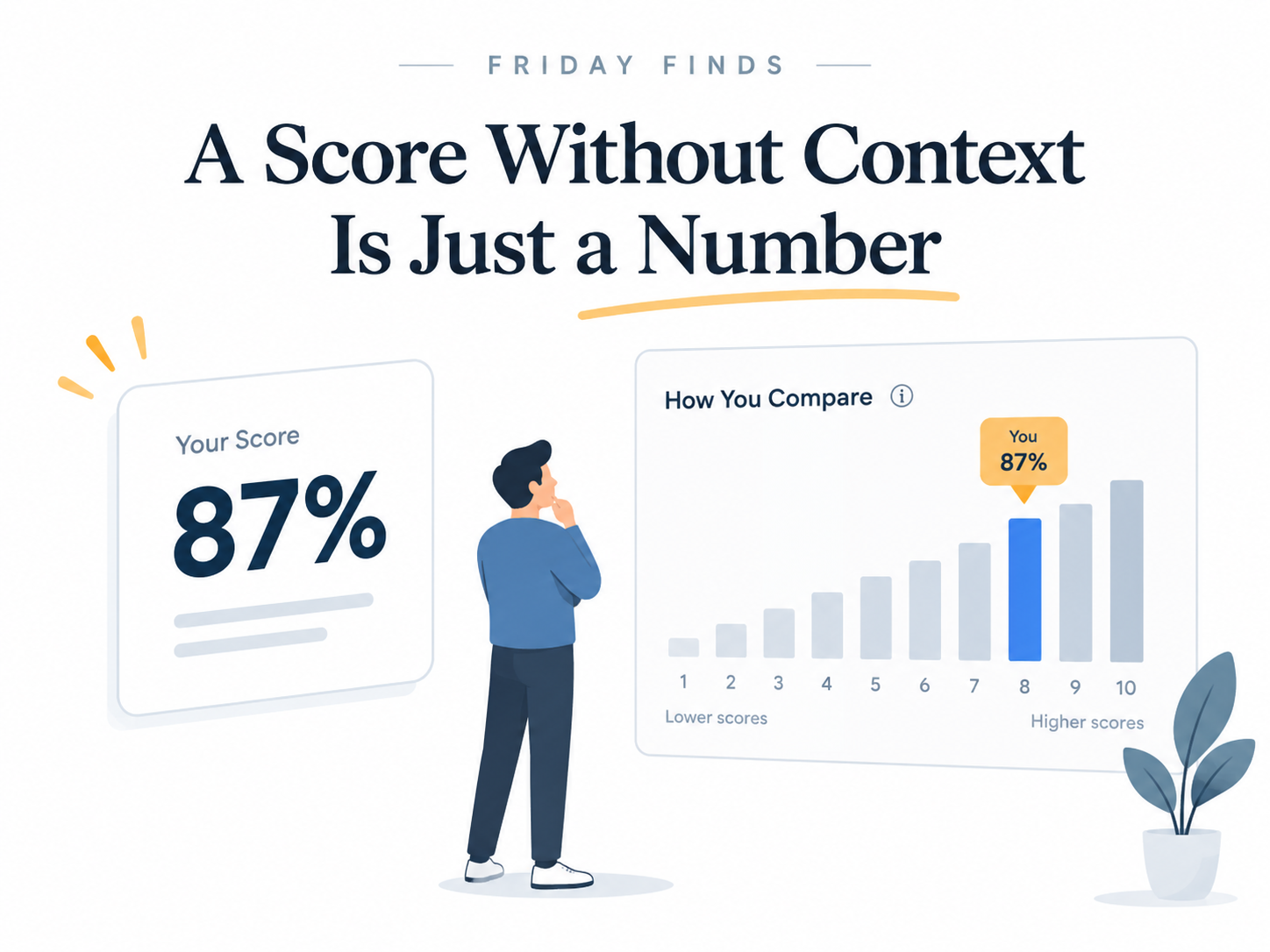
    You finish a course and score 87%. Pretty good, right?

    Maybe.

    What if everyone else scored 96%?

    Suddenly, that exact same 87% feels very different.

    That’s the problem with a lot of training feedback. We give people a number, but we don’t always give them enough context to know what that number means.

    What Happens When You Add a Benchmark?

    A recent field experiment published in Management Science looked at employees taking a voluntary online training program on agile project management and OKRs.

    One group saw only their own test scores. The other saw their scores plus how their performance compared with other employees, displayed anonymously in deciles.

    The difference got my attention.

    Among employees eligible to continue, the odds of starting the next module were 4.35 times higher for those who received relative performance information.

    Even more striking, just 17.5% of the score-only group finished all four modules, compared with 66.7% of the comparison group.

    Same training. Same tests. The big difference was that one group had a meaningful reference point.

    A Number Needs Something to Push Against

    Think about the difference between these two messages:

    You scored 87%.

    You scored 87%. That puts you in the top 20% of participants.

    Same number. Very different signal.

    The study builds on social comparison theory: when objective standards are fuzzy, people often look to others to help judge their own ability.

    An 87% score tells you what happened. Knowing where 87% sits relative to a useful benchmark helps tell you what it means.

    That distinction matters in L&D because we throw isolated numbers at people all the time. Quiz scores. Assessment results. Completion times. Practice scores.

    Then we assume the learner knows how to interpret them.

    Often, they don’t.

    Please Don’t Turn This Into Another Leaderboard

    The takeaway here is not, “Excellent! Let’s rank everyone.”

    In this experiment, the comparison was private. Employees knew where they stood, but they couldn’t see anyone else’s individual score.

    The researchers also used deciles rather than a winner-take-all ranking, giving participants a clearer sense of their position and potentially a realistic next level to aim for.

    That suggests a much more useful design question:

    Could we give learners a meaningful benchmark without turning the experience into a competition?

    You might tell someone that most first attempts land between 70–80%, that their result is higher than 75% of participants, or that people in similar roles usually complete a task within a certain range.

    You’re not creating winners and losers. You’re simply making the feedback easier to interpret.

    There’s an interesting wrinkle here, too. The effect was stronger among people who were more competitive, which probably won’t shock anyone.

    But the researchers didn’t find evidence that the effect depended on whether people had previously performed particularly well or poorly. In this setting, comparative feedback didn’t appear to chase off the people at the bottom or cause the people at the top to stop trying.

    Try This

    Pick one piece of feedback from something you’re designing right now—a quiz score, simulation result, practice activity, whatever—and ask:

    Does this number actually mean anything to the learner?

    If the answer is “not really,” experiment with adding a useful reference point.

    Not everywhere. Not publicly. And not as some giant gamification initiative.

    Just enough context to help someone answer the question they actually care about:

    How am I doing?

    One important caveat: this was one field experiment with only 79 employees, at one company, in one voluntary training program. The researchers also couldn’t observe exactly how participants interacted with the learning content itself.

    So this isn’t a universal rule.

    But it is a promising finding worth testing in your own context.

    The Bottom Line

    Feedback without context is often just a number.

    If you want learners to know how they’re doing—and perhaps give them another reason to keep going—don’t only tell them their score. Help them understand what that score means.

    Sometimes the benchmark is the part that makes the feedback useful.


    Go Deeper

    The Impact of Relative Performance Information on Employees’ Persistence in Voluntary Training

    The research behind this week’s issue. A real-world experiment tests what happened when employees could see not just their scores, but where those scores stood relative to others.

    Read the original study →


    Less Information, More Comparison, and Better Performance

    A fascinating companion study. In this field experiment, relative performance information alone produced stronger performance effects than showing people both absolute and relative measures—an intriguing reminder that more feedback isn’t automatically better feedback.

    See why less information sometimes works better →


    Relative Performance Feedback: Effective or Dismaying?

    Here’s the useful counterpoint. Comparative feedback didn’t help everyone equally, and some lower-ability participants performed worse depending on how the comparison was designed.

    The benchmark matters.

    See when comparison can backfire →


  • Why We Kept Our Learning Games Out of the LMS

    Why We Kept Our Learning Games Out of the LMS

    This year, we created a series of 90s-themed cybersecurity games to support our annual compliance campaign.

    Designing the games was the fun part.

    Then came the less glamorous question:

    How would we track who completed them?

    The obvious answer was our LMS. It was also a much bigger answer than we needed.

    The Games Expanded the Campaign

    Our employees already had an annual cybersecurity course to complete. The games weren’t meant to replace it. They gave people more ways to notice, explore, and talk about the campaign around it.

    These were short, fun challenges or browser-based games. One took employees through a social engineering scenario. Another turned a password challenge into a character reveal.

    The 90s television theme gave the campaign a personality. Leaderboard points and prize drawings added curiosity and friendly competition.

    This is the approach Bianca Baumann and I advocate in Think Like a Marketer, Train Like an L&D Pro: don’t assume good learning will attract attention on its own.

    Marketers create several ways for people to encounter a product. We wanted to create several ways for employees to encounter cybersecurity.

    The annual course delivered the required learning. The games helped the larger campaign earn attention.

    But every game raised the same tracking question.

    What Did We Actually Need to Know?

    As instructional designers, we’re good at building systems.

    Sometimes a little too good.

    A simple tracking request can quickly grow into conversations about LMS settings, SCORM packages, dashboards, data models, automation, and reporting rules.

    Before building any of that, we stopped and asked:

    What problem are we actually trying to solve?

    We needed to know three things:

    • Who completed each game?
    • Who earned leaderboard points?
    • Who qualified for prize drawings?

    We weren’t issuing certificates. The games weren’t part of anyone’s compliance record. We didn’t need detailed data about every click or choice.

    We just needed to connect a completed game to an employee.

    One Form. One Question.

    Each game ended with a completion result. Depending on the activity, that might be a generated code, secret phrase, puzzle answer, or character name.

    Employees clicked a link and entered that result in a Microsoft Form.

    That was the entire process.

    Because they were already signed in through Microsoft 365, Forms captured their identity and submission details. We didn’t need to ask for a name, email address, employee ID, department, or business unit.

    The form had one question:

    What is your completion code?

    Why We Didn’t Use the LMS

    We could have placed each game in our LMS. That would have provided more formal tracking.

    It also would have created more work on both sides.

    Employees might have needed to open the LMS, locate the right activity, launch it, move through several screens, and confirm completion.

    None of those clicks would have improved the game. They would have created more distance between “That looks fun” and actually playing.

    The LMS would have added work for our team too. Each activity would need to be packaged, uploaded, configured, tested, and maintained.

    Even a small change could become a project. Fixing one instruction might mean editing the source, publishing the package again, replacing it in the LMS, and testing it one more time.

    With Forms, we could update an instruction or code in minutes.

    The LMS wasn’t the wrong tool. It was simply more tool than this job required.

    Friction Works Both Ways

    We often discuss friction as a learner problem. Every field, login, and extra click asks for a little more time and attention.

    But learning teams pay for friction too.

    They pay through added development, more testing, slower updates, and ongoing maintenance.

    That doesn’t mean we should collect no data or avoid robust systems. It means the value of the information should justify the effort required to collect it.

    For required compliance training, detailed records matter.

    For a voluntary game and prize drawing, a one-question form may be enough.

    The tracking method should match the stakes.

    Our System Wasn’t Airtight

    A submitted code showed that an employee had the code. It didn’t prove, beyond all doubt, that the person completed every part of the game.

    Someone could share an answer.

    We accepted that risk because these were optional campaign activities, not certifications or legal records. Making participation easy mattered more than building perfect proof.

    Different stakes would have led to a different decision.

    Simple worked because it was appropriate, not because simple is always better.

    We Added Complexity When It Earned Its Place

    Later, we connected the Forms data to Power Automate. That helped us manage leaderboard points and other campaign features.

    We didn’t reject complexity. We added it when it produced clear value.

    That sequence matters.

    Start with the smallest system that solves the real problem. Then add new parts when you can explain exactly what they improve.

    Otherwise, every new layer becomes something your team has to build, test, maintain, and feed.

    The Bottom Line

    The games helped our cybersecurity campaign earn attention.

    Microsoft Forms lets us track participation without taking that attention away.

    That’s the larger lesson. Treat learning like a product that needs to be marketed. Create reasons for people to notice it, explore it, and talk about it.

    Then choose support systems that fit the purpose and stakes of the experience.

    Nobody talked about our form.

    Nobody talked about the automation.

    Nobody talked about the reporting.

    They talked about the games.

    That was the clearest sign that we had spent our time on the right things.

  • Why Your 30-Minute Course Is Losing to a 60-Second Video

    Why Your 30-Minute Course Is Losing to a 60-Second Video

    A learner opens their laptop on Monday morning.

    Before they’ve finished their first cup of coffee, they’re facing dozens of unread emails, a handful of Teams notifications, back-to-back meetings, and a growing list of project deadlines. Somewhere in the middle of all that sits your carefully designed 30-minute eLearning course.

    Now ask yourself a simple question:

    What are the odds your course wins that battle for attention?

    Not against another course.

    Against everything else competing for that learner’s time.

    That’s the reality many learning teams are facing today. We’re no longer operating in a world where training has a captive audience. Every piece of learning content must compete with email, chat messages, meetings, project work, internal communications, and an endless stream of digital distractions.

    The challenge isn’t that people don’t want to learn.

    The challenge is that attention has become one of the most valuable and limited resources in the workplace.

    Learning Doesn’t Compete With Learning Anymore

    For years, many L&D teams have operated under an assumption that sounds reasonable on the surface:

    If we create good content, people will engage with it.

    Sometimes they do.

    But increasingly, the quality of the content is only part of the equation. Before learning can happen, learners must first decide that the experience is worth their time and attention.

    That’s why a two-minute video can sometimes outperform a 30-minute course.

    Not because it’s inherently better.

    Not because it contains more information.

    But because people actually watch it.

    This isn’t really a discussion about video length. It’s a discussion about attention.

    This Is Not an Argument for Shorter Learning

    Let’s clear up a common misconception.

    I’m not suggesting every course should become microlearning.

    Complex skills take time to develop. Leadership capabilities aren’t built in sixty seconds. Technical expertise doesn’t emerge from watching a few short videos. Practice, coaching, reflection, and application still matter.

    Depth matters.

    What has changed is the path people take to reach that depth.

    Many learning teams still design as though attention is guaranteed. Modern learners remind us every day that it isn’t.

    Attention must be earned first.

    Only then can learning begin.

    What the Research Actually Says

    One reason lengthy learning experiences often struggle is cognitive overload.

    Cognitive Load Theory suggests that instructional designers should reduce unnecessary mental effort so learners can devote their limited working memory to what actually matters: learning. Research consistently shows that instructional choices can either support or hinder that process. [link.springer.com], [journals.sagepub.com]

    The implication isn’t that shorter is always better.

    The implication is that focused is better.

    Clear is better.

    Relevant is better.

    Designing a 30-minute course isn’t the problem. Designing a bloated 30-minute course often is.

    Every screen, interaction, example, and activity should earn its place.

    Marketers Solved This Problem Years Ago

    The interesting thing is that another profession has been dealing with attention challenges for decades.

    Marketing.

    Marketers know that an audience rarely takes action after a single exposure. That’s why they don’t launch a campaign with one email and hope for the best.

    They build ecosystems.

    One webinar becomes social posts, short videos, podcasts, infographics, email sequences, and follow-up content. The goal isn’t simply distribution. The goal is reinforcement.

    The same principle applies to learning.

    Too often, a learning need is identified, a course gets built, and everyone moves on.

    From the project’s perspective, the work is done.

    From the learner’s perspective, the journey has barely begun.

    Think Campaigns, Not Courses

    This is where I believe L&D can borrow one of marketing’s most valuable ideas.

    Stop thinking in courses.

    Start thinking in campaigns.

    Imagine a manager training program.

    The traditional approach might look like this:

    • Launch a 45-minute course.
    • Send two reminder emails.
    • Track completions.

    Done.

    A campaign approach looks different.

    Week one might include a teaser video and an attention-grabbing story.

    Week two introduces the core learning experience.

    Week three gives managers a practical challenge to complete with their teams.

    Week four shares success stories and reflection questions.

    A month later, learners receive another reminder tied to a real-world scenario.

    Same topic.

    Same learning goal.

    Completely different learning experience.

    Why This Approach Works

    One of the most replicated findings in learning science is the spacing effect.

    Research has repeatedly shown that people tend to retain information more effectively when learning is distributed over time rather than delivered in a single event. [cognitivep…hology.com], [files.eric.ed.gov]

    That finding should make every learning professional pause.

    Because much of corporate training is still built around one-and-done experiences.

    Complete the course.

    Check the box.

    Move on.

    Yet the evidence suggests that lasting retention and behavior change often require repeated exposure and reinforcement. [cognitivep…hology.com], [files.eric.ed.gov]

    In other words, the science supports the campaign mindset.

    The Metric We Should Care About

    Another lesson worth stealing from marketers is how they define success.

    Marketing teams don’t obsess over whether someone saw a piece of content.

    They care about whether something happened afterward.

    Did someone click?

    Did they subscribe?

    Did they buy?

    L&D should ask similar questions.

    Did someone apply the skill?

    Did behavior change?

    Did performance improve?

    Did risk decrease?

    Completion rates have value, but they’re not the outcome we ultimately care about.

    They’re simply a milestone along the way.

    In fact, the idea of borrowing attention, engagement, and reinforcement strategies from marketing is something I’ve become increasingly passionate about over the years. It’s also a theme I explore in much greater depth in my book, Think Like a Marketer, Train Like an L&D Pro, where I share practical ways learning professionals can apply proven marketing principles to drive engagement and behavior change. You can learn more at Train Like a Marketer.

    Final Thought

    The future of workplace learning isn’t about making everything shorter.

    It’s about making everything more intentional.

    A 30-minute course can absolutely outperform a 60-second video when it’s part of a broader ecosystem designed to capture attention, reinforce key ideas, and drive action over time.

    The organizations that succeed won’t be the ones that create the most content.

    They’ll be the ones that create the most meaningful touchpoints.

    Because learning doesn’t compete with learning anymore.

    It competes with attention.

    And attention is the first learning objective.

  • My Top 10 Learning Tools for 2026

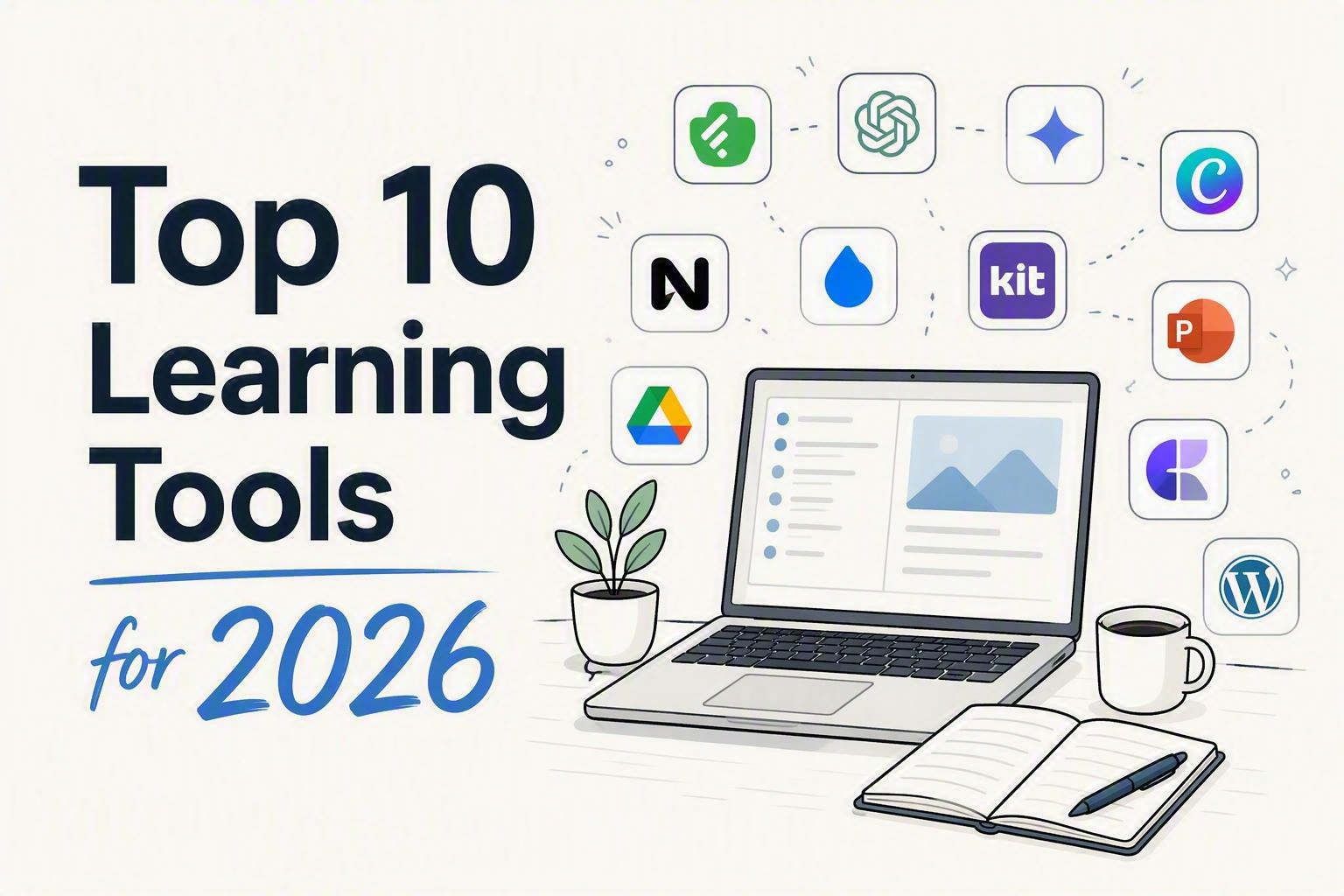
    My Top 10 Learning Tools for 2026

    It’s survey time again.

    Every year, Jane Hart asks people around the world to share the tools they use to learn. I always enjoy seeing the results. The tools change, but what interests me most is how people fit them together.

    Here is my list for 2026.

    These are not the newest or flashiest tools. They are the ones that keep earning a place in my workflow. They help me discover ideas, organize what I find, think more clearly, create useful things, collaborate with other people, and share the finished work.

    Looking at the list, I realized I had not chosen ten isolated apps. I had chosen a system:

    Discover. Organize. Think. Create. Collaborate. Share.

    The tools are not ranked. Asking whether Feedly is better than PowerPoint is like asking whether a hammer is better than a refrigerator. The answer depends on what you are trying to do.

    One more thing: none of these tools replaces sound judgment or a strong idea. I will spare you that disclaimer ten more times.

    Here are my top learning tools for 2026.

    1. Feedly

    Feedly helps me build my own information stream instead of letting an algorithm build it for me.

    I follow sources across learning, design, technology, marketing, behavioral science, cybersecurity, and several other rabbit holes. Feedly brings them into one place where I can scan broadly without spending all day bouncing between sites.

    I am not trying to read everything. That way lies madness and several thousand unread articles.

    I am looking for patterns and unexpected connections. A marketing article might spark a better plan for promoting a learning program. Research on attention might change the opening of a workshop. A visual-design example might offer a clearer way to explain a complex idea.

    Some of my best L&D ideas start outside L&D. Feedly makes those useful collisions more likely.

    2. Claude, ChatGPT, Gemini, and Microsoft Copilot

    Yes, I am grouping the major AI assistants together. No, that is not cheating.

    There is no single “best” AI assistant for every job. Their strengths keep changing, so I choose based on the task, where the source material lives, how much context is needed, and what I plan to do with the result.

    I might use one to challenge a workshop outline, generate alternatives for a headline, turn a transcript into reusable content, or find gaps in an early draft. Copilot is especially useful when my work already lives inside Microsoft 365.

    I think of these tools as thought partners, not answer machines.

    They are most helpful when I bring them a real problem, useful context, and clear standards. A vague prompt can still produce polished prose, but polished is not the same as useful.

    AI helps me reach a stronger first draft faster. The expertise, judgment, and final decisions are still mine.

    3. NotebookLM

    General AI assistants help me think beyond the source material. NotebookLM helps me stay grounded inside it.

    That makes it especially valuable when I am working with a defined collection of articles, notes, transcripts, slides, or research. I can explore themes across those sources, identify gaps, generate a first pass at questions, or examine how the material might be organized.

    One of my favorite uses is preparing for workshops and live events. I can load the relevant materials, generate possible questions, and then refine the best ones for a poll or discussion.

    It is also useful during presentation planning. I do not need NotebookLM to design the final slides. I need it to help stress-test the story before I spend hours building them.

    Is the sequence clear? Am I burying the useful part? What have I overlooked?

    NotebookLM earns its place by helping me answer those questions while staying connected to the original sources.

    4. Canva

    Canva is my graphics superpower.

    I use it for social posts, workshop assets, banners, promotional graphics, handouts, and the dozens of smaller pieces that surround a learning experience.

    Those pieces matter. A course or workshop does not exist in isolation. People encounter an invitation, a title, a reminder, a community post, or a follow-up resource before and after the event itself.

    Together, those touchpoints shape how the experience feels.

    Canva helps me create that supporting material quickly and keep it visually consistent. It is especially useful when a good idea needs to become several related assets instead of one lonely graphic.

    My favorite rule still applies: bad thinking with nicer graphics is still bad thinking.

    When the idea is solid, though, Canva helps it look clear, connected, and worth someone’s attention.

    5. Raindrop.io

    I have lost enough good articles inside folders called “Read Later” to know that saving and curating are not the same thing.

    Raindrop.io is where I organize articles, research, examples, visual inspiration, tools, and resources I may want for a newsletter, workshop, class, or presentation.

    Its real value appears later.

    When I need an example of a strong course title, research on attention, or a visual that explains an idea well, I can find it without reconstructing six months of browsing history.

    That ability to retrieve matters more than the size of the collection.

    A giant pile of bookmarks is not a personal knowledge system. It is a digital attic. Raindrop gives the collection enough structure to make it useful when a real project arrives.

    6. Kit

    Kit is the engine behind my Friday Finds newsletter.

    It handles the machinery around subscriptions, publishing, and email delivery so I can focus on finding useful ideas and writing something readers can use.

    The platform also reinforces a lesson L&D should borrow from marketing: creating good content is not enough. People still need to notice it, understand why it matters, and know what to do next.

    That applies to newsletters, courses, workshops, job aids, and nearly everything else we make.

    Kit helps me think beyond a single issue. It supports an ongoing relationship with readers. What do they find useful? What earns a click? What makes them come back next Friday?

    Distribution is not an administrative step added after the “real” work. It is part of helping the work reach people.

    7. PowerPoint

    Yes, PowerPoint is still on the list. And no, I am not apologizing for it.

    PowerPoint remains one of the most flexible creative tools available to learning professionals. I use it for presentations, visual explanations, workshop activities, prototypes, storyboards, job aids, and documents designed to be read rather than projected.

    The blank slide can be a stage, a canvas, or a lightweight design environment. It gives me the control to turn an abstract idea into something people can see and understand.

    AI slide tools have improved. They can help with outlines, initial structures, and the uncomfortable period before anything exists. But when the final product needs to be editable, precise, accessible, and genuinely mine, I still return to PowerPoint.

    Old tools are sometimes still around because they work.

    8. Craft

    A presentation is built for the moment. A good handout is built for what happens next.

    I use Craft to create digital notes and resources for workshops, classes, and presentations. These pages bring together the key ideas, links, examples, references, and next steps in a format people can use after the session ends.

    That is important because slides and handouts perform different jobs.

    Slides help me guide attention and tell the story in the room. They may rely on narration, timing, and context that disappear once the session is over. A handout needs to stand on its own.

    Craft gives me a clean way to build that second experience. Participants do not receive a slide deck stripped of its presenter. They receive a useful resource designed for review and action.

    The workshop may end at 3:00. The learning should not.

    9. WordPress

    WordPress powers my home base online and the website for my book “Think Like a Marketer, Train Like an L&D Pro”.

    Social platforms are useful, but they are rented space. Algorithms change. Formats change. Reach changes. A website gives me a place I control for articles, workshop resources, downloads, and the growing collection of ideas I have shared over the years.

    It also connects the different parts of my work: speaking, workshops, Friday Finds, my book, and the broader intersection of learning, design, and technology.

    A social post may disappear from view in a few days. A useful article on my site remains searchable and available when someone needs it months or years later.

    WordPress is not always elegant behind the scenes. There is usually a plug-in asking for attention or a setting hidden inside an elaborate scavenger hunt.

    Still, it gives me flexibility, ownership, and a durable home for my work. That keeps it on the list.

    10. Google Workspace + Microsoft 365

    Not every valuable tool needs to be exciting.

    Google Drive, Docs, Sheets, and Slides, along with OneDrive, Word, Excel, Teams, and the rest of Microsoft 365, are where much of my everyday work gets done.

    Workshop outlines take shape there. Drafts collect comments. Campaign assets get tracked. Project plans become more concrete. Collaborators add ideas, flag problems, and occasionally create four competing rewrites of the same sentence.

    These tools provide the shared workbench for a project.

    The choice between the Google and Microsoft ecosystems usually comes down to where the work already lives, what the organization supports, and what collaborators can access. I use both because real projects rarely respect software loyalties.

    Most importantly, they save us from emailing files named something like Final_v6_REALLY_FINAL_UseThisOne.docx.

    Yes, PowerPoint technically appears twice. Microsoft 365 is here for everyday work and collaboration. PowerPoint gets its own spot because, for me, it is also a distinct creative tool.

    Honorable Mention: Zapier

    Zapier helps with the repetitive work between tools. If information needs to move from one place to another, a routine action needs to trigger, or I am repeating the same mechanical task, automation may be able to give me some time back.

    I do not want to automate everything. I want to automate the copying, pasting, transferring, and reminding that keeps me from doing more valuable work.

    A bad process running faster is still a bad process. A useful process that no longer needs babysitting is a win.

    The Real Tool Is the Workflow

    The most useful part of this list is not any one app. It is how the pieces fit together.

    Feedly helps me discover ideas. Raindrop helps me keep and retrieve them. NotebookLM and the AI assistants help me explore, test, and develop them.

    Google Workspace and Microsoft 365 provide the shared space where ideas become projects. PowerPoint and Canva help make those ideas visible. Craft turns the live experience into a resource people can revisit.

    WordPress and Kit help the finished work reach an audience.

    That is the bigger lesson for L&D.

    A pile of apps is not a learning ecosystem. A connected workflow is.

    Start with the problem. Decide what good looks like. Then choose the smallest set of tools that can help you get there.

    No tool can rescue a weak idea. The right tool can help a strong one travel much farther.

    Which tools would you genuinely miss if they disappeared tomorrow? Those are probably your real top learning tools.

  • Five Studies That Shaped My Thinking About Training

    Five Studies That Shaped My Thinking About Training

    When training fails, our first instinct is often to add something.

    Another explanation. Another example. Another module. Maybe a quiz with three answers nobody could possibly get wrong.

    But what if content isn’t the problem?

    I recently reviewed 50 studies from psychology, behavioral science, and learning research. I chose them for their influence, historical value, and usefulness at work.

    Several of them highlight that training isn’t always the answer.

    Here are five that changed how I think about performance.

    Get the complete 50-study field guide

    Want the other 45? I compiled all 50 studies, along with their limitations, workplace applications, and practical ideas, into a free field guide.

    ​

    ​

    A layout problem can become a learning problem

    Picture a diagram on one side of a screen and its explanation on the other. Your eyes bounce back and forth. Meanwhile, your brain tries to hold one piece in memory while searching for the next. That mental juggling has a cost. Paul Chandler and John Sweller called it the split-attention effect. When people must combine related information from different places, the layout itself can interfere with learning.

    Split attention—and related attention problems—can appear when we:

    • Put a legend far from the visual it explains
    • Separate instructions from the task
    • Make employees switch between systems to assemble one answer
    • Show visuals that compete with the narration
    • Add decoration that steals attention

    The lesson is not “make everything shorter.” It is this:

    Make important relationships easier to see.

    Try this: Find one screen that separates information people must understand together. Put those pieces side by side—but don’t duplicate information that already makes sense on its own. ​

    ​

    Remembering beats reviewing

    Rereading feels productive.

    The words look familiar. The page makes sense. We nod along and mistake recognition for mastery.

    Then we need the information three days later—and it has vanished.

    Henry Roediger and Jeffrey Karpicke compared repeated study with retrieval practice: asking people to recall what they had learned.

    Repeated study performed better after a very short delay. Retrieval produced stronger retention later.

    That difference matters.

    If people need knowledge on the job, they should practice retrieving it from memory—not merely looking it up again.

    A quiz should not be the inspection station at the end of a course. Used well, it can help create the learning.

    Try this: Before reviewing something you have already taught, ask learners to recall it without looking. Then provide the correct answer and useful feedback.

    Effort helps when success is possible and feedback follows. Blind frustration does not.


    Impact becomes real when it has a face

    Organizational psychologist Adam Grant and his colleagues studied university fundraising callers.

    Some callers met a scholarship student whose education had been funded by their work.

    The script stayed the same. So did the pay.

    But the callers could now picture someone who benefited when they picked up the phone. After meeting the student, they worked longer and raised more money.

    Now compare that with the language we often use to introduce workplace training:

    • Maintain compliance
    • Reduce organizational risk
    • Support strategic priorities
    • Complete this requirement by Friday

    Technically accurate. Emotionally dead.

    Grant studied direct contact with a beneficiary, not whether a good story can rescue a dull compliance course. But the design question travels well:

    Can employees see the person their actions affect?

    Who stays safe? Whose work becomes easier?

    Try this: Replace “This training is important because…” with a real example of someone affected by the behavior.

    Don’t just explain the requirement. Give the consequence a face.


    Information cannot fix a friction problem

    Imagine you know exactly what to do.

    Then you meet the form.

    The instructions are vague. The button you need is buried three menus deep. One approval takes four days, and nobody knows who owns it.

    Would another course help?

    Eric Bettinger and his colleagues studied families applying for college financial aid. One group received personalized information. Another received the same information, plus hands-on help completing and submitting the application.

    The help changed behavior. Information alone did much less.

    The workplace parallel is hard to miss. We prescribe training when the real obstacle is:

    • A confusing form
    • A buried button
    • Too many approvals
    • An unclear process
    • A lack of time
    • A system designed like an escape room

    If people already know what to do, more content is unlikely to save the day.

    Try this: Before building training, watch someone perform the task. Count the clicks, decisions, delays, handoffs, and chances to give up.

    You may not have a knowledge problem. You may have a friction problem.

    Sometimes the right intervention is not better instruction. It is fixing the system.


    A badly framed norm can make behavior worse

    In a well-known field experiment, households learned how their energy use compared with their neighbors’.

    The heavy users cut back.

    But some households that had used less energy began using more. Once they saw the average, they drifted toward it even though that meant doing worse.

    A small sign of approval, a smiley face, stopped that boomerang effect.

    Now consider this workplace message:

    Thirty percent of employees still click suspicious links.

    The intended message is clear:

    This behavior needs to change.

    But employees may hear something else:

    Plenty of people do it. I wouldn’t be unusual.

    Never make the behavior you want to stop sound normal.
    When you use a social norm, make it truthful and pair it with clear approval of the desired behavior.

    If your data support it, you might say:

    Most employees report suspicious messages when something doesn’t look right. Thank you for helping protect your coworkers.

    What if the desired behavior is not common yet?

    Don’t invent a statistic. State the standard:

    Reporting a suspicious message is exactly the response we want. Every report helps protect the people around you.

    Try this: Review one message about poor behavior. Does it make the problem sound normal—or the solution?


    The Bottom Line

    These studies examine different problems, but they point in the same direction:

    Performance depends on more than content.
    People must notice what matters. They must recall it when needed, see a reason to act, have a workable path, and believe the behavior belongs here.

    Training can help.

    But it cannot repair a cluttered design, bring an empty mandate to life, remove a broken process, or overpower a culture that rewards the wrong behavior.

    Sometimes the smartest move is to improve the training.

    Sometimes it is to fix what stands in the way.

    What workplace learning problem should I investigate next?

  • The LinkedIn Feature Nobody Tells You About: How to Build a Feed of Only the People Worth Your Attention

    The LinkedIn Feature Nobody Tells You About: How to Build a Feed of Only the People Worth Your Attention

    You open LinkedIn, looking for one person’s take on one topic. Twenty minutes later, you’ve read four unrelated hot takes, a humble-brag about a promotion, and an AI-generated poem about “leadership.” The person you actually wanted to hear from? Buried three scrolls back, if you find them at all.

    That’s not an accident. It’s not even really a feed — it’s a guess, made fresh every time you open the app, about what will keep you scrolling the longest. Sometimes that guess overlaps with what you actually wanted to read. Often it doesn’t.

    Here’s the fix, and it’s been sitting inside LinkedIn’s search bar the whole time.

    What we’re actually building

    A feed made of only the people you chose — bookmarked, one click away, refreshed every time you open it. It’s not an official LinkedIn feature; there’s no button that says “Save My Custom Feed.” What you’re doing is building a very specific search, then bookmarking the URL it produces. LinkedIn doesn’t advertise this, but it works, and once it’s set up, it feels like cheating.

    The real reason this is worth five minutes

    Your feed is optimized to grab the fast, reactive part of your brain — the part that reacts to a bold claim or a hot take before you’ve decided whether it’s worth your time. That’s useful for the platform. It’s not useful for you.

    A curated feed flips who’s in charge of that decision. Instead of your attention getting grabbed post by post, you decide up front, once, whose thinking is worth more of your time. Then the feed just… does that. Every time. That’s a small decision that keeps paying off — less noise, more signal, and twenty minutes back that used to disappear into the scroll.

    How to build it

    You’ll need two things: a list of names and about five minutes.

    Step 1: Open a search.
    Click into the LinkedIn search bar at the top of the page and hit enter without typing anything — or type a + and hit enter. Either tells LinkedIn: don’t filter by keyword, just give me a raw search I can build on.

    Step 2: Filter to Posts.
    You’ll land on a results page with tabs across the top — People, Jobs, Companies, and so on. Click Posts. Without this, you’ll get a mix of profiles and posts, and the feed you’re building needs to be posts only.

    Step 3: Change the sort to Latest.
    By default, LinkedIn sorts by “Top Match” — the algorithm making judgment calls again. Switch it to Latest so you’re seeing things in the order they were posted, not the order LinkedIn thinks you’ll like.

    Step 4: Add your people.
    Open All Filters and look for From Member (sometimes labeled “Posted by”). Start typing a name and select the right match — LinkedIn will often show several people with the same name, so check the photo or headline before you click. Repeat for everyone you want in the feed. There’s no cap most people will ever hit.

    Step 5: Bookmark the result.
    Once your filters are set, you’ll see your custom feed. Bookmark that exact URL. That bookmark is now a live, standing search — click it any time, and LinkedIn re-runs it fresh, pulling in new posts from your list automatically.

    That’s it. Five minutes, and LinkedIn is now working for you instead of the other way around.

    What to know before you rely on it

    A workaround has edges. This one lives in a bookmarked URL, not an account setting, so two things follow. First: it can break if LinkedIn changes how its search URLs are structured, which platforms do periodically — you’ll know because the bookmark dumps you on an error page or a blank results screen instead of quietly failing. Don’t panic, just rebuild the search; same five minutes it took the first time. Second: adding someone new means updating that URL yourself — right-click the bookmark, choose Edit, paste in the refreshed link, or just rebuild the whole filter from scratch once your list has grown enough to be worth it.

    Make it work harder

    Build more than one of these. A feed of five industry voices you trust. A separate one for people talking specifically about your niche topic. A third for competitors or peers you want to keep half an eye on — each is its own bookmark, and none of them cost you more than the five minutes it took to build the first.

    You can also pair a feed with a keyword instead of the blank search: start with a topic — “instructional design,” in quotes for an exact match — then layer the From Member filters on top. Now you’re seeing only your chosen people, talking about only the topic you actually care about.

    Check it on a schedule, not a compulsion. The whole point here is breaking the scroll habit, not building it a new home. Once a day, on purpose, beats the general feed on autopilot.

    The bigger point

    This is a small hack standing in for a bigger habit: deciding, on purpose, what gets your attention instead of letting a feed decide for you. LinkedIn happens to be where this particular trick lives right now. The instinct behind it — curate before you consume — is the same one worth applying everywhere your attention is for sale. Twenty minutes back, every time you open the app, adds up faster than you’d think.

  • Stop Calling It Mandatory Training

    Stop Calling It Mandatory Training

    An email lands in your inbox with the subject line Mandatory Annual Compliance Training—Complete by Friday.

    Before you open it, you already know the plot: a slow march through policy slides, a quiz designed to prove you were technically present, and perhaps a cheerful stock photo of coworkers pointing at a laptop.

    The course may surprise you. But the label may already be working against it.

    “Mandatory” tells people why the organization needs the training completed. It does not tell them why the training matters, what problem it will help solve, or what they will be able to do afterward.

    That is an administrative fact, not a value proposition. And yet we keep putting it in the headline.

    The Requirement Is Fixed. The Framing Is Not.

    People do not approach training as blank slates. They make fast judgments before the first screen loads. Will this be useful or irrelevant? Worth my attention or safe to skim?

    The word mandatory makes that judgment easier. It places the training in the same mental bucket as expense reports, password resets, and forms that need three signatures. It answers the organization’s question—Do you have to do this?—while ignoring the learner’s question: What will this help me do, avoid, or understand?

    A mandate may secure participation. It does not guarantee the motivation needed to learn or apply anything.

    That is why required learning still needs positioning. Marketers rarely lead with the least appealing part of an offer. A gym does not advertise, “Pay us to sweat before work.” A financial planner does not promise, “Several forms and an uncomfortable discussion about death.” They lead with the outcome: more energy, less stress, a safer future.

    Learning teams should do the same. You do not need to hide the requirement. You simply need to demote it. Lead with the reason to care, then include the deadline and completion rules as supporting details.

    Change the Frame

    Compare these announcements:

    Before: Complete Cybersecurity Training
    After: Protect Your Team From the Attacks Employees See Most Often

    Before: Annual Code of Conduct Training
    After: Know What to Do When the Right Choice Is Not Obvious

    Before: Required Manager Training
    After: Handle Difficult Performance Conversations Without Making Them Worse

    Before: Mandatory Data Privacy Course
    After: Avoid the Small Data Mistakes That Create Big Problems

    Nothing about the requirement changed. The stronger versions simply make a more useful promise.

    They give people something concrete to care about: a threat, a decision, a mistake, or an action they will be better prepared to take. The message shifts from “the company wants this” to “this could help me.”

    Of course, the promise must also be true. Do not advertise the “most common attacks” if the course never identifies them. Positioning is not decoration. It is a clear and honest connection between what people need and what the learning experience delivers.

    Four Better Ways In

    When you write your next training announcement, try entering through one of these four doors. They overlap, and that is fine. Choose the one that offers the strongest truthful reason to care.

    Relevance: Where will people use this?
    Spot the phishing tactics appearing in employee inboxes.

    Risk: What costly mistake can they avoid?
    Learn the warning signs that can prevent one rushed click from exposing customer data.

    Benefit: What becomes easier, safer, or less painful?
    Prepare for performance conversations that are clearer and fairer for everyone.

    Action: What will people be able to do?
    Submit expenses correctly the first time and avoid delays or rejected reports.

    Notice that none of these promises fun. They promise usefulness, which is a much better bargain.

    Positioning cannot turn a bad course into a good one. Clever copy attached to a bloated click-through course is not marketing; it is camouflage. But poor positioning can make genuinely useful training feel worthless before it begins.

    The Five-Second Test

    Before you publish your next announcement, remove the words mandatory, required, compliance, and complete. Then read what remains.

    Can someone tell why the training matters? Can they picture a situation where it might help? Is there a clear risk, benefit, or useful action?

    Most importantly, would the message have any pull if nobody were tracking completion?

    If not, you have written an instruction rather than a reason to pay attention. You may still get a green completion dashboard, but do not confuse that with learning.

    Try This This Week

    Find one announcement that begins with Required, Mandatory, or Complete. Rewrite its headline around relevance, risk, benefit, or action.

    Keep the requirement in the message. Just stop asking it to do the work of the value proposition.

    The course may have to be mandatory. The boredom does not.

    Go Deeper

    The Evidence on Mandatory Training Is Thinner Than You Think
    This government review examines whether required workplace training in areas such as cybersecurity, privacy, ethics, and harassment actually changes performance.

    Why “You Must” Can Make People Push Back
    Explore the research on psychological reactance and why controlling language can create resistance to a message.

    A Better Way to Communicate Requirements
    See how meaningful explanations and autonomy-supportive language can preserve motivation even when a request is not optional.


    Want to Train Like a Marketer?
    If this kind of thinking hits home, you’ll probably enjoy our book Think Like a Marketer, Train Like an L&D. It’s packed with practical, real-world ideas to help you make your learning clearer, sharper, and a whole lot more effective.