Tag: AI

  • AI Literacy Isn’t a Tool Demo

    AI Literacy Isn’t a Tool Demo

    A lot of AI training feels like a tour of a fancy new kitchen.

    Here’s the oven.
    Here’s the blender.
    Here’s the drawer full of tiny tools nobody understands.
    Good luck making dinner.

    That may help people find the buttons. It doesn’t help them cook. And that is the problem with a lot of AI literacy training right now. It teaches people how to open the tool, type a prompt, and act impressed when a tidy answer appears twelve seconds later.

    Useful? Sure. Enough? Not even close.

    AI literacy is not memorizing five prompts. It is not watching someone demo ChatGPT for 45 minutes. And it is definitely not learning that if you type “act as an expert,” the machine suddenly becomes one.

    That last one would be nice, though.

    Real AI literacy is knowing what AI is good at, where it gets shaky, how to guide it, how to check it, and when to leave it sitting quietly in the corner. Because AI makes it very easy to create work that looks finished before anyone has thought deeply about whether it is good.

    A course outline.

    A policy summary

    The Real AI Skill Is Judgment

    A set of quiz questions.
    A manager email.
    A slide deck with 44 bullet points and the word “leverage” nine times.

    AI can produce all of that in seconds.

    So the better question is not:

    Can people use AI?

    Most people can figure out the basics.

    The better question is:

    Can they judge what comes back?

    That’s the gap.

    The Real AI Skill Is Judgment

    The U.S. Department of Labor recently released an AI Literacy Framework. The part I like most is that it does not treat AI literacy like basic software training.

    It points to a better set of skills: understand what AI can and cannot do, explore where it fits in real work, direct it with clear context, evaluate what it produces, and use it safely and responsibly.

    That is a much better map.

    Because people do not usually fail with AI because they forgot which button opens the sidebar. They fail because they trust the confident answer. They fail because they ask vague questions and get vague sludge. They fail because they paste sensitive data into the wrong place.

    And they fail because the output sounds polished, so their brain takes a nap.

    That last one is sneaky.

    Polish creates trust.

    Even when it should not.

    We have all seen it. The AI answer arrives neat, fast, and strangely confident. It has headings. It has bullets. It has the rhythm of someone who owns a blazer and says “circle back” without shame.

    And because it looks competent, we treat it as competent.

    That is where training has to get sharper.

    Don’t Teach Prompts First

    I am not anti-prompt.

    A good prompt is useful.

    So is a good wrench.

    But if I hand you a wrench, you are not suddenly a plumber. You are a person holding a wrench near a future insurance claim.

    Same with AI.

    Prompting matters, but it is not the main event. The main event is helping people understand the work well enough to know what good looks like.

    That means AI literacy training should focus less on magic phrases and more on real decisions:

    • Should AI be used for this task?
    • What context does it need?
    • What would a good answer include?
    • What could be wrong, missing, biased, outdated, or risky?
    • Who needs to review this before it goes anywhere important?
    • What part still requires human judgment?

    That is not tool training.

    That is work training.

    And L&D should be leading it.

    Try the Trust, Tweak, or Toss Test

    Here is a simple way to make AI literacy more practical.

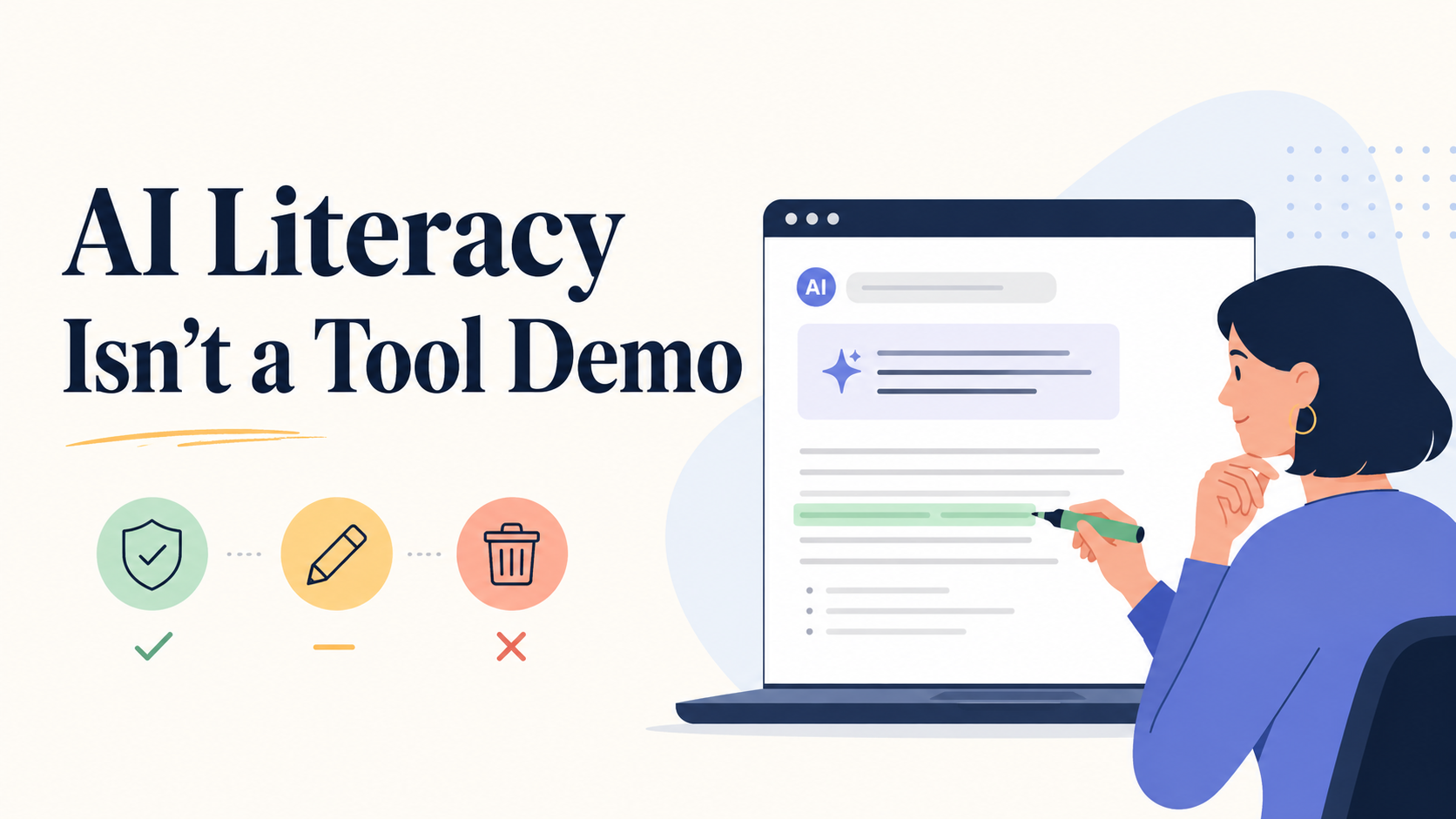
    Teach people to sort AI output into three buckets:

    • Trust it.
    • Tweak it.
    • Toss it.

    Trust it when the output is accurate, useful, safe, and matched to the task.

    Tweak it when the bones are good, but it needs better context, clearer language, stronger evidence, or a more human point of view.

    Toss it when it is wrong, risky, generic, biased, made up, or pretending to know something it does not know.

    That tiny habit does a lot of work.

    It slows people down. It gives them a decision path. It reminds them that AI output is not a finished product.

    It is raw material.

    Sometimes useful raw material.

    But still raw.

    A Better Way to Design AI Literacy Training

    Instead of building a generic “Intro to AI” course, start with the work people actually do.

    Pick one task your audience touches every week. Not glamorous work. Real work.

    Summarizing meeting notes. Drafting customer responses. Creating first drafts of training materials. Reviewing data. Preparing manager talking points. Writing status updates that do not make people want to walk into the sea.

    Then build the training around that moment.

    Show the messy version. Add AI as a helper, not the hero. Show a good output. Show a bad output. Ask people to decide: trust, tweak, or toss?

    This is where the learning happens.

    Not when the AI answers.

    When the human evaluates.

    That is the muscle we need to build.

    The Friday Find

    This week’s find is the Department of Labor’s AI Literacy Framework.

    I do not usually recommend government PDFs as light weekend reading. I have boundaries.

    But this one is worth a look because it gives L&D teams a cleaner way to think about AI training.

    The big takeaway:

    AI literacy is not about creating power users of a tool.

    It is about creating better thinkers, reviewers, and decision-makers in AI-shaped work.

    That is a very different design challenge.

    And a much more interesting one.

    Worth Your Attention

    Start Here: The AI Literacy Framework

    This is the cleanest map I’ve found for what AI literacy should actually include. Not just prompts and tool tips, but the bigger skills people need: knowing what AI can do, where it fits, how to guide it, how to check it, and how to use it responsibly.

    Short on time? Here’s the infographic version.

    See the AI literacy framework →


    AI Should Make Learning Design Better, Not Just Faster

    Dr. Philippa Hardman nails the bigger opportunity: AI is not a shortcut around learning design. It is a chance to get more serious about it.

    Use AI to design better, not just faster →


    How to Use AI Without Handing Over Your Judgment

    A smart look at where AI can help instructional designers with research, ideas, critique, and production while keeping the human in charge of the decisions that matter.

    Keep the human in the loop →


    The Bottom Line

    AI literacy is not about turning people into prompt wizards.

    It is about helping them become better thinkers, reviewers, and decision-makers in AI-shaped work.

    The tool can draft, summarize, and suggest, and it sounds very confident while doing so. But the human still has to decide whether the answer is useful, accurate, safe, and worth putting their name on.

    That is the skill to build.

    Not just:

    “How do I use AI?”

    But:

    “Should I trust it, tweak it, or toss it?”

    That is where AI literacy gets real.


    🎵 Today I’m listening to Arcy Drive​


    📍Where I’ll be next

    ​ATD Core4, Sept 29-Oct 1(Indianapolis, IN)

    Found this useful? Forward it to someone else who’d also get something out of it.
  • Workflow Automation for Beginners (and Why L&D Pros Should Care)

    Workflow Automation for Beginners (and Why L&D Pros Should Care)

    If you’ve never heard of workflow automation, don’t worry—you’re not alone. The phrase sounds like corporate jargon, but at its heart, it’s simple: workflow automation means teaching your tools to do the boring, repetitive steps for you—automatically.


    What Is Workflow Automation?

    Imagine you’re making coffee. Normally, you grind beans, fill the filter, measure water, press a button, and wait. Now imagine a smart coffee machine that handles everything the moment you stumble into the kitchen. You just pour your cup.

    That’s what automation does for digital work. Instead of you downloading files, copying text, or sending the same email over and over, your tools do it in the background.

    • Without automation: You export a training survey from one tool, clean it in Excel, upload it to another. Repeat.
    • With automation: The moment someone submits the survey, it flows into the right spreadsheet, cleaned and ready. You never touch it.

    It’s not magic or coding. It’s just connecting your apps so that when this happens, do that. And it frees you up for the work humans are best at—designing, teaching, and coaching.


    Tools That Make It Possible

    The good news: you don’t need to be a programmer. A few popular workflow automation tools handle the connections for you:

    • Zapier – user-friendly, connects 7,000+ apps, perfect for beginners.
    • Make – more advanced, great for visual builders who like flexibility.
    • Microsoft Power Automate – especially good if your org already runs on Microsoft 365.

    Pick one, connect your favorite apps, and you’re off to the races.


    5 Smart Things L&D Pros Can Automate

    1. Learner Data Collection → Live Dashboards

    Web form responses (Google Forms, Tally.so, etc.) flow straight into Google Sheets and update a Looker dashboard in real time.

    👉 Result: You see live learner data without touching Excel at 11 p.m.

    2. Personalized Follow-Ups Without Copy-Paste

    Gmail sends tailored follow-ups based on form responses or quiz scores.

    👉 Result: Every learner gets the right nudge, and you never retype a message.

    3. Training Sessions That Build Their Own Resource Hubs

    Adding a session to Google Calendar triggers Drive to create a folder, load templates, and share the link in the invite.

    👉 Result: Every session comes pre-packaged with resources, ready to go.

    4. Feedback That Doesn’t Sit in a Drawer

    Survey responses drop into Sheets, where low scores trigger an alert to your inbox. Positive comments flow into a “wins” log.

    👉 Result: You act on feedback immediately, not after the program is over.

    5. Automatically send a drip campaign

    A workflow tool captures the learner’s email and automatically starts them in a spaced drip campaign to support and enhance your learning goals.

    👉 Result: The learning mpaign runs in the background without you needing to lift a finger.


    How to Get Started

    1. Pick your biggest annoyance. Maybe it’s exporting survey data or remembering to send follow-up emails.
    2. Choose a tool. Zapier, Make, or Power Automate are all safe bets.
    3. Set up a trigger. Example: When someone submits a Tally.so form…
    4. Add an action. Example: …then add the response to Google Sheets.
    5. Test it. Run it once, check your sheet or inbox, and confirm it works.
    6. Expand gradually. Once you’ve nailed one workflow, chain a second step (e.g., “and then email the learner a thank-you”).

    A Visual Starter Map

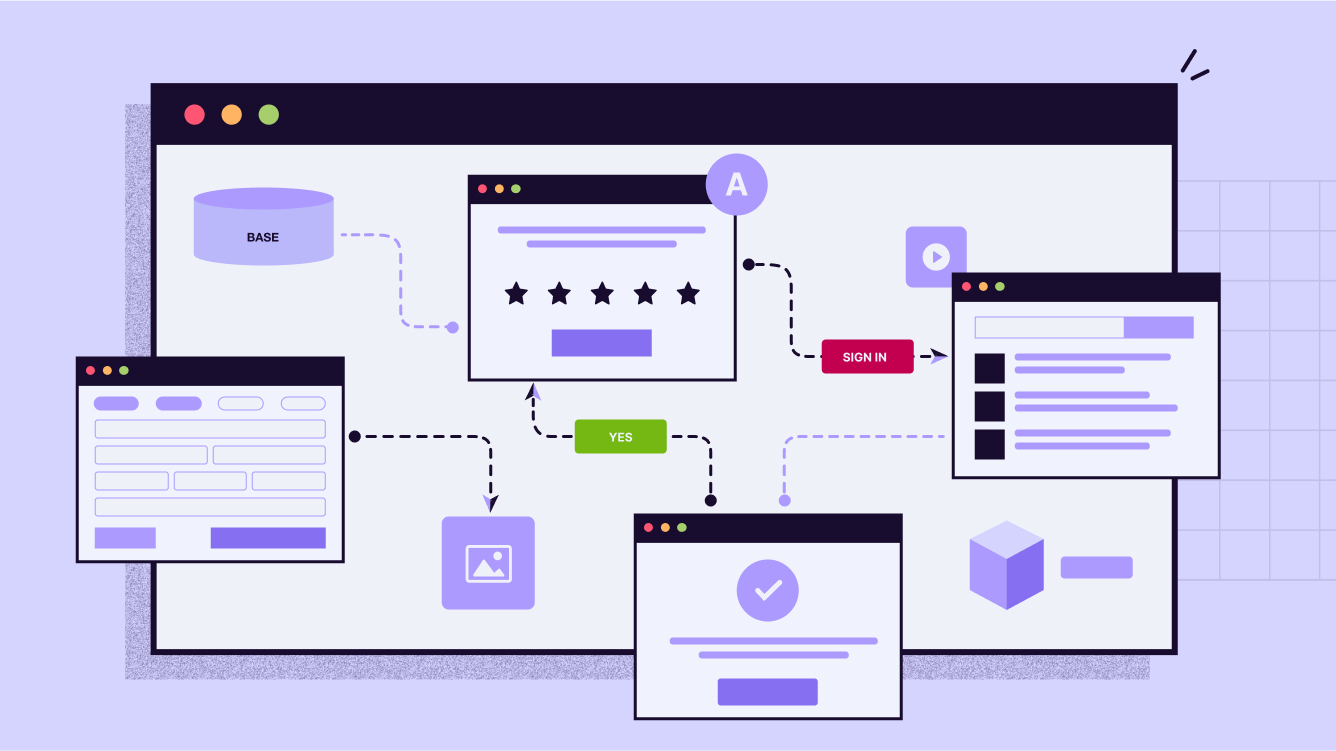
    Here’s what your very first automation could look like (easy to turn into a simple diagram for the blog):

    [ Tally.so form submitted ] 
            ↓ 
    [ Google Sheets row created ] 
            ↓ 
    [ Gmail sends confirmation email ]
    

    That’s it: trigger → action → action. Three steps, no coding, and you’ve saved yourself hours of repetitive admin.


    Why It Matters

    Automation doesn’t replace the human side of L&D. It protects it. By clearing away the repetitive chores, you get more space for the creative, relational, and strategic parts of your job.

    Here’s the rule of thumb: if you catch yourself doing the same task for the third time—downloading, pasting, renaming—it’s a candidate for automation. Set it once, and let your tools work for you.


    If your in or near the central Ohio area, I’ll be leading a session on all this stuff September 9 at the Central Ohio ATD Annual Conference. Come join us!

  • My Top 10 Learning Tools for 2025

    My Top 10 Learning Tools for 2025

    It’s survey time again! Jane Hart is collecting everyone’s top learning tools for her annual report. I love seeing what everyone’s using these days.

    Want to share yours? Head over to the Top Tools for Learning survey and submit your list. You’ve got until August 29th. Don’t wait!

    Here’s my lineup for 2025. No rankings here – just the tools that keep me sane and productive.

    Feedly

    This thing saves my sanity. Seriously. I can follow tons of blogs and news sources without my brain exploding from information overload. It’s like having a really smart assistant who only shows me the good stuff.

    https://feedly.com

    Claude/ChatGPT/Gemini

    These tools are like having super smart friends on speed dial. Need help writing? They’re there. Want to understand something complex? They break it down. I use different ones for different things because they each have their strengths.

    Canva

    Graphics superpower, no joke. I use Canva for all kinds of graphics. It’s almost unfair how easy they make it.

    https://canva.com

    Raindrop.io

    Raindrop turns my chaotic bookmarking into something actually useful. I can find stuff when I need it. Magic.

    https://raindrop.io

    Kit

    My newsletter runs on this. Clean, simple, and it just works. I don’t want to spend forever figuring out email marketing. Kit handles the tech stuff so I can focus on writing.

    https://kit.com

    Craft.do

    Digital notes have never looked so good. This is what I use for digital handouts to accompany presentations and workshops.

    https://craft.do

    PowerPoint

    Yeah, I said it. PowerPoint. Fight me. 😊 It’s been around forever because it works. Everyone can open the files. It does what I need. Sometimes the old tools are old for good reasons.

    Google Docs/Drive

    This is my digital filing cabinet and writing space rolled into one. Works everywhere. Syncs everything. Shares easily. What more do you want?

    https://docs.google.com/

    WordPress

    Powers both my personal site and my book websites. After years of trying different platforms, I always come back to WordPress. It’s flexible without being overwhelming.

    https://wordpress.com

    Zapier

    Work smarter, not harder. That’s the whole point here. If I’m doing something repetitive, Zapier probably automates it. It’s like having a robot assistant who never gets tired.

    https://zapier.com


    Your Turn!

    So those are my picks. But honestly? I’m way more interested in yours.

    What tools are you obsessing over this year? What’s changed your game?

    Drop your list in Jane Hart’s survey before August 29th. The results always surprise me. Last year AI tools dominated, but there’s usually a good mix of old favorites and shiny new things.

    And hey, if you’ve got a tool that’s not on my list but should be, tell me about it. I’m always hunting for the next thing that’ll make my life easier.

    The results come out in September. I’m betting AI tools will be huge again this year, but I’m curious what else makes the cut.

    Check out Christy Tucker’s list too – she’s got some great picks that might inspire your own choices.

    What’s on your list?

  • Friday Finds — Emotional Design, L&D Trends, AI for Instructional Design

    Friday Finds — Emotional Design, L&D Trends, AI for Instructional Design

    “The greatest enemy of knowledge is not ignorance; it is the illusion of knowledge.”

    — Daniel J. Boorstin​

    Man, it’s still freezing and snowy here! I’m so ready for some sunshine and to ditch the layers. Seriously, I’m practically hugging my office heater for warmth these days! Is anyone else feeling this? Spring HAS to be close, right? Like, any day now?! RIGHT?! I need some vitamin D, stat!

    Thanks for reading!


    👆 Last Week’s Most Clicked

    ​Why Most Course Titles Fail – And How to Make Yours Standout​

    🎶 What I’m Listening To

    There is something about Louis Armstrong’s music that makes me feel good inside – so that’s what I’m playing today.


    sponsored

    Looking to boost learner engagement?

    Would you like to infuse your eLearning content with energy, making it more interactive and engaging? Join iSpring’s upcoming webinar to learn how custom characters and the text-to-speech feature in iSpring Suite can help you create captivating learning experiences.


    📰 News & Notes

    The Art of Emotion — Norman’s 3 Levels of Emotional Design

    The Rundown: Good design isn’t just about aesthetics—it’s about making users feel something. Emotional design taps into psychology to create products that resonate deeply, boosting engagement and usability.

    The Context:

    • Emotional design considers three levels: visceral (first impressions), behavioral (usability), and reflective (lasting impact).
    • Positive emotions lead to better user experiences, making interactions smoother and more enjoyable.
    • Companies like Apple and Tesla leverage emotional design to create strong brand loyalty.

    Why it Matters: While this concept is rooted in UI design, the same principles apply to learning content. Well-crafted lessons should not only inform but also engage and emotionally connect with learners, leading to better retention and motivation.


    2025 L&D Trends: AI Leads, But Value Takes Center Stage

    The Rundown: Donald Taylor’s L&D Global Sentiment Survey 2025 confirms AI’s continued reign as the hottest topic in workplace learning, surpassing last year’s record-breaking interest. Data-driven learning remains strong, while a renewed focus on demonstrating L&D’s value is emerging.

    The Context:

    • AI led the survey for the second year in a row, growing in popularity despite expectations of a decline.
    • Data-centric strategies—like learning analytics and adaptive learning—continue to hold top positions.
    • A noticeable comeback for “Showing Value” and “Consulting with the Business” signals a shift towards proving L&D’s impact.

    Why It Matters: L&D is at a crossroads: AI is reshaping the landscape, but many teams are still using it mainly for efficiency rather than transformation. The real challenge now? Moving beyond content creation to using AI for deeper business impact. With budget constraints and strategic alignment concerns on the rise, proving L&D’s value is becoming just as critical as embracing new tech.


    Why Not Just Use ChatGPT? The Case for Specialized AI in Instructional Design

    The Rundown: New info comparing generic AI tools like ChatGPT with ​Epiphany​, a specialized instructional design AI, reveals major differences in quality, efficiency, and usability.

    The Context:

    • A/B testing across Fortune 500 L&D teams found that specialized AI tools dramatically outperformed ChatGPT in course creation.
    • Unlike ChatGPT, which requires users to craft their own prompts, Epiphany structures the workflow into research-backed phases (Brief, Outline, Storyboard) to optimize learning outcomes.
    • Epiphany integrates instructional design principles, such as Self-Determination Theory and Cognitive Load Theory, ensuring higher-quality course design.
    • Results showed an 87.5% reduction in design time, a 75% improvement in quality, and a 50% increase in learner application of new skills.

    Why it Matters: While ChatGPT is a powerful tool for general content generation, instructional design requires structured workflows and deep research integration. This study underscores the importance of using AI tailored for specialized fields—delivering superior results, faster workflows, and more effective learning experiences.


    sponsored

    How can employee onboarding help your organization?

    While offering an employee onboarding program is essential, many companies miss the mark in helping new hires start their jobs or careers with a strong foundation.

    Discover how to deliver an effective onboarding program—whether in-person or online—with tips, topics, ideas, and more.


    🧰 Tech Tools & Tips

    If tools are your jam, check out my Work Smarter newsletter.

    Digestly

    Get key insights from YouTube & podcasts delivered daily to your inbox – save time & stay informed.

    Try now →

    Libby

    Instantly access nearly any free ebook or audiobook on any device – available at 90% of US libraries and in 78 countries

    Try now →


    sponsored

    Tired of stakeholders questioning your training impact?

    Join Dr. Alaina Szlachta and Roy de Vries in this free, interactive masterclass and discover simple ways to collect, analyze, and showcase training impact using the tools you already have!

    What You’ll Walk Away With:

    ✅ Practical strategies to measure and prove training effectiveness

    ✅ Actionable insights you can apply right away

    ✅ More confidence in using data to improve learning outcomes

    March 11 9:00-10:30 AM ET


    🎧 Podcast of the Week

    This is the conversation that caught my ear this week. Check out previous episodes in the Friday Finds podcast playlist.

    Everything You Know About Learning Theory Is Wrong

    Nick Shackleton-Jones revisits The Learning Hack to challenge learning theory, discuss his Affective Context Model, and explore the future of workplace learning.

    ​Listen now →


    🧳 Where’s Mike?​

    If you or your event needs a speaker or workshop that is highly interactive and super practical, we should talk.


    Like this newsletter? Share it with someone you love. Don’t like it? Share it with someone you don’t!

    Friday Finds is an independent publication that I produce in my free time. You can support my work by sharing it with the world, booking an advertising spot, or buying me a coffee.

  • Friday Finds — Emotions & Learning, Communities of Practice, Scaling ID using AI

    Friday Finds — Emotions & Learning, Communities of Practice, Scaling ID using AI

    “Perfection is a stick with which to beat the possible.”

    — Rebecca Solnit


    ​
    It’s so cold here that I’ve practically become one with my heater, and I’m seriously considering some battery-powered clothing. But if Monday night’s national championship game turns out the right way, nobody will care the slightest about the temperature, and Columbus will be an inferno of scarlet and gray.

    Thanks for reading!

    👆 Last Week’s Most Clicked​

    The Six Things Our Primal Brains Pay Attention To: A Guide for L&D Pros

    🎶 What I’m Listening To

    I love cover songs, and these may be better than the originals.

    sponsored

    Tired of Technical Fluff and Empty Promises When Choosing an Authoring Tool?

    Join a live demo of iSpring Suite — the comprehensive authoring tool for creating advanced courses right in PowerPoint. Explore real courses created with the tool, see how they’re designed, and discover what they include. No sales pitch — just a preview of what you can achieve!

    Book a free tour of the iSpring course library →


    📰 News & Notes

    How to Use Emotions as Learning Superpowers

    The Rundown: Emotions significantly influence adult learning by guiding attention, enhancing engagement, and affecting memory retention. However, their intentional incorporation into learning experiences is often overlooked.

    The Context:

    • Role of Emotions: Emotions are biological responses to significant events, shaping our cognitive processes. Negative emotions, like fear and anger, narrow focus to address immediate threats, while positive emotions broaden our openness to new experiences.
    • ​Impact on Learning: Positive emotions enhance engagement and creativity, leading to better problem-solving and knowledge retention. Conversely, negative emotions can hinder learning by limiting cognitive flexibility.
    • ​Strategies for Educators: Incorporating storytelling, humor, and varied activities can evoke positive emotions, making learning experiences more effective. Additionally, creating a safe environment allows learners to express and manage emotions constructively.

    Why it Matters: Recognizing and harnessing the power of emotions in educational settings can transform passive learning into dynamic, memorable experiences. By intentionally designing with emotions in mind, educators can facilitate deeper understanding and long-term retention of information.

    Learn more →

    A close-up look at Communities of Practice

    Rundown: Anna Maria Dorgo has a conversation with Etienne and Beverly Wenger-Trayner, which focuses on building and sustaining successful Communities of Practice (CoPs) and social learning spaces. It highlights the importance of collaboration, storytelling, and leadership for shared learning and problem-solving.

    The Context:

    • Strong leadership is crucial. Successful CoPs often start with an enthusiastic leader who fosters open communication and a shared purpose.
    • ​Facilitators should encourage participant ownership and storytelling rather than simply providing services. Stories help members understand challenges and adapt solutions to their specific situations.
    • ​Sustaining a CoP requires ongoing learning. Regularly review past discussions to evaluate real-world outcomes and adjust based on shared experiences.

    Why it Matters: CoPs offer a human-centered alternative to traditional training. By emphasizing storytelling and collaboration, they create dynamic environments for professional growth. This empowers practitioners to navigate uncertainty and drive innovation.

    Watch now →

    Scaling Evidence-based Instructional Design Expertise Using AI

    The Rundown: Philippa Hardman summarizes recent research on using AI to scale evidence-based teaching approaches that have traditionally been too resource-intensive to implement broadly.

    The Context:

    • By creating a single “perfect” template and using it to generate multiple variations with AI, instructional designers can significantly reduce development time while maintaining quality.
    • ​Designers can start with one high-quality module, perfect their AI-assisted approach, and then scale that success across the entire course. This iterative process allows for continuous refinement and maximizes the impact of AI.
    • ​Implementing structured human review processes that complement AI’s capabilities is crucial. This might involve multi-stage reviews focusing on factual accuracy, pedagogical effectiveness, and inclusivity, with continuous improvement of the review process itself.

    Why it Matters: Using AI-powered language models in teaching offers a way to apply what we know about effective teaching methods on a large scale. This has the potential to improve learning outcomes for students in many different educational settings.

    Read now →

    sponsored

    Last Chance to Register – AI in L&D: Friend, Foe, or the Future?

    Knowledge is power! Empower yourself and your team with the latest AI innovations for L&D. Don’t miss out on game-changing insights that could revolutionize your L&D strategies.

    Register today!

    🧰 Tech Tools & Tips

    If tools are your jam, check out my Work Smarter newsletter.

    Lovable

    Simply describe your idea in your own words & watch it transform into a fully functional application.

    Try now →

    Notion Faces

    Notion Faces is a free online tool to easily create your own custom Notion-style avatars.

    Try now →

    sponsored

    Can you confidently position yourself as AI-proficient, meeting the evolving expectations of future HR roles? Join our workshop to master AI tools with HR-specific use cases and prompts. Save time and supercharge productivity by becoming 10x more efficient.

    Use code mtaylor for a 10% discount!

    Register Now!​


    🎧Podcast of the Week

    Do learners understand your instructional graphics?​

    Are we all a little over-confident about the graphics we use to promote learning? Elizabeth Boling has done research that demonstrates we are. We assume people can understand our intent in the instructional graphics that we or others produce. But this is not always the case.

    ​Listen now →​

    What do you think of book clubs for professional development?

    I’ve seen them transform reading into collaborative learning in tech, marketing, and leadership. I’m thinking about developing a toolkit to make these experiences more impactful and would love your input! Share your experiences: What worked? What didn’t? How did you structure discussions? Let’s learn together!

    Join the conversation →

    🧳 Where’s Mike?​

    If you or your event needs a speaker or workshop that is highly interactive and super practical, we should talk.

    Like this newsletter? Share it with someone you love. Don’t like it? Share it with someone you don’t!

    Friday Finds is an independent publication that I produce in my free time. You can support my work by sharing it with the world, booking an advertising spot, or buying me a coffee.

  • Friday Finds — 12 Prompts of Xmas, AI-Enhanced Learning, Automation Made Simple

    Friday Finds — 12 Prompts of Xmas, AI-Enhanced Learning, Automation Made Simple

    Sign up here to get Friday Finds in your inbox every Friday.

    “If the only prayer you said was thank you, that would be enough.”
    ― Meister Eckhart

    I hope you’re enjoying some holiday cheer and recharging your batteries before we dive headfirst into the new year! You might notice a few more layout design updates here. Speaking of which, my New Year’s wish (let’s call it a wish, not a resolution!) is that all the tech involved in getting this newsletter to you plays nice with your inbox. I’m looking at you, Outlook! 🤞 Let’s hope for a smooth and glitch-free 2025! (Please reply and let me know if you see any issues at all.)

    Happy New Year!

    Thanks for reading!


    sponsored

    Looking for an LMS? Start with a Clear Request for Proposal

    When searching for a learning platform for your project, there’s nothing more critical than clearly defining your LMS requirements. Download this free RFP template to effectively communicate your business needs to potential vendors and make the selection process more efficient and stress-free.

    🎶 What I’m Listening To

    These are my most-played songs of 2024​

    👆 Last Week’s Most Clicked

    ​Behavioral Scientist’s Notable Books of 2024


    📰 News & Notes

    The 12 Prompts of Christmas

    Rundown: Dr. Philippa Hardman has released “The 12 Prompts of Xmas,” a guide offering 12 AI power prompts tailored for instructional designers.

    The Context:

    • After a year of integrating AI into instructional design, Dr. Hardman shares practical prompts to streamline content creation.
    • The guide is available for free, encouraging widespread adoption among educators and designers.
    • It reflects a growing trend of utilizing AI to improve educational materials and methodologies.

    Why it Matters: As AI continues to influence instructional design, resources like these empower professionals to effectively incorporate AI tools into their workflows, enhancing educational experiences and outcomes.


    Does ChatGPT enhance student learning? Meta-study surprises!

    The Rundown: A recent meta-study reveals that ChatGPT positively impacts various aspects of learning.

    The Context:

    • Academic Performance: Students using ChatGPT showed significant improvements, though it’s unclear if this is due to the AI’s assistance or the quality of its content.
    • Motivation and Engagement: The AI tool positively affected students’ motivation and emotional engagement.
    • Higher-Order Thinking: There was a notable enhancement in students’ self-reported critical thinking abilities.
    • Cognitive Load: ChatGPT use led to a significant reduction in mental effort, indicating less cognitive strain.

    Why it Matters: This study suggests that ChatGPT can be a valuable educational tool, improving student performance and engagement without overwhelming them. While it shows promise, further research is needed to determine how it affects students’ confidence in their own abilities.


    Zapier AI Tutorial for Beginners: Automation Made Simple

    The Rundown: If you haven’t explored AI-powered automation tools like Zapier, you’re missing a golden opportunity to improve and simplify your workflows. Kevin Stratvert breaks down how Zapier connects apps like Gmail, Google Forms, and Slack to automate repetitive tasks.

    The Context:

    • Zapier’s AI feature lets you describe workflows in plain language, automatically generating the necessary automation—no coding required.
    • The tutorial offers clear, step-by-step guidance, making it perfect for beginners.
    • By integrating everyday apps, Zapier helps you boost productivity and efficiency with minimal effort.

    Why it Matters: AI tools like Zapier are revolutionizing how we manage tasks, putting advanced automation within reach for everyone. This tutorial is your key to unlocking time-saving processes, letting you focus on what really matters.


    Creating a fantastic eLearning course starts with the right tools!

    If your 2025 training plans include creating new courses, you may want a new eLearning authoring tool to help you reach your goals. Evaluate your options like a pro and find the ideal alignment with these tips!

    🧰 Tech Tools & Tips

    If tools are your jam, check out my ​Work Smarter newsletter​.

    Pitch Rooms

    Pitch’s new ‘Rooms’ feature allows you to centralize and share decks, links, documents, videos, and more in a single location with valuable analytics to track engagement, etc.

    Pitch.com

    .

    Headline Analyzer

    Titles and headlines are crucial factors in driving the readership of your content. This tool helps you write better headlines by analyzing and providing suggestions for improvement.

    Headline Analyzer

    Marketing Secrets for L&D Pros

    Join our LinkedIn group to learn how to create engaging learning experiences. Connect with L&D pros, discover marketing insights, and elevate your training strategies. Join Now!

    🎧 Podcast

    This is the conversation that caught my ear this week. You can find previously featured podcasts in my ​Friday Finds podcast playlist​.

    The skills super-communicators use (& how you can learn them)

    Pulitzer Prize-winning journalist Charles Duhigg explores the concept of “supercommunicators”— people adept at forging deep connections through conversation. He asserts that these skills can be cultivated by anyone willing to practice specific techniques.

    🧳 Where’s Mike?

    If you or your event needs a speaker or workshop that is highly interactive and super practical, we should talk.


    Like this post? Share it with someone you love. Don’t like it? Share it with someone you don’t!

    Friday Finds is an independent publication that I produce in my free time. You can support my work by sharing it with the world, booking an advertising spot, or buying me a coffee.

  • Friday Finds — Behavioral Science Books, Improving Readability, ChatGPT’s Canvas

    Friday Finds — Behavioral Science Books, Improving Readability, ChatGPT’s Canvas

    sponsored by iSpring

    Sign up here to get Friday Finds in your inbox every Friday.

    🎶 What I’m Listening To

    If you’d like some fresh new holiday music, you’ll love this playlist by Questlove

    👆 Last Week’s Most Clicked

    ​15 Times to use AI, and 5 Not to​


    📰 News & Notes

    Behavioral Scientist’s Notable Books of 2024

    The Rundown: Behavioral Scientist has released its annual list of 45 notable books published in 2024, highlighting works that delve into human behavior.

    The Context:

    • AI Focus: Several titles explore artificial intelligence, examining its societal impacts and ethical considerations.
    • Work and Productivity: A renewed interest in work culture, overwork, and strategies for achieving smarter productivity is evident.
    • Diverse Topics: The list includes books on probability, chance, behavioral design, existential psychology, animal cognition, and plant intelligence.

    Why it Matters: This curated selection delves into the cutting-edge of behavioral science, offering insights into contemporary issues and emerging trends that shape our complex world.


    Enhancing Readability for Effective Learning and Development

    The Rundown: A recent article highlights how improving readability in learning materials can boost understanding, engagement, and outcomes in workplace training.

    The Context:

    • Readability focuses on making content easy to read, concise, and structured for clear comprehension.
    • Techniques like using simple language, consistent formatting, and breaking down complex ideas can help.
    • Research shows that well-designed, readable training materials enhance learner retention and satisfaction.

    Why it Matters: Clarity in communication isn’t just about aesthetics—it directly impacts how employees learn and perform. Improving readability aligns training with learner needs, fostering better skill development and boosting overall organizational efficiency.


    How ChatGPT’s Canvas Can Help You Use AI More Productively

    The Rundown: Now available to all users, OpenAI’s Canvas brings generative AI into a shared workspace, transforming how users brainstorm, write, and edit content.

    The Context

    • Canvas functions like an AI-powered Google Docs, allowing real-time interaction with AI on shared documents.
    • It helps you draft, edit, and organize longer pieces—like articles, reports, or scripts—in a single window.
    • Users can refine ideas, generate outlines, and edit content collaboratively.

    Why it Matters: Tools like Canvas show how AI is moving beyond simple chatbots. They’re now part of how we work, making us more productive in many different fields.


    Everyone’s talking about it – some use it, others fear it

    Whether you’re AI-curious or AI-cautious, join our webinar to discover how to harness AI for your L&D strategy. Save your spot to learn innovative ways to use AI to your advantage!

    Join Us! Wednesday, January 22, at 12 noon CT!

    Can’t attend? Register, and we’ll send you the recording!

    🧰 Tech Tools & Tips

    If tools are your jam, check out my ​Work Smarter newsletter​.

    Feeder

    Get all your favorite content effortlessly in one convenient location.

    https://feeder.co/

    .

    Guidde

    Easily create onboarding documentation with AI. Free for up to 25 videos.

    https://guidde.cello.so/fxRMVDwhoei

    Marketing Secrets for L&D Pros

    Join our LinkedIn group to learn how to create engaging learning experiences. Connect with L&D pros, discover marketing insights, and elevate your training strategies. Join Now!

    🎧 Podcast

    This is the conversation that caught my ear this week. You can find previously featured podcasts in my ​Friday Finds podcast playlist​.

    How to use cognitive psychology to enhance learning

    Enhance learning with counterintuitive strategies. Dr. Bjork, a leading memory expert, emphasizes spaced repetition, frequent self-testing, interleaving practice, and generating your own answers for deeper understanding and better long-term retention.

    sponsored

    Kickstart Your mLearning Project with Ease

    Pitching a mobile learning project requires a thorough approach. Make things easier with a ready-to-use Excel template! Download it for free, simply fill in key details, such as dates, names, and goals, and enjoy a step-by-step roadmap to implementing an mLearning initiative in your company.

    🧳 Where’s Mike?

    If you or your event needs a speaker or workshop that is highly interactive and super practical, we should talk.


    Like this post? Share it with someone you love. Don’t like it? Share it with someone you don’t!

    Friday Finds is an independent publication that I produce in my free time. You can support my work by sharing it with the world, booking an advertising spot, or buying me a coffee.

  • Friday Finds — When to Use AI, AI Use Cases & Screens vs Paper Reading

    Friday Finds — When to Use AI, AI Use Cases & Screens vs Paper Reading

    sponsored by iSpring

    Sign up here to get Friday Finds in your inbox every Friday.

    “The real problem of humanity is the following: We have Paleolithic emotions, medieval institutions and godlike technology. And it is terrifically dangerous, and it is now approaching a point of crisis overall.”

    ​— E.O Wilson

    Hey there, friends! I’m trying something new this week with the format of the news items. Let me know if you’re digging it or if it’s totally off the mark! While you’re pondering that, it is starting to feel like Christmas here. Consider listening to these remixed holiday classic songs with a festive twist while you read the rest of this newsletter.

    Thanks for reading!


    🎶 What I’m Listening To

    If you’re ready to start with Christmas music, these remixed holiday classics are great!

    👆 Last Week’s Most Clicked

    ​What is the effect of different types of cues in educational videos?


    📰 News & Notes

    15 Times to Use AI (and 5 Not To)

    Ethan Mollick’s post on AI use offers practical guidance for leveraging AI effectively in daily life while also recognizing its limits.

    Rundown:

    Mollick lists 15 scenarios where AI excels, such as summarizing long documents, generating creative content drafts, or offering feedback on writing. He also highlights five situations where AI may falter, like dealing with nuanced decision-making or overly sensitive topics.

    The Context:

    • AI thrives when performing repetitive tasks, analyzing data, or sparking ideas for creative projects. It’s especially useful for tasks requiring speed and breadth over depth.
    • However, AI struggles with context-heavy or emotional problems, like resolving conflicts or making critical strategic calls, because it lacks true understanding and empathy.
    • Mollick’s insights aim to align expectations, emphasizing that AI is a tool to augment human capabilities—not replace them.

    Why it Matters:

    As AI integration accelerates, knowing when and how to use it is crucial. Understanding AI’s strengths and limitations helps avoid pitfalls while unlocking its transformative potential in productivity and innovation


    The Four Most Powerful AI Use Cases in Instructional Design Right Now

    The Rundown:

    Instructional designers are leveraging AI in four transformative ways, as revealed in insights from Dr. Philippa Hardman’s AI & Learning Design Bootcamp.

    The Context:

    1. Learner Personas: GPT-4 enables designers to simulate user interviews, creating detailed learner personas for targeted strategies.
    2. Instructional Strategy Design: Tools like Consensus provide evidence-based teaching methods tailored to specific learners.
    3. Quality Assurance: AI like Claude excels in ensuring alignment with standards such as WCAG and UDL.
    4. Impact Prediction: AI predicts learning outcomes, aiding in design iterations before course delivery.

    Why it Matters:

    These applications streamline instructional design by addressing key challenges like personalization, evidence-based decision-making, and quality assurance. As AI evolves, its potential to transform education will only grow. Designers who adopt a research mindset and measure AI’s impact can harness this tech for faster, higher-quality results​​.


    Screens vs. Paper: A New Perspective on Reading

    The Rundown:

    A growing body of research shows that people generally comprehend and retain information better when reading on paper compared to digital screens. This preference for paper stems from its tactile nature, navigational ease, and reduced cognitive load.

    The Context:

    • Studies indicate that digital screens can hinder deep reading due to distractions, glare, and limited ability to interact with the text (e.g., flipping back to previous sections or annotating intuitively).
    • Research has shown that reading on paper provides a more “anchored” experience, helping readers form mental maps of content. This spatial orientation aids memory and comprehension.
    • The physicality of paper—its weight, feel, and permanence—enhances engagement, while screens often promote skimming and multitasking​.

    Why it Matters:

    As digital reading becomes the norm, understanding its limitations is critical for education and cognitive health. While screens offer convenience, they may sacrifice the depth and clarity that paper provides, particularly for immersive or complex reading tasks. This insight can guide choices in learning, work, and leisure.


    Does your learning platform support your requirements?

    If you’re considering switching learning systems, explore questions and recommendations about specific LMS features. With feature alignment based on your training needs, you can find a new platform that meets your expectations!

    🧰 Tech Tools & Tips

    If tools are your jam, check out my ​Work Smarter newsletter​.

    Freepik

    Freepik is a versatile resource for high-quality stock media and AI-powered design tools.

    https://www.freepik.com/

    Streamline HQ Freebies

    A great collection of free icons, illustrations & other design elements from StreamlineHQ

    https://www.streamlinehq.com/freebies

    Marketing Secrets for L&D Pros

    Join our LinkedIn group to learn how to create engaging learning experiences. Connect with L&D pros, discover marketing insights, and elevate your training strategies. Join Now!

    🎧 Podcast

    This is the conversation that caught my ear this week. You can find previously featured podcasts in my ​Friday Finds podcast playlist​.

    How Learning to Fail Can Help People and Organizations to Thrive

    Amy Edmonson talks about her book and how failing well means embracing failure as a learning opportunity. By fostering a culture of psychological safety, organizations can encourage experimentation, learn from mistakes, and ultimately drive innovation and growth.

    sponsored

    Get the ultimate iSpring eLearning box for just $97

    Are you looking forward to the holiday season? Why not celebrate it with new achievements and amazing eLearning tools?

    Through December 22nd, get the ultimate iSpring box for creating exceptional eLearning content for just $97!

    Here’s what’s inside:

    • A 1-month subscription to iSpring Suite Max, our AI-enhanced authoring tool
    • Ready-to-use course creation assets, including 3 templates, 3 backgrounds, and diverse characters
    • An expert video course on creating interactive online courses from iSpring Academy
    • An exclusive guide on the latest L&D trends from DevLearn 2024

    Try out our tools, enhance your ID skills, and join the vibrant iSpring Community:

    • Connect with eLearning experts and aficionados from around the world
    • Access expert resources to sharpen your instructional design and L&D skills
    • Collaborate, share ideas, and grow together

    Why wait? Claim the box through December 22nd, available only for new clients.

    🧳 Where’s Mike?

    If you or your event needs a speaker or workshop that is highly interactive and super practical, we should talk.


    Like this post? Share it with someone you love. Don’t like it? Share it with someone you don’t!

    Friday Finds is an independent publication that I produce in my free time. You can support my work by sharing it with the world, booking an advertising spot, or buying me a coffee.

  • Friday Finds | April 6, 2018

    Friday Finds | April 6, 2018

    There are two ways that a human being can feel confidence. One is knowledge, and the other is ignorance.”  — Charles Darwin

    Whoever said that time goes faster the older you get sure was right. How in the heck is it already April? I’ll get to check out the experience of April showers in Seattle while I’m leading an ATD Storyline Certificate course there next week.

    Did you find anything good this week?  Leave a comment and share it with us!

    20 Important Design Elements & Principles Illustrated

    Design is an intricate, complicated, fun and exciting business.

    If you’re a designer (and we all are) and you don’t subscribe to the Canva blog, you should run over and subscribe to that bad boy right now. Go ahead! I’ll wait. This post is an example of why the Canva blog is one of the best resources anywhere for upping your design game. And you should be using Canva to help you make better designs in a jiffy too.

    https://www.canva.com/learn/design-elements-principles/

    Evidence-based Training: Learning Maximizers & Training Myths (AN INTERVIEW WITH DR. WILL THALHEIMER)

    This is the last of a four-part series of interviews with Will Thalheimer (@WillWorkLearn). Be forewarned that after you’ve soaked up the goodness of this one, you’ll probably want to go back and catch the first three which looked at smile sheets, spaced learning, and elearning effectiveness.

    https://www.convergencetraining.com/blog/evidence-based-training-learning-maximizers-learning-myths

    Competing in the AI economy:
    An interview with MIT’s Andrew McAfee

    Think about it: There are billions of people walking around with a supercomputer, by the standards of a generation ago, in their pocket. Andrew McAfee (@amcafee), explores whether or not we are underestimating the speed, scope, and scale of the disruption that AI (artificial intelligence) will bring.

    https://www.mckinsey.com/business-functions/mckinsey-analytics/our-insights/competing-in-the-ai-economy-an-interview-with-mits-andrew-mcafee

    It’s Time for an RSS Revival

    There are two kinds of internet users. Those who use RSS and everyone else.

    For anyone becoming weary of black-box algorithms controlling what you see online, tired of Twitter and fatigued by Facebook fatigued it just might be time to head towards an old friend of mine – RSS. Even if you have no idea what I’m talking about go read this right away! [Thanks to Cara North (@caranorth11) for pointing this one out.]

    https://www.wired.com/story/rss-readers-feedly-inoreader-old-reader/

    How to Curate Content: The Secret Sauce to Getting Noticed, Becoming an Influencer and Having Fun Online

    Check out research and lessons from Buffer (@buffer) and Pocket (@Pocket) about how to build a remarkably effective content curation strategy as a way to establish your authority and more.

    https://blog.bufferapp.com/content-curation

    Learning Solutions Resources

    For anyone, like me, who missed the Learning Solutions conference last week you can check out this resources pages for many of the session slide decks and handouts. Even if you were there this is still helpful for those times when you had to make tough decisions between great sessions that happened simultaneously.

    http://LearningSolutions18.com/resources

    Miscellany

    A few other things just because I can. 8-)

    Recently added design resources:

    • Site Palette – A browser extension that extracts the color scheme from a website
    • Pixton Comic Characters – A Free PowerPoint add-in lets you add illustrated, posable comic characters to your #PowerPoint presentations

    Conference News:

    Apps I’m trying out this week:

    • Storyboarder – Storyboarder makes it easy to visualize a story as fast you can draw stick figures.

    What I’m listening to today:

    Interested in the things that didn’t make the cut here? Follow me on Twitter or even better, subscribe to my newsletter.

    I enjoy sharing my ideas and experience with corporate professionals via workshops, keynote presentations, podcasts, and webinars. Learn more in my Speaking and Workshop Information Sheet.