Category: Workplace Learning

  • The Testing Effect: Why Retrieval Practice is Your Most Powerful Learning Tool

    The Testing Effect: Why Retrieval Practice is Your Most Powerful Learning Tool

    The Lie We Tell Ourselves

    Sarah’s quarterly review went well. Her compliance training program had a 94% completion rate. Everyone passed the quiz. Leadership was pleased.

    Three months later, a manager made a comment that clearly crossed the line. Nobody reported it.

    When HR investigated, five employees gave the same answer: “I didn’t know that counted as harassment.” They’d all completed Sarah’s training. Every single one passed the final quiz. They remembered nothing.

    Sarah knew the problem wasn’t her slides. The content was clear. The examples were relevant. The quiz tested the right material.

    The problem was deeper: her learners never actually learned.

    They recognized information during training. They forgot it afterward. And Sarah had no way to tell the difference until it was too late.

    This is the central paradox of workplace training. We measure completion. We get forgetting. We design for immediate performance. We need lasting retention. We think we’re building knowledge. We’re building illusions.

    The solution isn’t better videos or clearer slides. The solution is counterintuitive. Less presenting. More testing.

    How This Fits: Building on What You Know

    If you’ve read earlier articles in this series, you know effective learning often requires productive struggle. We explored how worked examples reduce cognitive load for novices, making complex skills more learnable. We examined how desirable difficulties enhance retention when applied correctly.

    Testing—specifically, retrieval practice—belongs in the desirable difficulties family. It’s harder than reviewing notes. Less comfortable than rereading. And dramatically more effective than both.

    Here’s the key insight: retrieval practice and worked examples aren’t contradictory. They’re complementary partners in a learning sequence.

    Use worked examples when learners face genuinely novel material. Reduce extraneous load. Build initial schemas. Then—and this is critical—use retrieval practice to cement those schemas into long-term memory.

    Think of it as two-stage construction. First, reduce unnecessary difficulty during initial learning. Then introduce productive difficulty during practice. The worked example teaches the concept. The retrieval practice makes it stick.

    Timing matters. Sequence matters. Understanding when to scaffold and when to challenge separates effective training from theater.

    Now let’s examine why retrieval works so powerfully—and why most organizations still aren’t using it.

    The Evidence That Should Have Changed Everything

    In 2006, Henry Roediger and Jeffrey Karpicke ran an experiment that should have revolutionized workplace training.

    It didn’t. At least not yet.

    They had college students read passages about sea otters and the sun. After reading, students were randomly assigned to one of two groups:

    Group 1: Study the passage four times  

    Group 2: Study once, then take three practice tests (no feedback)

    Five minutes later, Group 1 crushed it. They recalled more information. This makes intuitive sense—more exposure, more learning, right?

    One week later, both groups returned for a surprise test.

    The results flipped.

    Students who took practice tests remembered 50% more than students who studied repeatedly (Roediger & Karpicke, 2006). Testing once produced better retention than studying four times.

    Let that sink in. The students who studied less remembered more.

    This wasn’t a fluke. The testing effect—also called retrieval practice—has been replicated hundreds of times across different ages, materials, and contexts. The meta-analyses are overwhelming:

    Rowland (2014) analyzed dozens of studies comparing testing to restudying. Medium-to-large effect size (g = 0.50). Adesope et al. (2017) examined 217 studies spanning lab and classroom settings. Testing won consistently. Agarwal et al. (2021) conducted a systematic review focusing specifically on applied educational contexts—real classrooms, not just labs. The effect held.

    The evidence is bulletproof. When you force learners to retrieve information from memory—to actively recall without looking—you create stronger, more durable learning than any passive review strategy.

    But why? What happens during retrieval that makes it so powerful?

    What Retrieval Actually Does to Your Brain

    Most people think of tests as measurement tools. Ways to assess what learners know. But testing is a learning event. The act of retrieval physically changes the brain.

    Let’s experience this directly.

    Try this right now: Without looking back, write down the three groups from the Roediger and Karpicke study I just described. What did each group do?

    Go ahead. Try it.

    Notice what just happened in your mind. You had to search for the information. Maybe you pictured the paragraph where I described it. Maybe you remembered “Group 1 studied more” but couldn’t recall the exact number. Maybe you struggled.

    That struggle? That’s retrieval. And it’s completely different from what happens when you reread.

    Now scroll up and check your answer.

    You just experienced three phenomena that make retrieval practice work:

    The Effort Changes Everything

    When you reread material, your brain takes a shortcut. You see information and think, “Yes, I know this.” You’re using recognition pathways. Recognition is passive. Easy. Comfortable.

    And almost useless for long-term retention.

    Retrieval is different. You must reconstruct the memory from scratch. No cues. No hints. Just your brain searching through networks of associations trying to locate and rebuild the information.

    This reconstruction requires effort. Real cognitive work. And that effort is what strengthens the neural pathway. Each successful retrieval makes the next one easier. The memory becomes more accessible (Bjork, 1994).

    Think of it like a trail through woods. Walking the same cleared path repeatedly keeps it maintained. But bushwhacking through overgrowth to find the trailhead? That’s retrieval. It’s harder. You might get lost. But when you succeed, you’ve created a clearer, more distinct path.

    The difficulty is the mechanism. No struggle, no strengthening.

    You Activate More Than You Retrieve

    Here’s where it gets fascinating.

    When you struggle to retrieve information, you don’t just strengthen the direct memory. You activate related information through spreading activation in semantic memory (Carpenter, 2009, 2011).

    Imagine you’re trying to remember your company’s incident reporting procedure. As you struggle to recall “Document the incident immediately,” your brain activates related concepts: “Notify supervisor,” “Preserve evidence,” “Photos if possible,” “Follow up within 24 hours.”

    These related concepts become linked to your target memory. They create multiple routes to the same destination.

    Carpenter (2011) demonstrated this with word pairs. When learners retrieved weakly associated pairs like “basket” and “bread,” they spontaneously activated semantic mediators—related concepts like “grocery” or “bakery.” These mediators later served as additional retrieval cues. Restudying didn’t produce this effect.

    For workplace application, this is critical. Real problems don’t arrive with helpful labels. Your employees won’t see a notification saying “Time to use your de-escalation training!” They need to access that knowledge spontaneously when a customer starts yelling.

    Multiple access routes make spontaneous recall possible.

    You Learn What You Actually Know

    When Sarah’s employees restudied her harassment prevention slides, everything looked familiar. They thought they knew it. Familiarity felt like learning.

    It wasn’t.

    Retrieval reveals the truth. It exposes the gap between what you think you know and what you can actually recall. This is a metacognitive benefit—your ability to judge your own knowledge (Bjork, 1994).

    Karpicke et al. (2009) studied how college students prepare for exams. The results were striking:

    – 84% relied primarily on rereading

    – Only 1% used self-testing as their main strategy

    When asked why, students said rereading “felt more productive.” But their predictions about their own learning were systematically wrong. Students thought repeated studying would help. Testing actually helped more.

    This is the illusion that sabotages most training. Rereading feels smooth and confident. Testing feels choppy and uncertain. But feelings deceive. The uncertainty during retrieval is a signal of learning, not failure.

    Sarah’s employees felt confident after reviewing her slides. They were wrong. The quiz after training measured recognition—can you identify the right answer when you see it?—not retrieval. Recognition and retrieval are different animals. One works on the job. One doesn’t.

    The Resistance You’ll Face (And Why It Matters)

    Here’s the problem Sarah discovered when she redesigned her training: retrieval practice feels wrong to learners.

    She sent her first spaced quiz one week after training. Simple questions. No tricks. Just “From memory, list three behaviors that constitute reportable harassment under company policy.”

    The responses she got weren’t quiz answers. They were complaints.

    “I don’t remember this. Can you send the slides again?”  

    “This feels like a test. I thought we already passed the training.”  

    “Why are you testing us? Don’t you trust us?”

    Sarah had anticipated resistance. She hadn’t anticipated how visceral it would be.

    But the research predicted this reaction perfectly. When Karpicke et al. (2009) surveyed students about study strategies, they found learners overwhelmingly prefer rereading because it feels productive. It’s smooth. Information flows easily. Learners mistake this fluency for learning.

    Testing feels terrible. You get stuck. You blank on answers you “knew” five minutes ago. You feel uncertain. Learners interpret this difficulty as failure.

    But that difficulty is the entire point.

    Bjork (1994) calls this “desirable difficulty”—obstacles that impair performance during practice but enhance long-term retention. The struggle to retrieve is what makes retrieval practice work.

    This creates a massive challenge for L&D professionals. Your learners will actively resist the strategy that helps them most. They’ll gravitate toward strategies that feel productive but accomplish little.

    Sarah learned to reframe retrieval practice. Not as testing. As a workout for memory. Nobody expects exercise to feel effortless. The challenge is the mechanism of growth.

    She told her team: “If this feels hard, that’s good. If you’re struggling to remember, that’s the point. Your brain is working. That work is what makes knowledge stick.”

    Some grumbled. But after two months, something shifted. Employees started noticing they could answer questions without looking things up. The knowledge was just… there.

    One employee told Sarah: “I hated those pop quizzes at first. But now, when a situation comes up, I actually remember the policy. I don’t have to search for it.”

    That’s when Sarah knew it was working.

    How to Actually Do This: Two Detailed Applications

    Enough theory. Let’s walk through exactly how Sarah implemented retrieval practice—first in her compliance training, then in her technical skills program.

    Application 1: Compliance Training That Actually Sticks

    What Sarah Changed

    Her old approach was typical: 45-minute module, information-dense slides, final quiz with answers visible on the screen above the questions. Pass rate: 95%. Retention three months later: maybe 30%.

    Her new approach eliminated the end-of-training quiz entirely. Instead:

    Day 1 (during training session, last 15 minutes):

    Sarah presented core policy information in 30 minutes instead of 45. Then she closed the slides.

    “Put away your notes. Close the handout. For the next 10 minutes, write everything you remember about what constitutes reportable harassment under our policy.”

    Silence. Discomfort. People looked around nervously.

    “No looking back,” Sarah said. “This isn’t graded. Just write what you remember.”

    People struggled. They wrote a few things, crossed them out, wrote more. After 10 minutes, Sarah gave them a one-page reference sheet showing the actual policy elements.

    “Compare what you wrote to this. Notice what you got right. Notice what you missed. That’s your learning.”

    Week 2 (5 minutes via email):

    Sarah sent a scenario:

    “You witness a colleague make an ambiguous comment to another employee. The recipient looks uncomfortable but doesn’t say anything. Is this reportable under company policy? What’s your next step? Reply with your answer.”

    After people responded, she sent the correct answer with a brief explanation. No scoring. No judgment. Just feedback.

    Month 2 (10 minutes in team meeting):

    Sarah presented a realistic case study. Pairs worked together: one person explained the policy, the other identified gaps or errors, then they switched roles.

    Month 3 (5 minutes via Slack):

    “Real situation from this week: [describes actual ambiguous incident]. How does this relate to our harassment policy?”

    Sarah’s Results

    Three months after training, she ran an unannounced quiz using realistic scenarios. Retention: 78%. Nearly three times better than her previous approach.

    More importantly: when actual incidents occurred, employees actually reported them. They recognized the behavior. They knew the procedure. The knowledge was accessible when they needed it.

    Implementation Details Sarah Learned:

    The free-recall brain dump (Day 1) was crucial. It revealed gaps immediately while the information was fresh enough to correct. But it required Sarah to create a clear reference sheet for self-comparison. Without that, learners felt lost.

    The spaced quizzes (Week 2, Month 2, Month 3) worked best when they pulled from all previous content, not just recent material. This prevented learners from forgetting early content while learning later content.

    Email delivery worked fine for simple questions. For complex scenarios, team meetings created better engagement because people could discuss answers.

    The biggest challenge was getting managers to protect the 5-10 minutes required for retrieval activities. Sarah had to show retention data to prove the time was worth it.

    Application 2: Technical Skills Training (CRM System)

    What Sarah’s Colleague Marcus Changed

    Marcus ran software training for their sales team. His old approach: a full-day session where he demonstrated features while learners followed along. “Sandbox environment available for practice.” About 20% actually used it. Within the first month, 60% called the helpdesk for procedures they should have remembered.

    His new approach split the training across two weeks with retrieval built in:

    Session 1 (2 hours):

    Marcus demonstrated core workflows:

    – Creating a contact (10 minutes demo)

    – Logging a call (10 minutes demo)

    – Creating an opportunity (10 minutes demo)

    Then he closed his screen. “Now you try—from memory. Create a contact using your own information. I’m not showing you the steps. Pull from what you just saw.”

    People fumbled. Clicked the wrong buttons. Got lost. Marcus circulated to help but didn’t re-demonstrate. He prompted: “What did you see me do? What was the first step?”

    This immediate retrieval after each demo took 30 minutes total. Messy. Inefficient. Effective.

    Week 1 (5 minutes each morning):

    Marcus sent daily retrieval prompts:

    Monday: “Don’t open the CRM yet. Write down the steps to create a contact.”  

    Tuesday: “Write the steps to log a call.”  

    Wednesday: “Write the steps to create an opportunity.”  

    Thursday: “Now combine them: Write the full workflow from new contact to logged opportunity.”  

    Friday: “Scenario: Client calls with interest in Product X. Write your complete CRM workflow.”

    After each prompt, people opened the CRM and tried the procedure. They compared what they wrote to what they actually had to do.

    Week 2 (Session 2, 90 minutes):

    Marcus presented progressively harder scenarios. Each one required retrieving earlier knowledge:

    “Client wants Product X but has budget concerns. Create the contact, log this call, create an opportunity with notes about the budget issue.”

    People worked from memory. Real client data. Real consequences for errors. Marcus provided help only for genuine system bugs, not forgotten procedures.

    Marcus’s Results

    Within two weeks, 80% of the sales team was independently proficient. Previously this took two months. Helpdesk calls for “how do I…” questions dropped by 70%.

    Sales reps could execute workflows without references. When weird edge cases appeared, they could figure them out because they understood the logic, not just the steps.

    Implementation Details Marcus Learned:

    The immediate retrieval after each demo (Session 1) was the most important intervention. It revealed mistakes while Marcus was there to help. Waiting until later would have let errors solidify.

    The daily prompts required only 5 minutes but had to be consistent. Missing a day broke the spacing pattern. Marcus automated them using email scheduling.

    The hardest part was resisting the urge to re-demonstrate when people struggled. His instinct was to jump in and show them again. But making them figure it out—with prompts, not answers—was what made knowledge stick.

    Marcus learned to use two-part questions: “Write the steps” (retrieval) then “Now try it” (practice). The retrieval before practice was what made practice effective.

    The Other Applications: Quick Hits

    Product knowledge for customer service: Daily “customer question of the day” sent via Slack. Reps answer from memory. Correct answer shared after responses come in. Three months: customer satisfaction scores up 12% because reps can answer questions without putting customers on hold.

    New hire onboarding: Weekly “teach-back” sessions where new hires explain company procedures to each other. Manager observes, corrects errors. Time to productivity: down 18 days compared to traditional onboarding.

    The pattern is consistent. Replace review with retrieval. Space it out. Make it effortful. Measure retention, not completion.

    The Bottom Line: What Changes in Your Training

    Most organizations build training like this:

    1. Deliver information

    2. Check understanding with a quiz

    3. Issue certificate

    4. Hope learners remember

    Sarah learned to flip this completely:

    1. Deliver information (briefly)

    2. Force immediate retrieval

    3. Space retrieval over weeks

    4. Measure actual retention weeks later

    The shift is from “Did they complete it?” to “Can they recall it without help?”

    This requires three fundamental changes in how you design training:

    First, measure retention, not completion.

    Stop celebrating 95% completion rates. Start measuring what learners remember two weeks, four weeks, and three months after training. Use unannounced quizzes with realistic scenarios. If completion is high but retention is low, your training failed.

    Sarah now tracks two metrics: immediate quiz scores (which she expects to be high) and delayed retention scores (which reveal actual learning). Only the second metric matters for program success.

    Second, replace every review session with retrieval.

    Every time you’re tempted to “review the key points,” stop. Instead, ask learners to retrieve the key points from memory. No slides. No handouts. Just retrieval. Then show them what they missed.

    Sarah eliminated all her “refresher” training. She replaced it with spaced quizzes that force retrieval of previous content. The time commitment is 20% of what refreshers required. The retention is 3x better.

    Third, embrace forgetting as a feature.

    The forgetting curve is your friend. Let learners forget a little between retrieval sessions. When they struggle to remember, that difficulty strengthens the memory.

    Sarah spaces her quizzes strategically: 1 day, 1 week, 1 month, 3 months. Each retrieval resets the forgetting curve at a higher baseline. After four retrievals, knowledge sticks for 6+ months without additional intervention.

    Your Checklist for the Next Training Program

    You’re designing new training. Here’s what changes:

    During Design:

    – Cut your presentation time by 30%. Use that time for retrieval instead.

    – Write 20-30 retrieval questions spanning simple recall to complex application.

    – Schedule retrieval sessions at 1 day, 1 week, 1 month, 3 months.

    – Choose question formats: free recall for complex concepts, short answer for procedures, multiple choice only when you need to scale beyond what you can manually review.

    – Plan feedback: immediate for high-stakes content (safety, compliance), delayed by one day for everything else.

    During Rollout:

    – Tell learners why you’re doing this: “This will feel hard. That means it’s working. The struggle is what makes knowledge stick.”

    – Make first retrieval happen immediately after initial training, before learners leave.

    – Monitor completion of spaced retrieval, not just initial training. If people skip the spaced quizzes, they’ll forget everything.

    – Watch success rates. If below 40%, the questions are too hard. If above 90%, they’re too easy. Target 60-75% success.

    During Measurement:

    – Test retention at 2-4 weeks with unannounced quiz.

    – Compare to previous version of same training (or to control group).

    – Measure on-the-job application through manager observation or real performance data.

    – Calculate time-to-proficiency versus your baseline.

    During Iteration:

    – Identify which specific content is forgotten most often.

    – Add extra retrieval practice for those trouble spots.

    – Experiment with spacing intervals (some content needs more frequent retrieval).

    – Test different question formats to find what works for different content types.

    Sarah now designs all training this way. Her programs take less time to deliver. They cost less to maintain. And they produce dramatically better retention.

    Her secret? She makes learning uncomfortable. And she’s stopped apologizing for it.

    The Uncomfortable Truth

    Retrieval practice works. The evidence is overwhelming. Hundreds of studies. Multiple meta-analyses. Consistent effects across ages, materials, and contexts.

    But it requires you to do something that feels wrong: make learning harder.

    Your instinct is to make training smooth, easy, comfortable. Clear slides. Engaging videos. Lots of review. Retrieval practice is choppy, difficult, frustrating. Learners struggle. They forget. They complain.

    And that’s exactly why it works.

    When Sarah’s employees said “This is hard,” she learned to hear “This is working.” When they said “I don’t remember this,” she learned to hear “My brain is building stronger pathways.” When they complained about “too much testing,” she learned to hear “I’m experiencing desirable difficulty.”

    The struggle is the signal.

    Your job isn’t to make learning feel easy. Your job is to make learning last.

    Sarah learned this when she stopped measuring completion rates and started measuring retention. When she stopped asking “Did they like the training?” and started asking “Can they actually do their jobs better?”

    The answer surprised her. Her new training was less popular in post-training surveys. People complained about the quizzes. They wanted more slides, more review, more support.

    But six months later, when she measured performance, her new approach won decisively. People retained more. They performed better. They needed less remedial training.

    The training that felt worse worked better.

    Sarah now tells new L&D professionals: “If learners say your training is too easy, you’re failing them. If they say it’s too hard, you might be failing them. But if they say it’s challenging but they can feel themselves getting better, you’re doing it right.”

    Retrieval practice is how you do that. It’s how you build knowledge that lasts beyond the training room.

    It’s how you turn completion into competence.

    —

    References

    Adesope, O. O., Trevisan, D. A., & Sundararajan, N. (2017). Rethinking the use of tests: A meta-analysis of practice testing. *Review of Educational Research, 87*(3), 659–701.

    Agarwal, P. K., Nunes, L. D., & Blunt, J. R. (2021). Retrieval practice consistently benefits student learning: A systematic review of applied research in schools and classrooms. *Educational Psychology Review, 33*(4), 1409–1453.

    Bjork, R. A. (1994). Memory and metamemory considerations in the training of human beings. In J. Metcalfe & A. Shimamura (Eds.), *Metacognition: Knowing about knowing* (pp. 185–205). MIT Press.

    Carpenter, S. K. (2009). Cue strength as a moderator of the testing effect: The benefits of elaborative retrieval. *Journal of Experimental Psychology: Learning, Memory, and Cognition, 35*(6), 1563–1569.

    Carpenter, S. K. (2011). Semantic information activated during retrieval contributes to later retention: Support for the mediator effectiveness hypothesis of the testing effect. *Journal of Experimental Psychology: Learning, Memory, and Cognition, 37*(6), 1547–1552.

    Karpicke, J. D., Butler, A. C., & Roediger, H. L. (2009). Metacognitive strategies in student learning: Do students practise retrieval when they study on their own? *Memory, 17*(4), 471–479.

    Roediger, H. L., & Karpicke, J. D. (2006). Test-enhanced learning: Taking memory tests improves long-term retention. *Psychological Science, 17*(3), 249–255.

    Rowland, C. A. (2014). The effect of testing versus restudy on retention: A meta-analytic review of the testing effect. *Psychological Bulletin, 140*(6), 1432–1463.
  • Top 10 Learning Tools for 2024

    Top 10 Learning Tools for 2024

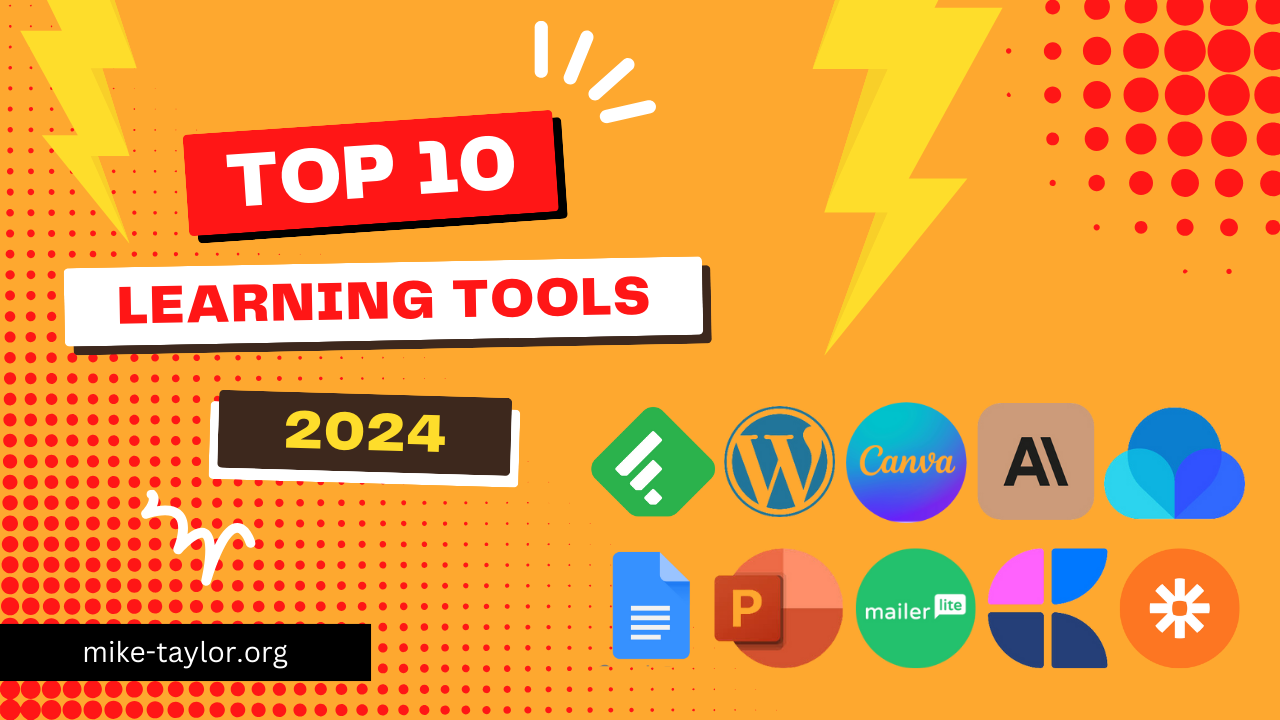
    Today is a holiday for those of us here in the US. This gives me a little bit of extra time to share my top 10 learning tools for 2024. I’m dishing out the good stuff as part of Jane Hart’s yearly roundup. So, grab a seat, and let’s see what did and didn’t make my list this year!

    Feedly

    Want to stay on top of your game without drowning in info? Feedly is your new best friend. It’s like a buffet for your brain, serving up all the good stuff from blogs and websites you love. No more jumping from site to site – Feedly brings it all to you in one spot. Just pick your faves, sort them how you like, and boom! You’ve got a custom news feed that keeps you in the know without the headache. It’s my secret weapon for staying up on everything I want to know.

    Use these with Feedly, and it gets even better!

    • Buffer – share what you learn via social media
    • Kill the Newsletter – get your email newsletters via RSS/Feedly
    • FetchRSS – create an RSS Feed for sites that don’t provide one

    https://feedly.com

    WordPress

    WordPress is like the Swiss Army knife of websites, and it is super easy to use. I’ve hosted my website/blog there for what seems like forever now. For most uses, you can even start with their free version.

    https://wordpress.com

    Canva

    Canva is my go-to tool. I use it almost daily. It’s great for making slides, graphics, websites, and stuff to print. No other tool can do so much so well. Once you start using Canva, you’ll wonder how you ever lived without it.

    https://canva.com

    Claude/ChatGPT/Gemini

    AI helpers like Claude, ChatGPT, and Gemini are game-changers. They’re not just tools – they’re a secret weapon for getting more things done faster and better.

    Raindrop.io

    I”‘ve tried a lot of different online bookmarking/organization tools, and Raindrop.io is my new favorite. As someone saves and shares a lot of bookmarks, I love most is how it lets me organize my online chaos into neat little collections and tags. The collaboration features are another big plus. But my absolute favorite? The web clipper. It’s pure magic. I can snag any part of a webpage I want, making my content curation so much more precise. No more saving entire pages when I only need a paragraph. Raindrop.io should be in everyone’s toolkit.

    https://raindrop.io

    PowerPoint

    PowerPoint is the OG of my toolset. I still love working in it, and it is still my ‘go-to’ for creating presentation decks. Add-ins like BrightSlide, The Noun Project, Slido, and others extend its capabilities even further. Canva is gaining ground for presentations, but I’m mostly sticking with PowerPoint for now.

    Google Docs

    I have written more this year than ever before, and Google Docs is my go-to. This classic tool, paired with add-ins like Grammarly, feels like having a writing superpower right in your browser.

    https://docs.google.com

    MailerLite

    One of my favorite things to do is write my newsletter every week. I’ve tried a lot of options, and MailerLite is my favorite email platform. Even if you don’t have a newsletter, MailerLite is also great for use in your learning programs.

    https://www.mailerlite.com

    Craft Docs

    Craft.do makes digital notes look great. It’s perfect for writing down ideas and making presentations/ workshop resources available to your audience. You can do much more with it too. It’s a step up from normal note-taking and sharing apps.

    Zapier

    Zapier is a handy tool that links your apps to work together on their own. It uses “Zaps” to connect apps and make them do tasks for you. When something happens in one app, it can make another app do something else. This saves you time by doing boring tasks for you. Zapier works with lots of popular apps, so you can automate many parts of your work without needing to know how to code.

    https://zapier.com


    Check out other Top 10 Learning Tools lists:

    Curious to see what’s in the toolbox of other learning pros? Here are a few other’s lists that I’ve found. If you have one too, leave me a link and I’ll add it here.

  • The L&D Detective: Solving Performance Mysteries with Mager’s Flowchart

    The L&D Detective: Solving Performance Mysteries with Mager’s Flowchart

    As an L&D professional, you may feel overwhelmed by the challenges of diagnosing and solving performance problems in your organization. Fortunately, there’s a powerful tool that can guide you through this process: Mager’s Performance Consulting Flowchart. In this blog post, we’ll break down Mager’s flowchart, explain why it’s so helpful, and highlight the benefits of using it in your L&D practice.

    This flow chart comes from Mager & Pipe’s book “Analyzing Performance Problems: Or, You Really Oughta Wanna–How to Figure out Why People Aren’t Doing What They Should Be, and What to do About It“. One of the most important things this flow chart does is to emphasize the importance of identifying non-training solutions before considering training as a solution.

    What is Mager’s Performance Consulting Flowchart?

    This Performance Consulting Flowchart, developed by Robert F. Mager and Peter Pipe, is a widely used step-by-step guide that helps L&D professionals diagnose performance issues and determine the most effective solutions. This structured approach allows you to systematically analyze performance gaps, identify the root causes of performance problems, and decide whether training or other interventions are needed to improve performance.

    The Steps in Mager’s Flowchart

    1. Is there a performance problem?
      • Determine if there is a gap between expected performance and actual performance. This involves observing employees, collecting performance data, and comparing it to the desired standards.
    2. Is it worth solving?
      • Assess the impact of the performance problem. If the gap significantly affects the organization’s goals or operations, it’s worth addressing. If not, it might be better to focus on more critical issues.
    3. Can we apply fast fixes?
      • Look for quick and simple solutions that can immediately improve performance. These “fast fixes” can provide temporary relief while you work on more comprehensive solutions.
    4. Are there any obstacles?
      • Identify any barriers preventing optimal performance. These could be environmental factors, lack of resources, or systemic issues within the organization.
    5. Is there a skill deficiency?
      • Determine if the performance problem is due to a lack of skills or knowledge. If employees don’t have the necessary competencies, training or development programs may be needed.
    6. Are there consequences?
      • Examine whether there are appropriate incentives and consequences linked to performance. This includes rewards for good performance and penalties for poor performance.
    7. Is there adequate feedback?
      • Ensure that employees receive regular and constructive feedback on their performance. Feedback helps employees understand how they are doing and where they can improve.
    8. Is there a clear expectation?
      • Verify that performance expectations are clearly communicated. Employees need to know what is expected of them and what standards they should meet.

    Why Use Mager’s Flowchart?

    Mager’s flowchart is a game-changer for L&D professionals because it provides a systematic, data-driven approach to problem-solving. By following the flowchart, you can:

    • Identify the root causes of performance issues
    • Determine whether training or other interventions are needed
    • Make informed decisions backed by evidence
    • Communicate clearly with stakeholders
    • Enhance your credibility as a strategic problem-solver

    A crucial point to remember is that not all performance gaps can be addressed by training. It’s essential to recognize when training is not the appropriate solution and avoid sending training to do a job it’s not capable of.

    Mager’s flowchart helps you make this distinction, ensuring that you choose the most effective intervention for each situation.

    For example, let’s say a sales team is struggling to meet its quarterly targets. By using Mager’s flowchart, an L&D professional might discover that the issue isn’t a lack of skills, but rather a lack of clear performance expectations and feedback. By addressing these root causes, the team’s performance could significantly improve without the need for additional training.

    Using Mager’s flowchart consistently can lead to:

    • Improved employee performance
    • Cost-effective solutions that save time and resources
    • Increased accountability and motivation among employees
    • Greater trust and collaboration with stakeholders

    Conclusion

    Mager’s Performance Consulting Flowchart is an invaluable tool for L&D professionals, especially those new to the field. By providing a structured, logical approach to diagnosing and solving performance problems, it ensures that you can deliver effective, targeted interventions that drive real improvements in your organization.

    Remember, not all performance issues require training. By using Mager’s flowchart, you’ll be able to identify when training is the right solution and when other interventions are more appropriate. This will help you avoid the costly mistake of sending training to do a job it’s not suited for, and instead focus on implementing solutions that directly address the root causes of performance gaps.

    Embrace Mager’s flowchart, and you’ll be well on your way to becoming a trusted, partner your organization.

  • A Guide to Boosting Learner Engagement with Email Marketing

    A Guide to Boosting Learner Engagement with Email Marketing

    Email is far from outdated. With higher adoption rates than any of the “hot” social media apps, it remains a powerful yet overlooked channel for L&D teams to drive program awareness, participation, and impact.

    Though it is often thought of as an “old school” strategy, sophisticated email marketing platforms allow you to create personalized experiences that capture attention and nurture continuous learning.

    As remote and hybrid work becomes the norm, email is key for engaging distributed teams. This guide will explore five ways email marketing can benefit your L&D initiatives:

    Create Visually-Compelling Emails

    Well-designed emails stand out in crowded inboxes, guiding learners to take action. Follow principles like:

    • Mobile optimization for easy reading
    • Scannable content hierarchy with bullets
    • Compelling subject lines that spark interest
    • Clear calls-to-action to drive enrollments

    Automate Scheduled Emails

    Automated emails allow you to engage learners throughout their journey with touchpoints like:

    • Confirmation messages upon enrollment
      (As I recently posted, Zapier or other automation tools can help you connect other tools in your tech stack with your email tools.)
    • Reminder emails before deadlines to improve participation
    • Re-engagement nudges for inactive learners

    Email marketing tools enable you to set triggers based on actions like completing a course or falling inactive for 30 days. This reduces effort while ensuring consistent communication.

    Deliver Personalized Drip Campaigns

    Drip campaigns involve sending targeted content over time to nurture continuous learning. You can tailor relevant microlearning content based on audience segments.

    For example, group learners by departments, experience levels or program interests to deliver customized quick reads. Refine your approach based on engagement data for maximum impact.

    Mapping email content directly to distinct learner needs leads to meaningful touches that gradually build knowledge instead of information overload.

    Harness the Power of Analytics

    Robust analytics help you gauge campaign effectiveness and optimize performance. Key metrics include:

    • Open rates to assess subject line relevance
    • Click-through rates to measure content engagement
    • Unsubscribe rates to identify improvements

    Continually fine-tune your emails based on these insights to boost participation.

    Embrace A/B Testing

    A/B testing allows you to experiment with different versions of an email to see what resonates best. Test things like:

    • Subject line phrasing
    • Calls-to-action
    • Personalization elements
    • Email length and frequency

    The key is setting goals, segmenting your audience, and letting data guide decisions to craft emails that compel your learners.

    Getting Started

    Kickstart your L&D email marketing strategy by:

    • Identifying your audience segments and email objectives
    • Mapping an editorial content calendar tailored to each segment
    • Designing mobile-friendly visually engaging emails
    • Crafting compelling subject lines and calls to action
    • Automating milestone emails to drive consistent engagement

    There are a lot of great email marketing platform options out there. The one I recommend starting with is MailerLite. It has a robust free version that includes up to 1000 subscribers and many advanced features like automation and drip campaigns in the free tier.

    It might be time to stop overlooking this high-powered channel. Email marketing platforms make it easy to create targeted, automated, and personalized experiences that captivate modern learners.

    What email marketing questions do you have? Share in the comments!

  • Using Email Marketing Tools for Learning Campaigns

    Using Email Marketing Tools for Learning Campaigns

    Imagine writing a set of emails just once that is sent to different people at different times when they need it most.

    Despite all the hype for social networks and messaging apps, there’s only one online platform that everyone uses: email. You can send an email using any email service or application, and you’ll know it will reach the recipient. That makes email a great place to share your learning messages so they’ll be seen. 

    Among the most powerful and useful features of email marketing tools is email automation. You only have to set it up once, and it runs on its own. After that, you are able to send triggered emails without lifting a finger. It sounds complicated, but it is actually quite simple to set up.

    Email automation involves sending emails automatically, without the sender having to do anything. There are a variety of “triggers” that cause the emails to be sent, such as something the subscriber does (a behavioral trigger) or a certain date or time frame (a time-sensitive trigger). You can use automated processes like these to send targeted emails at just the right moment..

    Instead of manually sending an email to everyone who signs up for your learning program, you could set up a trigger so that every time a new participant registers, a welcome email is sent automatically.

    You write the email once, but it continues to work hard and reach all your subscribers exactly when they need it.

    • You can send more personalized emails: In addition to taking the manual work off your plate, automated emails allow you to personalize your messages in a timely and relevant manner.
      .
    • Automated emails are opened more often: According to Epsilon, these types of triggered emails get 199% higher click-through rates than mass emails.
      .

    If you’re not familiar with email marketing tools and what they can do, Zapier’s Ultimate Guide to Email Marketing is a nice place to get a good foundational understanding.

    MailerLite

    I recommend MailerLite as an email marketing tool to anyone who is just getting started.  MailerLite makes it easy for you to automate your emails in the same way that huge companies like Amazon and many others personalize their emails to reach their customers.

    Here are just a few examples of what you can do with email marketing tools like MailerLite:

    Automate Welcome Emails

    The first email automation you should consider is a welcome response for a new subscriber (check out these welcome email examples for inspiration)!

    An automated email message is the best way to acknowledge someone who signed up for content, make a positive first impression, and extend engagement by offering additional value.

    Welcome emails can dramatically improve engagement metrics if they’re done right. Just remember—first-time impressions are powerful, so be thoughtful about what you want to say.

    Automate an onboarding sequence

    You can create automated sequences in which multiple emails are sent sequentially. A series of triggered emails allows you to break up your messaging and feed people information in a way that is timely and based on their actions.

    Example: Onboarding Sequence

    Step 1 – A new subscriber receives a welcome email.

    Step 2 – Two days later an email is automatically sent with a product tour video.

    Step 3A – If the subscriber watches the video, they receive an email one week later with a coupon.

    Step 3B – If they don’t watch the video, they receive a different email sequence to re-engage them.

    Whenever a new subscriber (or learner) is added, these sequences are automatically sent on whatever cadence you specify. If you find that part of a sequence is not effective, it’s easy to change specific parts without having to build a new sequence.

    Automate educational content/online courses:

    The great thing about online courses is that you make them once, and then people can sign up whenever they want. Your work is done!

    When someone signs up for your course, an automated workflow can deliver the content at the right times. You can be the teacher at any given time and date! Your emails  will be sent out automatically.

    Click here for a detailed workflow example for an online course automation with all the steps.

    Automation Examples Gallery

    Automated emails guide your audience during every step of their journey—from the moment they get to know you until the conversion and beyond. Whether it’s just one person or thousands, you can easily engage with each individual subscriber.

    https://www.mailerlite.com/automation-examples

    Here are a few resources from a Learning Guild session I did on using MailerLite for learning.

    View Slides

    Sign Up for Free Example Email Course

    https://www.subscribepage.com/s7a1r6

    These are some resources that can help you get a head start on using email for learning campaigns:


    Getting Started

    If you’re just getting started these tools will help you get some traction without requiring a big investment or conquering a steep learning curve:

    MailerLite

    Full feature set including autoresponders for drip campaigns for up to 1,000 subscribers for free and a great email editor for creating great-looking emails. http://mailerlite.com

    Getting Started Guide
    Your go-to guide for how to set up and get the most out of every MailerLite feature.
    .

    Tutorial Videos
    Gallery of video tutorials make it easy to learn everything you need to know about using MailerLite
    .

    Contact Monkey

    Contact Monkey is a nice option that works well within corporate Outlook environments. http://contactmonkey.com

    .

    BEEFree

    This is a free drag & drop tool for creating beautiful emails fast.
    http://beefree.io

    If you have any comments or questions, feel free to reply and let me know.

  • Mike Taylor’s 2019 Top 10 Learning Tools

    Mike Taylor’s 2019 Top 10 Learning Tools

    My 2019 Top 10 Learning Tools

    Jane Hart has been collecting the top tools for learning for over a decade now. (I´ve voted in all of them and this is my Top 10 for 2019.)

    Jane´s Top Tools for Learning global survey. Is open for submission through mid-day Friday, September 13, 2019. Here is how you can submit your own top 10 learning tools list.

    From all the submissions received, she creates three sub-lists:

    • Top 100 Tools for Personal & Professional Learning
    • Top 100 Tools for Workplace Learning
    • Top 100 Tools for Education 2018

    You can browse last year´s results at https://www.toptools4learning.com/home/

    Here are my personal top 10 learning tools for this year.

    Top 10 Learning Tools for 2019

    1. Feedly – Feedly is my key to efficiently keeping up with and track of 99% of the things I want to keep up with.
      http://www.feedly.com
    2. WordPress – powers my personal website/blog serves as my online ‘homebase’
      http://www.wordpress.com
    3. PowerPoint – PowerPoint is like the Swiss army knife of digital content tools. If I could only choose one thing to create content, it would be PowerPoint. Things I’ve created with PowerPoint include slides, videos, ebooks, custom graphics, print materials/workbooks, banners/signs, t-shirts, coffee mugs and more.
      https://products.office.com/en-us/powerpoint
    4. Google Suite – This connected collection of tools makes it super easy to keep in touch and collaborate
      docs.google.com
    5. Twitter – Still one of the best ways to connect with great people for conversations on relevant, professional topics. http://www.twitter.com/tmiket
    6. Canva – We live in a visual world and when you need a graphic design, Canva is the place to start. You’ll find everything from social media graphics to presentation slides and even print documents.
      http://www.canva.com
    7. Articulate 360 – Articulate keeps adding new features and making a great authoring suite better and better.
      http://www.articulate.com
    8. Talkbook – For speakers and facilitators, TalkBook makes getting handouts and other supporting materials to your audience a snap. Learn more about Talkbook here.
    9. Zapier – I totally hate doing manual busy work. There are so many things like that Zapier can handle for you and literally give you back time in your day.
      www.zapier.com
    10. Glide – I’ve been looking for something as easy to Glide for making apps. I’ve seen some amazing uses including my L&D Conference Calendar, performance support, resumes, websites and more. Learn more about it here.

    Why not submit your own list!

  • Friday Finds: The Best of Learning, Design & Technology | March 8, 2019

    Friday Finds: The Best of Learning, Design & Technology | March 8, 2019

    “When you arise in the morning, give thanks for the morning light, for your life and strength. Give thanks for your food, and the joy of living. If you see no reason for giving thanks, the fault lies with yourself.” – Tecumseh, Shawnee Chief

    Today, we´re on our way to Colorado to kick off our spring break. I´m looking forward to a few days of skiing at Copper Mountain with my fingers crossed for good weather and a little fresh snow. Here is this week´s fresh offering from the world of learning, design, and technology.

    Ultimate List of Online Community Resources

    There are times when the best thing we can do is connect people with each other and get out of their way. If you´re interested in building any type of online community, Richard MIllington (@RichMillington) is a great person to follow. Here is a great collection of online community resources.

    https://www.feverbee.com/how-to-build-an-online-community/

    Seven essential elements of a lifelong-learning mindset

    In a rapidly changing workplace, we need to keep learning to remain relevant and in demand. Here are seven practices that can help from Jacqui Brassey (@jacquibrassey), Nick Van Dam (@nickvandam), and Katie Coates.

    https://www.mckinsey.com/business-functions/organization/our-insights/seven-essential-elements-of-a-lifelong-learning-mind-set

    Microsoft Teams, Slack, Facebook Workplace Are Taking Over: And We Better Take Notice

    I´m an advocate for this way of thinking, yet I am not sure if this is really happening. While I´ve personally seen the value in these types of platforms and they´ve been around for over a decade now I´m not convinced that many people have adopted them as a regular part of the way they work. Do you see this in your organization? Are you with Josh or me? I´d love to hear your perspective.

    https://joshbersin.com/2019/03/microsoft-teams-slack-facebook-workplace-are-taking-over-and-we-better-take-notice/

    Using the Simplified Approach to Video

    While this post is by Michele Wiedemer (@mbwiedemer) is about video, the concept also applies to any other uses of multimedia including presentations and elearning. I´ve been using this approach for a long time and I think it is important to know that you don´t always need to aim for super detailed, high-fidelity designs. In fact, there are times when low-fidelity graphics can be MORE effective for learning.

    https://www.virtualcustomerlearning.com/ce_toolbox_blog/using-the-simplified-approach-with-video

    LX Research

    Kristin Anthony (@anthkris) has built a site for LX Designers looking for a starting point in research.

    https://lx-research.netlify.com/

    A Look Back at the Best of Workplace Learning

    A collection of workplace learning culled items from my 2018 weekly newsletters. Lots of great stuff in there!

    https://mike-taylor.org/2019/03/06/a-look-back-at-the-years-best-from-workplace-learning/

    Learning, Design & Technology Miscellany

    A few other things just because I can.

    Design Resources

    • WDRfree is a big collection of design resources including videos, vectors, images, icons & more.

    Apps & Tools

    Books, Podcasts, Courses:

    What I’m listening to:

    Conference News

    March is a busy month for L&D conferences. Check the calendar to see what is coming around the bend.

    Learning Conferences Calendar

    Looking for your next conference? I’ve recently updated my global collection of L&D events with new 2019 dates. Let me know if you see one I missed or have a new one to add.

    Speaker Proposals:

    Thanks for reading! If you found anything good, forward it to a friend or spread the word with a tweet.

    You can find me at these UPCOMING EVENTS:


    Interested in the things that didn’t make the cut here? Follow me on Twitter or even better, subscribe to my newsletter.

    I’m looking for great people and organizations who want to help people learn and work better. If you’re one of them, let’s talk! Speaking and Workshop Information Sheet.

    Looking for a previous edition? Check out the archives

  • A Look Back At The Years Best From Workplace Learning

    A Look Back At The Years Best From Workplace Learning

    Last week I shared a look back at last year’s best from Learning Science And Instructional Design. This week it is time to review the best from Workplace Learning.

    Workplace Learning

    The 10 most read articles in the Modern Workplace Learning Magazine in 2018

    Jane Hart (@c4lpt) is a regular in this space. Here are here top 10 most read articles of 2018

    http://modernworkplacelearning.com/magazine/the-10-most-read-articles-in-2018/

    Why the future of work is learning

    An interview with future of work strategist Heather McGowan (@heathermcgowan), on how organizations can prepare for a future of accelerated change.

    https://nexxworks.com/blog/why-the-future-of-work-is-learning

    Our Job is to Find and Fix Problems

    Patti Shank (@pattishank) reminds us that our primary job is not to design content, although we may do so. Rather, our primary job is to analyze problems, create solutions that meet the real need, and monitor how well these solutions are doing so we can tweak or change them.

    https://www.td.org/insights/our-job-is-to-find-and-fix-problems

    10 Reasons to Modernize Workplace Learning

    Jane Hart (@c4lpt) talks about how the current training model isn’t able to keep pace with the speed of business and the continuous nature of change. In contemplating what changes to make, she lists 10 current issues and some brief points about how to deal with them.

    http://modernworkplacelearning.com/magazine/10-reasons-to-modernize-workplace-training/

    Your Organization Is a Network of Conversations

    This article by Steve Zaffron (@stevezaffron) and Gregory Unruh (@GregoryUnruh) really resonates with me. They talk about how conversation is the primary organizing principle of organizational management and that a company is the sum of all corporate dialogues or what they call a “network of conversations.”

    https://sloanreview.mit.edu/article/your-organization-is-a-network-of-conversations/

    Building the Modern Workplace Professional

    There are two types of people. Those who are happy enough as they are or think they don’t have enough time and those who are driven and take the initiative to learn new skills themselves. One of my biggest pet peeves is people in Learning & Development say they don’t have time to learn new things. To paraphrase Seth Godin, if you don’t have time to expose yourself to the state of the art and doing the work of learning to think with the best, to stay caught up, to understand why do you think you should be treated as a professional?

    https://mike-taylor.org/presentations/modern-workplace-learning-professional/

    The Need for Continuous Learning

    This CLO magazine article is is yet another voice to add to the call for the need for continuous lifelong learning. “An organization’s ability to learn, and translate that learning into action rapidly, is the greatest competitive advantage.” -Jack Welch

    http://www.clomedia.com/2018/06/22/the-need-for-continuous-learning/

    A New Paradigm For Corporate Training: Learning In The Flow of Work

    Work is learning. Josh Bersin (@Josh_Bersin) dives deep into this idea of learning in the flow of work and the fact that “…obstacles to growth are not always technical, they’re in our own minds. We don’t really use new technology well until we change the way we think.”

    https://joshbersin.com/2018/06/a-new-paradigm-for-corporate-training-learning-in-the-flow-of-work/

    The Threat and Opportunity of Lifelong Learning

    John Hagel (@jhagel) says that we need to “…avoid the temptation of many who say that lifelong learning is solely the responsibility of the individual who still needs to find ways to fit into our existing institutions. If we’re truly going to harness the power and potential of lifelong learning, we’re going to have to transform all of our institutions to help people to learn faster and accelerate performance improvement.”

    https://edgeperspectives.typepad.com/edge_perspectives/2018/12/the-threat-and-opportunity-of-lifelong-learning.html

    This Is What I Believe About Learning in Organizations

    In short, no matter what your job, learning is the work. Stephen Gill (@sjgill) talks about how the only sustainable advantage in our hypercompetitive marketplace is the ability to learn and adapt faster than everyone else. Companies that cling to management practices of a bygone era continue to fade away. They desperately need managers who empower people to seek out learning at a moment’s notice.

    Yes, the purpose of business is to make a profit, retain customers, be sustainable, satisfy shareholders, and, for some, make a difference in the community. But none of this is possible without learning.

    http://stephenjgill.typepad.com/performance_improvement_b/2018/09/this-is-what-i-believe-about-learning-in-organizations.html

    Conversations and narratives are the new documents

    Don’t miss this one from Esko Kilpi (@EskoKilpi) that includes gems like this: “Change occurs not so much as a result of new information leading to individual learning but when the patterns of connectedness between individuals change. Learning as a result of the print revolution was seen as an individual process. Learning as a result of the Internet revolution is an active process of communication between connected people.”

    https://wtfeconomy.com/conversations-and-narratives-are-the-new-documents-256ebcd3d37f?gi=d6266de9d4e9

    Six Mindset Shifts Trainers Should Make

    In this article Gary Klein (@KleInsight) relates that while most trainers mean well, they are holding on to mistaken beliefs about cognitive skills. Too many trainers rely on instructional techniques that can actually get in the way of successful performance and the development of expertise. (Via Harold Jarche (@hjarche)

    https://www.psychologytoday.com/ca/blog/seeing-what-others-dont/201809/cognitive-coaching

    Role of Customer Education in Driving Business Success

    John Leh (@JohnLeh) shares what he sees as trends in “extended enterprise training”; that is, education that encompasses all of a company’s outside audiences. Personally, I’m happy to see so many organizations leveraging opportunities to educate as a key component of their business. Often the first to add value to a customer’s need is who they buy from and learning is a huge part of that.

    https://www.northpass.com/blog/extending-customer-lifetime-value-ltv-with-customer-education

    Seth Godin: The Future Of Education And The Current State Of Marketing

    Seth Godin talks with Dan Schawbel about the future of education, the current state of the marketing world, and how to thrive in the new economy.

    https://www.forbes.com/sites/danschawbel/2014/03/11/seth-godin-the-future-of-education-and-the-current-state-of-marketing/

    What makes one team smarter than another?

    https://www.youtube.com/watch?time_continue=2&v=Sy6-qJmqz3w

    Dr. Anita Williams Woolley talks about how we tend to focus on individuals when trying to predict team performance and how the research actually shows that measuring collective intelligence is a far better indicator of success than any individual’s performance. Important things to know for building smarter teams!

    Adding females tends to raise a team’s collective intelligence.

    https://rework.withgoogle.com/blog/what-makes-one-team-smarter-than-another/

    5 Ways to Change Behavior at Work: The L&D Behavior Change Toolkit

    If you want to influence behavior, this case study from Udemy has some tips for you. I particularly like the idea of a “nudging architecture”. If you like anything in here, you might also want to check out their upcoming webinar.

    https://business.udemy.com/resources/5-ways-to-change-behavior-at-work/

    The New Science of Building Great Teams

    This is an interesting and relevant finding from Alex “Sandy” Pentland (@alex_pentland)about the key to building great teams. Patterns of communication are the most important predictor of a team’s success. They are as significant as all the other factors—individual intelligence, personality, skill, and the substance of discussions—combined.

    https://hbr.org/2012/04/the-new-science-of-building-great-teams

    2018 L&D Global Sentiment Survey

    Since 2014, Donald Taylor (@DonaldHTaylor) has asked L&D professionals world-wide what may seem a superficial question: “What do you think will be hot in L&D next year?” Dive in to see what this year’s Learning & Development (L&D) Global Sentiment Survey has to say.

    http://donaldhtaylor.co.uk/report18/

    To Keep Pace, L&D Must Adopt an Ecosystem Mindset

    I’ve been thinking on this topic a lot lately and this ATD article by JD Dillon (@JD_Dillon) is a good illustration of how we should think about the relationship of learning and working in the modern workplace.

    https://www.td.org/insights/to-keep-pace-l-d-must-adopt-an-ecosystem-mindset

    Top Tools for Learning 2018

    Jane Hart (@c4lpt) recently wrapped up her annual Top Tools for Learning 2018 list. I find that a lot of people are surprised by the top tools on this list. Are you? Learn more about it and read Jane’s analysis of this year’s list.

    https://www.toptools4learning.com/home/

    Instead of Microlearning, It Should Be Micro-doing

    If your not 100% sure what exactly microlearning is, don’t worry. As long as your you’re aiming for right-sized learning that ends with action you’re on the right track.

    https://mike-taylor.org/2018/09/09/instead-of-microlearning-it-should-be-micro-doing/

    Building a culture of continuous improvement, learning & development at work

    Jane Hart (@c4lpt) says that work now needs to evolve into three overlapping streams to support the three ways of learning.

    1. Promote Continuous Learning
    2. Create Modern Content, Events, and Experiences
    3. Support Continuous Improvement at Work

    https://modernworkplacelearning.com/magazine/building-a-culture-of-continuous-improvement-learning-development/

    20 ways to prepare yourself for modern workplace learning

    Jane Hart (@c4lpt) has listed 20 things that you, as a learning professional, will need to have done PERSONALLY in order to be adequately prepared to support new approaches to workplace learning in your organization PROFESSIONALLY. How many can you check off?

    http://modernworkplacelearning.com/magazine/20-ways-to-prepare-yourself-for-modern-workplace-learning/

    Introduction to Modern Workplace Learning in 2018

    Jane Hart has just released a free ebook – “Introduction to Modern Workplace Learning in 2018” This is the first in a 3 e-book series that includes some (updated) content from Jane Hart’s (@c4lpt) including her popular Top Learning Tools and Modern Workplace Learning Toolkit.

    http://modernworkplacelearning.com/mwl-series-2018/

    9 Essential Principles for Modernizing Your Corporate Learning Ecosystem

    If you keep up at all with the L&D field you’ve probably heard of JD Dillon (@JD_Dillon). It’s kinda hard to miss him — in a very good way. Take for example his recent e-book “ 9 Essential Principles for Modernizing Your Corporate Learning Ecosystem” which aims to help L&D professionals get started with applying essential modern learning principles TODAY – regardless of organization, resources or circumstances. There’s even an assessment that will help evaluate your organization’s current approach and where it falls on the spectrum between “Stuck in a timewarp” and “Seriously cutting edge”.

    http://www.learngeek.co/writing/modern-learning-ebook/

    Learning in the Flow of Work

    Josh Bersin (@joshbesin) gave this research-based presentation at LinkedIn’s Talent Connect Conference. He talks about a new learning model driven by machine intelligence, micro-learning, and new video and social platforms like LinkedIn Learning that are helping companies upskill and transform their workforces.

    https://www.youtube.com/watch?v=_LeNIauhUEI&feature=youtu.be

    Psychological Safety and Learning Organizations

    If you haven´t seen Arun Pradhan´s (@arunzpradhan) ¨Learning Agility¨ series over on the Learning Solutions Magazine site, you should stop what you´re doing and go read it now. Seriously, this is top stuff. In his most recent article, talks about how the knowledge economy and the need for teamwork have increased the need for effective collaboration and psychological safety in learning organizations.

    https://www.learningsolutionsmag.com/articles/psychological-safety-and-learning-organizations

    Take Control of Your Learning at Work

    When we can all retrieve the same information, the key differentiator is not access to data, but the ability to make use of it; the capacity to translate the available information into useful knowledge. Ironically, a surplus of information can create a poverty of knowledge. It requires curiosity and a hungry mind to resist digital distractions and have the necessary discipline to learn. Check out what else Tomas Chamorro-Remuzic (@drtcp) has to say in this HBR article.

    https://hbr.org/2018/07/take-control-of-your-learning-at-work

    How People Learn

    How People Learn II: Learners, Contexts, and Cultures is a deep dive into the influences that affect individual learning. How People Learn II is a valuable resource that updates a previous version (How People Learn) that helps understand learning for educators of students and adults.

    https://www.nap.edu/catalog/24783/how-people-learn-ii-learners-contexts-and-cultures

    Wired Not Tired: Is Curation the Cure for What Ails You?

    https://mike-taylor.org/2018/10/24/wired-not-tired-is-curation-the-cure-for-what-ails-you/

    Turning Noise Into Knowledge

    In this article, Lee Bryant talks about how turning content into knowledge, and conversation into learning becomes more important as online engagement in the digital workplace increases.

    https://postshift.com/turning-noise-into-knowledge/

    Keeping Up With Cardiology: Old-School Learning Versus the Twittersphere

    “there’s an old saying that 50% of what they teach you in medical school is wrong. The problem is you don’t know which 50%.”

    This article by Yael L. Maxwell (@TCTMD_Yael) is about cardiologists, but the lessons apply to us all. As we proceed through our careers “we should expect that things should be challenged and updated throughout our lifetime, and we have to be open to all different avenues. Critical thinking is more important now than ever before.”

    https://www.tctmd.com/news/keeping-cardiology-old-school-learning-versus-twittersphere

    Institutional Innovation

    Modern L&D should “facilitate interactions & relationships, allowing organizations to increase the flow of information within and across their organization’s walls to increase learning, adaptability, and … innovations.” This article by John Hagel (@jhagel) and John Seely Brown (@jseelybrown) is a must read for how we should be thinking about the future of workplace learning.

    https://www2.deloitte.com/insights/us/en/topics/innovation/institutional-innovation.html

    Classroom training and E-Learning are the least valued ways of learning

    Jane Hart’s (@c4lpt) survey shows that e-learning and classroom training are among the least valued ways of learning. The top of the list consists of daily work experiences (ie doing the day job) and Knowledge sharing within your team top the list, with Manager feedback and guidance not far below. How does this align with the work you do and how well do you think you are aligned with this data?

    http://modernworkplacelearning.com/magazine/classroom-training-and-e-learning-are-the-least-valued-ways-of-learning/

    An Anatomy of the Modern Learning Professional

    In this post, Nick Shackleton-Jones (@shackletonjones) implores us to let go of convention to reach our extraordinary potential. (via Ger Driessen’s (@GerDriesen) bi-weekly newsletter (Subscribe here) As a profession, we are a group of people with extraordinary potential: the potential to craft life-changing experiences or to design resources that help productivity and engagement soar. But we will need to let go of convention, and swim to the surface.

    http://www.aconventional.com/2017/05/an-anatomy-of-modern-learning.html

    Learn better not faster: Why we are still struggling to become learning organizations

    This post by Sofia Quentero (@Sofiaqt) really hits the nail on the head for me. I can’t tell you how many times I’ve had conversations with people that went basically just like this cartoon image above. In short, you are too busy NOT to constantly be on the lookout for opportunities to learn new things.

    A learning organization is less concerned about what it learns and more concerned about making sure everybody can acquire and transfer knowledge as much as possible and as easily as possible.

    https://blog.nomnom.it/learn-better-not-faster-why-we-are-still-struggling-to-become-learning-organizations-15c2ed132fab

    How Leaders Face the Future of Work

    A big transition in the way people work is happening and nobody — highly skilled or not — will be untouched. See what Lynda Gratton (@LyndaGratton) sees as the keys to successfully navigating this new world. Hint: It involves a lot of learning!

    https://sloanreview.mit.edu/article/how-leaders-face-the-future-of-work/

    Learning While Working Manifesto

    Robin Petterd (@robinpetterd) and the rest of the crew at Sprout Labs in Australia have released a new version of their Learning While Working manifesto and framework that combines the 70:20:10 concept with design thinking and a learning ecosystem approach. I really love that they’ve incorporated John Stepper’s Work Out Loud principles into this. Bravo!

    Download a copy

    Why Organizations Need to Make Learning Hard

    Research demonstrates that making training too easy for learners actually deters retention of material. What we need is “desirable difficulty”. The fact that people often suffer from “illusions of competence” is one of the reasons learning approaches such as case studies, scenario-based learning and others are more effective than the “tell ‘em and test ‘em” approach commonly used.

    Download a copy

    The future of work and the future of learning are converging

    Sonia Malik (@malikmssz) shares some key takeaways from the recent Coursera Partner conference. For more conference highlights, check the Coursera blog and the Twitter backchannel.

    https://www.ibm.com/blogs/ibm-training/future-work-future-learning-converging/

    Why Do Smart People Resist Positive Change?

    Martin Burns (@MartinBurnsSCO) talks about how most change initiatives face active resistance from the people involved, and this usually goes far beyond the basic systems problem of The harder you push, the harder the system pushes back. If we start co-creating change with them, rather than doing change to them, we might — just might — get better results.

    http://everydaylean.info/2017/05/why-do-smart-people-resist-positive-change/

    A Year of Learning and Leading UX at Google

    Catherine Courage (@ccourage) shares her top 5 insights from leading UX at Google. I love her list. Hit the link to dig in a bit deeper.

    1. Smart should be the default, but engagement is what counts.
    2. Embrace speed (without intending to break things).
    3. Grow a peer network that’s authentic and supportive.
    4. “Googleyness”* still wins out. (*Replace with your company’s code for ethical conduct.)
    5. Be humble. But don’t be afraid to share your story.

    http://bit.ly/2oKeTsN

    The Evolution of 70:20:10 – Will L&D Survive or Thrive?

    Detailed insights from L&D practitioners working in leading organizations about how they are getting to grips with 70:20:10 by @GoodPractice

    https://www.goodpractice.com/ld-resources/the-evolution-of-702010/

    Digital Learning Trends for 2019

    What does 2019 have in store for learning pros? Check out these prognostications and some strong calls for more people-focused approaches.

    https://www.elucidat.com/blog/digital-learning-trends/

    Are you ready to start the workplace learning analytics journey?

    In a six-part series, Trish Uhl (@trishuhl) offers insight to L&D professionals on the components of a workplace learning analytics strategy. Part one looks at how to get started on your workplace learning analytics journey.

    https://www.hrzone.com/perform/business/are-you-ready-to-start-the-workplace-learning-analytics-journey

    What is Organizational Social Design?

    Mark Britz (@britz) explores the question ““what if training was not an option?” and how to organizational structure itself may hold the answer to ideal performance.

    http://markbritz.com/what-is-organizational-social-design/

    If Your Employees Aren’t Learning, You’re Not Leading

    What do you think about this? It really resonates with me. See what Mark Murphy (@LeadershipIQ) has to say about it his recent article including this little tidbit: “..only 42% of workers say they are always or frequently learning on the job, while another 39% percent say they are never or rarely learning.” I hope you’re not one of those people?

    https://www.forbes.com/sites/markmurphy/2018/01/21/if-your-employees-arent-learning-youre-not-leading/#5a50f9019478

    Collaboration is the Human Platform for Digital Transformation

    Simon Terry (@simongterry) highlights that connecting people is what truly makes a difference when trying to do digital transformation…or virtually anything else for that matter! He specifically calls out these four things that make any platform work:

    They connect people

    • They offer easy ways to reduce costs and the complexity of action (reduce “friction”)
    • They provide transparency and increase trust
    • They provide ongoing value

    https://simonterry.com/2018/01/15/collaboration-is-the-human-platform-for%E2%80%8B-digital-transformation/

    Knowledge Sharing Paradox

    This is a ‘must read’ from Harold Jarche (@hjarche) about connecting personal and organizational knowledge. The knowledge sharing paradox is that enterprise social tools constrain what they are supposed to enhance. Why would someone share everything they know on an enterprise network, knowing that on the inevitable day that they leave, their knowledge artifacts will remain behind?

    Enterprise knowledge sharing will never be as good as what networked individuals can do. Companies that develop structures and policies that bridge the individual-organizational knowledge-sharing divide will have significant business advantages.

    https://jarche.com/2018/07/knowledge-sharing-paradox-redux/

    Share to Learn

    This post by Tanmay Vora (@tnvora) reminds me that you don’t have to be a genius to share what you learn. Just be yourself and share anything you discover, experience, read or anything else that worked for you or those around you. There is probably someone out there it can help. And by helping them, you’re helping yourself.

    http://qaspire.com/2018/08/02/share-to-learn/

    Motivating Your Employees to Share Their Knowledge

    Take a listen to this Insync Training webinar recording to hear some real-world tips from JD Dillon (@JD_Dillon) on getting people to share what they know to helps others in the organization.

    http://blog.insynctraining.com/modern-learning-resource-library/recording-virtually-there-go-viral-motivating-your-employees-to-share-their-knowledge

    Ending The Myth Of Collaboration

    This article by Paul Taylor (@PaulBromford) will have you rethinking your view of collaboration.
    “A meta-analytic review of over 800 teams indicated that individuals are more likely to generate a higher number of original ideas when they don’t interact with others.”

    Ending The Myth Of Collaboration

    How (and Whether) to Invest in and Structure Online Communities

    Building a thriving online community takes a great deal of effort, often with little return for a very long time. And there are other considerations: do you build your own platform, participate in an existing community, or a little of both? What are the benefits of a brand, SEO, and content marketing perspective? In this edition of Whiteboard Friday, Rand Fishkin (@randfish) answers all your questions about building yourself an online community, including whether it’s an investment worth your time.

    https://moz.com/blog/invest-structure-online-communities


  • Friday Finds: The Best of Learning, Design & Technology | February 22, 2019

    Friday Finds: The Best of Learning, Design & Technology | February 22, 2019

    ” There are no educators, but only people who show others how they can educate themselves.” —Jean Guitton

    Today is my last day at Mindset Digital. As I turn to look for my next adventure, I have an appreciation for people and organizations who are passionate about what they do, do it well, and are able to have fun along the way. Seems like finding that type of place shouldn’t be too hard right? In the meantime, if you know of any places like that let me know. And if you or anyone you know could use a helping hand let’s talk.

    How to write scripts for webinars, videos and eLearning

    To paraphrase Michelle Parry-Slater (@mips1608), what Bright Carbon (@BrightCarbon) doesn’t know about making fabulous things isn’t worth knowing. Check out Hannah Brownlow’s (@Il_Brownlow) has to say about writing better scripts for webinars, videos, and elearning.

    https://www.brightcarbon.com/blog/writing-scripts-webinars-videos-elearning/

    What is Working Out Loud?

    If you aren’t following John Stepper (@johnstepper) you should really watch this and then go read his book. He shares some really easy steps you can take to get started that will benefit both you and your organization.

    https://workingoutloud.com/blog//new-video-what-is-working-out-loud

    Don’t Feel Like an Expert? Share Anyway

    This article captures the way I feel about sharing your knowledge and expertise. In short, as John Stepper says: You don’t need to be a genius to share your work. Just be yourself.

    “The stuff you get up and do every day that is as natural to you as breathing? There are thousands of people who want to know about that.”   — Kristina Halvorson

    http://bit.ly/2twLll7

    Digital Learning Realities Research

    If you’re interested in research on the digital learning market you should check out what the Fosway Group has done with “the largest cross-section of digital learning customers and suppliers in the world, to create a much needed independent barometer of the digital learning market.”

    http://www.fosway.com/research/next-gen-learning/digital-learning-realities-2019/

    They’re still collecting data, so why not take a few minutes and add your voice.

    Interested in even more research? Check out these too:

    Microsoft Teams vs. Yammer vs SharePoint vs Email: WTH? A Short and Sweet Guide

    I think everyone has asked about what the best tool for a particular task is. The folks from AvePoint have shared this helpful guide to help you navigate the Microsoft stack of options.

    https://www.avepoint.com/blog/microsoft-teams/microsoft-teams-vs-yammer/

    Non-Designers Guide to Crafting Beautiful Elearning

    Bianca Baumann (@biancabaumann) and I recently did a webinar for I4PL on some easy to implement tips for improving the design of your elearning (or anything else for that matter.)

    https://www.slideshare.net/tmiket/a-nondesigners-guide-to-crafting-beautiful-elearning

    Learning, Design & Technology Miscellany

    A few other things just because I can.

    Design Resources

    Apps & Tools

    • Forms.id – a powerful alternative to Google Forms with a look.
    • SmallPDF – Don’t have Adobe’s Acrobat Pro?  Smallpdf makes it super easy to convert and edit all your PDF files solving all your PDF problems in one place.

    Books, Podcasts, Courses:

    What I’m listening to:

    Conference News

    Here’s a peek at the conference action for this week and next:

    Looking for your next conference? I’ve recently updated my global collection of L&D events with new 2019 dates. Let me know if you see one I missed or have a new one to add.

    Speaker Proposals:

    Thanks for reading! If you found anything good, forward it to a friend or spread the word with a tweet.

    You can find me at these UPCOMING EVENTS:


    Interested in the things that didn’t make the cut here? Follow me on Twitter or even better, subscribe to my newsletter.

    I’m looking for great people and organizations who want to help people learn and work better. If you’re one of them, let’s talk! Speaking and Workshop Information Sheet.

    Looking for a previous edition? Check out the archives

  • Friday Finds: The Best of Learning, Design & Technology | February 15, 2019

    Friday Finds: The Best of Learning, Design & Technology | February 15, 2019

    “Travel isn’t always pretty. It isn’t always comfortable. Sometimes it hurts, it even breaks your heart. But that’s okay. The journey changes you; it should change you. It leaves marks on your memory, on your consciousness, on your heart, and on your body. You take something with you. Hopefully, you leave something good behind.” – Anthony Bourdain

    The Learning Technologies Conference in London was fantastic. As always, getting to finally meet so many amazing people in person was by far the highlight. Jane Hart, Michelle Ockers, Don Taylor, Euan Semple, Ben Betts, Craig Taylor, Paul Jocelyn, Ger Driessen, Dani Johnson, Mirjam Neelen, Sunder Ramachandran, Trish Uhl, Emma Weber, Alfred Remmits, Matt Donovan, Amanda Nolen, Lori Niles-Hoffman and so many others that the list could run on for days.

    You can check out the slides and resources from my curation session here. And the recordings of all the LT19UK sessions will be available soon.

    And then came the “isn’t always pretty” part of travel when I found out at the airport on the way home that my passport had been stolen. Obviously not a fun day making my way to the US Embassy for a new passport, buying an expensive new ticket for the next day and the stress of trying to figure it all out. Fortunately, it was a warm, sunny, beautiful day to make the rounds of greater London and everything got sorted out. My incredible wife took care of the new flights and the amazing Jo Cook (@lightbulbjo) took me in for the night and gave me a much-needed hug at the end of a long, crazy day.

    So on to this week’s slightly delayed edition. Cheers!

    How The Flesch Reading Ease Test Can Help You Write Clear and Concise Copy

    If I was forced to only have one great skill for creating learning content, I think I’d choose an amazing writer. These tips from @hubspot can help all of us write better.

    https://blog.hubspot.com/marketing/flesch-reading-score

    The Transformation Journey – 2019 Annual Research Report

    Towards Maturity’ (@towardsmaturity) has published their annual research report which collects longitudinal evidence from all stakeholders in the learning process to share key insights and characteristics of organizations with high-performing learning cultures are more. Grab your free copy to learn more. https://towardsmaturity.org/2019/02/14/the-transformation-journey-2019-annual-research-report/

    How To Create Your First Email Course or Email Challenge

    An email course is a simple series of automated emails that deliver educational or instructional content. This post from @Aweber shows you how to get started. Other good options for this type of email course include MailerLite and MailChimp.

    https://blog.aweber.com/email-marketing/how-to-create-your-first-email-course-or-email-challenge.htm

    How to Morph One Shape into Another Shape in PowerPoint

    If you use PowerPoint at all, you should know about Morph. It is a super simple way to create crazy cool and impactful animations.

    How to Morph One Shape into Another Shape in PowerPoint

    Learning, Design & Technology Miscellany

    A few other things just because I can.

    Design Resources

    • Mix.it – Great collection of free HD videos for your next project.

    Apps & Tools

    • PixTeller – Easy-to-Use Design & Animation Tool
    • Xara – A kind of Canva-like way to create documents

    Books, Courses, Podcasts

    What I’m listening to:

    • After my long and winding road home, something relaxing like this Chill Hits playlist is in order.

    Conference News

    There was a flurry of conference action this week including:

    Speaker Proposals:

    Thanks for reading! If you found anything good, forward it to a friend or spread the word with a tweet.

    You can find me at these UPCOMING EVENTS:


    Interested in the things that didn’t make the cut here? Follow me on Twitter or even better, subscribe to my newsletter.

    I’m looking for great people and organizations who want to help people learn and work better. If you’re one of them, let’s talk! Speaking and Workshop Information Sheet.

    Looking for a previous edition? Check out the archives