Category: blog

Regular blog post that not part of a newsletter series.

  • My Top 10 Learning Tools for 2025

    My Top 10 Learning Tools for 2025

    It’s survey time again! Jane Hart is collecting everyone’s top learning tools for her annual report. I love seeing what everyone’s using these days.

    Want to share yours? Head over to the Top Tools for Learning survey and submit your list. You’ve got until August 29th. Don’t wait!

    Here’s my lineup for 2025. No rankings here – just the tools that keep me sane and productive.

    Feedly

    This thing saves my sanity. Seriously. I can follow tons of blogs and news sources without my brain exploding from information overload. It’s like having a really smart assistant who only shows me the good stuff.

    https://feedly.com

    Claude/ChatGPT/Gemini

    These tools are like having super smart friends on speed dial. Need help writing? They’re there. Want to understand something complex? They break it down. I use different ones for different things because they each have their strengths.

    Canva

    Graphics superpower, no joke. I use Canva for all kinds of graphics. It’s almost unfair how easy they make it.

    https://canva.com

    Raindrop.io

    Raindrop turns my chaotic bookmarking into something actually useful. I can find stuff when I need it. Magic.

    https://raindrop.io

    Kit

    My newsletter runs on this. Clean, simple, and it just works. I don’t want to spend forever figuring out email marketing. Kit handles the tech stuff so I can focus on writing.

    https://kit.com

    Craft.do

    Digital notes have never looked so good. This is what I use for digital handouts to accompany presentations and workshops.

    https://craft.do

    PowerPoint

    Yeah, I said it. PowerPoint. Fight me. 😊 It’s been around forever because it works. Everyone can open the files. It does what I need. Sometimes the old tools are old for good reasons.

    Google Docs/Drive

    This is my digital filing cabinet and writing space rolled into one. Works everywhere. Syncs everything. Shares easily. What more do you want?

    https://docs.google.com/

    WordPress

    Powers both my personal site and my book websites. After years of trying different platforms, I always come back to WordPress. It’s flexible without being overwhelming.

    https://wordpress.com

    Zapier

    Work smarter, not harder. That’s the whole point here. If I’m doing something repetitive, Zapier probably automates it. It’s like having a robot assistant who never gets tired.

    https://zapier.com


    Your Turn!

    So those are my picks. But honestly? I’m way more interested in yours.

    What tools are you obsessing over this year? What’s changed your game?

    Drop your list in Jane Hart’s survey before August 29th. The results always surprise me. Last year AI tools dominated, but there’s usually a good mix of old favorites and shiny new things.

    And hey, if you’ve got a tool that’s not on my list but should be, tell me about it. I’m always hunting for the next thing that’ll make my life easier.

    The results come out in September. I’m betting AI tools will be huge again this year, but I’m curious what else makes the cut.

    Check out Christy Tucker’s list too – she’s got some great picks that might inspire your own choices.

    What’s on your list?

  • A Guide to Boosting Learner Engagement with Email Marketing

    A Guide to Boosting Learner Engagement with Email Marketing

    Email is far from outdated. With higher adoption rates than any of the “hot” social media apps, it remains a powerful yet overlooked channel for L&D teams to drive program awareness, participation, and impact.

    Though it is often thought of as an “old school” strategy, sophisticated email marketing platforms allow you to create personalized experiences that capture attention and nurture continuous learning.

    As remote and hybrid work becomes the norm, email is key for engaging distributed teams. This guide will explore five ways email marketing can benefit your L&D initiatives:

    Create Visually-Compelling Emails

    Well-designed emails stand out in crowded inboxes, guiding learners to take action. Follow principles like:

    • Mobile optimization for easy reading
    • Scannable content hierarchy with bullets
    • Compelling subject lines that spark interest
    • Clear calls-to-action to drive enrollments

    Automate Scheduled Emails

    Automated emails allow you to engage learners throughout their journey with touchpoints like:

    • Confirmation messages upon enrollment
      (As I recently posted, Zapier or other automation tools can help you connect other tools in your tech stack with your email tools.)
    • Reminder emails before deadlines to improve participation
    • Re-engagement nudges for inactive learners

    Email marketing tools enable you to set triggers based on actions like completing a course or falling inactive for 30 days. This reduces effort while ensuring consistent communication.

    Deliver Personalized Drip Campaigns

    Drip campaigns involve sending targeted content over time to nurture continuous learning. You can tailor relevant microlearning content based on audience segments.

    For example, group learners by departments, experience levels or program interests to deliver customized quick reads. Refine your approach based on engagement data for maximum impact.

    Mapping email content directly to distinct learner needs leads to meaningful touches that gradually build knowledge instead of information overload.

    Harness the Power of Analytics

    Robust analytics help you gauge campaign effectiveness and optimize performance. Key metrics include:

    • Open rates to assess subject line relevance
    • Click-through rates to measure content engagement
    • Unsubscribe rates to identify improvements

    Continually fine-tune your emails based on these insights to boost participation.

    Embrace A/B Testing

    A/B testing allows you to experiment with different versions of an email to see what resonates best. Test things like:

    • Subject line phrasing
    • Calls-to-action
    • Personalization elements
    • Email length and frequency

    The key is setting goals, segmenting your audience, and letting data guide decisions to craft emails that compel your learners.

    Getting Started

    Kickstart your L&D email marketing strategy by:

    • Identifying your audience segments and email objectives
    • Mapping an editorial content calendar tailored to each segment
    • Designing mobile-friendly visually engaging emails
    • Crafting compelling subject lines and calls to action
    • Automating milestone emails to drive consistent engagement

    There are a lot of great email marketing platform options out there. The one I recommend starting with is MailerLite. It has a robust free version that includes up to 1000 subscribers and many advanced features like automation and drip campaigns in the free tier.

    It might be time to stop overlooking this high-powered channel. Email marketing platforms make it easy to create targeted, automated, and personalized experiences that captivate modern learners.

    What email marketing questions do you have? Share in the comments!

  • Want to Upgrade Your L&D Results? Speak to the Primal Brain

    Want to Upgrade Your L&D Results? Speak to the Primal Brain

    For years, Bianca Baumann and I have been sharing a number of invaluable principles that Learning and Development (L&D) can “Steal From Marketing“. It dawned on me that I’ve never put pen to paper to share these transformative ideas, and that’s a disservice I intend to rectify today. These principles aren’t just theoretical musings; they are the foundation which much of my work is built upon. While there’s a treasure trove of marketing strategies that could enrich the L&D landscape, one stands out as the linchpin: speaking to the primal brain. (I know this isn’t technically a marketing concept but they’ve adopted it much faster and more widely than L&D). This concept is pivotal and informs and elevates so many more things from the way we write and communicate to our choices for multimedia and tapping into emotions.

    The Evolution of Learning: From Knowing to Doing

    Imagine a young child in a classroom, diligently memorizing multiplication tables. Fast forward to adulthood, and that same person is now in a corporate training room, learning about workplace ethics. The settings have changed, but the underlying principle remains the same: knowledge acquisition. Despite the wealth of information available, there’s a glaring disconnect between what we know and what we actually do.

    Why does this gap exist? The answer lies in the evolution of our educational journey. Early on, the focus is on foundational skills—learning the ABCs and 123s. As we mature, the emphasis subtly shifts from “knowing” to “doing,” especially in professional settings. Yet, traditional learning experiences are still rooted in the “knowing” paradigm, leaving a void when it comes to “doing.”

    The Missing Link: Speaking to the Primal Brain

    Enter the Dual Processing Theory, or as I prefer to call it, the art of “speaking to the primal brain.” This psychological framework, which won Daniel Kahneman a Nobel Prize, offers a lens through which we can explore two pivotal questions:

    1. How can we dissect and comprehend the underlying factors that influence whether a behavior occurs or not?
    2. How can we design learning experiences that not only impart knowledge but also lead to behavioral change?

    A Case Study: The Failure of System 2-Centric Training

    Consider a typical sexual harassment prevention training program. It’s often a one-size-fits-all approach, loaded with legal jargon and abstract concepts. The training focuses on what Kahneman calls System 2 thinking—logical reasoning and analytical skills. However, it fails to address the emotional and instinctual aspects that often drive inappropriate behavior in the first place. The result? Employees may understand the rules but may not internalize the reasons behind them, leading to a lack of behavioral change.

    The Solution: Engaging System 1 Thinking

    What if we redesigned this training to speak to System 1, the primal brain? Instead of a lecture filled with legal terms, imagine a scenario-based training that puts the participants in the shoes of both the harasser and the harassed. Use visceral storytelling and sensory details to evoke emotions, forcing the primal brain to confront the immediate consequences of inappropriate behavior. By engaging System 1, we can trigger an emotional response that not only educates but also motivates change.

    The New Paradigm: Understand and Act

    By “speaking to the primal brain,” we can create more effective, engaging, and transformative learning experiences. We move beyond the traditional “learn and remember” model and step into a new paradigm—one that acknowledges the primal forces driving our actions. Sometimes, the issue isn’t a lack of knowledge but rather other underlying factors that a traditional learning approach can’t address.

    Conclusion: A Groundbreaking Upgrade for Your L&D Toolkit

    In summary, the field of Learning and Development stands to gain immensely by incorporating insights from Dual Processing Theory. By going beyond the conventional wisdom of “learn and remember,” we venture into the realm of “understand and act.” Are you ready to harness the power of the primal brain in your learning design? 

    As Daniel Kahneman eloquently stated, “We’re blind to our blindness. We have very little idea of how little we know. We’re not designed to know how little we know.” This profound insight underscores the often invisible yet powerful role our subconscious, or primal brain, plays in shaping our behaviors. We may think we’re in control, making logical and reasoned decisions, but it’s often our System 1 thinking that’s pulling the strings behind the scenes.

    So, why is this revelation a game-changer for Learning and Development? Because it’s not enough to simply fill minds with knowledge; we must also ignite the emotional and instinctual engines that drive action. By “speaking to the primal brain,” we tap into the raw, unfiltered core of human behavior. We awaken the dormant forces that not only dictate how we act but also why we act the way we do.

    Imagine the transformative power of training programs that don’t just inform but also inspire. Picture a workforce that’s not just educated but also emotionally invested in applying what they’ve learned. That’s the untapped potential we unlock when we speak to the primal brain.

    Feel that spark of curiosity? That’s your primal brain nudging you towards a revelation. Dive into Daniel Kahneman’s “Thinking, Fast and Slow” and unlock the secrets of human behavior. Trust your instincts; this is a journey you won’t want to miss.

  • Spaced Learning Just Got a Whole Lot Easier

    Spaced Learning Just Got a Whole Lot Easier

    While I’ve talked about the topic of spaced learning before, I want to share a new 7taps feature that makes implementing it in your ‘real world’ projects easier than ever before.

    But first, if the spacing effect is a new concept to you here’s a little background.

    The spacing effect demonstrates that learning is more effective when repeated in spaced-out sessions. By repeating and spacing out information individuals learn, they can better recall that information in the future. The spacing effect occurs when information is repeatedly learned over a spaced-out long period, resulting in an individual being about to recall better and remember the information being learned.

    If you’d like a deeper dive and more details satisfy your curiosity check out this post.

    I this video, I give a brief intro about the spacing effect and demonstrate how to use the new learning paths feature in 7taps. Learning paths significantly simplifies the process of managing and delivering spaced repetitions to learners via email, SMS, text, and soon Slack and Microsoft Teams.

    Hop on over to 7taps and give learning paths a test drive.

  • Rockstar Resources for PowerPoint

    Rockstar Resources for PowerPoint

    The way most people use PowerPoint is broken. Unfortunately, the PowerPoint interface guides people towards creating slides that contradict current research in cognitive science. To be effective communicators and teachers, we must change our slide design approach to align with proven principles that are compatible with how people learn.

    If you’d like to upgrade your skills and knowledge, this post is a roundup of the best people, tools and resources you should know. 

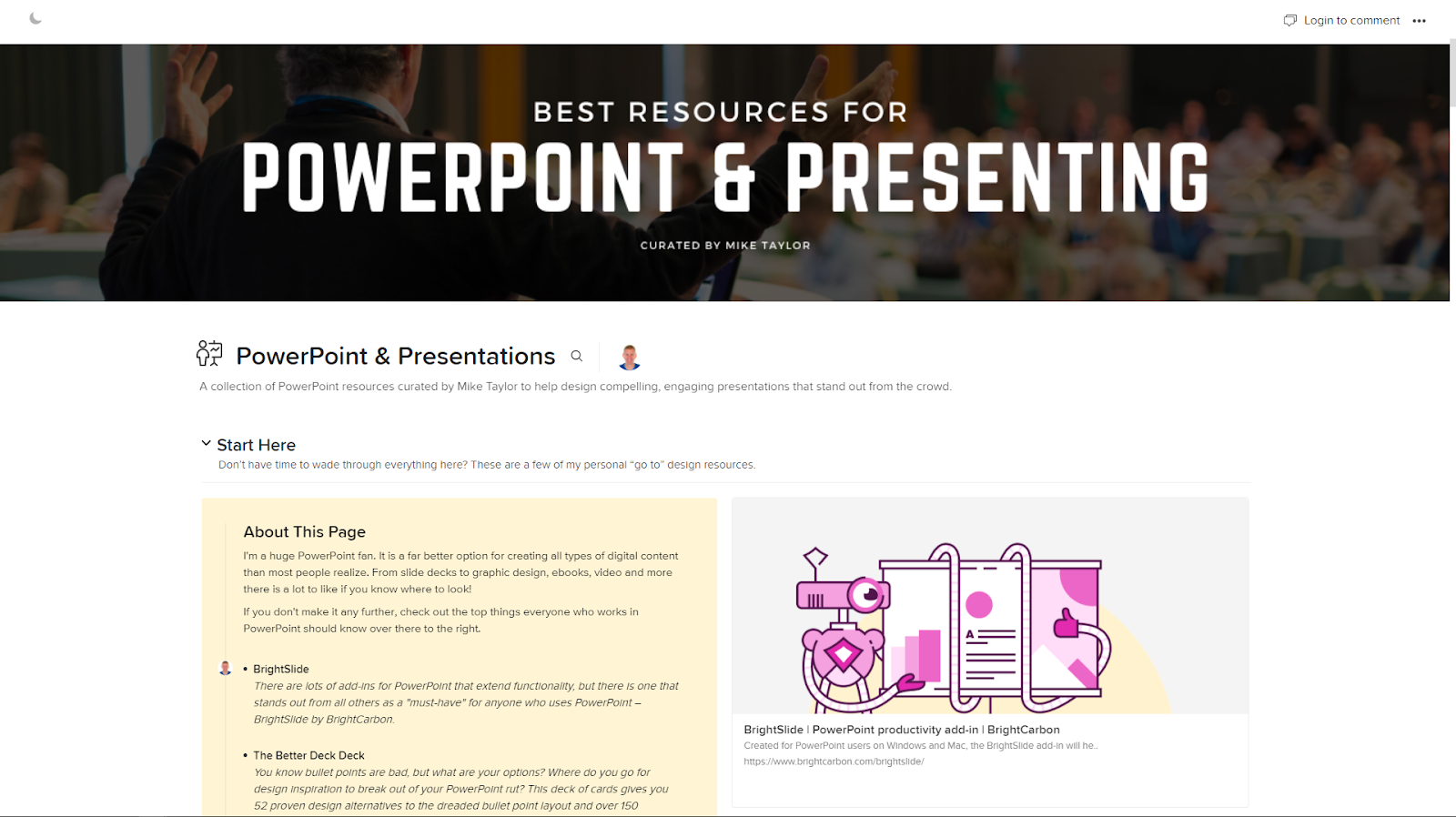
    If you can wait and want to see everything right now, I’ve collected all of my very favorite PowerPoint-related resources for you here.


    First Things First

    If you do nothing else, make these your first three steps:

    1. Get the free BrightSlide add-in.
      Go download BrightCarbon’s BrightSlide add-in. Seriously! Go over there and get it right now. You can thank me later. There is rarely, if ever, a time when I am working in PowerPoint and don’t appreciate having this amazing tool available to use.
    2. Round up all the design elements you’ll need.
      Make sure you’re ready with everything you’ll need like icons, fonts, photos, etc. I’ve gathered my favorites in this free ebook: “Filling Your Design Toolkit: Premium Assets on a Shoestring Budget”.
    3. Connect and follow the pros.
      You won’t know what’s possible until you see what top pros like Nolan Haims, Jole Simmons, John McWade and others can do with PowerPoint. 

    PowerPoint & Presentation Design Resources


    Multimedia Learning Principles

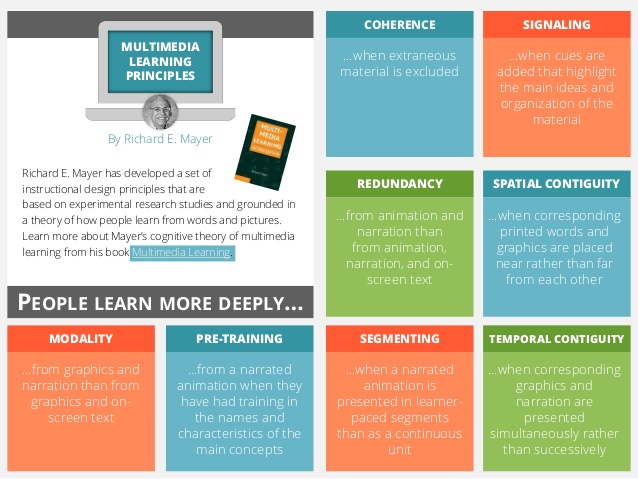
    It is important to know some of the science behind what works and what doesn’t. A great place to start is by learning about RIchard Mayer’s cognitive theory of multimedia learning grounded in a theory of how people learn from words and pictures.

    Multimedia Design Principles


    Filling Your Design Toolkit

    Filling Your Design Toolkit - The best free resources

    Once you’ve got a handle on how and why you should design slides a certain way, the next thing you’ll need is a toolkit with the design assets for creating them. Finding good, copyright-free design assets is like searching for a needle in a haystack—especially if you’re on a tight budget. This ebook points you toward the best free photos, icons, fonts and more.

    Free E-book


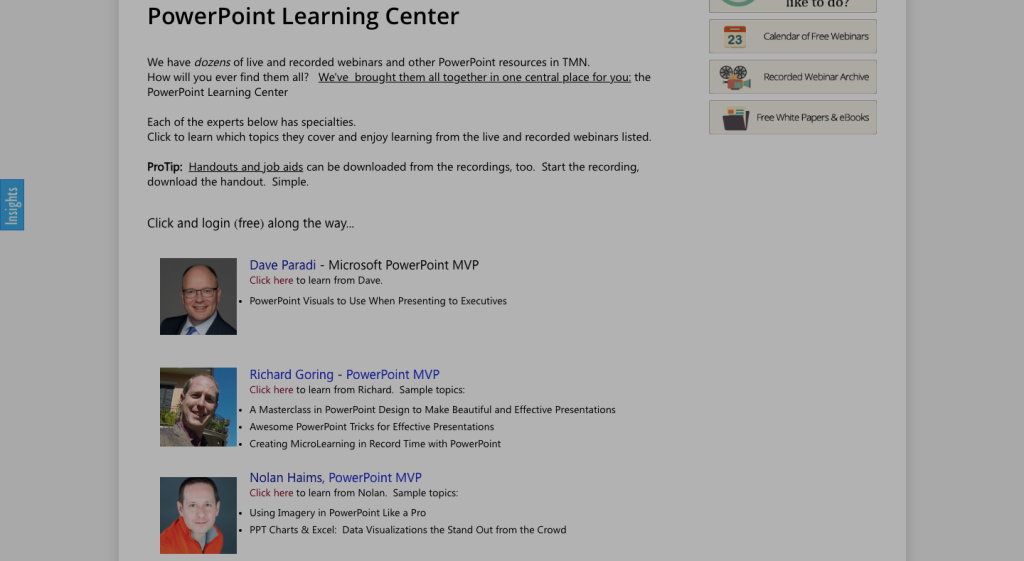
    TrainingMag PowerPoint Webinars

    You can find dozens of free recorded webinars from top PowerPoint experts all in one place
    trainingmagnetwork.com/powerpoint


    LinkedIn Learning

    There is a great collection of PowerPoint courses on LinkedIn Learning. If you only watch one, make it John McWade’s “Design a Compelling Presentation“

    linkedin.com/learning/topics/powerpoint (Check with your local library for free access.)


    How To Keep The Learning Going

    With the speed of change in today’s world, what we’re learning today will inevitably become outdated or irrelevant at some point in the near future. Instead of relying on any single source, the most successful among us will have a personal process for keeping up with everything we need to know. These will give you a fantastic headstart for keeping up with all you need to know about creating presentations and working in PowerPoint.

    BrightCarbon

    BrightCarbon has compiled a great set of resources to help you master the art of presenting and up your PowerPoint game, And they’re all free!

    brightcarbon.com

    While you’re there, you definitely want to grab BrightSlide, their PowerPoint add-in that will “help you create, polish, and edit presentations at speed.”


    Dave Paradi

    Check out Dave’s free email course and all his helpful resources — especially for presenting online.

    thinkoutsidetheslide.com


    Feedly

    Feedly is the best way to keep up with the topics you’re interested in. Create a free account and then import this .opml file to automatically get news & updates from the best PowerPoint sources. Be sure to add to them as you discover more!

    1. Create a free Feedly Account at feedly.com
    2. Download this .OPML file
    3. Go to https://feedly.com/i/cortex
    4. Upload the OPML file you downloaded above in step #2
    5. Schedule time to check in on the latest from these PowerPoint experts. 

    If you’d like these in a handout document form, you can grab a free copy here (just put in $0)

    https://gumroad.com/l/pptrockstar

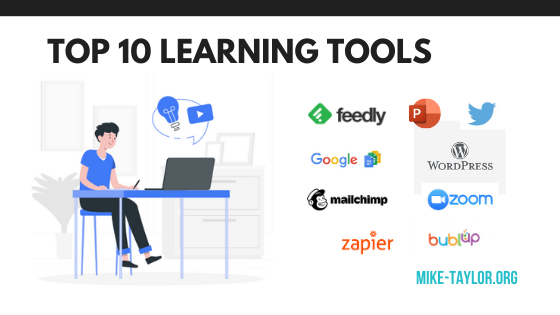
  • My 2020 Top 10 Tools for Learning

    My 2020 Top 10 Tools for Learning

    It is time once again for Jane Hart’s annual top tools for learning survey. And since I’ve been adding my contributions from the beginning (over a decade ago) I’ve got to keep my streak alive. Here are my top learning tools for 2020.

    Here are my personal top 10 learning tools for this year.

    1. Feedly

    Feedly is the foundation of my personal approach to knowledge management and helps me efficiently keep up with all the things I’m interested in.

    http://feedly.com

    2. Twitter

    Twitter is another important tool for finding, connecting, and learning along with other smart generous professionals. For me, it continues to be one of the best ways to connect with great people for conversations on relevant, professional topics.

    http://www.twitter.com/tmiket

    3. Zoom

    Given the current state of the world, there isn’t any way I could leave Zoom off of this year’s list. I doubt this needs much explanation as we’ve all likely spent a fair amount of time in Zoom sessions this year.

    http://zoom.us

    4. PowerPoint

    PowerPoint is another tried and tested tool for me. Beyond slide decks and presentations, I use it for graphics, print projects, videos and more. Microsoft has been adding tons of great updates and it just keeps getting better and better.

    http://powerpoint.com

    5. Canva

    We live in a visual world and when you need graphic design, Canva is the place to start. There are a lot of options for design tools out there but none that can top Canva for its combination of usability, breadth of content types, and great looking designs.

    http://canva.com

    6. Google Docs Suite

    This connected collection of tools makes it super easy to keep in touch and collaborate. By using some really useful add-ins (like Google Docs for WordPress) you can expand what you can do even further.

    https://www.google.com/docs/about/

    7. Zapier

    Zapier is an online automation tool that connects your apps and services. You can connect two or more apps to automate repetitive tasks without coding or relying on developers to build the integration. I use Zapier to do time-saving things like connecting user registration info from an online form to automatically enroll people in a webinar and/or related MailChimp learning campaigns.

    https://zapier.com/

    8.MailChimp

    Email marketing tools are a great way to create automated data-driven campaigns to support learning and performance efforts. (Side Note: There is a great-looking new campaign tool built specifically for L&D called Sparks that I’m excited about.)

    https://mailchimp.com/

    9. WordPress

    WordPress powers my personal website/blog serves and connects via Zapier with Mailchimp to power my weekly newsletter.

    https://wordpress.com/

    10. Bublup

    Bublup is a recent discovery that lets you save a whole host of things in a place that is easy to navigate at a glance with pictures and titles. Keep links in the same folders as PDFs, photos, videos, GIFs, notes, and other files. It all looks good together, it’s easy to share and collaborate with others and more. You can see one of my pages from Bublup here.

    http://bublup.com


    Honorable Mention

    Sparks

    I’m a big fan of learning campaigns and have done a number of them with marketing email tools like MailChimp and MailerLite. Sparks is a tool made specifically for use in learning contexts that has a lot of great things going for it.

    http://getsparks.com

    Revue

    I curate a lot of things and have tried tons of tools looking for an efficient process. If you ever have any interest in curating a newsletter, you should definitely consider Revue. I’ve just launched a new daily-ish “L&D Toolbox” newsletter experiment sharing new apps and tools for L&D pros. There are lots of benefits to writing a newsletter and Revue handles everything beautifully.

    http://getrevue.co


    OK, now it is your turn! You can submit your own top 10 learning tools list.

    Voting for Jane´s Top Tools for Learning global survey will close at noon (BST) on Friday 21 August 2020


  • The Show: Learning Design Competition

    The Show: Learning Design Competition

    If you work in Learning & Development, you owe it to yourself to check out “The Show”. Cath Ellis and Kim Tuohy have created a totally brilliant learning design competition that is currently running as part of the lead up to The Learning Conference 2020.

    https://www.youtube.com/watch?v=4bRkCXORU1E&feature=youtu.be

    It is like “March Madness” but for learning pros. It all started with 64 designers facing off against one another, designing learning solutions based on fictional briefs that change from round to round. The top vote-getters of each round advance as the field is narrowed down each week until the ultimate winner is crowned. Every episode is jam-packed with great tips and tricks

    I had the honor of being a guest for this week’s “Elite 8” round and was blown away by the submissions. This is one of the best things I’ve seen in a long time. One of my favorite things is the community that has formed around this and the opportunity to see so much great work being shared.

    Each week a design brief is shared and the designers set off to work. The result is a rich collection of designs offering a fantastic opportunity for anyone to learn about the thinking that went into each submission. This wonderful example of “working out loud” offers a chance for anyone to glean some practical takeaways that they can apply to their own work. From instructional design and project proposals to multimedia creation and content creation tools, I guarantee you’ll find something of value in here.

    A great resource for tools and ideas

    For example, the submissions we looked at in this round all had ideas anyone could use to improve any online course. Things like extending the course to an online community the way Amanda set up the pledge using Padlet, the way Emma added the ability to submit questions, or how Troy created the leaderboard with Google Sheets.

    Boost your own portfolio

    You could also use these briefs to flex your own design muscles and to create your own work and add it to your portfolio. If you don’t have a portfolio yet, this is a great opportunity to start one.

    Watch ‘The Show’

    Treat yourself and block some time to cruise through the YouTube channel and see what ideas you can take away from this amazing collection of work.

    If you’d like to learn even more, browse the briefs from each round and learn more about the participants and more over here in Milanote. (You can even learn something just from that app and how they organized all the content so nicely!)

    The Show Milanote

    So kudos to Cath and Kim! Now head on over and follow THE SHOW and vote for your favorite learning designs to help crown the Best Learning Designer 2020.


  • Book Review: Design Thinking for Training and Development

    Book Review: Design Thinking for Training and Development

    Unless you’ve been living under a rock for the past several years, you’ve probably heard a buzz about design thinking. If you’re only vaguely familiar, or you’ve been wanting to dive in and learn more about how it can benefit the work that you do, “Design Thinking for Training & Development” by Sharon Boller and Laura Fletcher is the book for you. 

    The essence of design thinking is involving the people who will be using something in the process of designing it. It applies important ideas such as empathy, context analysis, focus groups, and others to get better results. And better results is something we are all striving for, right? 

    This book is focused on how learning professionals can use design thinking to move beyond the typical “one and done” approach to better solutions that ensure learning sticks and drive better results for the organization.

    My favorite thing about this book is the primary principle it is founded on:

    “Recognize learning as a journey. People don’t learn from events; they learn from an experience that begins with them noticing a need to learn something and doesn’t conclude until they can consistently integrate the learning into their performance. Events don’t produce that integration; multi-pronged steps in a learning journey do.”

    Adopting this principle alone can have a huge impact on the way you approach learning design projects. This book gives you a collection of tools that help you put this into practice.

    Right from the start, I really liked how accessible this book is. From the opening pages, I was drawn in with the stories that illuminate the value of design thinking and further energized by the numerous tools Sharon and Laura have included that help you actually apply what you’re learning. I love the “Work On Your Own” sections that offer opportunities to put these techniques into practice in the context of your own work. 

    Many of these tools and techniques are things that marketers have successfully employed for ages to effectively engage and connect with their audiences. If you think about it, L&D shares the common goals of gaining attention and moving people to action. I’d suggest that marketers are generally much better at it. A design thinking mindset could be one of the key reasons for that.  

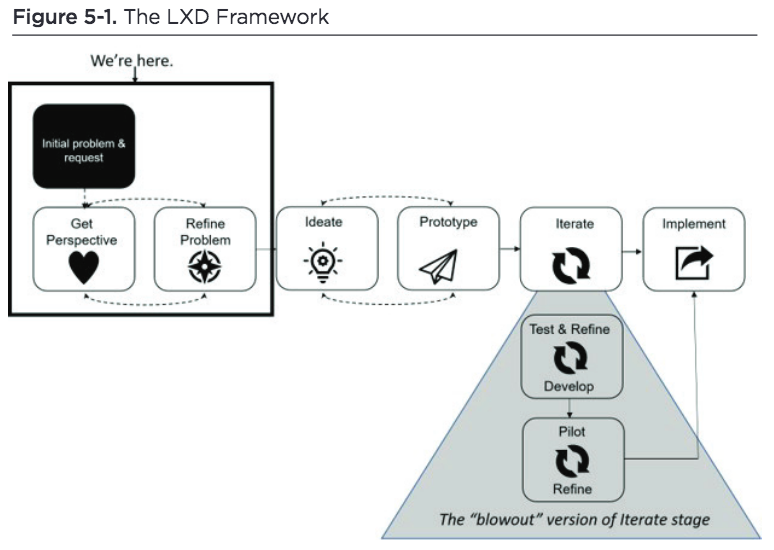
    From experience maps and learner journeys to personas and learning science, there are way too many gold nuggets in this book to cover them all. Here is just one example of how a design thinking perspective can help you get better outcomes from your L&D projects — the LXD Framework. 

    Consider how this LXD framework compares to traditional needs analysis. I think this model does a better job of balancing needs of the learners, the organization and any existing constraints. For example, in my experience traditional needs analysis is less likely to uncover the real performance issue that lives at the core of a training request. There has been way too much training rolled out for issues that are totally incapable of being solved by training. This way of thinking can help with that. 

    I highly recommend this book as a way to reimagine your perspective on learning design. From start to finish, there is a wealth of insights available to you. And the great thing is that you can try them all, or just start with the one thing that resonates with you the most. 

    I’m confident you’ll find valuable takeaways from this book that will help you improve the experience of your learners, that provides value to them, and offers important solutions to your organization. 

    With its hands-on, use-it-today approach, this book will get you started on your own journey to applying design thinking.


    Want to learn more? Check out Sharon’s conversation about this book with Karl Kapp over on LinkedIn and look for other reviews coming soon from Will Thalheimer and Connie Malamed.

  • Learning is the Ultimate Competitive Advantage

    Learning is the Ultimate Competitive Advantage

    Originally posted at https://www.change4growth.com/ideas-4-growth/2020/4/29/learning-is-the-ultimate-competitive-advantage-are-you-ready

    In today’s world everything is faster, more connected, and less predictable than ever before. As learning professionals, this rapid pace of change, means that we must move beyond the course-focused approach that has traditionally dominated most organizations.  

    The durability of the things we learn is eroding quickly. According to “A New Culture of Learning” by Douglas Thomas and John Seely Brown “The half-life of a learned skill is 5-years” – which means that much of what you learned 10 years ago is obsolete and half of what you learned 5 years ago is irrelevant. 

    A key implication of this fact is that the value of any static course depreciates faster and faster. For an increasing number of situations, taking months to create a course means that by the time it is published; it is already too late.  

    In his book, “Informal Learning: Rediscovering the Natural Pathways That Inspire Innovation and Performance“, Jay Cross recognized that “We’ve outgrown the definition of learning as the activity of an individual and moved back to an apprenticeship model, though at a higher level. We learn in context, with others, as we live and work. Recognizing this fact is the first step to crafting an effective learning strategy.” 

    A critically important question that every learning and development leader must be considering right now is “How can we help our people participate in a flow of up-to-date information that’s both relevant and helpful to their on-the-job performance?” 

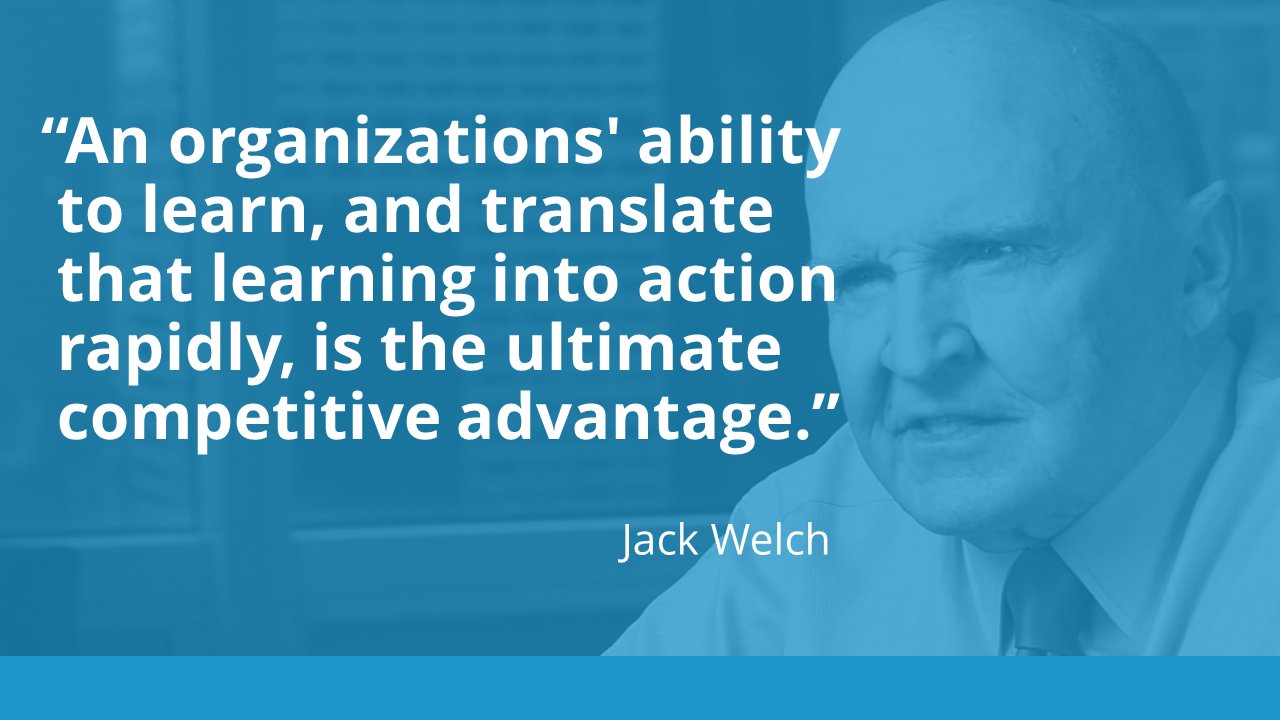
    The good news for the field of L&D is that learning is more important than ever.  I believe that learning has always been the ultimate competitive advantage. But don’t just take my word for it. There is a growing body of research suggesting that “the long-term financial performance of learning companies is significantly superior to that of their closest competitors.”1 

    So, what does that mean if you’re a leader who is looking to help your learning culture evolve to become a true competitive advantage? Here are a few things to consider:  

    • Don’t be afraid to experiment with ways that give your organization a better capability for solving problems and innovating to keep ahead of competitors. 
    • Look outside your own walls and even beyond your industry to see what others are doing. There are some innovative ideas that others have already successfully implemented.  
    • Look at things from a different perspective. For example, consider how a marketing campaign approach might benefit some of your learning programs.  
    • Look for and tap into any sharing spaces available in your organization. Commonly available platforms like Microsoft Teams, Yammer, etc. can be a great way to facilitate conversations and introduce your teams to the idea of information flows.  

    In times of rapid change, the key to success is learning. Those who are most receptive to change and able to learn the fastest are going to be the “winners”. 

  • SPACED LEARNING: AN INTRODUCTION & SOME TOOLS TO HELP YOU GET STARTED

    SPACED LEARNING: AN INTRODUCTION & SOME TOOLS TO HELP YOU GET STARTED

    The spacing effect is one of the oldest and best-documented phenomena in the history of learning and memory research. Research has repeatedly shown that using these techniques can increase the retention of new knowledge and skills. By basing your own learning designs off of these principles you can increase what your audience will remember.

    The spacing effect is one of the oldest and best-documented phenomena in the history of learning and memory research.

    However, the time and effort involved with managing the delivery of the repetitions can be a major challenge. In this post, we’ll explore tools and techniques that can help you craft campaigns that enable you to tap into the benefits of spaced learning in a way that is easy, efficient, and effective.

    Related Links & Resources

    Will Thalheimer

    For anyone who wants to learn about spaced learning, Will Thalheimer is *THE* place to start.

    Here are a few of his resources to get you started:

    Spaced Retrieval is like the aspirin of instructional design. It has multiple benefits and very few side effects.

    Will Thalheimer @willworklearn

    Spaced Retrieval is like the aspirin of instructional design. It has multiple benefits and very few side effects. @WillWorkLearn


    Brain Science: Enable Your Brain to Remember Almost Anything by Art Kohn

    • Repeat Rule of Thumb:
      • 2 days – “recognition boosters.”
      • 2 weeks – generative boosters.”
      • 2 months – “integrative boosters.”
    • Five Second Rule: 
      “boosters do not need to re-teach the material. Indeed, you have already taught it once and the learner does not need to encode the information a second time. Instead, the secret to effective boostering is simply to provide a retrieval opportunity that signals the brain that the information is important and should be retained.”

    https://learningsolutionsmag.com/articles/1423/brain-science-enable-your-brain-to-remember-almost-everything

    Tools & Resources

    Zapier Ultimate Guide to Email Marketing

    zapier.com/learn/email-marketing

    DIY Option: Zapier Guide to Email Automation

    zapier.com/blog/email-automation/

    MailChimp

    mailchimp.com

    MailerLite

    MailerLite.com

    Sparks

    withsparks.com

    IHG Hotels Case Study: https://withsparks.com/customer/ihg

    Qurve

    qurve.be

    EdApp

    EdApp.com

    Really Good Emails: Curated collection emails,

    ReallyGoodEmails.com

    Highbrow: 5-minute lessons delivered to your email inbox everyday GoHighbrow.com