This year, we created a series of 90s-themed cybersecurity games to support our annual compliance campaign.
Designing the games was the fun part.
Then came the less glamorous question:
How would we track who completed them?
The obvious answer was our LMS. It was also a much bigger answer than we needed.
The Games Expanded the Campaign
Our employees already had an annual cybersecurity course to complete. The games weren’t meant to replace it. They gave people more ways to notice, explore, and talk about the campaign around it.
These were short, fun challenges or browser-based games. One took employees through a social engineering scenario. Another turned a password challenge into a character reveal.
The 90s television theme gave the campaign a personality. Leaderboard points and prize drawings added curiosity and friendly competition.
Marketers create several ways for people to encounter a product. We wanted to create several ways for employees to encounter cybersecurity.
The annual course delivered the required learning. The games helped the larger campaign earn attention.
But every game raised the same tracking question.
What Did We Actually Need to Know?
As instructional designers, we’re good at building systems.
Sometimes a little too good.
A simple tracking request can quickly grow into conversations about LMS settings, SCORM packages, dashboards, data models, automation, and reporting rules.
Before building any of that, we stopped and asked:
What problem are we actually trying to solve?
We needed to know three things:
Who completed each game?
Who earned leaderboard points?
Who qualified for prize drawings?
We weren’t issuing certificates. The games weren’t part of anyone’s compliance record. We didn’t need detailed data about every click or choice.
We just needed to connect a completed game to an employee.
One Form. One Question.
Each game ended with a completion result. Depending on the activity, that might be a generated code, secret phrase, puzzle answer, or character name.
Employees clicked a link and entered that result in a Microsoft Form.
That was the entire process.
Because they were already signed in through Microsoft 365, Forms captured their identity and submission details. We didn’t need to ask for a name, email address, employee ID, department, or business unit.
The form had one question:
What is your completion code?
Why We Didn’t Use the LMS
We could have placed each game in our LMS. That would have provided more formal tracking.
It also would have created more work on both sides.
Employees might have needed to open the LMS, locate the right activity, launch it, move through several screens, and confirm completion.
None of those clicks would have improved the game. They would have created more distance between “That looks fun” and actually playing.
The LMS would have added work for our team too. Each activity would need to be packaged, uploaded, configured, tested, and maintained.
Even a small change could become a project. Fixing one instruction might mean editing the source, publishing the package again, replacing it in the LMS, and testing it one more time.
With Forms, we could update an instruction or code in minutes.
The LMS wasn’t the wrong tool. It was simply more tool than this job required.
Friction Works Both Ways
We often discuss friction as a learner problem. Every field, login, and extra click asks for a little more time and attention.
But learning teams pay for friction too.
They pay through added development, more testing, slower updates, and ongoing maintenance.
That doesn’t mean we should collect no data or avoid robust systems. It means the value of the information should justify the effort required to collect it.
For required compliance training, detailed records matter.
For a voluntary game and prize drawing, a one-question form may be enough.
The tracking method should match the stakes.
Our System Wasn’t Airtight
A submitted code showed that an employee had the code. It didn’t prove, beyond all doubt, that the person completed every part of the game.
Someone could share an answer.
We accepted that risk because these were optional campaign activities, not certifications or legal records. Making participation easy mattered more than building perfect proof.
Different stakes would have led to a different decision.
Simple worked because it was appropriate, not because simple is always better.
We Added Complexity When It Earned Its Place
Later, we connected the Forms data to Power Automate. That helped us manage leaderboard points and other campaign features.
We didn’t reject complexity. We added it when it produced clear value.
That sequence matters.
Start with the smallest system that solves the real problem. Then add new parts when you can explain exactly what they improve.
Otherwise, every new layer becomes something your team has to build, test, maintain, and feed.
The Bottom Line
The games helped our cybersecurity campaign earn attention.
Microsoft Forms lets us track participation without taking that attention away.
That’s the larger lesson. Treat learning like a product that needs to be marketed. Create reasons for people to notice it, explore it, and talk about it.
Then choose support systems that fit the purpose and stakes of the experience.
Nobody talked about our form.
Nobody talked about the automation.
Nobody talked about the reporting.
They talked about the games.
That was the clearest sign that we had spent our time on the right things.
Before they’ve finished their first cup of coffee, they’re facing dozens of unread emails, a handful of Teams notifications, back-to-back meetings, and a growing list of project deadlines. Somewhere in the middle of all that sits your carefully designed 30-minute eLearning course.
Now ask yourself a simple question:
What are the odds your course wins that battle for attention?
Not against another course.
Against everything else competing for that learner’s time.
That’s the reality many learning teams are facing today. We’re no longer operating in a world where training has a captive audience. Every piece of learning content must compete with email, chat messages, meetings, project work, internal communications, and an endless stream of digital distractions.
The challenge isn’t that people don’t want to learn.
The challenge is that attention has become one of the most valuable and limited resources in the workplace.
Learning Doesn’t Compete With Learning Anymore
For years, many L&D teams have operated under an assumption that sounds reasonable on the surface:
If we create good content, people will engage with it.
Sometimes they do.
But increasingly, the quality of the content is only part of the equation. Before learning can happen, learners must first decide that the experience is worth their time and attention.
That’s why a two-minute video can sometimes outperform a 30-minute course.
Not because it’s inherently better.
Not because it contains more information.
But because people actually watch it.
This isn’t really a discussion about video length. It’s a discussion about attention.
This Is Not an Argument for Shorter Learning
Let’s clear up a common misconception.
I’m not suggesting every course should become microlearning.
Complex skills take time to develop. Leadership capabilities aren’t built in sixty seconds. Technical expertise doesn’t emerge from watching a few short videos. Practice, coaching, reflection, and application still matter.
Depth matters.
What has changed is the path people take to reach that depth.
Many learning teams still design as though attention is guaranteed. Modern learners remind us every day that it isn’t.
Attention must be earned first.
Only then can learning begin.
What the Research Actually Says
One reason lengthy learning experiences often struggle is cognitive overload.
Cognitive Load Theory suggests that instructional designers should reduce unnecessary mental effort so learners can devote their limited working memory to what actually matters: learning. Research consistently shows that instructional choices can either support or hinder that process. [link.springer.com], [journals.sagepub.com]
The implication isn’t that shorter is always better.
The implication is that focused is better.
Clear is better.
Relevant is better.
Designing a 30-minute course isn’t the problem. Designing a bloated 30-minute course often is.
Every screen, interaction, example, and activity should earn its place.
Marketers Solved This Problem Years Ago
The interesting thing is that another profession has been dealing with attention challenges for decades.
Marketing.
Marketers know that an audience rarely takes action after a single exposure. That’s why they don’t launch a campaign with one email and hope for the best.
They build ecosystems.
One webinar becomes social posts, short videos, podcasts, infographics, email sequences, and follow-up content. The goal isn’t simply distribution. The goal is reinforcement.
The same principle applies to learning.
Too often, a learning need is identified, a course gets built, and everyone moves on.
From the project’s perspective, the work is done.
From the learner’s perspective, the journey has barely begun.
Think Campaigns, Not Courses
This is where I believe L&D can borrow one of marketing’s most valuable ideas.
Stop thinking in courses.
Start thinking in campaigns.
Imagine a manager training program.
The traditional approach might look like this:
Launch a 45-minute course.
Send two reminder emails.
Track completions.
Done.
A campaign approach looks different.
Week one might include a teaser video and an attention-grabbing story.
Week two introduces the core learning experience.
Week three gives managers a practical challenge to complete with their teams.
Week four shares success stories and reflection questions.
A month later, learners receive another reminder tied to a real-world scenario.
Same topic.
Same learning goal.
Completely different learning experience.
Why This Approach Works
One of the most replicated findings in learning science is the spacing effect.
Research has repeatedly shown that people tend to retain information more effectively when learning is distributed over time rather than delivered in a single event. [cognitivep…hology.com], [files.eric.ed.gov]
That finding should make every learning professional pause.
Because much of corporate training is still built around one-and-done experiences.
In other words, the science supports the campaign mindset.
The Metric We Should Care About
Another lesson worth stealing from marketers is how they define success.
Marketing teams don’t obsess over whether someone saw a piece of content.
They care about whether something happened afterward.
Did someone click?
Did they subscribe?
Did they buy?
L&D should ask similar questions.
Did someone apply the skill?
Did behavior change?
Did performance improve?
Did risk decrease?
Completion rates have value, but they’re not the outcome we ultimately care about.
They’re simply a milestone along the way.
In fact, the idea of borrowing attention, engagement, and reinforcement strategies from marketing is something I’ve become increasingly passionate about over the years. It’s also a theme I explore in much greater depth in my book, Think Like a Marketer, Train Like an L&D Pro, where I share practical ways learning professionals can apply proven marketing principles to drive engagement and behavior change. You can learn more at Train Like a Marketer.
Final Thought
The future of workplace learning isn’t about making everything shorter.
It’s about making everything more intentional.
A 30-minute course can absolutely outperform a 60-second video when it’s part of a broader ecosystem designed to capture attention, reinforce key ideas, and drive action over time.
The organizations that succeed won’t be the ones that create the most content.
They’ll be the ones that create the most meaningful touchpoints.
Because learning doesn’t compete with learning anymore.
An email lands in your inbox with the subject line Mandatory Annual Compliance Training—Complete by Friday.
Before you open it, you already know the plot: a slow march through policy slides, a quiz designed to prove you were technically present, and perhaps a cheerful stock photo of coworkers pointing at a laptop.
The course may surprise you. But the label may already be working against it.
“Mandatory” tells people why the organization needs the training completed. It does not tell them why the training matters, what problem it will help solve, or what they will be able to do afterward.
That is an administrative fact, not a value proposition. And yet we keep putting it in the headline.
The Requirement Is Fixed. The Framing Is Not.
People do not approach training as blank slates. They make fast judgments before the first screen loads. Will this be useful or irrelevant? Worth my attention or safe to skim?
The word mandatory makes that judgment easier. It places the training in the same mental bucket as expense reports, password resets, and forms that need three signatures. It answers the organization’s question—Do you have to do this?—while ignoring the learner’s question: What will this help me do, avoid, or understand?
A mandate may secure participation. It does not guarantee the motivation needed to learn or apply anything.
That is why required learning still needs positioning. Marketers rarely lead with the least appealing part of an offer. A gym does not advertise, “Pay us to sweat before work.” A financial planner does not promise, “Several forms and an uncomfortable discussion about death.” They lead with the outcome: more energy, less stress, a safer future.
Learning teams should do the same. You do not need to hide the requirement. You simply need to demote it. Lead with the reason to care, then include the deadline and completion rules as supporting details.
Change the Frame
Compare these announcements:
Before: Complete Cybersecurity Training After: Protect Your Team From the Attacks Employees See Most Often
Before: Annual Code of Conduct Training After: Know What to Do When the Right Choice Is Not Obvious
Before: Required Manager Training After: Handle Difficult Performance Conversations Without Making Them Worse
Before: Mandatory Data Privacy Course After: Avoid the Small Data Mistakes That Create Big Problems
Nothing about the requirement changed. The stronger versions simply make a more useful promise.
They give people something concrete to care about: a threat, a decision, a mistake, or an action they will be better prepared to take. The message shifts from “the company wants this” to “this could help me.”
Of course, the promise must also be true. Do not advertise the “most common attacks” if the course never identifies them. Positioning is not decoration. It is a clear and honest connection between what people need and what the learning experience delivers.
Four Better Ways In
When you write your next training announcement, try entering through one of these four doors. They overlap, and that is fine. Choose the one that offers the strongest truthful reason to care.
Relevance: Where will people use this? Spot the phishing tactics appearing in employee inboxes.
Risk: What costly mistake can they avoid? Learn the warning signs that can prevent one rushed click from exposing customer data.
Benefit: What becomes easier, safer, or less painful? Prepare for performance conversations that are clearer and fairer for everyone.
Action: What will people be able to do? Submit expenses correctly the first time and avoid delays or rejected reports.
Notice that none of these promises fun. They promise usefulness, which is a much better bargain.
Positioning cannot turn a bad course into a good one. Clever copy attached to a bloated click-through course is not marketing; it is camouflage. But poor positioning can make genuinely useful training feel worthless before it begins.
The Five-Second Test
Before you publish your next announcement, remove the words mandatory, required, compliance, and complete. Then read what remains.
Can someone tell why the training matters? Can they picture a situation where it might help? Is there a clear risk, benefit, or useful action?
Most importantly, would the message have any pull if nobody were tracking completion?
If not, you have written an instruction rather than a reason to pay attention. You may still get a green completion dashboard, but do not confuse that with learning.
Try This This Week
Find one announcement that begins with Required, Mandatory, or Complete. Rewrite its headline around relevance, risk, benefit, or action.
Keep the requirement in the message. Just stop asking it to do the work of the value proposition.
The course may have to be mandatory. The boredom does not.
A Better Way to Communicate Requirements See how meaningful explanations and autonomy-supportive language can preserve motivation even when a request is not optional.
Want to Train Like a Marketer? If this kind of thinking hits home, you’ll probably enjoy our book Think Like a Marketer, Train Like an L&D. It’s packed with practical, real-world ideas to help you make your learning clearer, sharper, and a whole lot more effective.
Learners aren’t losing the ability to pay attention.
They’re making rational decisions about where to spend it.
That’s not a capacity problem. It’s a design problem.
Attention Is a Resource. Not a Reflex.
Herbert Simon saw it coming in 1971. A wealth of information creates a poverty of attention. His point was precise: information doesn’t just compete for your learners’ attention. It consumes it. And attention, like money, gets allocated — not lost.
Daniel Kahneman confirmed the mechanism two years later. His research showed that people direct their focus based on perceived importance – not randomly, not based on elapsed time, but on whether the next moment seems worth it.
This isn’t attention deficit. It’s rational economics.
The Numbers Everyone Gets Wrong
Two numbers often drive the attention conversation in L&D right now. One is fabricated. One is real and widely misread.
The real one: 47 seconds. Gloria Mark at UC Irvine tracked screen-switching behavior for two decades. In 2004, people averaged 2.5 minutes on a task before switching. Today: 47 seconds, replicated across five independent studies. Philip Guo analyzed 6.9 million edX video sessions and found engagement collapses at 6 minutes — videos over 12 minutes got roughly 3 minutes of actual watch time.
The fabricated one: 8 seconds, shorter than a goldfish. A 2015 Microsoft report cited a nonexistent source. It spread because it felt true. It wasn’t.
These numbers get called attention limits. They aren’t. They’re exit decisions.
A learner who switches screens at 47 seconds has made a judgment: not worth it. The one who stops a video at 3 minutes has made the same call. Attention followed value until the value ran out. Then it went somewhere that offered more.
That behavior has a name. L&D built a model around it in the 1980s. Then mostly forgot it.
L&D Had the Answer. Forgot It Anyway.
John Keller’s ARCS model — Attention, Relevance, Confidence, Satisfaction — was built directly on Expectancy-Value Theory. The equation is blunt: motivation equals expectancy times value. Either factor hits zero, engagement hits zero. Not a drift. A cliff.
Research on relevance interventions confirms it.
When learners understand why content matters to them personally, engagement jumps across every measure.
Keller wasn’t describing good design. He was describing the entry fee.
The field had this for forty years and reached for a 10-minute timer instead anyway.
Marketers didn’t have that luxury. Their feedback loops — click rates, bounce rates, conversion data — made getting attention wrong immediately visible and immediately painful. That forced one rule above all others: earn attention before you spend it. L&D never faced that reckoning. So myths filled the void.
The Harder Question
Before you build anything, ask this: why would a learner believe the next 45 seconds is worth their attention?
Not whether the content matters. You know it does. Whether they’ll feel it in the opening moment, before you’ve done anything to earn their focus.
That’s your actual design problem. Not length. Not format. Not which authoring tool.
For eLearning: lead with stakes, keep it short (ideally under 6 minutes, if possible), and cut anything that doesn’t earn its place. Your learner is running a live cost-benefit call. Win it early or don’t win it.
For ILT and VILT, the research is consistent: attention in live learning tracks the instructor, not the clock. Relevance, interactivity, and stakes. Those are the levers. A timer is not.
Worth Your Attention
Interest Matters: The Importance of Promoting Interest in Education
This research highlights that fostering learner interest is not a superficial “nice-to-have” but a core engine for deep cognitive processing, persistence, and performance.
Designing Organizations for an Information-Rich World
Worth reading, not because it’s practically actionable, but because it reframes the whole problem: attention isn’t something that’s been damaged by technology. It was always scarce. Technology just made the competition for it visible. Short, readable, historically significant.
You spent three weeks on that compliance module. Got the objectives perfectly clear. Slide two, exactly where Gagne said they should be. Your instructional design was textbook.
Then you watched what happened: Learners skimmed the objectives and jumped ahead. Exit interviews revealed the pattern: “I knew what I was supposed to learn, so I didn’t pay attention to how.” Poor retention. Minimal application on the job.
Meanwhile, your colleague’s module—the one that starts with no objectives, just a failure scenario—had learners leaning forward, engaged, completing it in one sitting. Quiz performance was stronger. Six months later, managers reported better application.
It breaks every rule you were taught.
It works anyway.
Why?
The answer isn’t about engagement tactics or making training “fun.” It’s about something most instructional designers fundamentally misunderstand about how curiosity affects learning.
We think curiosity is the appetizer.It’s actually the main course.
The Conventional Wisdom Makes Perfect Sense
Robert Gagne’s Nine Events of Instruction have anchored systematic design for 40 years. For good reason. Event #2—”State the Objectives”—makes logical, ethical sense:
Learners deserve to know what’s expected. Objectives reduce anxiety. Clear expectations help learners organize information. Transparency respects their time.
Every instructional design certification teaches this. Every ADDIE process includes it. Lead with learning objectives? You’re being a responsible designer.
You’re also sabotaging the learning.
Not for the reason you think.
What We Got Wrong About Curiosity
Most of us carry the same assumption: Curiosity is an engagement tactic. Gets attention. Makes training feel less boring. It’s the motivational wrapper around the real content.
Curiosity = appetizer. Learning = main course.
That’s backwards.
What if curiosity isn’t decoration for learning—what if curiosity is how learning happens?
What Loewenstein Actually Discovered
In 1994, Carnegie Mellon psychologist George Loewenstein published research that should have changed everything.
Most people know the sound bite: curiosity is a “cognitive itch.”
They miss why that matters.
Loewenstein showed that curiosity isn’t a personality trait. Not a motivational boost. It’s a specific cognitive state triggered by a knowledge gap—the uncomfortable distance between what you know and what you realize you must know.
The itch only happens when you perceive something’s missing.
The critical insight: Curiosity requires just enough knowledge to recognize that the gap exists.
Too little knowledge? Confusion. Too much knowledge? No gap. Curiosity lives in between.
Most training never enters that zone.
Lead with learning objectives? You fill the hole before learners know there’s a hole to fill. You answer questions they haven’t asked yet. You solve problems they don’t feel.
The gap closes before it opens.
The Thing We’ve Been Getting Wrong
The conventional wisdom: Curiosity captures attention, then objectives structure the learning.
Twenty years after Loewenstein’s psychological framework, neuroscientists at UC Davis finally measured what curiosity does to memory. Matthias Gruber, Bernard Gelman, and Charan Ranganath put people in a brain scanner and had them learn trivia facts—some they were intensely curious about, others they didn’t care about at all.
The results were clear.
When people were curious, their brains showed two things: First, the same reward circuits that activate for food or money lit up for information. Curiosity isn’t just mental—it’s rewarding at a neurological level.
Second, and more importantly, the brain regions involved in memory formation showed dramatically enhanced activity.
Curious brains form stronger memories.
But here’s the finding that changes everything:
The memory enhancement wasn’t limited to the information they were curious about. When learners were in a curious state, they formed stronger memories for related information too—including details they weren’t specifically trying to learn.
Your compliance module just changed.
When you open with a knowledge gap about the $2M invoice error—before you explain the approval process—you’re potentially creating the same memory-enhancing state Gruber observed in the lab. While the research tested trivia, the underlying mechanism appears domain-general: the brain doesn’t distinguish between “curiosity about Beatles trivia” and “curiosity about approval checkpoints.” It responds to the knowledge gap itself.
The evidence suggests that curiosity-driven learning creates conditions where information sticks more effectively—not just the answer to the question, but the surrounding procedures, policies, and protocols you teach while learners are actively working to close the gap.
Loewenstein predicted this in 1994. Psychology. Neuroscience confirmed it in 2014. Biology. Most instructional designers still haven’t caught up.
Watch what happens in real time:
The learner sees three URLs. Almost identical. One cost $2M.
I know URLs. I know phishing. But I don’t know WHICH character matters.
Prior knowledge: activated. Gap: perceived.
They lean forward. Character by character. Domain by domain. What am I missing?
Questions generated. Attention locked.
When they spot it—that tiny subdomain difference—resolution floods in.
There.
That’s when memory formation happens most effectively. Not when they read the objectives slide listing “three types of phishing patterns to identify.” When they discover the pattern themselves while actively hunting for it.
That’s not engagement theater.
That’s learning.
The curiosity gap creates the conditions for deep processing—the productive mental work of building understanding that lasts.
Lead with objectives? Learners passively receive information. Lead with gaps? They actively construct meaning.
This is why the “wrong” design wins.
Not because it’s more engaging. Because the design creates the cognitive conditions where memory formation is most effective.
The Gagne Question: Is This a Contradiction?
If you’re a Gagne loyalist—and if you’ve been trained in systematic instructional design—this sounds like throwing out proven frameworks for trendy engagement tactics.
It’s not.
Loewenstein didn’t disprove Gagne. He updated him with 30 years of neuroscience Gagne didn’t have in 1985.
Gagne was right that learners need objectives. Right that systematic design matters. Right that structure reduces cognitive load.
He just put Event #2 in the wrong spot.
Gagne assumed learners needed the destination before they’d take the first step. Loewenstein proved they need to want the destination first.
The objectives aren’t wrong. The timing is.
The synthesis instructional design has been missing:
Keep Gagne’s structure. Create Loewenstein’s gap. Flip the sequence.
Traditional approach:
State objectives (Event #2)
Present content
Practice
Assess
Updated approach:
Activate schema (give just enough context to perceive the gap)
Open the gap (present the failure, anomaly, or question)
Sustain the gap (reveal information gradually as they work to close it)
Close the gap (NOW state the objectives—as the earned answer)
Transfer the gap (create a new scenario where they apply the pattern)
The objectives still exist. Still provide structure and clarity.
They’re just repositioned as the answer to a question the learner is already asking.
The Implementation Problem: Why Most Designers Get This Wrong
Some designers try this once and fail.
What usually goes wrong? They confuse mystery with confusion—threw learners into a vague scenario where nobody knew what domain they were in, what to pay attention to, or whether they could even solve the problem, and working memory collapsed under the weight of too many unknowns competing for too few cognitive resources.
The training didn’t just fail to engage. It actively overwhelmed.
Then they concluded: “Curiosity gaps don’t work. Gagne was right all along.”
But that’s like saying vegetables don’t work because you served raw, unwashed potatoes.
The implementation was wrong. Not the principle.
Loewenstein’s research was clear. Curiosity only works when the gap is:
Perceivable (learners can tell what they don’t know)
Specific (the missing information is bounded, not infinite)
Closeable (learners believe they can find the answer)
You can’t just throw learners into ambiguity and hope curiosity emerges. You need just enough frame to direct attention without spoiling the answer.
The frame prevents confusion. The gap triggers curiosity.
Compare these:
Bad gap (creates confusion):
“Here’s a $2M invoice error. Figure out what went wrong.”
What domain? Accounting? Data entry? Fraud? What am I looking for? Everything? One thing? Can I even solve this with what I know?
Anxiety spikes. Working memory overloads.
Good gap (creates curiosity):
“Three people approved this invoice before it went out. The amount was wrong from the first click. Your job: find which approval checkpoint failed—and why everyone missed it.”
Domain: clear (approval process) Task: specific (identify the failed checkpoint) Scope: bounded (it’s about process, not everything) Gap: present (I don’t know which checkpoint or why it failed)
The second version gives learners orientation without answers. They know what to pay attention to. They don’t know what they’re going to discover.
That’s where curiosity lives.
Why Your SME Will Hate This (And How to Win Them Over)
The SME conversation usually goes like this:
“Why waste time on mystery? Just tell them what they need to know.”
Fair objection.
Here’s the reframe:
When you lead with answers, you’re adding to the pile of 2,000 things they’re supposed to remember. Most of it disappears within a week—you’ve seen the post-training assessment data.
When you lead with the problem, something different happens. The information you give them isn’t competing with 2,000 other facts. It’s the answer to a question they’re actively trying to solve. Research shows memory formation is more effective when learners encounter information in a curious state—when they’re working to close a knowledge gap.
The SME’s content doesn’t change. The sequence does.
You’re still giving them all five vulnerability types. Still covering every approval checkpoint. Still delivering the same expertise.
We’re just repositioning it from “information to memorize” to “answer to a problem they’re trying to solve.”
And the sequence determines whether their expertise becomes information that fades or knowledge that sticks.
The Working Memory Question You Can’t Ignore
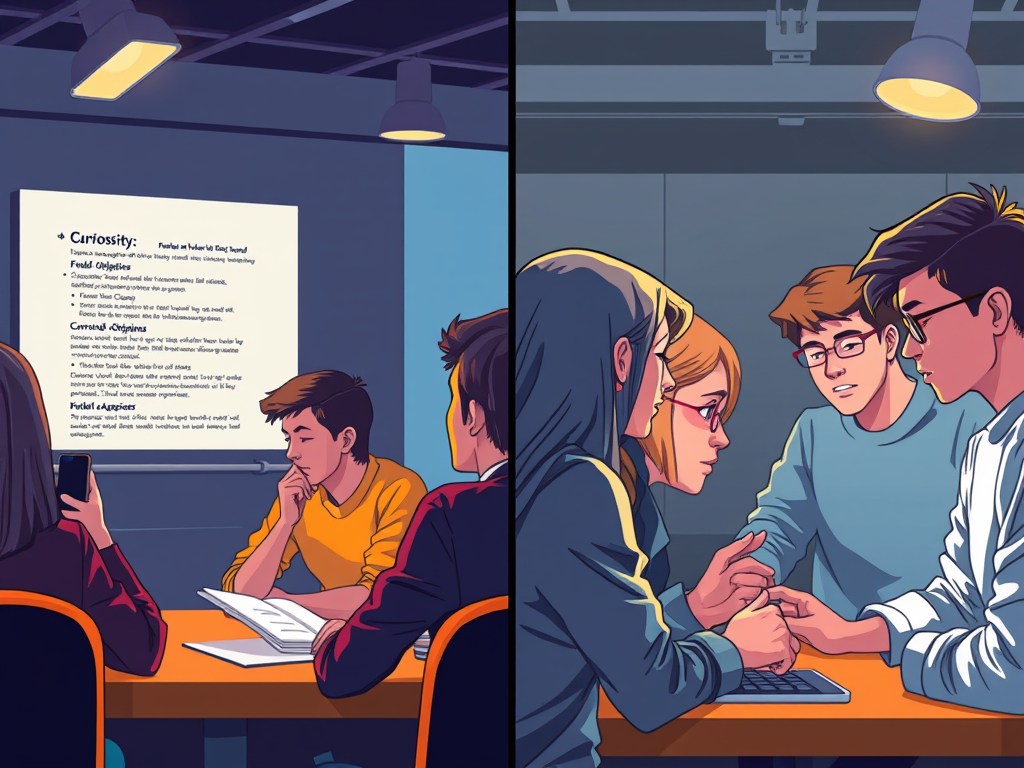
Picture your learner staring at that objectives slide.
Their brain is working. But on what?
Reading the bullet points. Trying to figure out why this matters. Wondering when the real content starts. Checking Slack.
That’s mental effort. But it’s not productive mental effort. It’s not building understanding. It’s just… busy work for the brain.
Cognitive load theory has a name for this: extraneous load. Mental effort wasted on poor design instead of directed toward learning.
Now picture the same learner encountering the $2M invoice error scenario.
Their brain is still working. But now it’s working on: What checkpoint failed? Why did everyone miss it? What pattern am I not seeing?
That’s also mental effort. But this time, the effort IS the learning.
Current cognitive load theory distinguishes between two types of load:
Intrinsic load (inherent complexity of the material)—UNAVOIDABLE Extraneous load (wasted mental effort from poor design)—ELIMINATE THIS
The goal isn’t to reduce all cognitive load. It’s to eliminate wasteful load so learners can direct their limited working memory toward productive cognitive processing.
Create a boring objectives slide? Extraneous load.
Create a confusing, unbounded mystery? Also extraneous load.
Create a bounded, directed knowledge gap? You minimize extraneous load while creating optimal conditions for learning.
The critical factor: Working memory capacity is limited. Research suggests we can hold about four chunks of information at once. During a curiosity gap, learners are holding:
The question or problem
Their activated prior knowledge
Attention to relevant cues
Meta-cognitive monitoring
Manageable—if you’ve provided the frame.
Without the frame? Add uncertainty about domain, confusion about task, anxiety about solvability. Working memory exceeds capacity. Extraneous load spikes. Confusion replaces curiosity.
The design principle:
Bounded + directed + solvable = optimal conditions for learning.
From Theory to Monday Morning: Redesigning Your Next Module
You probably have a module you’re working on right now.
Right now, it probably starts with objectives. A dutiful list of what learners will know and be able to do.
Your redesign framework:
Phase 1: Don’t Delete the Objectives—Delay Them
Your objectives aren’t wrong. Just premature. Move them from slide 2 to the moment after learners have encountered the problem the objectives solve.
Phase 2: Replace Event #2 with “Frame the Gap”
Open with three elements:
Domain specification (what realm are we in?)
Specific question (what don’t I know?)
Bounded scope (how big is this problem?)
Traditional objectives: “By the end of this module, you will identify three types of phishing URLs and explain how each exploits user behavior.”
Framed gap: “Three employees clicked three different links last month. One lost their password. One leaked quarterly forecasts. One triggered a $2M breach. The URLs looked almost identical. Your job: find what the security team missed.”
Same learning outcome. Different entry point.
One spoils the answer. One creates the itch to know.
Phase 3: Reveal Information Gradually
Don’t dump the content. Unfold it.
Let learners predict before you explain. Show examples before you give the pattern. Make the resolution earned rather than delivered.
Phase 4: State Objectives as Resolution
NOW—after they’ve wrestled with the problem—tell them what they just learned:
“Those are the three phishing patterns most employees miss: subdomain spoofing, homograph attacks, and URL parameter injection. You just learned to identify all three in context. Now let’s practice on new examples.”
The objectives become the answer, not the assignment.
The One Thing to Audit Right Now
You don’t need to redesign your entire curriculum today.
Start with one diagnostic question:
In your next module, are you answering questions learners haven’t asked yet?
If yes, you’ve found your gap opportunity.
The fix isn’t complicated. It’s sequential. You’re not removing information. You’re reordering when it appears.
I’ve built a tool that walks you through exactly how to audit your modules for curiosity gaps—and how to redesign them without starting from scratch.
It’ll show you where you’re spoiling answers, where you’re creating confusion instead of curiosity, and where you’re missing opportunities to turn passive content into active problem-solving.
The Bigger Picture
This isn’t about making training “fun.”
Not about engagement metrics or completion rates.
It’s about designing for how memory actually works.
The research is clear: Curiosity creates conditions where memory formation is enhanced. When you create the gap first, you’re not just capturing attention—you’re creating the conditions where the information you worked so hard to design actually sticks.
The question isn’t whether to use systematic design or curiosity-first design.
It’s how to synthesize both.
Structure that creates productive cognitive processing instead of passive information consumption.
If you aren’t digging holes before you fill them, you aren’t teaching. You’re just reciting.
Your next module starts Monday.
Slide two is waiting.
What will you do with it?
References
Gagné, R. M., Briggs, L. J., & Wager, W. W. (1992). Principles of instructional design (4th ed.). Fort Worth, TX: Harcourt Brace Jovanovich College Publishers.
Gruber, M. J., Gelman, B. D., & Ranganath, C. (2014). States of curiosity modulate hippocampus-dependent learning via the dopaminergic circuit. Neuron, 84(2), 486-496. https://doi.org/10.1016/j.neuron.2014.08.060
Sweller, J., van Merriënboer, J. J. G., & Paas, F. (2019). Cognitive architecture and instructional design: 20 years later. Educational Psychology Review, 31(2), 261-292. https://doi.org/10.1007/s10648-019-09465-5
Want more like this? The thinking in this post comes from Think Like a Marketer, Train Like an L&D Pro—a deeper dive into applying behavioral science and marketing psychology to learning design.
Email is far from outdated. With higher adoption rates than any of the “hot” social media apps, it remains a powerful yet overlooked channel for L&D teams to drive program awareness, participation, and impact.
Though it is often thought of as an “old school” strategy, sophisticated email marketing platforms allow you to create personalized experiences that capture attention and nurture continuous learning.
As remote and hybrid work becomes the norm, email is key for engaging distributed teams. This guide will explore five ways email marketing can benefit your L&D initiatives:
Create Visually-Compelling Emails
Well-designed emails stand out in crowded inboxes, guiding learners to take action. Follow principles like:
Mobile optimization for easy reading
Scannable content hierarchy with bullets
Compelling subject lines that spark interest
Clear calls-to-action to drive enrollments
Automate Scheduled Emails
Automated emails allow you to engage learners throughout their journey with touchpoints like:
Confirmation messages upon enrollment (As I recently posted, Zapier or other automation tools can help you connect other tools in your tech stack with your email tools.)
Reminder emails before deadlines to improve participation
Re-engagement nudges for inactive learners
Email marketing tools enable you to set triggers based on actions like completing a course or falling inactive for 30 days. This reduces effort while ensuring consistent communication.
Deliver Personalized Drip Campaigns
Drip campaigns involve sending targeted content over time to nurture continuous learning. You can tailor relevant microlearning content based on audience segments.
For example, group learners by departments, experience levels or program interests to deliver customized quick reads. Refine your approach based on engagement data for maximum impact.
Mapping email content directly to distinct learner needs leads to meaningful touches that gradually build knowledge instead of information overload.
Harness the Power of Analytics
Robust analytics help you gauge campaign effectiveness and optimize performance. Key metrics include:
Open rates to assess subject line relevance
Click-through rates to measure content engagement
Unsubscribe rates to identify improvements
Continually fine-tune your emails based on these insights to boost participation.
Embrace A/B Testing
A/B testing allows you to experiment with different versions of an email to see what resonates best. Test things like:
Subject line phrasing
Calls-to-action
Personalization elements
Email length and frequency
The key is setting goals, segmenting your audience, and letting data guide decisions to craft emails that compel your learners.
Getting Started
Kickstart your L&D email marketing strategy by:
Identifying your audience segments and email objectives
Mapping an editorial content calendar tailored to each segment
Crafting compelling subject lines and calls to action
Automating milestone emails to drive consistent engagement
There are a lot of great email marketing platform options out there. The one I recommend starting with is MailerLite. It has a robust free version that includes up to 1000 subscribers and many advanced features like automation and drip campaigns in the free tier.
It might be time to stop overlooking this high-powered channel. Email marketing platforms make it easy to create targeted, automated, and personalized experiences that captivate modern learners.
What email marketing questions do you have? Share in the comments!
In today’s world, we are constantly bombarded with messages from all sides. From the ads we see on TV and online to the social media posts we read from our friends and family, it’s hard to escape the pressure to conform. But if you want to stand out from the crowd and make your voice heard, you need to be able to craft persuasive messages that will get people’s attention and move them to think or do things in a new way.
There are five components of persuasive messages:
a clearly defined and articulated message
a strong emotional hook
a clearly defined audience
an explicitly stated Call to Action (CTA)
a well-designed package.
1. A Clearly Defined and Articulated Message
The foundation of any persuasive message is clarity and precision in its articulation. According to Miller (1956), our cognitive capacity for processing information is limited, suggesting that a clear, concise message is more likely to be retained and understood. In the context of learning design, this translates to the ‘chunking’ of information, a technique that breaks down complex ideas into manageable units, making them easier to process and remember.
Practical Application: When designing a keynote speech, focus on a singular, central idea. This approach ensures that your audience grasps the core message without being overwhelmed by extraneous details.
2. Containing a Strong Emotional Hook
Emotion plays a pivotal role in persuasion. Research by Damasio (1994) indicates that emotion is a critical component of decision-making processes. In marketing, appealing to emotions can significantly enhance the effectiveness of a message. This is where storytelling becomes a powerful tool with its rich sensory details.
Practical Application: Incorporate narratives that resonate emotionally with your audience. For instance, use a story that mirrors a challenge they face and how overcoming it led to success or growth.
3. To a Clearly Defined Audience
Understanding your audience is crucial. As Kahneman’s Dual Processing model suggests, messages that appeal to the ‘primal brain’ are more likely to be effective. This involves tailoring your message to the specific values, needs, and preferences of your audience.
Practical Application: Conduct audience analysis before crafting your message. This could involve surveys, interviews, or researching demographic data to understand their preferences, fears, and aspirations.
4. Ending with an Explicitly Stated Call to Action
A persuasive message should guide the audience toward a specific action. Heath & Heath (2007) in their book “Made to Stick,” emphasize the importance of concrete and actionable CTAs. This clarity in direction boosts the likelihood of the audience taking the desired action.
Practical Application: End your presentation with a clear, concise CTA. For instance, if your goal is to encourage learning professionals to adopt a marketing approach, your CTA could be as direct as inviting them to sign up for a workshop.
5. All Wrapped in a Well-Designed Package
The packaging of your message – which includes the visual and auditory elements – plays a significant role in its reception. Mayer’s (2009) Cognitive Theory of Multimedia Learning suggests that people learn better from words and pictures than from words alone. A well-designed message is aesthetically pleasing and aligns with the content’s tone and purpose.
The first impressions our minds make subconsciously influence the credibility, relevance, and even usability of our content.
Practical Application: Use visual aids and design elements that complement and reinforce your message. For text, this includes using a visual hierarchy that includes headlines, bullets, and other design elements to enable easy scanning.
Conclusion
By crafting a message that is clear, emotionally engaging, audience-specific, action-oriented, and well-packaged, you can significantly enhance your impact.
References
Miller, G. A. (1956). The magical number seven, plus or minus two: Some limits on our capacity for processing information. Psychological Review, 63(2), 81-97.
Damasio, A. R. (1994). Descartes’ Error: Emotion, Reason, and the Human Brain. New York: Avon Books.
Heath, C., & Heath, D. (2007). Made to Stick: Why Some Ideas Survive and Others Die. Random House.
Mayer, R. E. (2009). Multimedia Learning. Cambridge University Press.
This comprehensive exploration of the five core components of a persuasive message not only underscores their individual importance but also highlights how they synergistically work together to create a compelling and effective communication strategy.
We either don’t realize this or equate salespeople with shady characters who try to steal our attention, lie to us, and swindle us into buying things we don’t want. If you’re in that camp, I’d ask you to consider a few things.
Learning & development professionals want to make change happen, influence culture, and help people succeed, don’t they?
What are the best ways to convince your leaders, your co-workers or your stakeholders to action? What’s the best way to convince them to support your efforts or join your cause?
The answer depends on a lot of factors, but none of them involve elearning tools or learning management systems. If you want to really connect with your people and get better results ,you should seriously consider trying out some marketing tactics.
What are some things good marketers know that many L&D pros don’t?
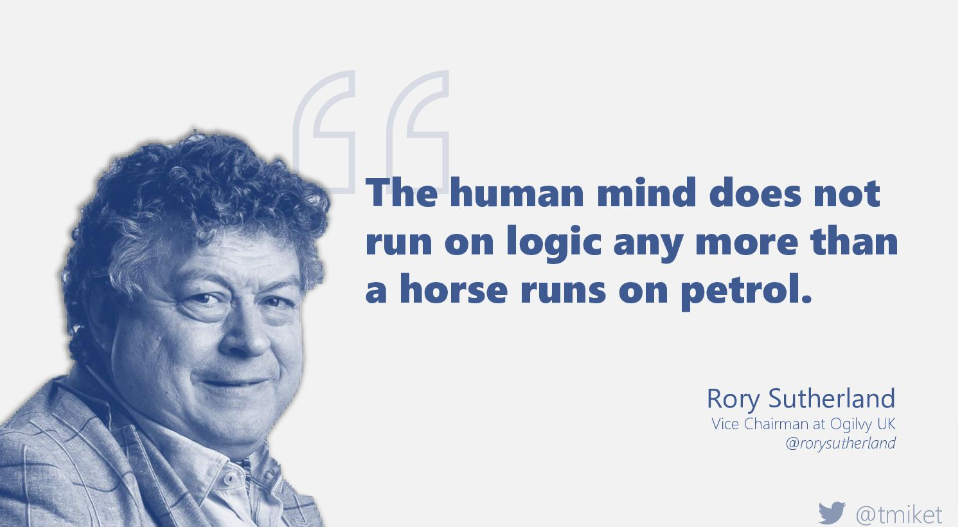
“The human brain doesn’t run on logic any more than a horse runs on petrol” -Rory Sutherland .
First impressions really matter. The first second of your content may matter than all the rest. (If there are any others.) .
Marketing done right changes the game. It can amp up your impact, help you create better designs, and most importantly give you a new perspective. A perspective that can unlock new and exciting new possibilities.
The best thing about it is that mindsets are free. This doesn’t require any expensive new tools or software. Just using what you have in an innovative new way that helps you:
Spread your message in a way that resonates
Save time, money and learn to use your tools more effectively
I’ve been a big believer in applying Marketing tools and techniques to L&D for a very long time and have seen the difference it can make first hand. Bianca Baumann and I are running a full-day pre-conference workshop on these topics at DevLearn – “Using the Marketing Playbook to Score Better L&D Results”.
We think it is a great way to adopt a new “marketing strategy” for your L&D efforts But don’t take my word for it here are what some of the previous participants have to say about it.
Past feedback:
Terrific class. More than worth the cost of the conference!! So good!
This was a great, information filled workshop. Very worth my time. I’ll be taking back a lot of ideas to try out at “home”.
Terrific information and tools. You were very generous in the resources shared with us. One of the most valuable aspects was having to work on applying learnings. Thank you!
Really great. I enjoyed the fast paced, new information; relevant and actionable for a project back home. Exciting new ways to educate myself and share the knowledge with my company. Great handout and activities. Both of you had great energy and it showed! Thank you for introducing me to these tools. Totally stealing everything!
Great session. I appreciated many of the resources and tools the instructors recommended. Gives us a good place to start and I feel our company can immediately apply what was learned today.
It was a great workshop. I loved that we covered a variety of topics so that we knew enough about lots of things that we could dig deeper on our own.
Excellent ideas and resources that I’ll be able to take back and apply right away.
Very helpful! Appreciated the ability to walk through a whole project (in manageable chunks) and also appreciated the wealth of tools we covered both in class and as part of the takeaway package.
Bianca Baumann and I invite you to join us at DevLearn to learn more about that marketing has for L&D pros
Imagine writing a set of emails just once that is sent to different people at different times when they need it most.
Despite all the hype for social networks and messaging apps, there’s only one online platform that everyone uses: email. You can send an email using any email service or application, and you’ll know it will reach the recipient. That makes email a great place to share your learning messages so they’ll be seen.
Among the most powerful and useful features of email marketing tools is email automation. You only have to set it up once, and it runs on its own. After that, you are able to send triggered emails without lifting a finger. It sounds complicated, but it is actually quite simple to set up.
Email automation involves sending emails automatically, without the sender having to do anything. There are a variety of “triggers” that cause the emails to be sent, such as something the subscriber does (a behavioral trigger) or a certain date or time frame (a time-sensitive trigger). You can use automated processes like these to send targeted emails at just the right moment..
Instead of manually sending an email to everyone who signs up for your learning program, you could set up a trigger so that every time a new participant registers, a welcome email is sent automatically.
You write the email once, but it continues to work hard and reach all your subscribers exactly when they need it.
You can send more personalized emails: In addition to taking the manual work off your plate, automated emails allow you to personalize your messages in a timely and relevant manner. .
Automated emails are opened more often: According to Epsilon, these types of triggered emails get 199% higher click-through rates than mass emails. .
If you’re not familiar with email marketing tools and what they can do, Zapier’s Ultimate Guide to Email Marketing is a nice place to get a good foundational understanding.
MailerLite
I recommend MailerLite as an email marketing tool to anyone who is just getting started. MailerLite makes it easy for you to automate your emails in the same way that huge companies like Amazon and many others personalize their emails to reach their customers.
Here are just a few examples of what you can do with email marketing tools like MailerLite:
An automated email message is the best way to acknowledge someone who signed up for content, make a positive first impression, and extend engagement by offering additional value.
Welcome emails can dramatically improve engagement metrics if they’re done right. Just remember—first-time impressions are powerful, so be thoughtful about what you want to say.
Automate an onboarding sequence
You can create automated sequences in which multiple emails are sent sequentially. A series of triggered emails allows you to break up your messaging and feed people information in a way that is timely and based on their actions.
Example: Onboarding Sequence
Step 1 – A new subscriber receives a welcome email.
Step 2 – Two days later an email is automatically sent with a product tour video.
Step 3A – If the subscriber watches the video, they receive an email one week later with a coupon.
Step 3B – If they don’t watch the video, they receive a different email sequence to re-engage them.
Whenever a new subscriber (or learner) is added, these sequences are automatically sent on whatever cadence you specify. If you find that part of a sequence is not effective, it’s easy to change specific parts without having to build a new sequence.
Automate educational content/online courses:
The great thing about online courses is that you make them once, and then people can sign up whenever they want. Your work is done!
When someone signs up for your course, an automated workflow can deliver the content at the right times. You can be the teacher at any given time and date! Your emails will be sent out automatically.
Automated emails guide your audience during every step of their journey—from the moment they get to know you until the conversion and beyond. Whether it’s just one person or thousands, you can easily engage with each individual subscriber.
If you’re just getting started these tools will help you get some traction without requiring a big investment or conquering a steep learning curve:
MailerLite
Full feature set including autoresponders for drip campaigns for up to 1,000 subscribers for free and a great email editor for creating great-looking emails. http://mailerlite.com
I’ve been a big fan of Canva for a long time now. There are so many things it can do and my favorite thing is how easy it is for anyone to create great designs in no time. Whether you need a quick graphic for social media, slides, a flyer promoting an event or a whole host of other things, Canva has got you covered with 10’s of thousands of pro design options.
While I’ve been using it a lot, I’ve missed some of the impressive updates they’ve added and wanted to share them with you. Here are some of my favorite workflow improvements and time savers:
Publish designs straight to Mailchimp
You may know that I’m also a fan of using email marketing platforms like Mailchimp for learning & development purposes. If you haven’t tried it out yet you should and now you can streamline your workflow even more by publishing Canva designs straight to Mailchimp.
Keep all your files at your fingertips
Now, you can seamlessly use all your Dropbox, OneDrive and Google Drive files to design and create anything, and save back them when you’re done! Spend less time remembering where you saved your files and more time.
Download Canva designs as Powerpoint
I’m also a huge PowerPoint fan and sometimes, I just need a powerpoint. Now with Canva, you can download your awesome Canva designs into a Microsoft Powerpoint presentation. Whether you’re creating graphics or presenting this is a fabulous option you should know about!
Other features worth checking out:
Presenter View (with notes!) for presenting like a pro
For the right scenarios, you might even consider using Canva to create and present your slides. As we just saw you can always export them to PowerPoint for final polishing, animating and delivery, etc.
Search for stock videos
Easily search from a growing stock video library for design projects that can benefit from video.
Find photos, right inside Canva + Pexels + Pixabay
Don’t interrupt your creative flow to find the perfect picture. Canva has thousands of photos (free & paid) plus integrates with free options from Pexels and Pixabay. You’ll love having these at your fingertips as you design.
What have you used Canva for? What is your favorite feature?









You must be logged in to post a comment.