You open LinkedIn, looking for one person’s take on one topic. Twenty minutes later, you’ve read four unrelated hot takes, a humble-brag about a promotion, and an AI-generated poem about “leadership.” The person you actually wanted to hear from? Buried three scrolls back, if you find them at all.
That’s not an accident. It’s not even really a feed — it’s a guess, made fresh every time you open the app, about what will keep you scrolling the longest. Sometimes that guess overlaps with what you actually wanted to read. Often it doesn’t.
Here’s the fix, and it’s been sitting inside LinkedIn’s search bar the whole time.
What we’re actually building
A feed made of only the people you chose — bookmarked, one click away, refreshed every time you open it. It’s not an official LinkedIn feature; there’s no button that says “Save My Custom Feed.” What you’re doing is building a very specific search, then bookmarking the URL it produces. LinkedIn doesn’t advertise this, but it works, and once it’s set up, it feels like cheating.
The real reason this is worth five minutes
Your feed is optimized to grab the fast, reactive part of your brain — the part that reacts to a bold claim or a hot take before you’ve decided whether it’s worth your time. That’s useful for the platform. It’s not useful for you.
A curated feed flips who’s in charge of that decision. Instead of your attention getting grabbed post by post, you decide up front, once, whose thinking is worth more of your time. Then the feed just… does that. Every time. That’s a small decision that keeps paying off — less noise, more signal, and twenty minutes back that used to disappear into the scroll.
How to build it
You’ll need two things: a list of names and about five minutes.
Step 1: Open a search. Click into the LinkedIn search bar at the top of the page and hit enter without typing anything — or type a + and hit enter. Either tells LinkedIn: don’t filter by keyword, just give me a raw search I can build on.
Step 2: Filter to Posts. You’ll land on a results page with tabs across the top — People, Jobs, Companies, and so on. Click Posts. Without this, you’ll get a mix of profiles and posts, and the feed you’re building needs to be posts only.
Step 3: Change the sort to Latest. By default, LinkedIn sorts by “Top Match” — the algorithm making judgment calls again. Switch it to Latest so you’re seeing things in the order they were posted, not the order LinkedIn thinks you’ll like.
Step 4: Add your people. Open All Filters and look for From Member (sometimes labeled “Posted by”). Start typing a name and select the right match — LinkedIn will often show several people with the same name, so check the photo or headline before you click. Repeat for everyone you want in the feed. There’s no cap most people will ever hit.
Step 5: Bookmark the result. Once your filters are set, you’ll see your custom feed. Bookmark that exact URL. That bookmark is now a live, standing search — click it any time, and LinkedIn re-runs it fresh, pulling in new posts from your list automatically.
That’s it. Five minutes, and LinkedIn is now working for you instead of the other way around.
What to know before you rely on it
A workaround has edges. This one lives in a bookmarked URL, not an account setting, so two things follow. First: it can break if LinkedIn changes how its search URLs are structured, which platforms do periodically — you’ll know because the bookmark dumps you on an error page or a blank results screen instead of quietly failing. Don’t panic, just rebuild the search; same five minutes it took the first time. Second: adding someone new means updating that URL yourself — right-click the bookmark, choose Edit, paste in the refreshed link, or just rebuild the whole filter from scratch once your list has grown enough to be worth it.
Make it work harder
Build more than one of these. A feed of five industry voices you trust. A separate one for people talking specifically about your niche topic. A third for competitors or peers you want to keep half an eye on — each is its own bookmark, and none of them cost you more than the five minutes it took to build the first.
You can also pair a feed with a keyword instead of the blank search: start with a topic — “instructional design,” in quotes for an exact match — then layer the From Member filters on top. Now you’re seeing only your chosen people, talking about only the topic you actually care about.
Check it on a schedule, not a compulsion. The whole point here is breaking the scroll habit, not building it a new home. Once a day, on purpose, beats the general feed on autopilot.
The bigger point
This is a small hack standing in for a bigger habit: deciding, on purpose, what gets your attention instead of letting a feed decide for you. LinkedIn happens to be where this particular trick lives right now. The instinct behind it — curate before you consume — is the same one worth applying everywhere your attention is for sale. Twenty minutes back, every time you open the app, adds up faster than you’d think.
Why Most Resource Libraries Fail — and What Real Curation Looks Like Instead
There’s a folder. You know the one.
It lives in your bookmarks, a shared drive, or a Teams channel someone created with good intentions in 2021. It’s called something like “Learning Resources” or “Good Stuff” or — the tell — “TO SORT.”
Inside: a TED Talk on psychological safety. Three articles on microlearning you meant to read. A LinkedIn post from someone whose name you can’t quite place. A PDF from a conference two years ago. A YouTube video your manager forwarded with the message “could be useful?”
This is not a curated collection. This is a content landfill.
The distinction matters more than most L&D professionals realize. The difference between the two isn’t the content. It’s everything surrounding it. And confusing them is costing learners more than we’d like to admit.
Collection vs. curation: a three-question test
Pick any item from your folder. Answer these three questions honestly:
Why is this here? Not “it seemed good” or “someone sent it.” What specific learner need does it address? What performance gap does it help close?
Why this instead of something else? What did you consider and reject? What makes this the right resource for this person, in this context?
What does a learner do with it? Where does it fit in their experience? What comes before and after? What should they think, do, or question as a result?
If you can answer all three, you have a curated resource. If you’re reaching — if any answer is honestly “I’m not sure, it just seemed relevant” — you have a collected item.
Neither is wrong as a starting point. The problem is when we stop there and call it curation.
The inversion that changes everything
Accidental collection happens when we’re paying attention. We read something sharp and save it. We encounter a framework that would have helped us five years ago and file it away for the learner who’s five years behind us now. Good instinct.
The problem is what happens next. Usually: nothing.
The item sits in the folder. The folder grows. When a need arises, we either dig through it hoping something fits — or we ignore it entirely and search from scratch. Which is how the folder got so large in the first place.
Intentional curation starts somewhere different.
Not “I found something worth saving” but “I have a learner with a specific need.” That inversion — need first, content second — is what separates a curator from an aggregator. It sounds small. It isn’t.
Starting with the learner’s need means defining it with precision before touching a single resource. It means asking what success looks like — not for the content, but for the person. It means the first act of curation happens before any content is involved at all.
Most of us skip this. Content is visible and concrete. The learner’s need is abstract and requires work to define. So we go straight to the resources and call it done. This is why our SharePoint sites look the way they do.
The judgment that makes it professional
Here’s what actually separates a curated collection from a content dump: the presence of someone’s judgment, visible throughout.
Not just in the selection — though selection matters — but in the arrangement. The framing. The connective tissue between pieces. The explicit reasoning for why this resource and not that one.
Consider the difference between these two entries in a leadership development pathway:
Option A: “Why Leaders Eat Last — Simon Sinek (YouTube, 45 min)”
Option B: “Why Leaders Eat Last — Simon Sinek (YouTube, 45 min). Start here. Sinek’s framing on safety and trust sets up everything that follows. If you’re short on time, watch the first 15 minutes and come back to the rest.”
Same resource. Different experience. The second version carries a fingerprint — evidence that a thinking person made a decision on the learner’s behalf. That fingerprint is the value. The content is just the material it works with.
This is also why “AI can curate for us” deserves scrutiny. AI scans breadth efficiently. It surfaces volume in minutes that would take a human researcher days. What it cannot do is make the call about what’s right for this learner, in this context, with this performance gap and this organizational culture. That requires someone who knows the learner. Which is you.
What learners actually experience
Learners are more perceptive than we give them credit for. They know the difference between a collection designed for them and one assembled in their general direction.
A designed collection has a point of view. It makes choices visible. It tells the learner not just what to engage with but why this matters to you specifically — and that framing often determines whether they engage at all.
A dumped collection does the opposite. Open a SharePoint folder with forty-seven unorganized resources and no guidance. The experience is not “I have so much to learn from.” It’s “I don’t know where to start, so I’ll close this tab.”
Nielsen Norman Group research on information overload consistently finds that users presented with undifferentiated content lists abandon them at high rates — not because they lack curiosity, but because the cognitive cost of navigation exceeds the perceived reward.
More content, less learning. The irony is real.
Every resource that doesn’t belong is a tax on every learner who has to look past it to find the one that does. The curator’s job is to eliminate that tax — to reduce the cost of getting to the right thing so much that getting there feels effortless.
Try this before your next project
Before you open a browser tab, write one paragraph. Who is this learner? What do they need to be able to do? What does a successful outcome look like — not for the content, but for the person?
Then find content that serves that description. Evaluate what you find against it. Arrange what you keep in an order that creates a progression, not a list. Tell the learner why each piece is there.
That’s the whole shift. It takes longer than grabbing the first three things that seem relevant. It produces something that actually works.
More than that: it produces something learners can tell was made for them. In an environment drowning in content, that feeling is rare. It’s also what makes them come back.
Are you an L&D pro looking to make your mark? The learning landscape is changing fast. Your skills matter more than ever before.
In this field, some professionals rise above the rest. But how? What sets them apart isn’t just what they know. It’s what they do differently every day.
Here are three key habits that top L&D leaders practice. These aren’t complex strategies. They’re simple actions that yield big results. By adopting these practices, you’ll build more than just a career. You’ll create a reputation as someone who moves the whole profession forward.
Ready to stand out? Let’s explore three practices that anyone can do to transform their L&D journey from good to exceptional.
Tip #1: Always be learning!
This one should go without saying….but sadly, it is one I see a fair number of people failing at. Dedicate time on your calendar to keep up with the latest in your field. As Seth Godin asks, “Did you do the reading?” “The reading isn’t merely a book, of course. The reading is the difficult work of learning to think with the best. It means staying caught up. It means understanding. The reading exposes you to the state of the art. The reading helps you follow a thought-through line of reasoning and agree, or even better, challenge it. The reading takes effort. If you haven’t done the reading, why expect to be treated as a professional?” In this post, I share my personal setup, which gives you a good start. But you can personalize this for whatever works best for you:
Why this works for L&D professionals: As learning experts, we should model the behaviors we promote. Following learning sciences research, adult learning theories, and emerging instructional technologies shows that you practice what you preach. The most influential L&D professionals stay informed about workplace learning trends, neuroscience breakthroughs, and technological advancements before they become mainstream training approaches.
Enhanced approach for L&D: Create a “learning portfolio” showcasing how you apply new methods to your own development. For example, if you’re exploring microlearning, document your experience with a 30-day microlearning challenge. Join communities like the Learning Guild, ATD, or specialized LinkedIn groups where L&D professionals discuss latest research. Consider obtaining certifications in emerging areas like learning experience design or data-driven training evaluation.
Tip #2: Share what you learn (Work Out Loud)
The quickest & easiest way to get started is to reshare things from other people that you find helpful. In the long-run, try to write and talk about the things your learning. Ideally, you’ll have your own “home” on the web. Try to get yourname.com It is cheaper & easier than you think. Use an automated scheduling tool like Buffer to share the gems you find on social media sites like LinkedIn.
Why this works for L&D professionals: Sharing learning insights positions you as a practice leader while demonstrating your instructional design and communication skills. Publishing case studies, practical applications, or even thoughtful questions shows potential employers and clients that you can translate learning theory into practical value. Your shared content becomes both a portfolio and proof that you understand knowledge transfer principles.
Enhanced approach for L&D: Create content that bridges academic learning research with practical workplace application. Consider starting a blog series like “Research to Practice” where you translate academic findings into actionable training approaches. Develop and share templates, assessment tools, or learning frameworks that others can adapt. Document mini-experiments when you test new learning approaches, sharing both successes and failures transparently.
Tip #3: Find a way to help your community
Whether it’s peers, clients, or other industry professionals, offer your expertise to solve real problems in the L&D community. Volunteer to mentor new instructional designers, host learning circles on challenging topics like measuring training ROI, or create free resources that address common pain points. Consider partnering with non-profits who need learning programs but lack resources.
Why this works for L&D professionals: In a field centered on developing others, your ability to contribute meaningfully to your professional community demonstrates both your expertise and your commitment to the profession’s core values. These contributions create authentic relationships with peers and decision-makers while providing real-world testing grounds for your approaches.
Enhanced approach for L&D: Create a signature contribution that leverages your unique background or specialty. If you have expertise in a particular, offer to help peers with that aspect of their training programs. If data visualization is your strength, run workshops on creating more impactful learning dashboards. Become known as the go-to person for a specific challenge that many L&D professionals face, such as increasing learner engagement or designing for accessibility.
Putting It All Together for L&D Success
For learning professionals, these three practices create a compelling professional narrative: you continually refresh your own expertise, translate that knowledge into shareable insights, and apply your skills to strengthen the broader L&D community. This approach demonstrates that you understand both the science of learning and the practical business of implementing effective learning solutions.
The most respected L&D professionals don’t just create great training—they advance the field through their own learning journeys and community contributions. By making these three practices a habit, you transform yourself from a training provider into a recognized learning leader whose influence extends beyond your immediate organization.
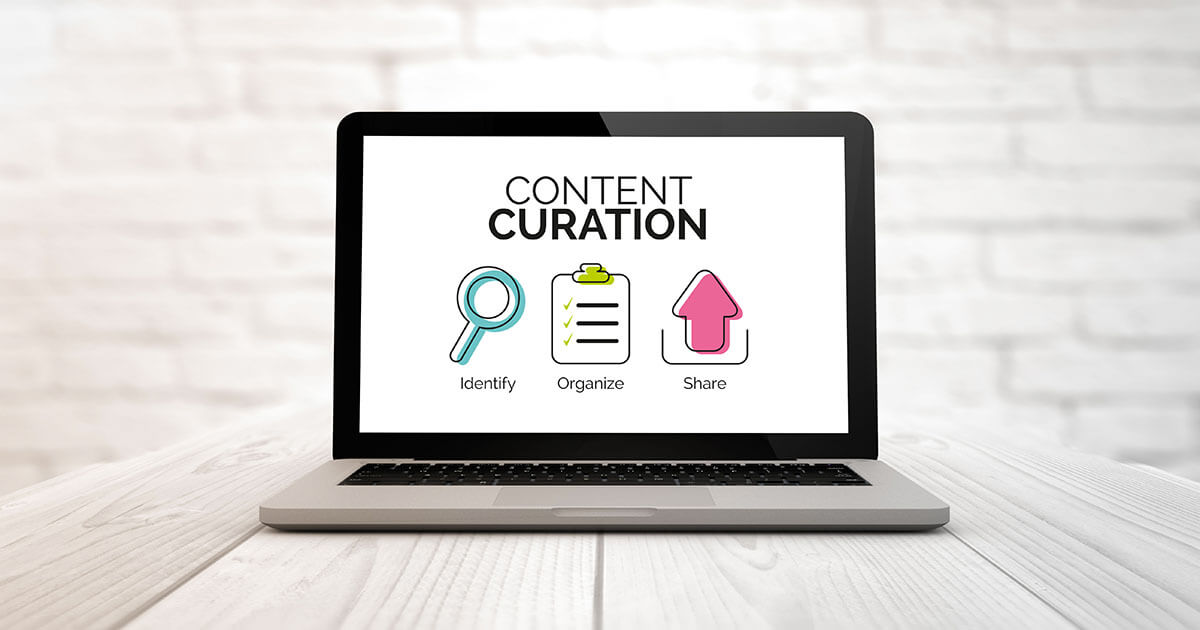
Content curation in Learning & Development is the strategic process of gathering, evaluating, organizing, and sharing the most relevant learning resources for your organization’s specific training needs. Rather than creating all content from scratch, effective curation identifies high-quality existing materials and thoughtfully integrates them into your learning programs.
The CURATED Model: A Framework for Effective Content Curation
My CURATED model provides a systematic approach to content curation that ensures quality and relevance. This model serves as the foundation for the toolkit that follows:
C – Conceptualize
Clearly define what you’re looking for and why it matters
Establish the purpose of your curation effort
Identify specific learning needs and objectives
U – Uncover
Search for content from diverse and relevant sources
Cast a wide net to find potential resources
Apply a lens of curiosity during content discovery
R – Research
Evaluate the quality and credibility of potential content
Read/watch/listen completely, not just skimming
Consider the authority of the sources
A – Assemble
Organize selected content in meaningful ways
Create logical connections between resources
Build a structure that supports your learning goals
T – Transform
Add context and insights to make content more relevant
Personalize to your audience’s specific needs
Connect abstract concepts to practical applications
E – Elevate
Share content with appropriate audiences
Make resources easily discoverable
Present content in a way that engages learners
D – Discuss
Encourage dialogue around the content
Create opportunities for questions and insights
Facilitate communities of practice around topics
This model provides a structured workflow for content curation that ensures you’re not just collecting content but transforming it into valuable learning experiences that spark meaningful conversations.
Why Content Curation Matters
Resource Efficiency: Developing original content is expensive and time-consuming. Curation allows you to leverage existing high-quality materials while focusing internal resources on creating only what’s truly unique to your organization.
Information Overload Management: Employees face overwhelming amounts of information. Curation filters out the noise and delivers precisely what learners need to know.
Rapid Response to Changes: In fast-evolving industries, curation enables quick deployment of up-to-date knowledge without lengthy development cycles.
Diverse Learning Experiences: Curated content naturally incorporates multiple perspectives, formats, and teaching approaches, enhancing the learning experience.
Just-in-Time Learning: Effectively organized curated content enables employees to access specific knowledge exactly when they need it.
The Content Curator’s Role
As an L&D content curator, you serve as:
A Trusted Filter who ensures only quality, relevant content reaches learners
A Strategic Connector who links learning resources to specific business goals
A Context Provider who helps learners understand why content matters to their work
A Learning Pathway Designer who sequences content for optimal development
Signs of Successful Content Curation
Learners spend less time searching for information and more time applying it
Training programs stay current with industry developments
Learning engagement increases as content relevance improves
Training costs decrease while effectiveness increases
Knowledge sharing becomes embedded in organizational culture
This toolkit provides a systematic approach to content curation, helping you build high-impact learning experiences through thoughtful selection and organization of learning resources.
Format: _________________________________ Time Required: _________________________
Core Evaluation Areas
Rate each area on a scale of 1-4 (1=Poor, 4=Excellent)
Evaluation Area
Rating (1-4)
Key Considerations
Content Quality
• Accuracy & currency • Relevance to learning objectives • Appropriate depth for audience
Learner Experience
• Engagement level • Appropriate difficulty • Time efficiency
Practical Value
• Direct job application • Addresses skill gaps • Solves actual problems
Organizational Fit
• Aligns with business goals • Compatible with systems • Cultural alignment
OVERALL SCORE: _____ / 16
Decision Guide
Score
Decision
13-16
✓ Use immediately – High-quality content
9-12
⚠️ Consider with caution – May need supplements
5-8
⚠️ Use only if necessary – Significant gaps exist
1-4
✗ Reject – Not suitable for needs
Quick Notes
Rapid Assessment Questions
If pressed for time, answer these five critical questions:
Does this content directly support our specific learning objectives? □ Yes, completely □ Mostly □ Partially □ No
Is the information accurate, up-to-date, and from a credible source? □ Yes, completely □ Mostly □ Partially □ No
Will our learners be able to immediately apply this to their work? □ Yes, completely □ Mostly □ Partially □ No
Is the time investment proportional to the learning value? □ Yes, completely □ Mostly □ Partially □ No
Does this content fit our technical environment and culture? □ Yes, completely □ Mostly □ Partially □ No
If you answered “Yes, completely” or “Mostly” to at least 4 questions, this content is likely worth including.
L&D Content Curation Toolkit for Beginners
Introduction
This toolkit will help you systematically evaluate and select high-quality learning content for your corporate training programs. Use this as a step-by-step guide to make confident content curation decisions.
Before You Begin: Content Evaluation Checklist
Clearly defined learning objectives identified
Target audience and their needs analyzed
Existing content gaps documented
Key stakeholders consulted
Available delivery platforms identified
Comprehensive Content Evaluation Rubric
Instructions:
Rate each content piece on all criteria using the 1-4 scale
Calculate section averages and overall score
Use the decision framework to determine next steps
Document your reasoning in the notes section
Content Quality Assessment
Criteria
1 (Poor)
2 (Fair)
3 (Good)
4 (Excellent)
Score
Accuracy
Contains significant factual errors or outdated information
Contains minor inaccuracies or somewhat outdated information
Information is generally accurate with minimal issues
Information is fully accurate, up-to-date, and well-researched
Relevance to Learning Objectives
Content has little connection to defined learning objectives
Content partially addresses learning objectives but with significant gaps
Content addresses most learning objectives effectively
Content perfectly aligns with and fully supports learning objectives
Depth & Comprehensiveness
Superficial coverage of topic; lacks necessary detail
Basic coverage with some detail but missing important elements
Comprehensive coverage with appropriate depth for audience
Exceptional depth that builds thorough understanding while remaining accessible
Clarity & Organization
Disorganized, confusing, hard to follow
Somewhat organized but with inconsistent structure
Well-organized with logical flow and clear structure
Exceptionally well-structured with perfect progression of concepts
Section Average:
Learner Experience
Criteria
1 (Poor)
2 (Fair)
3 (Good)
4 (Excellent)
Score
Engagement Factor
Dry, passive, likely to bore learners
Somewhat engaging but relies heavily on passive learning
Engaging with good balance of passive and active elements
Highly engaging with excellent interactive elements and relevant examples
Accessibility
Not accessible to diverse learners; significant barriers exist
Limited accessibility features; some barriers remain
Accessible to most learners with few barriers
Fully accessible with options for different learning styles and needs
Appropriate Difficulty Level
Too advanced or too basic for target audience
Somewhat mismatched to audience skill level
Appropriate challenge level for most target learners
Perfect difficulty progression that challenges but doesn’t overwhelm
Time Efficiency
Length/time requirement is inappropriate for the content value
Length is somewhat excessive or insufficient
Time required is appropriate for the learning value
Optimally time-efficient with no wasted content
Section Average:
Technical & Practical Considerations
Criteria
1 (Poor)
2 (Fair)
3 (Good)
4 (Excellent)
Score
Format Suitability
Format does not support the learning objectives
Format somewhat supports objectives but not optimal
Format effectively supports learning objectives
Format perfectly enhances learning and retention
Technical Quality
Poor production quality; technical issues interfere with learning
Acceptable quality with minor technical issues
Good technical quality with no significant issues
Excellent production value that enhances the learning experience
Integration Potential
Difficult to integrate with existing learning systems/programs
Can be integrated with significant modification
Integrates well with minimal adaptation needed
Seamlessly integrates with existing systems and complements other content
Reusability/Adaptability
Single-use content with limited application
Somewhat reusable with significant adaptation needed
Reusable across multiple contexts with minor adaptation
Highly adaptable and reusable across various learning contexts
Section Average:
Business Impact & Strategic Alignment
Criteria
1 (Poor)
2 (Fair)
3 (Good)
4 (Excellent)
Score
Alignment with Business Goals
Minimal connection to organizational priorities
Somewhat aligned with business goals
Well-aligned with key organizational objectives
Perfectly supports critical business priorities and strategic direction
ROI Potential
High cost/effort for minimal learning benefit
Moderate cost/effort with reasonable learning benefit
Good value with strong learning outcomes for investment
Exceptional value with significant learning impact for minimal investment
Relevance to Job Performance
Limited practical application to actual work
Some practical applications but primarily theoretical
Strong practical application to employees’ actual work
Perfect balance of theory and immediate practical workplace application
Cultural Fit
Content conflicts with organizational values or culture
Content is neutral but doesn’t reinforce culture
Content aligns well with organizational culture
Content actively reinforces and strengthens desired organizational culture
Section Average:
Overall Evaluation
Total Score Average: _______ (Sum of section averages ÷ 4)
Acceptable Content: Consider if filling specific gaps; may need enhancement
2.0 – 2.4
Borderline Content: Use only if no alternatives exist; plan for replacement
Below 2.0
Rejected Content: Do not use; seek alternatives
Decision & Notes
Decision: □ Accept as-is □ Accept with modifications □ Reject
Rationale & Required Modifications:
Practical Implementation Guide for Beginners
Applying the CURATED Model in Practice
This section provides practical steps for implementing each stage of Mike Taylor’s CURATED model in your L&D content curation workflow.
C – Conceptualize
Key Activities:
Define clear learning objectives and outcomes you want to achieve
Identify specific knowledge or skill gaps to address
Understand your audience’s needs, context, and preferences
Establish criteria for what “good” content looks like for this purpose
Create a content strategy that aligns with business goals
Tools to Consider: Mind mapping software, strategic planning templates, audience personas
Pro Tip: Be as specific as possible about your curation purpose. “Leadership content for new managers facing remote team challenges” is better than just “leadership content.”
U – Uncover
Key Activities:
Set up automated content discovery systems (RSS feeds, email alerts, social listening)
Identify authoritative sources in your field (industry publications, thought leaders, research institutions)
Create a simple intake process for employee-recommended content
Follow relevant hashtags and discussions on social platforms
Attend webinars and virtual events to discover cutting-edge content
Tools to Consider: Feedly, Inoreader, Anders Pink, , Pocket
Pro Tip: Diversify your sources to avoid echo chambers – seek contrasting viewpoints and approaches to provide learners with balanced perspectives.
R – Research
Key Activities:
Develop a quick-scan process to evaluate content potential
Read/watch/listen to promising content completely (not just skimming)
Investigate the author’s credentials and potential biases
Check publication dates and ensure information is current
Verify factual claims and research citations where appropriate
Consider how well the content aligns with your learning objectives
Tools to Consider: Evernote, Notion, Microsoft OneNote for taking evaluation notes
Pro Tip: Create a simple research checklist with your essential quality criteria to ensure consistency in your evaluation process.
A – Assemble
Key Activities:
Group related content into meaningful collections
Create clear learning pathways from basic to advanced content
Establish relationships between complementary resources
Organize by problem/solution rather than just by topic
Consider both sequential learning and just-in-time resource access
Remove redundancies and select the best examples
Tools to Consider: Notion, SharePoint, Learn Amp, LMS systems
Pro Tip: Test your organizational structure with actual users to ensure it matches their mental models and workflow needs.
T – Transform
Key Activities:
Add context explaining why the content matters to your specific audience
Connect abstract concepts to real workplace applications
Create summaries of key points for quick reference
Develop reflection questions that prompt deeper thinking
Design application exercises that build on the content
Personalize content to different roles or experience levels
Tools to Consider: Content authoring tools, video annotation tools, collaborative document editors
Pro Tip: Focus on answering the “so what?” question – help learners understand exactly how this content solves their problems.
E – Elevate
Key Activities:
Package content for maximum engagement and accessibility
Create attention-grabbing headlines and descriptions
Design visually appealing layouts and navigation
Ensure mobile-friendly access to all content
Make resources easily searchable and discoverable
Distribute through channels your learners already use
Tools to Consider: Learning platforms, SharePoint, Slack, email newsletters, content management systems
Pro Tip: Pay attention to how you introduce curated content – first impressions determine whether learners will engage or ignore.
D – Discuss
Key Activities:
Create discussion prompts related to the content
Establish forums or channels for content-related conversations
Facilitate live discussion sessions around important topics
Encourage learners to share their applications and insights
Connect content consumers with subject matter experts
Use discussions to identify knowledge gaps for future curation
Tools to Consider: Slack, Microsoft Teams, discussion forums, virtual meeting platforms
Pro Tip: Active facilitation is crucial – assign moderators to keep discussions on track and ensure questions get answered.
Step 1: Prepare for Content Curation
Apply the “Conceptualize” stage of the CURATED model to define your purpose
Define clear learning objectives using the SMART framework (Specific, Measurable, Achievable, Relevant, Time-bound)
Create learner personas that represent your target audience segments
Map your content needs by identifying skill/knowledge gaps
Use the Quick Evaluation Tool for initial screening of multiple resources
Apply the Comprehensive Rubric for final selection decisions
Document your reasoning for future reference
Step 4: Organize Selected Content
Use the “Assemble” and “Transform” elements of the CURATED model to create meaningful content structures
Create a consistent tagging system (topic, difficulty level, format, etc.)
Develop a content library structure that makes resources easy to find
Document the metadata for each content piece
Step 5: Integrate and Implement
Apply the “Elevate” stage of the CURATED model to share content effectively
Align content with learning pathways or curricula
Create contextual introductions to help learners understand relevance
Test with a small group before full deployment
Step 6: Facilitate Discussions and Gather Feedback
Implement the “Discuss” stage of the CURATED model
Create opportunities for dialogue around curated content
Schedule regular content reviews based on usage and feedback
Collect learner insights on content effectiveness
Stay current with industry changes that might impact content accuracy
Common Pitfalls and How to Avoid Them
Pitfall
Prevention Strategy
Selecting content based solely on popularity
Focus on alignment with specific learning objectives and audience needs
Accumulating too much content
Be selective and prioritize quality over quantity
Ignoring format diversity
Include multiple formats to accommodate different learning preferences
Skipping regular content reviews
Schedule calendar reminders for periodic content audits
Failing to consider integration complexity
Evaluate technical requirements and compatibility before selection
Not securing proper usage rights
Verify licensing and copyright permissions for all external content
Quick Reference: Content Types and Their Best Uses
Content Type
Best For
Considerations
Articles/Blog Posts
Quick knowledge updates, introducing concepts
Check for credibility, currency, and bias
Videos
Demonstrating processes, engaging explanations
Consider length, production quality, and accessibility needs
Interactive Modules
Complex skills that require practice
Ensure compatibility with your platforms
Infographics
Summarizing data, explaining relationships
Verify accuracy of visualizations
Case Studies
Applying knowledge to realistic situations
Ensure relevance to your industry context
Podcasts
On-the-go learning, expert insights
Consider audio quality and transcript availability
Simulations
Safe practice of high-risk activities
Balance complexity with usability
Recommended Tools for L&D Content Curation
Selecting the right tools can dramatically improve your content curation efficiency and effectiveness. This section highlights recommended tools organized by function in the content curation workflow.
Content Discovery Tools
Finding the gold nuggets in the digital river
These tools help you detect valuable content from across the internet without drowning in information. They automatically filter the noise and surface relevant learning materials so you don’t have to manually scour countless websites daily.
Tool
Best For
Key Features
Pricing Model
Feedly
Article and blog curation
• AI-powered content filtering • Integrations with 3rd party tools • Team collaboration
• Save content across devices • Tagging system • Offline reading
Freemium
Curata
Enterprise content curation
• AI content recommendations • Performance analytics • Custom branding
Enterprise pricing
Inoreader
Article and blog curation
• AI-powered content filtering • Integrations with 3rd party tools • Team collaboration
Freemium
Content Organization & Management
Turning content chaos into structured sense
These tools transform your growing collection of learning resources into an organized system where everything has its place. They provide the digital equivalent of library shelves, filing cabinets, and index cards – but with powerful search, tagging, and retrieval capabilities.
Tool
Best For
Key Features
Pricing Model
Evernote/OneNote
Note-taking and content clipping
• Content tagging • Cross-platform synchronization • Web clipper
• Real-time collaboration • Version history • Integration with other tools
Freemium (Business: $12/user/mo)
Airtable
Database-style content management
• Custom views • Rich field types • Automation capabilities
Freemium (Team: $10/user/mo)
Content Delivery Platforms
Getting the right content to the right people at the right time
These platforms serve as the distribution channels between your curated content and your learners. They create accessible, engaging interfaces that make it easy for employees to discover and consume relevant learning materials when and where they need them.
Tool
Best For
Key Features
Pricing Model
Microsoft SharePoint
Enterprise content portal
• Deep Microsoft integration • Advanced permissions • Customizable sites
Part of Microsoft 365
Padlet
Visual content collections
• Multimedia support • Easy sharing • Collaborative boards
Freemium (Pro: $8/mo)
Slack
Real-time content sharing
• Channel organization • App integrations • Searchable history
Freemium (Pro: $6.67/user/mo)
Wakelet
Curated collections
• Collaborative collections • Multiple content types • Embed on other sites
Free
Learning Management Systems with Curation Features
Teaching machines to help humans learn better
These systems go beyond traditional course delivery to incorporate intelligent content curation. They combine formal training with just-in-time learning resources, often using AI to recommend relevant content based on learner behavior, roles, and skill gaps.
Tool
Best For
Key Features
Pricing Model
Docebo
AI-powered content recommendations
• Content marketplace • Learning paths • Skill gap analysis
Enterprise pricing
Learn Amp
All-in-one learning platform
• Knowledge sharing • User-generated content • Social learning
These tools help you understand what’s working and what isn’t in your content curation efforts. They turn user interactions into actionable insights, allowing you to continuously refine your content selection based on actual engagement and impact rather than assumptions.
Tool
Best For
Key Features
Pricing Model
Google Analytics
Web traffic analysis
• User behavior tracking • Content performance • Custom dashboards
Free (Premium available)
Power BI
Data visualization
• Interactive dashboards • Multiple data sources • Shareable reports
Freemium
Tableau
Advanced data analysis
• Powerful visualizations • Data integration • Predictive analytics
Subscription
Integration & Automation Tools
Making your digital tools play nicely together
These tools act as the connective tissue between your various curation platforms. They automate repetitive tasks, synchronize information across systems, and create seamless workflows that let you focus on value-adding curation activities instead of manual data entry and transfers.
• Easy setup • Mobile app • Wide range of services
Freemium
Microsoft Power Automate
Enterprise automation
• Microsoft ecosystem integration • Complex workflows • AI capabilities
Freemium
Make (formerly Integromat)
Visual workflow builder
• Complex scenarios • Data mapping • Error handling
Freemium
Tool Selection Guidelines
When selecting tools for your content curation workflow:
Start small: Begin with 1-2 tools that address your most significant pain points
Consider integration: Choose tools that work well with your existing systems
Evaluate usability: Tools should be intuitive for the majority of your team
Look for scalability: Select solutions that can grow with your curation efforts
Test before committing: Take advantage of free trials and freemium plans
Balance features vs. complexity: More features often mean steeper learning curves
Remember that the best tool is the one your team will actually use consistently. A simpler tool that becomes part of your regular workflow is more valuable than a feature-rich platform that creates friction.
Need Additional Help?
Recommended Resources for L&D Content Curators:
ATD (Association for Talent Development): www.td.org
Content Title: Introduction to Project Management Source: LinkedIn Learning Format: Video Course (2.5 hours) Intended Audience: New Project Managers
Content Quality Assessment
Accuracy: 4 – Created by certified PMP with updated PMBOK references
Relevance: 3 – Covers 80% of our defined learning objectives
Depth: 3 – Good coverage but light on agile methodologies
Clarity: 4 – Exceptionally well-organized with clear module progression
Section Average: 3.5
Learner Experience
Engagement: 3 – Good balance of instruction and examples
Accessibility: 3 – Closed captions available, but no translations
Difficulty Level: 4 – Perfect for our entry-level PMs
Time Efficiency: 2 – Some modules could be more concise
Section Average: 3.0
Technical & Practical Considerations
Format Suitability: 3 – Video works well but could use more interactive elements
Technical Quality: 4 – Professional production quality
Integration: 3 – Easily embedded in our LMS
Reusability: 3 – Can be used across departments with minor contextualization
Section Average: 3.25
Business Impact & Strategic Alignment
Business Goals: 4 – Directly supports our project excellence initiative
ROI Potential: 3 – Good value for subscription cost
Job Relevance: 4 – Highly applicable to daily PM responsibilities
Cultural Fit: 3 – Aligns with our collaborative approach
Section Average: 3.5
Overall Evaluation
Total Score Average: 3.31 (Strong Content)
Decision & Notes
Decision: ✓ Accept with modifications
Rationale & Required Modifications: Strong overall content with excellent quality. Supplement with additional materials on agile methodologies to address the gap. Consider creating a shorter “essentials” version for time-pressed learners.
CURATED Model Application:
Conceptualize: Identified need for foundational PM training for entry-level project managers
Uncover: Found via LinkedIn Learning search and industry recommendations
Research: Thoroughly reviewed all modules, exercises, and credentials of instructor
Assemble: Will place in “Project Management Fundamentals” collection as primary resource
Transform: Added organization-specific context and supplementary agile materials
Elevate: Packaged with custom introduction and navigation guide
Discuss: Created Teams channel for learner questions and implementation examples
In our digital age, we’re constantly bombarded with information. Articles, videos, podcasts, tweets – it’s a never-ending firehose of content. But how do we capture the good stuff and make it useful? That’s where online bookmarking tools come in, and trust me, they’re not just about saving links anymore.
Why Online Bookmarking Tools Rock
Organize Like a Pro: Say goodbye to chaotic browser bookmarks. These tools let you tag, categorize, and structure your saved content in ways that make sense to you.
Access Anywhere: Your bookmarks live in the cloud, so you can access them from any device, anywhere. No more “I’ll send that link to myself later” moments.
Search and Discover: Powerful search features mean you can find that article you saved months ago in seconds. Plus, many tools offer discovery features to surface relevant content you might have forgotten about.
Collaborate and Share: Knowledge sharing becomes a breeze. Create shared collections for your team or curate public lists on topics you’re passionate about.
Capture More Than Links: Many modern tools let you save full-page content, add notes, and even highlight text within web pages.
Top Use Cases
Research Projects: Gather and organize sources for your next big project or paper.
Learning Pathways: Curate resources for personal learning journeys or create curriculum outlines.
Content Curation: Build themed collections to share with your audience or team.
Reading Lists: Never lose track of that “read it later” content again.
Team Knowledge Bases: Create shared repositories of useful resources for your organization.
Now, let’s look at three standout bookmarking tools that can supercharge your PKM game:
Raindrop.io: The All-Rounder
Raindrop.io is my personal favorite, and for good reason. It offers a slick, user-friendly interface coupled with powerful features:
Strengths:
Beautiful visual organization with customizable views
Robust tagging system and nested collections
Full-text search of your saved pages
Web clipper for easy saving
Collaborative features for team use
Integrations with popular tools like Notion and Zapier
Mobile app lets you save and manage your info from anywhere
Online bookmarking tools have evolved far beyond simple link saving. They’re now powerful allies in our quest for effective knowledge management and sharing. Whether you’re a solo learner, content creator, or part of a team, there’s a tool out there that can help you wrangle the wealth of information at your fingertips.
My advice? Give one (or all) of these tools a spin. Start small, perhaps with a single project or learning goal, and see how it transforms your ability to capture, organize, and utilize information. Your future self will thank you for the well-organized treasure trove of knowledge you’re about to build!
Remember, the best tool is the one you’ll actually use. So find what fits your workflow and happy bookmarking, folks!
If you’ve been following along with my blog, you know we’ve been diving deep into the art of content curation, especially through the CURATE model. Today, we’re going to zoom in on the “U” – Unearth Content. This part of the model is all about digging up those hidden gems that can make your learning resources shine. So, grab your virtual shovel, and let’s start unearthing!
The Treasure Hunt of Content Curation
Think of content curation as a treasure hunt. The internet is a vast landscape filled with valuable resources, but finding the best ones requires a keen eye and a strategic approach. Here’s how you can become an expert content archaeologist and uncover the most precious pieces of content for your learners.
1. Diversify Your Sources
When you’re on the hunt, don’t stick to the same old maps. Explore new territories! Here are a few places to start:
Social Media: Platforms like Twitter, LinkedIn, and even TikTok can be gold mines for fresh content. Follow thought leaders in your industry and keep an eye on trending hashtags.
Aggregators: Tools like Feedly and Flipboard can help you gather articles, blogs, and news from a wide array of sources, all in one place.
Niche Communities: Sites like Reddit and specialized forums can provide unique insights and content that you won’t find in mainstream channels.
2. Use Advanced Search Techniques
Sometimes, finding the best content requires a bit more precision. Here are a few tips:
Boolean Operators: Use AND, OR, and NOT to refine your search results. For example, searching “eLearning AND gamification” will give you results that include both terms.
Site-Specific Searches: If you know a particular site has great content, use Google’s site-specific search. For example, “site.org CURATE model” will show you all the relevant posts from Mike Taylor’s blog.
Advanced Filters: Make use of advanced search filters to narrow down your results by date, type of content, and more.
3. Leverage Your Network
Your professional network is a powerful tool for unearthing great content. Don’t be shy—reach out and ask for recommendations.
Engage on LinkedIn: Join groups and participate in discussions. You’ll often find that other professionals share valuable resources that you might have missed.
Ask for Recommendations: When you come across a particularly knowledgeable colleague or connection, ask them what resources they find most valuable.
4. Stay Organized
As you unearth content, it’s crucial to keep it organized. Tools like Raindrop, Aboard, Pocket, Evernote, or a simple spreadsheet can help you catalog your finds for easy access later. Tagging and categorizing your content ensures you can quickly find exactly what you need when you need it.
Putting It All Together
The “Unearth Content” phase of the CURATE model is all about being curious, resourceful, and methodical. By diversifying your sources, using advanced search techniques, leveraging your network, and staying organized, you’ll be well on your way to discovering the best content for your learners.
Try It Out!
Ready to put the CURATE model to the test? Start unearthing some hidden gems today and see how it transforms your learning resources. And hey, if you found this post helpful, why not subscribe to my newsletter? You’ll get more tips, tricks, and insights on mastering content curation delivered straight to your inbox.
Happy hunting, fellow content curators! Let’s dig up some treasure together.
If you’ve ever wanted to start your own personal curation/PKM practice but weren’t sure how to get started, this post is just for you!
TL:DR Get my top 10 L&D sources by downloading this OPML file. Import it into an RSS reader like Feedly and BAM! you’re all set.
In the ever-evolving landscape of learning and development (L&D), the ability to curate a personalized learning journey is not just a luxury but a necessity. Harold Jarche’s Personal Knowledge Mastery (PKM) model brilliantly encapsulates this idea, emphasizing the continuous process of seeking, sensing, and sharing knowledge. It’s about creating a personal “knowledge flow,” a stream of valuable information tailored to your unique interests and professional needs.
Harold Jarche’s Personal Knowledge Mastery (PKM) model is a framework designed to help individuals take control of their professional development through continuous learning. The model comprises three core processes:
Seeking: This involves finding and gathering information and knowledge. It’s about staying updated with the latest trends, research, and insights in one’s field of interest or profession. This process emphasizes the importance of diversity in information sources to ensure a broad and comprehensive understanding of various topics.
Sensing: Once information is gathered, the sensing process involves making sense of it. This means reflecting on, analyzing, and synthesizing the information to derive meaningful insights. It often involves personal interpretation, connecting the dots between different pieces of information, and contextualizing knowledge to one’s own experiences or professional challenges.
Sharing: The final step is about sharing knowledge with others. This could be through blogs, social media, professional networks, or direct collaboration. Sharing not only helps others but also reinforces one’s own learning and establishes the individual as a contributor to the wider knowledge community.
Jarche’s PKM model is particularly relevant in today’s fast-paced digital world, where the ability to adapt, learn continuously, and leverage a network of information is crucial for professional growth and success.
Harold Jarche’s next PKM workshop starts in February
In this digital age, where information is abundant but often scattered, developing a personal curation practice is akin to building your own compass to navigate the vast ocean of knowledge.
Why Feedly?
To start your personal curation journey, it’s essential to have a tool that can help you streamline your information intake process. Feedly is an excellent option as it allows you to combine various sources of information into a single stream. It acts like a personalized digital library that provides real-time updates with the content you want and ONLY the content you want.
A free Feedly account can help you streamline your information intake process.
If you’re new to personal curation and want to make the most of your efforts, my best advice is to “curate the curators.” This means leveraging the work of others to increase the effectiveness and reach of your own curation practice.
For a great start, here are ten great people/sources you can follow. Over time, you can add more based on your personal interests and preferences.
Top 10 Recommended Sources for L&D Professionals
Ethan Mollick’s One Useful Thing Ethan Mollick’s Substack serves as a platform where he distills research into concise and practical advice or commentary. Each post is dedicated to “One Useful Thing,” offering bite-sized insights. The primary focus of this content is on Artificial Intelligence and its significant effects on the realms of work and education. https://www.oneusefulthing.org/
Dr. Philippa Hardman Dr. Philippa Hardman is renowned for her expertise in integrating technology (especially AI) with education. She offers insightful commentary and practical strategies, bridging the gap between academic research and real-world learning applications. https://drphilippahardman.substack.com/
The Learning Scientists Blog The Learning Scientists are a group of experts committed to making scientific research on learning more accessible. Their blog is a must-follow for evidence-based learning practices. https://www.learningscientists.org/blog/
Elearning Coach Connie Malamed’s site is dedicated to the field of e-learning and instructional design. It is a great resource for L&D professionals, providing insights, tips, and best practices for creating effective and engaging e-learning experiences. She is known for her practical approach, focusing on real-world applications and innovations in digital learning. https://elearningcoach.com
Learning Guild The Learning Guild is a hub for professionals in workplace learning and development, offering a rich mix of research, online events, conferences, and publications. I particularly appreciate the resources they share from their conferences. https://learningguild.com
WonderTools Jeremy Caplan’s newsletter provides a curated list of digital tools that can revolutionize how you approach learning and development. It’s all about discovering tools that make learning more engaging and efficient. https://wondertools.substack.com
Product Hunt This site is a great way to keep up with new apps, tools, and technologies that can enhance your L&D toolkit. https://www.producthunt.com/
BrightCarbon I love PowerPoint, and like many people, I use it frequently. When it comes to finding helpful information about PowerPoint, I highly recommend checking out BrightCarbon. They offer a free add-in called BrightSlide that you should definitely download if you haven’t already! https://brightcarbon.com
Deep Culture This weekly newsletter contains 10 interesting, useful and fun-to-read items. It’s perfect for those with curious minds who want a quick read. https://deepculture.substack.com/
Mike Taylor If you don’t already know, my site is dedicated to sharing insights, tips, and tools for effective learning design and technology integration in educational and corporate settings. https://mike-taylor.org
Your Curation Quick Start: The OPML File
To help you kick-start your personal curation practice, I’m giving you an exclusive OPML file. This file is a gateway to subscribing to my top 10 recommended sources quickly and easily. You can download the OPML file here and import it into Feedly to instantly follow all ten of these sources.
An OPML (Outline Processor Markup Language) file is a format used to exchange lists of web feeds between web feed aggregators.
Starting a personal curation practice in L&D is more than just staying informed; it’s about shaping your professional narrative and growth. With this L&D Curation Starter Pack and the power of Feedly, you’ll be well-equipped to navigate the dynamic world of L&D and more!
Happy curating!
P.S. - Share your favorite sources and experiences with personal curation in the comments below. I’d love to hear about the hidden gems you’ve discovered, whether it’s a book, podcast, or website. Your recommendations help others find new and exciting content. So, inspire others with your personal gems and share your insights in the comments.
In the ever-changing world of Learning and Development (L&D), traditional methods like e-learning, webinars, and face-to-face training have long been the go-to solutions. However, as the digital age continues to evolve, the limitations of these approaches are becoming increasingly evident.
Enter content curation—a fresh, dynamic approach that offers a plethora of benefits over traditional L&D methods.
What is content curation?
Content curation is the process of gathering, organizing, and sharing relevant content from a variety of sources. In the context of L&D, content curation can be used to create personalized learning experiences, adapt quickly to changing needs, save money, boost engagement, and foster lifelong learning.
Here are the top 5 benefits of content curation in L&D:
Personalization: Tailoring Learning to Individual Needs
Traditional L&D methods often take a one-size-fits-all approach. Whether it’s a pre-recorded webinar or a standardized e-learning module, the content is usually generic and not tailored to individual learning needs.
However, content curation allows for a highly personalized learning experience. By aggregating, filtering, and sharing relevant content, L&D professionals can cater to the unique needs, interests, and skill levels of each learner. This personalization not only enhances engagement but also improves learning outcomes.
Learning experience platforms (LXPs) can suggest learning content to learners based on what they have done in the past, what they want to learn, and how they learn best. This helps learners find new content that they might not have found on their own.
Agility: Quick Adaptation to Changing Needs
Traditional L&D methods like face-to-face training require significant time and resources to update. This makes it challenging to adapt to rapidly changing industry trends and organizational needs.
Content curation, on the other hand, is inherently agile. It allows L&D professionals to quickly and easily update learning materials to reflect current trends, technologies, and organizational goals. This agility ensures that learners are always equipped with the most up-to-date information.
Cost-Effectiveness: More Bang for Your Buck
Developing e-learning courses or organizing webinars and face-to-face training sessions can be expensive. These costs can be prohibitive for smaller organizations or departments with limited budgets.
Content curation is a cost-effective alternative. By leveraging existing high-quality content from various sources, organizations can provide valuable learning experiences without breaking the bank.
Engagement: Captivating the Modern Learner
Today’s learners are often disengaged with traditional L&D methods. The content can be dry, and the delivery methods outdated, leading to poor retention and application of knowledge.
Content curation can significantly boost engagement. By incorporating a variety of formats—articles, videos, podcasts, and more—curated content offers a rich, multimedia learning experience that captivates modern learners.
Lifelong Learning: Fostering a Culture of Continuous Improvement
Traditional L&D methods often focus on event-based learning—once the webinar is over or the e-learning module is completed, the learning stops.
However, content curation encourages ongoing learning. By continually updating and sharing relevant content, L&D professionals can foster a culture of continuous improvement and lifelong learning.
Conclusion
Content curation offers a fresh, dynamic approach to L&D that addresses many of the limitations of traditional methods. From personalization and agility to cost-effectiveness, engagement, and lifelong learning, the benefits are compelling. It’s time to rethink your L&D strategy and consider how content curation can elevate your learning initiatives to new heights.
What’s your experience with curation for helping others learn? Have you tried it? Are you curious?
Check out my C.U.R.A.T.E.D. model. I think it can help anyone who is navigating down this curation path.
Here’s the thing! At the heart of every great learning professional lies the soul of a curator. Think about it. When we craft our courses, even the formal ones, aren’t we sifting through mountains of info, hand-picking the golden nuggets, and then serving them up in a tasty, digestible format? That’s curation! If you’ve ever designed any learning, you’ve already got this skill, even if you haven’t realized it. We’re all in this curation game together, whether we know it or not.
Creating engaging and effective learning content requires thoughtful curation. That’s why I’ve developed the C.U.R.A.T.E.D. model for curating learning content. C.U.R.A.T.E.D. provides a structured framework to guide you through the process of curating content for learners.
In the world of Learning & Development (L&D), the challenge isn’t just about creating content—it’s about curating it. With the digital age showering us with a deluge of information, how do L&D professionals sift through the noise and select the gold?
Enter the C.U.R.A.T.E.D. model, a systematic approach designed to elevate your content curation game. If you’re an L&D professional, this model is your roadmap to curation success.
The C.U.R.A.T.E.D Model for L&D Content Curation
C
Clarify learning objectives based on needs assessments and goals
U
Unearth relevant content via research, recommendations & user-generated sources
R
Review and refine the content for relevance, accuracy, engagement & diversity
A
Arrange content systematically into logical categories, sequences & integrations
T
Transform the presentation for the delivery platform & optimize the user experience
E
Engage learners through interactivity, feedback loops & social learning
The C.U.R.A.T.E.D. model takes the guesswork out of curation. By following this step-by-step approach, you can create customized learning experiences that meet learner needs. The model is flexible enough to work for curating all types of content, from articles to videos to podcasts and more. Let’s take a deeper dive into each step of the process.
C – Clarify Objectives:
Navigating the vast ocean of content can be overwhelming, so it’s essential to have a clear destination in mind before you set sail. Think of it as charting a course for a journey.
Needs Assessment: Begin by understanding the learning needs of your audience. What are their knowledge gaps? What skills do they seek? This foundational step ensures that your curation efforts are laser-focused on what truly matters.
Learning Goals: With a clear understanding of needs, define your learning objectives. What should learners take away from the content? Setting clear, measurable goals ensures that your curation efforts align with desired outcomes.
U – Unearth Content:
The quest for quality content begins here.
Research: Dive deep into search engines, academic databases, industry publications, and other trusted sources. The digital world is your oyster, but remember to pick pearls.
Recommendations: Leverage the collective intelligence of your network. Encourage peers, experts, and even learners to suggest valuable content. Often, the best insights come from collaborative efforts.
User-Generated Content: Don’t overlook the potential of content created by learners or employees. From insightful blogs to in-depth discussions, user-generated content can be a treasure trove of knowledge.
This is where being ruthlessly efficient with your information diet really pays off.
Not all content is created equal. It’s time to polish the gems.
Relevance: Ensure that every piece of content aligns with your learning objectives. If it doesn’t serve a purpose, it doesn’t make the cut.
Accuracy: In the age of misinformation, fact-checking is non-negotiable. Ensure that your content is accurate, credible, and up-to-date.
Engagement: Dry, dull content is the nemesis of learning. Opt for content that captivates, inspires, and resonates with your audience.
Diversity: A diverse content mix—videos, articles, podcasts, infographics—enriches the learning experience, catering to various segments of your audience.
A – Arrange Systematically:
Organized content is effective content.
Categorization: Group content into coherent modules or topics, making it easier for learners to navigate and digest.
Sequencing: Like a well-told story, your content should flow logically, building on previous knowledge and setting the stage for what’s next.
Integration: Ensure that different content pieces complement and reinforce each other, creating a cohesive learning journey.
T – Transform Presentation:
It’s not just about what you present, but how you present it.
Platform Selection: Choose the right platform to host your content, be it an LMS, intranet, curation platform or a dedicated website.
User Experience: Prioritize easy navigation, searchability, and a design that’s responsive across devices.
Repurose: Adapting content from one format to another, like converting an in-depth article into a succinct slideshow, can broaden its appeal, making essential points more accessible and captivating to a wider audience.
E – Engage & Enrich:
Learning is a two-way street. Foster engagement and enrich the experience.
Annotation: Enhance content with notes, summaries, or guiding questions, providing context and highlighting key takeaways.
Interactivity: Weave in quizzes, discussions, and assignments to make learning active, not passive.
Feedback Loop: Empower learners to share feedback, ensuring that the content remains relevant and impactful.
Social Learning: Promote discussions, peer reviews, and group activities, harnessing the power of collaborative learning.
D – Develop & Deliver:
The curation journey is iterative and ongoing.
Regular Review: Periodically revisit your content, ensuring it remains fresh and relevant.
Incorporate Feedback: Adapt and evolve based on feedback, making your content even more aligned with learner needs.
Stay Updated: The L&D landscape is ever-evolving. Stay abreast of industry trends, technological advancements, and pedagogical innovations.
In conclusion, the C.U.R.A.T.E.D. model is more than just a content curation strategy—it’s a philosophy. It champions a holistic, learner-centric approach, ensuring that every piece of content serves a purpose and adds value. As L&D professionals, our mission is to facilitate meaningful learning experiences, and with the C.U.R.A.T.E.D. model, we’re one step closer to achieving that goal. Embrace it, implement it, and watch your L&D initiatives thrive.
I also want to call out LearnX, which is a free event happening on Monday March 7 that has a great lineup of speakers including Elliott Masie, Ruth Clark, Nick Floro, Connie Malamed, Julie Dirksen, Megan Torrance and more. You can register here.
Thanks for reading!
What I’m Listening to: This morning I’m tuning in to Mat Kearney who is an artist that I’ve listened to for a long time but never really registered who he was until now. l bet you’ll recognize a few of his songs too.
How I Create My Weekly Newsletter (and personal curation tips you should steal)
I dusted off the cobwebs and published my first blog post in a while this week to answer the question I get a lot about how I create this weekly newsletter. Even if you don’t want to create a newsletter, there are some helpful strategies that can help you efficiently keep up with whatever you’re interested in.
Reading. You’re doing it right now. I bet you don’t even have to think about it. But have you ever wondered what’s happening in your brain to turn all these weird symbols into meaning? This video will teach you how to read all over again. What you’re doing right now is way more amazing than you ever realized.
Graphics are helpful for learning, right? Well, they can be extremely helpful for learning, but only if they’re the right kind of graphics to properly support it. In her latest article, Patti Shank shares how the wrong type of graphics can actually lower learning.
One of the things I often talk about when comparing marketing to L&D, is the use of emotion. For Marketers emotion is often central to what they do. This article by Leonard Mlodinow may help us understand why. Feelings don’t deflect us from good judgment. They guide it.
Why You Should Work Less & Spend More Time On Hobbies
As many feel increasingly pressed for time, they’re giving up on things that matter to them. When people don’t have time for hobbies, organizations also pay a price. Hobbies can make employees substantially better at their jobs for three reasons: they reawaken your creativity, give you a fresh perspective, and bolster your confidence. So knock off a little early today and go do something fun!
Word Tune rewrites sentences using AI to help improve your writing
Boosted is an online option for creating pro videos.
Pollly is a free, simple option for creating polls and brainstorming
Chrome Remote Desktop is something I’d totally forgotten about until I was recently reminded how easy it is to remotely connect with your home or work computer, or share your screen with others with it.
I Don’t Care About Cookies lets you get rid of cookie warnings from most websites. (Set your default and it takes care of the rest.)
LearnX – March 7 – Free online event with a great lineup including Nick Floro,















You must be logged in to post a comment.