
Many trainers and presenters, especially when they’re just getting started, underestimate the probability of something going wrong with the technical set up at their event. And trying to troubleshoot with a room full of anxious people watching your every move is nobody’s idea of fun. Anyone who does any type of speaking or presenting should haveContinueContinue reading “Top 12 Things in My Presenter’s Toolkit”
Category Archives: PowerPoint
Top Presentation Slide Decks

Like it or not, the ability to create effective slide designs is a skill that will benefit you and any audience you are trying to reach. This collection is of slide decks will help anyone improve their presentation and slide making skills. If you want to dive even deeper, you might be interested in thisContinueContinue reading “Top Presentation Slide Decks”
12 Incredibly Useful Blogs for Learning Cool Stuff

It is no secret that I’m a huge proponent of learning. I make time every day to learn something new and am always on the lookout for useful takeaways from my experiences. One of the coolest things about learning is when you find something super useful and learn something you didn’t even know you needed toContinueContinue reading “12 Incredibly Useful Blogs for Learning Cool Stuff”
Where to Find the Best Presentation Templates & Design Inspiration

At some point, nearly everyone needs to design slides. Whether for an online elearning course, a training workshop, a conference presentation, a sales pitch or a whole host of other reasons you always want to look your best. Instead of staring at a blank screen trying to come up with ideas, why not tap into someContinueContinue reading “Where to Find the Best Presentation Templates & Design Inspiration”
Pimp My PowerPoint

When you’re working on building a presentation in PowerPoint you’re going to want some really great looking images that are right at your fingertips right? Instead of bouncing back and forth between multiple browser tabs and your slides, wouldn’t it be nice if everything you need was right there in PowerPoint? Well, you’re in luck!ContinueContinue reading “Pimp My PowerPoint”
Converting Keynote to PowerPoint

Every once in awhile I find a great looking Keynote slide deck, like these over at Site2Max, and I think how great it would be to bring it over into PowerPoint to customize it. Fortunately, there is a super simple and free way to do just that – even if you don’t have access to theContinueContinue reading “Converting Keynote to PowerPoint”
You Already Know How to Build mLearning (You Just Don’t Know It)
Here are the slides from my recent FocusOn Learning session in Austin, TX You Already Know How to Build mLearning (You Just Don’t Know It) A big thank you to everyone who was there and feel free to share it with others!
BYOL: Mobile Learning Downloads for #FocusOnLearn
Below you’ll find the slides, links and other resources to accompnay my BYOL session “You Already Know How to Build mLearning (You Just Don’t Know It)”on Friday morning, you can grab the download files ahead of time from here. DOWNLOAD WORKSHOP FILES Curated Collection of PowerPoint Resources Mobile Video Example Video created entirely in PowerPoint HowContinueContinue reading “BYOL: Mobile Learning Downloads for #FocusOnLearn”
12 Apps of Christmas-Day 9- PowerPoint Labs
Day 1 – Hemmingway App (Writing help) Day 2 – PollEverywhere (PowerPoint audience participation add-in) Day 3 – The Great Suspender (Memory Manager – Chrome add-in) Day 4 – Grammarly (Writing -Chrome add-in) Day 5 – Dropbox for Gmail (Chrome add-in) Day 6- Canva (online graphics tool) Day 7- Google Drive for MS Office (Office add-in) Day 8- PowerContinueContinue reading “12 Apps of Christmas-Day 9- PowerPoint Labs”
12 Apps of Christmas-Day 8 -Power User for PowerPoint
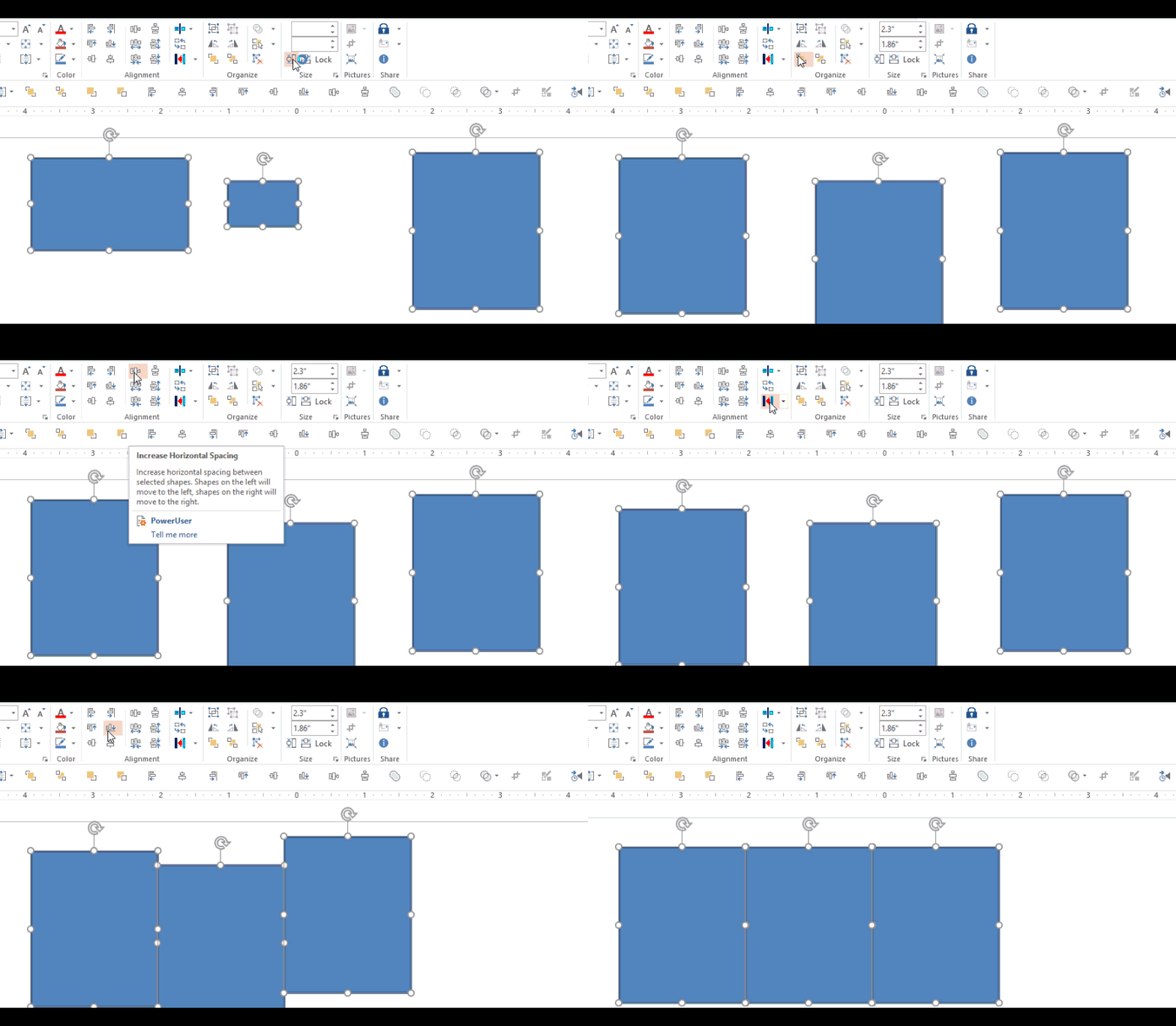
Day 1 – Hemmingway App (Writing help) Day 2 – PollEverywhere (PowerPoint audience participation add-in) Day 3 – The Great Suspender (Memory Manager – Chrome add-in) Day 4 – Grammarly (Writing -Chrome add-in) Day 5 – Dropbox for Gmail (Chrome add-in) Day 6- Canva (online graphics tool) Day 7 – Google Drive for Office (Office add-in) Just about everyoneContinueContinue reading “12 Apps of Christmas-Day 8 -Power User for PowerPoint”
 Mike Taylor
You must be logged in to post a comment.