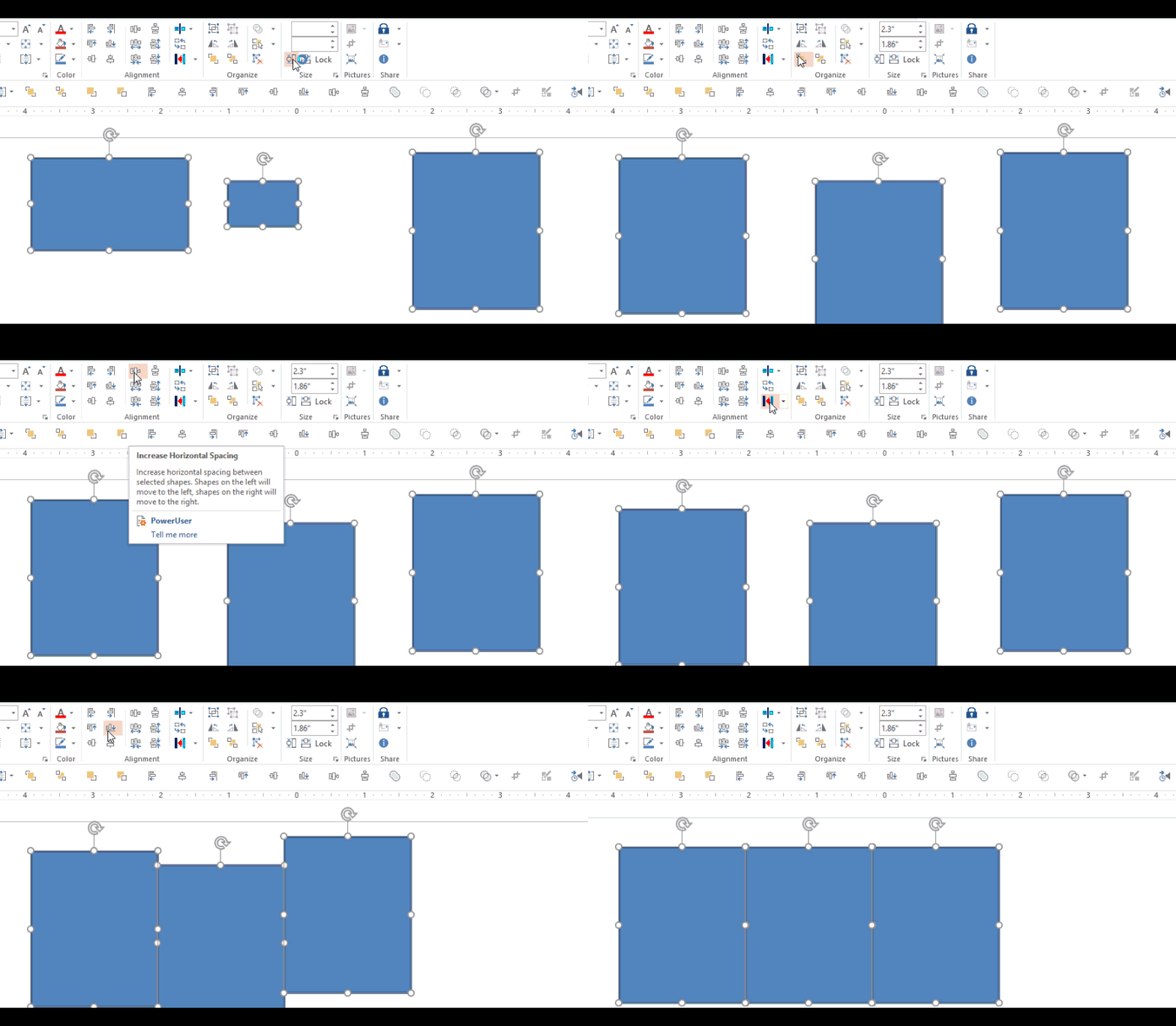
Day 1 – Hemmingway App (Writing help) Day 2 – PollEverywhere (PowerPoint audience participation add-in) Day 3 – The Great Suspender (Memory Manager – Chrome add-in) Day 4 – Grammarly (Writing -Chrome add-in) Day 5 – Dropbox for Gmail (Chrome add-in) Day 6- Canva (online graphics tool) Day 7 – Google Drive for Office (Office add-in) Just about everyoneContinueContinue reading “12 Apps of Christmas-Day 8 -Power User for PowerPoint”
Category Archives: presentations
Curated Collection of Design Resources
I put this together for a recent learning design workshop and wanted to share it with everyone. NOTE: Download the PDF to access all the clickable links in the document. Check out a bigger, broader collection of tools and resources on this page curated by Tracy Parish. https://e-learning.zeef.com/tracy.parish
Sharing Some PowerPoint & Elearning Slide Designs

As I recently cleaned out some old files, I came across these PowerPoint slide designs that I never used. Since its International Work Out Loud Week I thought I’d share these for anyone who might be able to use them for a presentation or online course. Download PowerPoint Slides
Friday 5 – Team knowledge sharing, Interactive presentation polling, Excel Fill magic

Thanks for stopping by. Here are the things I’m noodling on this week. I share a whole lot more things like this on Twitter and save the better ones over in Diigo. Guru Guru is a browser extension that facilitates knowledge sharing among teams. I’m giving it a try to see how well it works. IfContinueContinue reading “Friday 5 – Team knowledge sharing, Interactive presentation polling, Excel Fill magic”
Audience Feedback with Poll Everywhere
At the Learning Solutions session I presented with Patti Shank last week I wanted to try some way to include live, real-time audience feedback. After looking at a few different options I decided on Poll Everywhere and it worked out really well. (At least I think it did. If you were there and have aContinueContinue reading “Audience Feedback with Poll Everywhere”
Plain English
I just wanted to share this great little “Plain English Guide” that I discovered today. Among the wisdom in this 20 page gem are these writing guidelines: 1. Know your audience. 2. Get to the point. 3. Use everyday words. 4. Avoid jargon and abbreviations 5. Keep sentences and paragraphs short. It looks like they’veContinueContinue reading “Plain English”
Insert images instead of copy & paste
I’m guessing that a pretty big percentage of images used in PowerPoint come from the web. And I’m also guessing that most people may realize that most images on the web have been compressed in some way to provide a balance of quality & small file size. What I don’t think many people realize isContinueContinue reading “Insert images instead of copy & paste”
Displaying Documents in PowerPoint
This is in response to a good thread in Articulate’s Elearning Heroes community about “Creative Ways to Include Links” Here are a few ways that I’ve incorporated documents and attachments in presentations / courses: This document graphic is from one of Tom Kuhlmann’s blog posts. In the post he shows how he built it alongContinueContinue reading “Displaying Documents in PowerPoint”
Do looks really matter?
If you want your documents, presentations and courses to be credible and trustworthy (and who doesn’t?) then the answer is yes, looks do matter.
 Mike Taylor
You must be logged in to post a comment.