
When it comes to learning, it’s not the technology but how you use it that matters most.
Category Archives: elearning
How to Share Elearning Courses Using Google Cloud Platform

The retirement of free web hosting options from Dropbox and Google Drive has sent a lot of folks scrambling to find a good replacement. Many folks have followed Tom Kuhlmann’s instructions for moving their elearning courses and portfolios over to Amazon S3. I’d like to introduce you to another great option: Google Cloud Platform. TheContinueContinue reading “How to Share Elearning Courses Using Google Cloud Platform”
Friday Finds | October 6, 2017

Don’t waste time coming here to find everything. Get these and more right in your inbox by subscribing to my newsletter Jane Hart’s 11th Annual Top Learning Tools Jane Hart (@c4lpt) has been polling learning pros about their top learning for 11 years. This week she published this year’s edition and as always, it isContinueContinue reading “Friday Finds | October 6, 2017”
A Look at Over Ten Years of Top Learning Tools

This week Jane Hart (@c4lpt) published the results of this year’s Top Learning tools survey. If you haven’t seen it yet, you should definitely pop over there and take a good look. Alternatively, I’ve included her slide deck for your convenience. I’ve contributed every year since the first one back in 2007. Here is whatContinueContinue reading “A Look at Over Ten Years of Top Learning Tools”
Friday Finds | September 22, 2017

Enhancing Learning Through Graphics and Emotional Design I’m a big advocate of instructional designers or anyone creating content for learning, understanding the design principles that enable them to create multimedia learning elements that can promote and facilitate learning. Too often, many people tasked with this job are unknowingly creating things that do more harm thanContinueContinue reading “Friday Finds | September 22, 2017”
3 Easy Ways to Cut Text And Upgrade Your Slides

Reading your slides is public enemy #1 when it comes to presenting and your audience hates it more than anything! And if you do it because you want to reach visual learners, there is no such thing. Research shows that when people both hear and see the same verbal message they have trouble focusing onContinueContinue reading “3 Easy Ways to Cut Text And Upgrade Your Slides”
Converting Keynote to PowerPoint
There are so many great designers sharing their work these days. For example, this beautiful Keynote presentation template popped up in my morning reading yesterday. There are times like this when I’d really like to pull this over to use it or some of the elements in PowerPoint. Fortunately, there is a super quick andContinueContinue reading “Converting Keynote to PowerPoint”
My 2017 Top 10 Learning Tools
It’s my favorite time of year again. School is back in session, the summer heat is giving way to comfortably cool evenings and it’s time to make my annual contribution to Jane Hart’s Annual Learning Tools survey. 1. Feedly [ Personal, Workplace ] Simply the best way to keep up with the things you’re interestedContinueContinue reading “My 2017 Top 10 Learning Tools”
Just get started

If you know me, at some point you’ve heard me talk about working smarter instead of harder. In all the years I’ve been talking about that I’ve never had anyone disagree. Yet, far too often when the conversation progresses to exploring new ways of working I hit the “I don’t have time for that.” objection.ContinueContinue reading “Just get started”
Software Simulations the Free, Quick & Easy Way
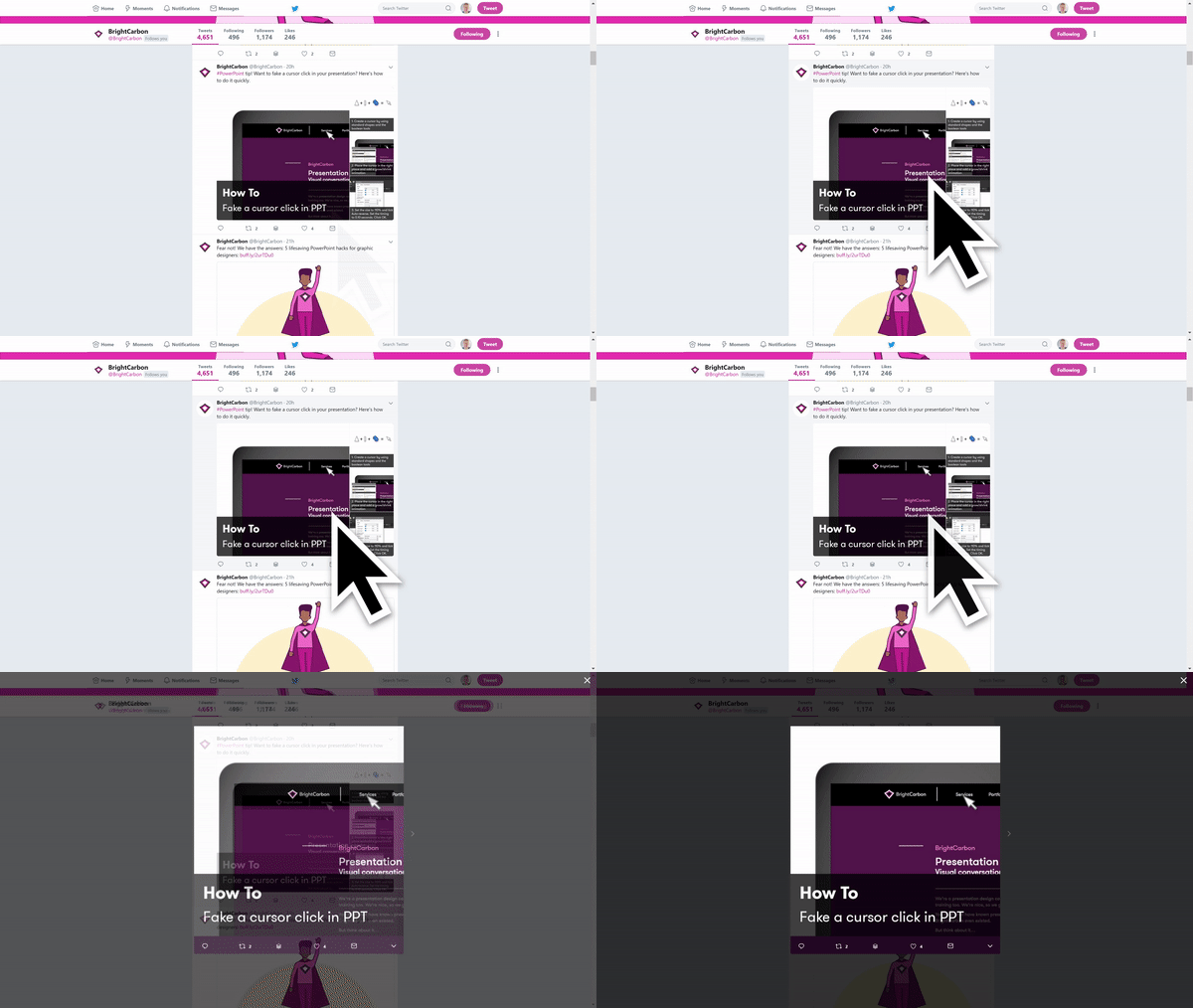
BrightCarbon shared this slick little slide tip for simulating a cursor click that has been one of my favorites for a long time now. https://twitter.com/BrightCarbon/status/893131867578413057 My version is very similar except I don’t build my own cursor and use a float in / float out animation instead of a grow/shrink. I made a quick oneContinueContinue reading “Software Simulations the Free, Quick & Easy Way”
 Mike Taylor
You must be logged in to post a comment.